

What Is Linter and How It Improves Your Code (what is linter)
Ever tried spotting a single typo in a document thousands of lines long? Now, what if that typo was a bug that could crash your entire application? That’s where a linter comes in. Think of it as your automated proofreader for code, tirelessly scanning every line to catch problems before they blow up in production.
Your Automated Guardian for Code Quality
A linter is basically a grammar and spell-checker, but for programming languages. Just like Microsoft Word puts a red squiggly line under a misspelled word, a linter highlights issues right in your source code. It doesn't actually run your program. Instead, it performs static analysis, which is a fancy way of saying it reads your code and checks it against a predefined set of rules.
This process is your first line of defense. It flags everything from sloppy formatting to critical, show-stopping bugs.
Here’s the kind of stuff it catches:
- Potential Bugs: Things like unused variables or code that can never be reached. These are classic signs of a mistake waiting to happen.
- Style Violations: It enforces a consistent style, like using tabs versus spaces, so the whole codebase looks like one person wrote it. Clean and readable.
- Best Practices: It’ll warn you if you’re using outdated functions or writing code in a way that’s known to be slow or inefficient.
This whole idea isn't new. The original 'lint' tool was created way back in 1978 for the C language to find issues compilers just didn't care about. At its core, a linter is a static analysis tool that finds suspicious code without ever executing it. That foundational concept is more critical than ever, especially now that AI is writing so much of our code. Having an automated quality check is no longer a nice-to-have; it’s essential. You can see just how fast this space is growing by looking at the AI code generation market size.
How a Linter Works Under the Hood
A linter might seem like it's performing some kind of dark magic, but the process is surprisingly straightforward. It methodically analyzes your code in a few distinct stages without ever actually running it, which is how it catches issues so early.
The very first step is parsing. Think of it like a translator reading your code and converting it into a language a machine can easily understand. The linter takes your raw text and transforms it into a structured format called an Abstract Syntax Tree (AST). This tree is essentially a map of your code’s structure, showing how all the different pieces—like variables, functions, and loops—relate to one another.
Checking the Blueprint for Flaws
Once that AST is built, the real work begins. The linter "walks" through this tree, node by node, checking every part against a pre-configured set of rules. Each rule is designed to spot a specific kind of problem.
These rules can catch all sorts of issues:
- Logical Errors: The
no-unreachablerule is a classic. It flags any code that can never possibly be executed, which is almost always a mistake. - Style Violations: Rules like
max-line-lengthmight seem picky, but they're crucial for keeping code readable and consistent, especially on a team. - Best Practices: The
no-unused-varsrule is a great housekeeper, flagging variables you declared but forgot to use, which helps keep your codebase clean and free of clutter.
This simple flow is what makes a linter so effective.
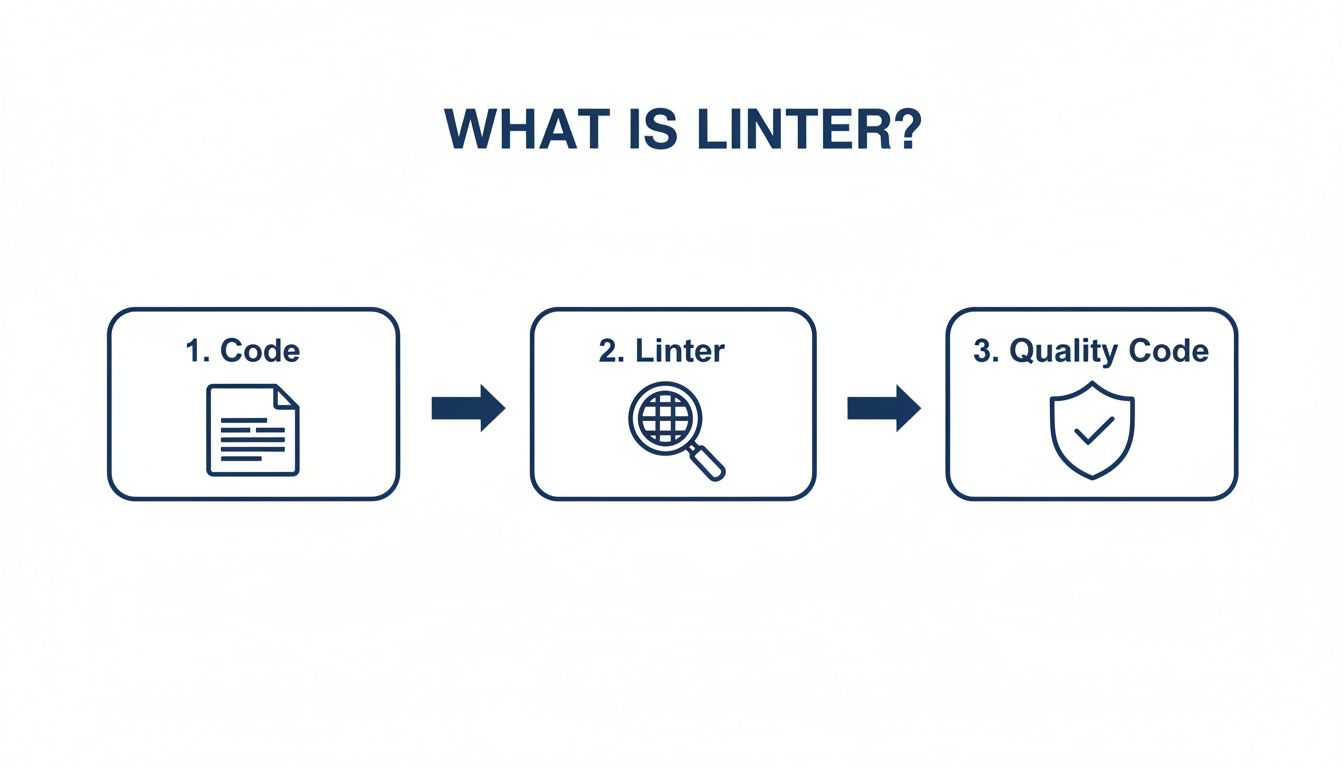
As the diagram shows, it’s a direct path from raw code to reliable, quality-checked code, all done through automated analysis.
Reporting and Autofixing
Finally, after its analysis, the linter reports back. It tells you exactly which line and character violated a rule and why. Better yet, many modern linters can autofix the simple stylistic stuff for you, automatically reformatting the code to comply with the project's standards.
A linter is a preventative tool. By catching errors and inconsistencies while you're still coding, it cuts down on the time and money you'd otherwise spend fixing bugs that made it into production.
This idea has been a game-changer for decades. The original 'lint' tool from 1978 cut debugging time on Unix systems by 30%. Today's tools are even more powerful. Pylint, for instance, can catch up to 94% of style violations in Python, a language at the heart of 65% of all machine learning pipelines. For a deeper dive into the history, you can explore static code analysis research.
Why Modern Development Teams Can't Live Without Linting
In modern software development, speed and quality aren't competing priorities—they're the baseline expectation. This is where linting comes in. It's not just some helpful utility anymore; it's a core practice for any team that wants to ship great software, fast. Think of it as a strategic asset that pays dividends across the entire development lifecycle.
The most immediate win? Preventing bugs before they even happen. A linter is like an automated quality gate, catching those subtle mistakes that slip past even the most experienced human eyes—things like variable typos or unreachable code. These tiny errors can balloon into hours of frustrating debugging down the line, but a linter flags them the moment you type them.

Driving Consistency and Maintainability
Beyond just catching bugs, linting is the secret to enforcing a consistent code style across your entire team. It finally settles those endless, subjective arguments—like tabs versus spaces—by simply automating the standard. The end result is a cohesive codebase that feels like it was written by a single, disciplined developer, not a dozen different people.
This consistency has a massive impact on code maintainability. A clean, predictable codebase is way easier for new developers to get up to speed on, which slashes onboarding time. When everyone plays by the same rules, collaboration is smoother and code reviews get a whole lot faster. If you want to dive deeper, you can learn more about streamlining this process with automated code reviews.
By automating the enforcement of standards, linting frees up developers to focus on solving complex business problems instead of debating stylistic minutiae during code reviews.
Ultimately, linting makes developers more efficient and helps teams ship higher-quality products, faster. It's a foundational piece of the puzzle, and for a broader look at similar tools, check out this ultimate list of developer productivity tools.
Linter vs Formatter vs Static Analyzer
In the world of automated code quality, it's easy to get linters, formatters, and static analyzers mixed up. They all work together to improve your code, but each one plays a very different role.
Think of them as a specialized pit crew for your codebase. Each member has a specific job, and you need all of them to keep things running smoothly.
The Rule Enforcer, The Stylist, and The Deep Inspector
A linter is your team's meticulous Rule Enforcer. Its job is to scan your code and check it against a predefined set of rules that cover everything from potential bugs to stylistic conventions. It'll flag an unused variable just as quickly as it will point out inconsistent indentation, acting as your first line of defense against sloppy code.
A formatter, on the other hand, is the team's dedicated Stylist. Tools like Prettier couldn't care less about your code's logic or whether it contains a bug. Their one and only mission is to enforce a consistent visual style. A formatter will automatically rewrite your code to ensure every line adheres to the same spacing, line length, and bracket placement rules, effectively ending all those pointless style debates in pull requests.
Finally, a static analyzer is the Deep Inspector. It goes much deeper than a standard linter, performing a far more complex analysis to uncover security vulnerabilities, performance bottlenecks, and tricky logical flaws that a linter would miss. If you want to dive deeper, it helps to understand what static code analysis entails.
A linter might catch an unused variable, but a static analyzer can trace data flow through your entire application to identify a potential SQL injection vulnerability—a far more complex and critical issue.
These tools aren't competing against each other; they form a powerful trio. In fact, many modern tools blend these capabilities. You can learn more about how they operate in our guide to static Java code analysis.
To make the distinction crystal clear, here’s a quick breakdown of their core responsibilities.
Linter vs. Formatter vs. Static Analyzer
This table sums up the primary roles and functions of linters, formatters, and other static analysis tools.
| Tool Type | Primary Goal | Scope of Analysis | Example Tools |
|---|---|---|---|
| Linter | Enforce rules and catch potential errors | Syntax, style, and simple programming mistakes | ESLint, Pylint |
| Formatter | Enforce a consistent code style | Code layout, spacing, and line breaks | Prettier, Black |
| Static Analyzer | Find complex bugs and vulnerabilities | Security flaws, performance issues, deep logic errors | SonarQube, Checkmarx |
By using all three, you create a comprehensive safety net for your codebase. The formatter keeps it readable, the linter keeps it clean and error-free, and the static analyzer protects it from serious, hidden threats. Together, they ensure your code is maintainable, secure, and ready for production.
Popular Linters and Their Rules in Action
Theory is one thing, but the real "aha!" moment comes when you see a linter catch a genuine mistake in your code. Every programming language has its own ecosystem of tools, each one fine-tuned for the language’s quirks and community standards. Let's pull back the curtain and look at a few of the big names.
In the world of JavaScript and TypeScript, ESLint is the undisputed champion. It's built to be incredibly flexible, letting teams enforce a huge range of rules, from basic style preferences to really complex logic checks. Considering AI tools were projected to generate 25% of new code in GitHub repositories by mid-2025, tools like ESLint became non-negotiable for maintaining quality. With a staggering 30 million weekly downloads on npm, its rules can catch 92% of common anti-patterns like unused variables or imports. You can dive deeper by exploring insights on code quality tools.
Below is a snapshot of the ESLint homepage, which nails its core value proposition: find problems, fix them automatically, and customize everything.

The site makes it clear that ESLint isn’t just for a one-time check; it’s a foundational tool for the long-term health of your project.
Language-Specific Linter Examples
Every language has its go-to linter, built by the community to handle the most common pitfalls of that specific syntax and style. Here are a couple of concrete examples:
-
Pylint for Python: Known for being highly opinionated and incredibly thorough, Pylint is a Python developer's best friend. A classic rule is
invalid-name, which enforces PEP 8 naming conventions. It makes sure your variables are insnake_caseand your classes are inPascalCase. It’s a simple rule, but it makes Python code instantly more professional and readable. -
RuboCop for Ruby: RuboCop acts as both a linter and a code formatter for the Ruby community. One of its most common rules is
Style/StringLiterals, which nudges you to use single quotes for strings that don't need any special character interpretation. This small stylistic tweak reduces visual clutter and makes the developer's intent perfectly clear.
These examples show how a linter is like having an automated mentor looking over your shoulder. It guides you toward writing cleaner, more idiomatic code, no matter what language you're using. By flagging these tiny inconsistencies, they prevent "code rot" and help maintain a high standard of quality across the entire codebase.
Common Questions About Linters
Jumping into any new tool can feel like a bit of a maze. Let's clear up some of the most common questions developers have when they first start using linters and figure out how to get them running smoothly.
Won't This Just Slow Me Down?
It’s easy to think a linter will get in your way, but it’s actually the opposite. Once you get through the quick initial setup, modern linters speed you up immensely. They just run quietly in the background of your editor, giving you feedback as you type.
Think about it: catching a simple typo or a forgotten variable in a split second is way faster than finding it during a code review or after a test run fails. That instant feedback loop saves you a ton of time and headache down the road.
What if My Team Can't Agree on the Rules?
This is a classic—and totally normal—part of the process. The real goal is consistency, not chasing some perfect, absolute standard. The good news is that most linters are incredibly flexible, so teams can always find a happy medium.
Your linter configuration file should be treated just like your code. Discuss any changes, agree on a standard that everyone can live with, and check it into your repository. If a rule is causing a real deadlock, you can usually just disable it or downgrade it from an "error" to a "warning."
This way, the rules are there to serve the team, not the other way around.
Is a Linter Already Built into My Code Editor?
Most of the big editors like VS Code or the JetBrains IDEs don't ship with a linter out of the box, but they all have fantastic extension support that makes adding one a breeze.
Getting it working is usually a two-step dance:
- Install the linter for your language (like running an npm command for ESLint).
- Add the matching plugin from your editor's marketplace.
Once you do that, you'll unlock the powerful, real-time feedback that makes linting an essential part of any modern developer's toolkit.
While traditional linters are fantastic for catching style and syntax mistakes, they can't see the bigger picture—they miss the complex logic, security holes, and quality issues that often creep into AI-generated code. kluster.ai plugs that gap. It gives you real-time verification right inside your IDE, catching those advanced errors before they ever become a problem. It works alongside your linter to make sure your AI-assisted code isn't just clean, but actually correct. Learn how to secure your AI development lifecycle.