

What Is Code Smells and How Do You Fix Them
Ever look at a piece of code that technically works but just feels… wrong? Maybe it’s clunky, confusing, or ridiculously complicated. That little voice in your head, that gut feeling, is your developer intuition picking up on what we call a code smell.
Code smells are warning signs in your source code. They aren't bugs—your application won't crash—but they hint at deeper, structural problems that will make life miserable down the road.
Why Good Code Can Still Smell Bad
Think of it like a strange noise coming from your car's engine. The car still drives, but that sound is a red flag. Ignore it, and you might be heading for a major breakdown. A code smell is the exact same thing for your software. It won't crash your app today, but it signals a weakness that makes the codebase brittle, hard to understand, and expensive to change.
A code smell is any characteristic in the source code of a program that possibly indicates a deeper problem. It’s a prompt for further investigation, not necessarily an error that needs to be eliminated on sight.
This isn't some new-age concept. The idea arguably started back in 1968 when computer scientist Edsger Dijkstra published 'Go To Statement Considered Harmful,' effectively calling out the Go-to statement as the very first documented code smell.
Even with decades of awareness, the problem persists. A massive study revealed a staggering statistic: 80% of code smells get baked into the code the first time it’s written, not during later updates. You can dive into the details in the full research on code smell origins.
Smells vs. Bugs: A Clear Distinction
It’s really important not to mix up code smells and bugs. They’re two totally different problems, and confusing them leads to wasted time and misplaced priorities. A bug is a straight-up error causing your software to behave incorrectly. A code smell is a design flaw that makes future work a nightmare.
This table breaks it down nicely.
| Aspect | Code Smell | Bug |
|---|---|---|
| Impact | Degrades maintainability, readability, and scalability. | Breaks functionality and causes incorrect behavior. |
| Visibility | Hidden structural weakness. The code still works. | Obvious error. The application fails to meet requirements. |
| Urgency | A strategic debt. Can be fixed later, but the cost grows. | Often requires an immediate fix to restore service. |
| Example | A 200-line function that does ten different things. | Clicking a "Save" button does nothing. |
At the end of the day, a bug breaks your software now. A code smell makes your software harder to live with tomorrow.
Learning to spot these subtle warnings is the first step toward building truly healthy, resilient software. It’s about moving beyond just writing code that works and starting to build software that lasts.
Your Field Guide to Common Code Smells
Now that we know a code smell is a symptom of a deeper design issue, it’s time to put on your detective hat. The single most important skill in keeping a codebase healthy is learning to spot these common smells. Think of this as your field guide to the usual suspects you'll find lurking in your projects.
While there are dozens of documented smells, they usually fall into a few distinct categories. We'll walk through some of the most frequent offenders, complete with concrete examples of what they look like in the wild and how to deal with them. The key isn't just memorizing patterns; it's about understanding the "why" behind each one and the risks they introduce.
First, let's clarify where code smells fit into the bigger picture. They aren't bugs—not yet, anyway. They're warning signs.
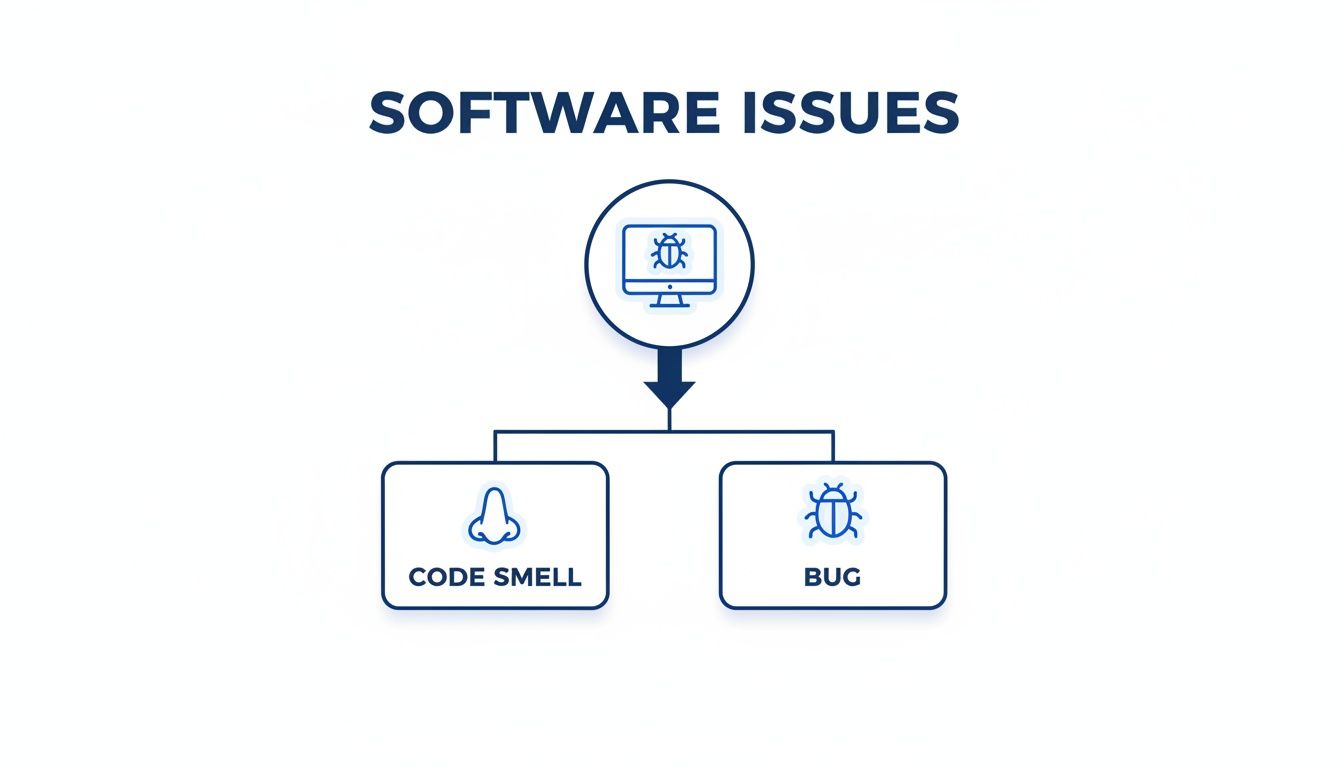
This distinction is crucial. A code smell is a precursor to future bugs. Catching them is a proactive way to keep your software healthy before things actually break.
The Bloaters: Code Smells That Take Up Too Much Space
Bloaters are chunks of code—classes, methods, you name it—that have ballooned to a monstrous size. They're often the easiest to spot because their sheer scale makes them stick out like a sore thumb.
1. Long Method A Long Method is a function that has grown way too long because it's trying to do too many things at once. As its list of responsibilities expands, so does its line count, making it a nightmare to read, debug, or change. If you have to scroll just to figure out what a method does, you’ve probably found one.
- Why It's a Problem: These monoliths completely ignore the Single Responsibility Principle. A tiny change to one piece of its logic can have unintended side effects somewhere else, and pulling out reusable code from the tangled mess is next to impossible.
- The Fix: The go-to solution is the Extract Method refactoring technique. You find cohesive blocks of code inside the long method, pull them out into their own small, well-named methods, and then call them from the original.
A great rule of thumb: if you feel the need to write a comment to explain what a block of code does, that block can probably be extracted into its own method. Give it a name that makes the comment totally unnecessary.
Let's look at a quick JavaScript example.
Before Refactoring (The Smell) function processOrder(order) { // 1. Validate customer data if (!order.customer.name || !order.customer.address) { console.error("Customer data is incomplete."); return; }
// 2. Calculate total price including tax let total = 0; for (const item of order.items) { total += item.price * item.quantity; } total = total * 1.10; // Add 10% tax
// 3. Send confirmation email
const message = Your order #${order.id} is confirmed. Total: $${total.toFixed(2)};
// emailService.send(order.customer.email, "Order Confirmation", message);
console.log("Email sent:", message);
}
This single function is juggling validation, calculation, and notification. Each of those is a separate job.
After Refactoring (Clean Code) function processOrder(order) { if (!isCustomerValid(order.customer)) { console.error("Customer data is incomplete."); return; }
const orderTotal = calculateOrderTotal(order.items); sendConfirmationEmail(order, orderTotal); }
function isCustomerValid(customer) { return customer.name && customer.address; }
function calculateOrderTotal(items) { const subtotal = items.reduce((sum, item) => sum + item.price * item.quantity, 0); return subtotal * 1.10; // Add 10% tax }
function sendConfirmationEmail(order, total) {
const message = Your order #${order.id} is confirmed. Total: $${total.toFixed(2)};
// emailService.send(order.customer.email, "Order Confirmation", message);
console.log("Email sent:", message);
}
The refactored code is instantly easier to grasp. Each function has exactly one job, is a breeze to test, and can be reused anywhere else.
The Change Preventers: Code Smells That Resist Modification
This category of smells makes your codebase stiff and fragile. A change that should be simple forces you to edit code in a dozen different places, dramatically increasing the risk of introducing new bugs.
2. Shotgun Surgery You know you're dealing with Shotgun Surgery when one small logical change forces you to make many tiny edits across a bunch of different files. The "shotgun blast" scatters changes all over the codebase, a sure sign that a single responsibility has been split up and spread way too thin.
- Why It's a Problem: It’s ridiculously easy to miss one of the required edits, leading to subtle and frustrating bugs. It also makes development feel like wading through mud.
- The Fix: Use the Move Method or Move Field refactoring techniques to bring all the related code together into a single, responsible class. If a good home for it doesn't exist yet, create one.
For instance, imagine adding a new payment type requires you to touch the PaymentProcessor, Order, Invoice, and Receipt classes. That's classic shotgun surgery. The right move would be to centralize that logic, maybe behind a PaymentStrategy interface, so adding a new payment method means creating just one new file.
3. Duplicated Code This one is probably the most common—and damaging—code smell out there: Duplicated Code. It’s exactly what it sounds like: identical or nearly identical blocks of code cropping up in multiple places. It usually starts with an innocent copy-paste that seems harmless at the time.
- Why It's a Problem: Duplicated code is a maintenance time bomb. When you find a bug in one spot, you have to remember to fix it in every single copy. Miss one, and you've got inconsistent behavior and a bug that just won't die.
- The Fix: If the duplicate code is inside the same class, use Extract Method. If it’s spread across different classes, you might create a new helper class. Or, if the classes share a common parent, use Pull Up Method to move the shared logic into the superclass.
Cleaning up these common code smells isn't just a "nice-to-have." It's a practical discipline that pays off big time in code quality, team speed, and developer sanity. By turning confusing, smelly code into clean, intention-revealing code, you build a foundation that’s much easier and safer to build upon.
The True Cost of Ignoring Bad Code Smells
So, the code works. Why bother fixing these so-called "smells"? It’s a fair question, but one that misses the dangerously compounding nature of poor code quality. Ignoring a code smell is like ignoring a small crack in a dam. It might hold for now, but the pressure is constantly building toward an inevitable and costly failure.
This phenomenon is often called software entropy. In simple terms, disorder in any system naturally increases over time. A single messy function or a confusing variable name acts as a seed of chaos. The next developer to touch that code is more likely to add another quick fix or workaround, and soon enough, that small messy area infects the entire module.

The Accumulation of Technical Debt
Every code smell you choose to ignore directly adds to your technical debt. This isn't a financial debt, but it behaves just like one—it’s the implied cost of rework you take on by choosing an easy, "dirty" solution now instead of a better approach that would take longer.
Ignoring these smells leads to a mountain of technical debt, which needs to be strategically managed to keep projects from grinding to a halt. Teams can get a handle on this by learning more about managing technical debt and keeping their work on track. Think of each smell as an interest payment on this debt, slowing down all future development.
For example:
- Long Methods turn debugging into a treasure hunt. The extra hours spent tracing logic are interest payments.
- Duplicated Code means a simple bug fix has to be applied in multiple places. Miss one, and you’ve created a new bug—the time spent tracking it down is another interest payment.
- Shotgun Surgery transforms a one-line change into a multi-file ordeal, draining productivity. That wasted effort is an interest payment.
Letting code smells linger is like accepting a high-interest loan. You get the feature out the door quickly today, but you’ll be paying for it with slower development, increased complexity, and more bugs for months or even years.
These aren't just abstract ideas; they have real, measurable consequences. One landmark analysis found that classes riddled with code smells undergo far more frequent and larger changes over time, proving that quality degrades as messy code accumulates.
The Human Cost and Business Impact
Beyond the code itself, there's a serious human cost. Forcing developers to navigate a minefield of confusing, brittle, and tangled code is a direct path to frustration and burnout. Nobody enjoys spending their day deciphering what a piece of code was supposed to do instead of building exciting new features.
This developer friction translates directly into tangible business problems. Our guide on how to reduce tech debt dives deeper into these connections.
The consequences are severe:
- Decreased Velocity: Simple features take weeks instead of days because every change requires wrestling with a fragile codebase.
- Budget Overruns: Projects go over budget as development timelines stretch out due to unforeseen complexity.
- Missed Deadlines: Product launches get delayed, giving competitors an edge in the market.
- Higher Bug Risk: Complex code is a breeding ground for critical bugs that can impact customers and damage your company's reputation.
Ultimately, ignoring code smells isn't a technical shortcut; it's a business liability. Addressing them isn't about chasing perfection—it's about building a sustainable, predictable, and efficient engineering practice.
How to Develop a Nose for Bad Code
Seasoned developers have a certain Spidey-sense about code. They can just feel when something isn't quite right, long before it blows up into a production-halting bug. This isn't magic; it's a finely tuned instinct for patterns that signal risk under the surface. The good news is, anyone can develop this "nose for bad code" by blending good old-fashioned human collaboration with smart automation.
It all starts with people. The fastest way to sharpen your own detection skills is through consistent manual code reviews and pair programming. When you’re digging into a teammate's pull request, you’re not just hunting for typos. You're questioning the structure, the clarity, and the logic. That friction, that back-and-forth, is where your team builds a shared gut feeling for what clean code actually looks like.

Putting Automation to Work
Of course, human review is critical, but it has its limits—it just doesn't scale. This is where automated tools become your best friend, acting as a tireless first line of defense. Static analysis tools are designed to scan your entire codebase for known code smell patterns without ever having to run the code itself.
They’re essential for keeping quality consistent, and they come in a few flavors:
- Linters: Think of tools like ESLint for JavaScript or Pylint for Python. They enforce style guides and catch the low-hanging fruit, like unused variables or functions that have grown way too complex.
- Static Analysis Platforms: More powerful platforms like SonarQube or CodeClimate go much deeper. They can spot complex, project-wide smells like Duplicated Code or a dangerously Large Class.
But just having these tools isn't enough. The real magic happens when you wire them directly into your Continuous Integration/Continuous Deployment (CI/CD) pipeline. By doing this, every single commit gets an automatic smell check, effectively creating a quality gate. Bad smells get flagged before they ever have a chance to get merged into the main branch.
Comparison of Code Smell Detection Methods
Choosing the right approach depends on your team's workflow and goals. Some methods are great for catching issues early, while others provide deeper, project-wide insights.
| Method | When It's Used | Pros | Cons |
|---|---|---|---|
| Manual Code Review | During pull request (PR) reviews | Catches nuanced logic/design flaws, builds team knowledge. | Time-consuming, inconsistent, doesn't scale well. |
| Pair Programming | During active development | Real-time feedback, high-quality initial code. | Resource-intensive (two developers on one task). |
| Linters & Formatters | In the IDE and pre-commit hooks | Instant feedback on style and simple errors. | Limited scope; can't detect complex architectural smells. |
| Static Analysis Tools | In CI/CD pipelines, scheduled scans | Comprehensive, automated, enforces consistent standards. | Can have a higher rate of false positives if not configured well. |
Ultimately, a combination of these methods provides the most robust defense against technical debt.
Shifting from Fixing Fires to Preventing Them
The end game is to move your team away from a reactive, "we'll fix it later" culture. Instead, you want to build a habit of proactive, continuous quality improvement. Spotting and talking about code smells should feel as normal as writing a commit message, not like a special ceremony.
When you start looking at how code evolves over time, detection gets remarkably accurate. One study confirmed that over 75% of smells identified by a history-based tool were validated by developers as legitimate design flaws.
This works because many smells don't just appear in a single snapshot; they creep in through a series of small, seemingly harmless changes. If you want to dive into the data, you can check out the complete research on history-based detection. By pairing sharp human intuition with intelligent automation, you create a powerful system for keeping your codebase healthy and maintainable for the long haul.
Catching Code Smells Before They Happen
Traditional methods for spotting code smells, like manual reviews or pipeline scans, are decent but fundamentally reactive. They catch problems after the code has already been written and sits waiting in a pull request.
But what if you could shift that entire process to the left? Imagine catching and fixing potential issues the very moment they're created. That's the whole idea behind real-time, in-IDE quality checks. Instead of waiting for a CI/CD pipeline to fail or for a teammate to flag an issue, modern tools bring the review process right to your fingertips, embedding quality checks directly into your coding workflow.
The Power of In-IDE Feedback
The biggest win here is immediate feedback. When you get an alert about a potential code smell right inside your editor—whether it's VS Code or Cursor—you can fix it instantly while the context is still fresh. This completely eliminates the painful context switching that happens when you have to revisit old code hours or even days later.
Building out solid code review best practices has always been a hallmark of great engineering teams, but in-IDE tools put that process on steroids. They act like an automated pair programmer, constantly watching over your shoulder to make sure standards are met. This immediate feedback loop doesn't just catch smells; it helps you internalize better coding patterns over time, making you a stronger developer with every line you write.
Going Beyond Simple Pattern Matching with AI
Traditional linters are great at finding stylistic problems or simple smells, but they often lack the context to understand what you're actually trying to do. This is where AI-powered tools like Kluster AI completely change the game. Kluster doesn't just match patterns; it uses specialized AI agents that understand the bigger picture of your work.
These agents analyze several key data points to provide feedback that’s actually relevant:
- Your Prompts: It knows what you asked your AI assistant to generate, so it can check if the output truly matches your request.
- Repository History: It learns from your existing codebase to ensure new code follows the patterns you've already established.
- Project Documentation: It can cross-reference generated code with your docs to ensure everything stays consistent and correct.
- Chat Context: It follows the conversation with your AI assistant to grasp all the nuances of your requirements.
This contextual awareness allows Kluster AI to flag much more than just classic code smells. It can spot subtle logic errors, AI hallucinations, and security vulnerabilities the instant they appear. The goal is to move beyond simple code scanning and embrace a more holistic approach, which you can read more about in our guide to automated code reviews.
By verifying AI output against the original intent, developers can trust the code they generate. This transforms AI assistants from a potential source of technical debt into a reliable and high-quality coding partner.
Enforcing Quality with Custom Guardrails
One of the most powerful things about an in-IDE quality platform is the ability for engineering teams to define and enforce their own custom guardrails. Think of these as rules that automatically check every piece of generated code against your organization's specific standards.
The screenshot below shows exactly how Kluster AI gives real-time feedback inside the IDE, flagging a simple unused import on the spot.
This immediate, actionable insight lets the developer fix the problem right away, ensuring only clean, compliant code ever gets committed.
With custom guardrails, you can automatically enforce a whole range of standards:
- Security Policies: Block the use of deprecated or insecure libraries.
- Naming Conventions: Make sure variables and functions follow a consistent style.
- Best Practices: Flag anti-patterns or inefficient code specific to your tech stack.
- Compliance Rules: Uphold standards required for regulations like GDPR or HIPAA.
By setting up these guardrails, engineering leaders can guarantee that every developer, no matter their experience level, sticks to the same high bar for quality and security. This proactive enforcement stops bad smells and vulnerabilities at the source, long before they have a chance to get into your codebase and become a much bigger headache.
Got Questions About Code Smells?
Even when you know what code smells are, a few practical questions always pop up when you try to apply the concept to your team's day-to-day work. Let's tackle some of the most common ones I hear from developers and engineering managers.
Do I Really Need to Fix Every Single Code Smell?
Nope. Chasing down every single smell is a classic case of perfectionism getting in the way of progress. A code smell is just a hint of a deeper problem, not a critical error that needs to be nuked from orbit the second you find it.
Context is everything here. If a smell is lurking in a dusty corner of a legacy system that just works and is rarely touched, the risk and effort to refactor it probably isn't worth it. Sometimes, "if it ain't broke, don't fix it" is a perfectly valid strategy.
But for the active parts of your application—where your team is shipping features and making changes every week—those same smells are a huge liability. They're compounding technical debt that slows everyone down. The real skill is learning to weigh the trade-offs: what’s the cost of fixing this now versus the pain it will cause us later?
How Do We Get Our Team to Agree on Code Quality Standards?
This is a big one. Without a shared definition of "good code," you're setting yourself up for endless, painful debates in every single pull request. When quality is just a matter of opinion, the codebase becomes a chaotic mess of conflicting styles.
The only way out is to create and document a team-wide coding standard together.
- Don't reinvent the wheel: Start with well-known smells and established best practices for your language and stack.
- Make it a team decision: Get everyone in a room (or a call) to agree on what matters most for your projects. This isn't about one person dictating rules; it's about creating shared ownership.
- Automate everything: Use tools to enforce the standards you just agreed on. This takes the emotion and subjectivity out of code reviews and makes doing the right thing the easiest option.
When you define clear guardrails that flag specific patterns right inside every developer's IDE, quality stops being a personal preference. It becomes a shared, automated practice that the entire team follows without constant nagging or manual oversight.
Do AI Code Generators Help or Hurt Code Quality?
Honestly? Both. AI code generators are a classic double-edged sword. They can be incredibly powerful, spitting out boilerplate in seconds or suggesting clever refactors that clean things up. When used well, they absolutely speed up development.
On the other side of the coin, they are just as likely to introduce subtle bugs, bizarre logic, or complete hallucinations. These models learned from a massive pile of public code, and guess what? A lot of that code is terrible. They have no idea about your project's specific context or your team's hard-won standards.
This is exactly why in-IDE verification is becoming non-negotiable. You need a safety net—a tool that checks AI-generated code against your prompts, your existing repository patterns, and your team's rules. Without that crucial step, you’re just creating a new, automated wave of technical debt that spreads faster than ever.
How Are Code Smells Related to Technical Debt?
Code smells are a primary driver of technical debt. They're the little cracks in the foundation, the visible symptoms of that debt right there in your codebase.
Think of technical debt as the future cost of taking a shortcut today. Code smells are the "interest payments" you make on that debt, day in and day out.
- Every time a developer wastes 10 minutes trying to understand a
Long Method, you're paying interest. - Every time a bug fix has to be copied and pasted into three different blocks of
Duplicated Code, you're paying interest. - Every time a tiny change forces you into
Shotgun Surgeryacross five different files, you're paying interest.
These little payments seem small on their own, but they add up. Over time, they grind development to a crawl. Fixing code smells is like paying down the principal on your debt—it frees up your team to build new things instead of constantly fighting the old.
Ready to stop code smells before they even start? kluster.ai integrates directly into your IDE to provide real-time feedback on AI-generated code, enforcing your team's standards automatically. Catch logic errors, security flaws, and bad patterns in seconds, not hours. Start your free trial or book a demo today to see how you can ship trusted, production-ready code faster.