

Test automation quality assurance: Elevate QA with AI, CI/CD & DevOps
Test automation quality assurance is a fancy way of saying we're using specialized software to run tests on our application, automatically sniffing out bugs and making sure everything works as it should. It takes quality assurance from a slow, manual chore into a repeatable, scalable, and seriously efficient operation. The end goal? Ship better software, faster.
Unpacking Test Automation in Quality Assurance
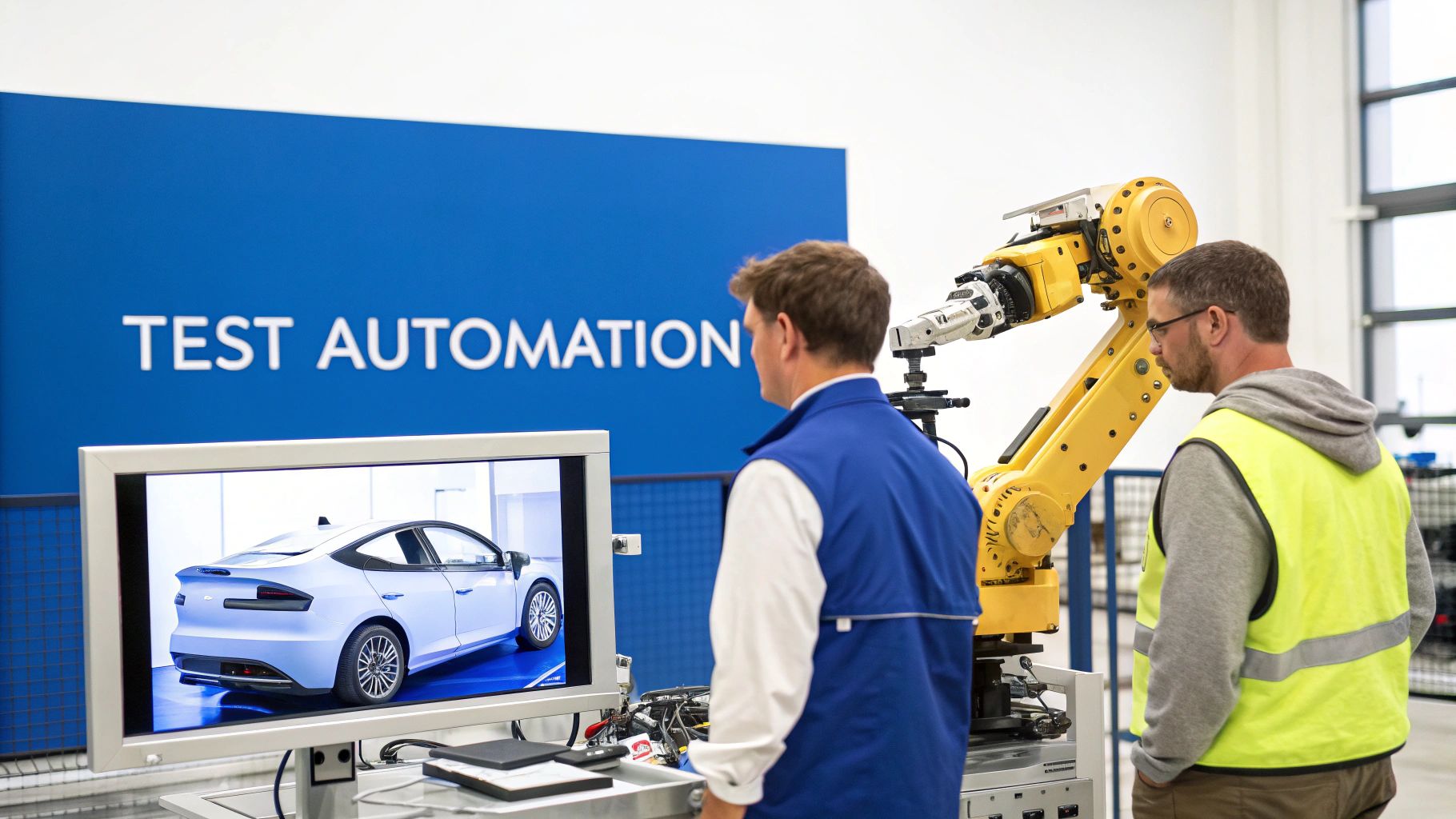
Think about how cars are built. Manual QA is like a mechanic meticulously checking every single bolt on every car by hand. It’s thorough, sure, but it's painfully slow, and human error is always a risk. Now, picture the robotic assembly line—that's test automation quality assurance. It’s armed with lasers and sensors that verify thousands of connections per minute, every single time, without fail.
This analogy gets right to the heart of automation: it’s a massive force multiplier for your QA team. It doesn't replace skilled testers. Instead, it frees them up to tackle the complex, creative stuff machines can't touch, like exploratory testing or figuring out if a feature is actually intuitive for a real user.
Before we dive deeper, it's worth clarifying the difference between AI and automation. Automation is all about following pre-written rules, while AI can actually learn and adapt—a distinction that’s becoming a huge deal in modern QA.
The Strategic Shift from Manual to Automated QA
Bringing in test automation is more than just buying a new tool; it’s a complete shift in how your team thinks about quality. Instead of treating testing as the final hurdle before a release, you’re weaving quality checks directly into the entire development process from the get-go.
This change pays off in some huge ways:
- Faster Feedback Loops: Developers find out if their code broke something in minutes, not days. This means they can fix bugs while the code is still fresh in their minds.
- Increased Test Coverage: Automation lets you run thousands of tests across tons of different devices and browsers—a scale that's just not possible for a human team.
- Improved Accuracy: Automated tests are robots. They don't get tired or make typos, ensuring every check is performed the exact same way, every time.
- Higher ROI Over Time: Yes, there's an upfront cost to get things set up. But the long-term savings from not having to manually run the same regression tests over and over again are massive.
Manual QA vs Automated QA at a Glance
To really see the contrast, let's break down the core differences between the old way and the new way of ensuring quality. The table below puts it all side-by-side.
| Aspect | Manual Quality Assurance | Automated Quality Assurance |
|---|---|---|
| Execution | Performed by a human tester, step-by-step. | Executed by software scripts automatically. |
| Speed | Slower and limited by individual capacity. | Significantly faster, capable of running parallel tests. |
| Consistency | Prone to human error and variability. | Highly consistent, running the same way every time. |
| Best Use Case | Exploratory testing, usability, and new features. | Repetitive regression tests, data-driven scenarios. |
In the end, the smartest test automation quality assurance strategies don't pick one over the other—they blend the best of both. You use automation to handle the boring, repetitive grunt work, which frees up your brilliant human testers to explore the app with the nuance and creativity only they can provide.
Building Your Modern Test Automation Strategy
Jumping into test automation without a clear plan is like trying to build a house without a blueprint. You might get something that stands up, but it won't be stable, scalable, or something you can trust. A real automation program starts with a solid strategy—one that clearly defines what you'll test, which tools you’ll use, and how it all plugs into your development lifecycle.
The first step is figuring out which tests are actually worth automating. Think about the repetitive, high-value tasks that are just begging for human error to creep in. These are your prime candidates. Automating them delivers the quickest wins by freeing up your team for more creative, complex problem-solving.
This strategic approach isn't just a good idea; it's becoming the industry standard. The global software testing market is projected to explode from $55.8 billion in 2024 to a staggering $112.5 billion by 2034. More importantly, the automation slice of that pie is growing twice as fast, expected to jump from $28.1 billion in 2023 to $55.2 billion by 2028. This isn't just a trend; it's a massive industry-wide shift from manual grunt work to smarter, automated processes. You can dig into more of these QA trends on thinksys.com.
Understanding the Layers of Automated Testing
A bulletproof test automation strategy isn't about running just one kind of test. It’s about building layers of defense, much like a medieval castle has a moat, high walls, and guards at every tower. Each layer serves a unique purpose, and together, they create a formidable defense against bugs making it to production.
These are the most common layers you'll build:
- Unit Tests: These are the bedrock of your testing pyramid. They check tiny, individual pieces of code—like a single function or component—in complete isolation. They're lightning-fast, cheap to write, and give developers immediate feedback, making them the absolute first line of defense.
- Integration Tests: Moving up a level, these tests make sure different parts of your application play nicely together. For instance, does your login service actually talk to the database correctly? They’re designed to catch the issues that only pop up when separate components start interacting.
- End-to-End (E2E) Tests: This is the top of the pyramid, where you simulate a real user's journey through your application from start to finish. An E2E test might automate the entire flow of a user logging in, adding an item to their cart, and checking out. They're incredibly powerful but also slower and more fragile than the other types of tests.
A balanced strategy leans heavily on a huge base of unit tests, a healthy number of integration tests, and a small, carefully chosen suite of E2E tests. A common mistake is relying too much on slow E2E tests, which can grind your entire development pipeline to a halt.
Choosing Your Automation Framework
Once you know what you need to test, you have to decide how you're going to test it. This is where automation frameworks come into play. A framework gives you the rules and tools to create, organize, and run your automated tests. Picking the right one is a critical decision that depends entirely on your team's skills, your tech stack, and what you’re trying to achieve.
There is no single "best" framework—the right choice is all about context.
- Selenium: The old guard and long-standing industry standard for web browser automation. It’s incredibly flexible, supporting tons of programming languages (like Java, Python, and C#) and browsers. That flexibility, however, can come with a steeper learning curve.
- Cypress: A more modern, all-in-one framework that’s famous for its fantastic developer experience. It runs directly inside the browser, which makes tests faster and more reliable, and its debugging tools are second to none. It’s built on JavaScript, making it a perfect fit for front-end teams.
- Playwright: Developed by Microsoft, Playwright is a newer player that has shot up in popularity. It handles cross-browser automation (Chromium, Firefox, WebKit) with a single API and is known for its raw speed and ability to tame modern, complex web apps.
Getting this choice right is fundamental to your long-term success. It's just one of several key decisions we cover in our guide to software testing best practices.
Aligning Tools with Team Skills and Goals
The most powerful framework in the world is useless if your team can't use it effectively. When you’re picking your tools, look at your team's primary programming language. If your developers live and breathe JavaScript, forcing them to learn Java for Selenium is a recipe for frustration. Cypress or Playwright would be a much more natural fit.
You also need to align the choice with your project's needs. Are you testing a complex single-page application? Cypress might be your best bet. Do you need to run tests across a wide array of ancient, legacy browsers? Selenium's massive support might be non-negotiable.
By matching the framework to your team's expertise and the technical demands of your project, you build a test automation quality assurance strategy that will actually last. This ensures it delivers real value instead of slowly turning into another maintenance nightmare.
How to Implement and Scale Your Automation
Having a solid strategy is one thing; bringing it to life is another challenge entirely. The real success of any test automation quality assurance program boils down to execution—how well you weave it into your daily development workflow and scale it as your product grows. This is where theory hits the pavement.
The goal isn't just to write a bunch of tests. It's to create a living, breathing system that provides constant, reliable feedback. Think of it as an automated safety net that catches bugs for you, not another manual chore that slows everyone down. This requires a fundamental shift, moving testing from a separate, final phase to an integral part of how you build software.
This simple, three-step process is a great way to visualize getting started on the right foot.
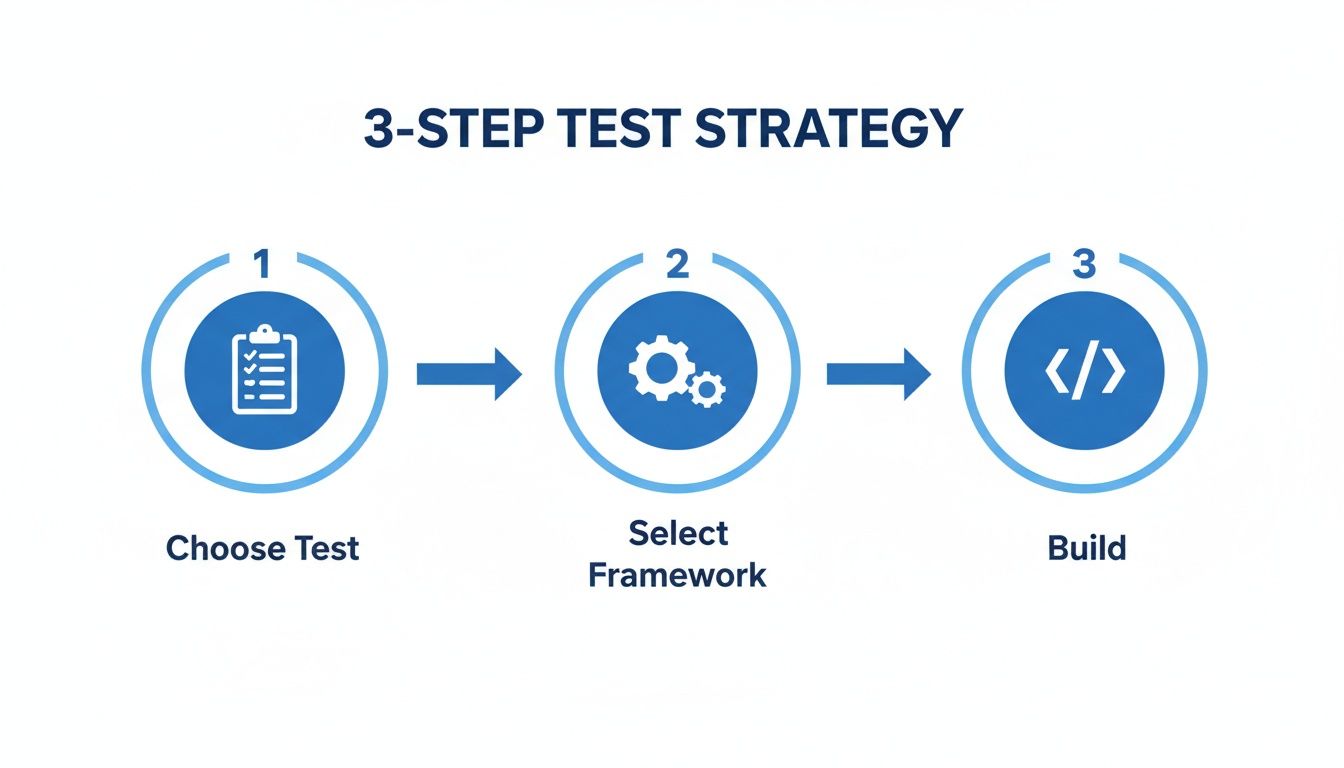
As you can see, successful implementation starts with smart choices. You have to prioritize the right tests and pick a framework that actually fits your team before a single line of test code gets written.
Weaving Automation into Your CI/CD Pipeline
The most powerful way to bring test automation to life is by plugging it directly into your Continuous Integration/Continuous Deployment (CI/CD) pipeline. A CI/CD pipeline is basically an automated assembly line for your software. Every time a developer commits new code, this assembly line kicks into gear.
First, it automatically builds the software. Then, it runs your entire suite of automated tests—from unit to integration. If even one test fails, the pipeline stops, the build is rejected, and the developer gets an instant notification.
This tight integration is a game-changer for a few reasons:
- Immediate Feedback: Developers find out if their changes broke something within minutes, not days. This means they can fix the problem while the context is still fresh in their mind, which slashes debugging time.
- Preventing Bad Merges: Faulty code is stopped dead in its tracks before it can contaminate the main codebase, protecting the stability of your application.
- Enforcing Quality Gates: The pipeline becomes your automated gatekeeper. No code gets to production without passing the full gauntlet of automated checks.
By making test automation a mandatory, automated step in the development process, you shift quality from an afterthought to a core principle.
Measuring What Matters for Scalable Success
You can't improve what you don't measure. As you scale up your automation efforts, you need clear metrics to track progress, prove value, and pinpoint areas that need attention. Flying blind is a recipe for creating technical debt, where your test suite eventually becomes more of a burden than a benefit.
To make sure your automation scales effectively, you need to focus on a handful of essential metrics that tell the real story of your QA health.
Relying on a single metric like test coverage can be incredibly misleading. A team might boast 95% code coverage with tests that don't actually validate any meaningful business logic. It creates a dangerous false sense of security.
Instead of chasing vanity metrics, track a balanced set of key performance indicators (KPIs) to get a holistic view of your automation's true impact.
Key Automation Metrics to Track
-
Test Coverage: This tells you what percentage of your codebase is touched by automated tests. While 100% coverage is rarely practical or even desirable, tracking this helps you spot critical, untested parts of your application. The real goal is ensuring all high-risk and business-critical features are covered.
-
Test Execution Time: How long does it take to run the whole test suite? If this number starts to balloon, it’ll slow down your CI/CD pipeline and become a major point of frustration for developers. Monitoring this helps you find and optimize slow tests before they become a bottleneck.
-
Defect Detection Rate (DDR): This measures the percentage of bugs caught by automation before a release versus those found by users in production. A high DDR is one of the clearest signs that your test automation quality assurance strategy is working and preventing defects from ever reaching your customers.
-
Flakiness Rate: A "flaky" test is one that passes sometimes and fails other times without any changes to the code. These are poison to an automation suite because they erode trust. Tracking and stomping out flaky tests is crucial for maintaining a reliable feedback loop.
By keeping a close eye on these metrics, you can make data-driven decisions to refine your strategy. This ensures your automation efforts deliver a clear return on investment and scale gracefully with your product, becoming a true asset instead of a maintenance nightmare.
The Next Frontier of AI in Test Automation
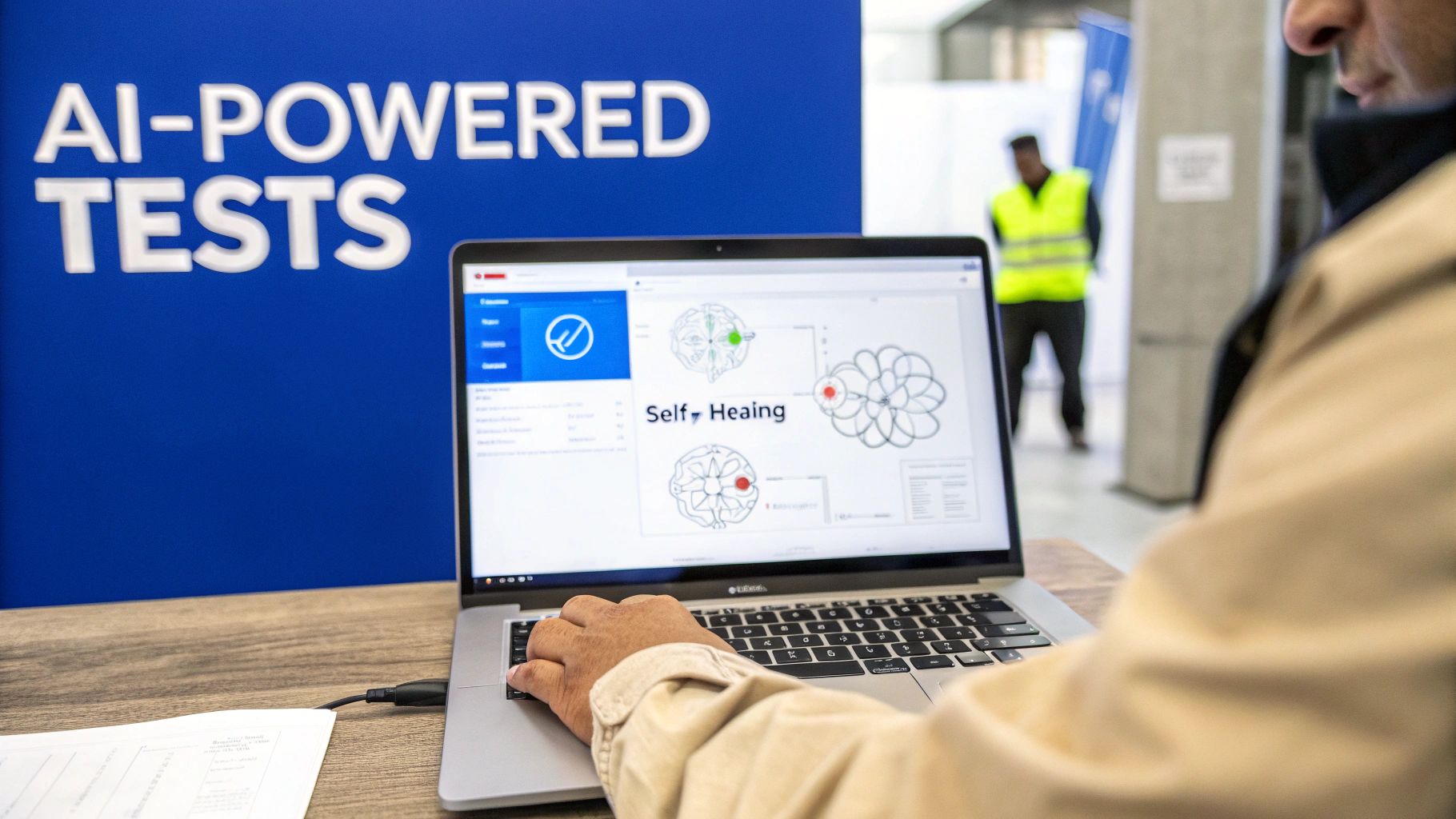
Artificial intelligence isn't some far-off concept anymore; it's actively changing how we approach test automation quality assurance. This isn't just about making scripts run a little faster. AI and machine learning are adding a layer of intelligence that makes our entire testing process smarter, more resilient, and way more efficient.
Think about a traditional automated test script. It's like a robot programmed to walk a very specific path. If a developer innocently changes a button's ID from "submit-button" to "checkout-btn," that robot walks right into a wall. The test fails, even though the feature works perfectly. This brittleness has been the source of endless maintenance headaches for QA teams.
AI-powered testing completely flips that script. These systems understand context and intent, not just rigid commands, which makes them incredibly robust.
Creating Smarter and More Resilient Tests
The real magic of AI in testing is its ability to learn and adapt. Instead of hunting for specific, brittle locators, an AI can identify an element based on what it looks like, the text it contains, and where it sits on the page. This has led to some game-changing innovations that are quickly becoming standard practice for high-performing teams.
Here’s how AI is giving test automation a serious upgrade:
-
Self-Healing Tests: This is a huge one. When a UI element changes, a self-healing test doesn't just crash. It intelligently scans the page, finds the most likely replacement, and automatically updates its own script to use the new element. This single capability slashes the time wasted fixing flaky tests.
-
Predictive Analytics: AI can sift through mountains of historical test data, code commits, and bug reports to predict where new defects are most likely to pop up. This gives QA teams a roadmap to focus their efforts on high-risk areas, getting the biggest bang for their buck.
-
Intelligent Test Case Generation: By analyzing how real users interact with an application, AI tools can automatically generate test cases for critical user journeys—even ones a human tester might have missed.
The industry is taking notice. AI is fundamentally changing test automation quality assurance, and the numbers back it up. Projections show that 75% of enterprise software engineers will use AI code assistants by 2028, a staggering leap from less than 10% in early 2023. The AI software testing market is set to grow at a 37.3% CAGR between 2023 and 2030, driven by tools that boost test reliability by 33% and cut defects by 29%.
The New Quality Challenge: AI-Generated Code
So while AI is solving a lot of our old automation problems, the explosion of AI coding assistants has created a brand-new quality challenge. Developers using tools like GitHub Copilot and Claude Code are producing code at an incredible pace, but that speed comes with new risks.
AI-generated code isn't inherently perfect. It can introduce subtle logic errors, security flaws, or performance bottlenecks that are nearly impossible to catch in a standard pull request review. This opens up a critical new verification gap.
The code might look fine at a glance, but it could be built on outdated patterns or "hallucinate" a solution that doesn't quite match what the developer intended. This is where the next evolution of quality assurance comes in—we need to validate this code right at the source. The principles behind AI in business automation are just as relevant here; it's all about applying intelligent systems to solve complex operational problems.
Ultimately, the future of test automation quality assurance has two sides. On one, AI is making our tests smarter and more durable than ever. On the other, we have a pressing need for new quality gates that can handle the volume and unique failure modes of AI-generated code, paving the way for a whole new way of thinking about verification.
Shifting Quality Left with In-IDE AI Reviews
A strong test automation suite is non-negotiable for catching bugs before they hit production. It’s an essential gatekeeper, but it only kicks in after the code has been written and committed. It’s a great safety net, but what if you could stop a huge chunk of those bugs from ever being written in the first place?
That’s the whole idea behind a proactive approach everyone calls "shifting left."
Shifting left simply means moving quality checks earlier in the development process. Instead of waiting for a failed CI build to tell you something is wrong, you get feedback while you're still typing. It’s a fundamental change that dramatically cuts down the time, money, and headaches required to fix problems.
Think about the traditional workflow. The earliest feedback a developer usually gets is from a teammate during a pull request review. While that’s valuable, it’s also slow. By the time a reviewer leaves comments, the developer has already moved on. Going back to fix things means a jarring context switch, breaking their focus and slowing down the entire team.
The Power of Real-Time Feedback
Now, imagine a different way. A developer asks an AI assistant to generate a block of code. Instantly—before they even hit save—another AI tool reviews that new code right inside their editor. This is exactly what in-IDE AI code reviews do.
This immediate feedback loop is a game-changer for any test automation quality assurance strategy. It analyzes the new code against several critical contexts at once:
- Developer Intent: Does the code actually do what the developer asked for? The review tool can compare the output against the original prompt, catching AI "hallucinations" where the code looks right but misses the mark.
- Repository History: It scans your existing codebase to spot potential regressions or deviations from established patterns. This keeps the code consistent with the rest of the project.
- Security Best Practices: It flags common vulnerabilities or insecure coding practices on the spot, stopping security flaws from ever making it into a commit.
This instant validation completely changes the game. Instead of waiting hours or days for a review, developers get actionable insights in seconds.
Shifting left isn't just about finding bugs earlier. It's about creating an environment where fewer bugs get created in the first place. By embedding intelligent checks directly into the coding process, you empower developers to write better, more secure code from the start.
Catching Flaws Before the First Commit
Your test automation quality assurance suite is fantastic at finding functional regressions and integration problems. Where it struggles is with the subtle stuff—logic flaws, hidden performance bottlenecks, or code that just doesn't follow team conventions. These are the annoying issues that slip through and cause endless back-and-forth during pull request reviews.
In-IDE AI reviews target these exact pain points before the code is even shared. Think of it as an expert pair programmer who's always available and offers instant, helpful suggestions. If you want to go deeper on this, check out our complete guide on what shift left testing is and how it’s reshaping the entire quality landscape.
This proactive approach delivers some major wins:
- Eliminates Costly Context Switching: Developers can fix issues immediately while the logic is still fresh in their minds, helping them stay in the zone and be more productive.
- Reduces Review Cycle Times: By catching all the common mistakes up front, the formal PR review can focus on what matters: high-level architecture and business logic, not nitpicking syntax.
- Enforces Consistent Standards: You can bake your team's guardrails—from naming conventions to security policies—directly into the workflow, ensuring every line of AI-generated code meets your standards.
Supercharging Your Entire Quality Process
Here’s the key: in-IDE AI reviews don't replace your test automation. They supercharge it.
By filtering out a massive class of defects at the earliest possible moment, you reduce the noise and churn in your CI/CD pipeline. Your automated tests can then focus on what they do best: validating system-level behavior and making sure all the pieces fit together perfectly.
This layered approach creates a much more efficient and resilient quality process. Developers merge cleaner code, which means fewer broken builds, faster review cycles, and a more stable application. Ultimately, shifting quality left with real-time, intelligent feedback isn't just a good idea—it's the next logical step for any modern, high-velocity engineering team.
Frequently Asked Questions
Jumping into test automation brings up a lot of questions, especially when you're trying to fit it into your existing quality process. Let's tackle some of the most common ones to clear things up and get you moving in the right direction.
What Is the Difference Between Quality Assurance and Quality Control?
It’s really easy to mix these two up, but they’re two sides of the same coin.
Think of Quality Assurance (QA) like the master blueprint for a car factory. It’s all about designing the systems and processes to prevent defects from happening in the first place. It's proactive and focuses on the big picture.
Quality Control (QC) is the final inspection at the end of that assembly line. It’s a reactive process, focused on finding defects in the finished car before it gets to the customer. Test automation is a huge part of modern QC, giving you a powerful way to run those final checks with speed and precision.
How Do You Decide Which Tests to Automate First?
This is probably one of the most critical decisions you'll make. Getting it right means a fast return on your investment; getting it wrong leads to frustration. You can't—and shouldn't—try to automate everything. The trick is to be strategic.
Start by targeting the low-hanging fruit where automation delivers the biggest wins, fast. Look for tests that are:
- Repetitive and Frequent: Think smoke tests or regression suites. If you have to run it over and over, it’s a perfect candidate. Automation loves boredom.
- High-Risk and Business-Critical: Go after the core functions that would cause a catastrophe if they broke. We're talking user logins, payment gateways, and checkout flows.
- Data-Driven: Got a workflow that needs to be tested with hundreds of different data combinations? An automated script can chew through that in minutes, something that would take a human tester days.
- Easy for Humans to Mess Up: Complex calculations or tedious data entry tasks are magnets for human error. Scripts, on the other hand, do them perfectly every single time.
On the flip side, hold off on automating brand-new features that are still changing every day. And definitely don't try to automate exploratory tests that need a human's creativity and intuition.
Can Test Automation Completely Replace Manual Testing?
This is a huge misconception. The short answer is a hard no. Test automation doesn't replace manual testing; it partners with it. Think of it as a force multiplier, not a replacement.
Automation is your workhorse, built for speed, scale, and repetition. Manual testing is your creative problem-solver, essential for usability, exploration, and finding the weird bugs that scripts will always miss. A balanced strategy needs both.
Automation is an absolute beast at handling predictable, repetitive tasks. It can run thousands of regression tests overnight without getting tired, bored, or making a single typo.
But you absolutely still need a human for things a machine just can't do:
- Exploratory Testing: This is where a tester just plays with the application, trying to break it in unexpected ways, just like a real user would.
- Usability Testing: A script can’t tell you if a button is confusing or if the user experience feels clunky. That requires human empathy and judgment.
- Ad-Hoc Scenarios: Sometimes you just need to quickly check a one-off issue. Firing up a manual test is way faster than writing a whole new script for it.
The best test automation quality assurance strategies create a powerful synergy. Automation handles the grunt work, freeing up your skilled human testers to hunt for the subtle, tricky bugs that only they can find.
Stop letting logic flaws and security vulnerabilities from AI-generated code slow you down. kluster.ai provides real-time, in-IDE code reviews to catch issues before they ever become part of a pull request. Align every line of code with your team's standards and ship with confidence. Start your free trial or book a demo with kluster.ai today.