

Modern Software Testing Best Practices
The old way of building software is broken. For decades, we treated testing like a final checkpoint, a gatekeeper you had to get past right before launch. This always led to the same panicked scramble: finding critical bugs at the last minute, delaying releases, and shipping fragile products.
That model is obsolete.
Modern software development demands a completely different approach. Quality isn't something you inspect for at the end; it's something you build in from the very first line of code. The goal has shifted from just finding bugs to preventing them entirely.
This guide breaks down the essential software testing best practices that power today's best engineering teams. We'll cover what it takes to stop defects in their tracks, ship faster, and deliver the kind of flawless experiences that users now take for granted. At the heart of it all is one simple but powerful idea: shift left.
Thinking Proactively, Not Reactively
Imagine you're building a skyscraper. Would you wait for the walls to start cracking on the 50th floor before checking the integrity of the steel beams in the foundation? Of course not. You’d verify everything long before it becomes a permanent, load-bearing part of the structure.
Applying that same logic to software is the essence of the shift-left mindset.
By testing components, ideas, and code at the earliest possible stage, teams can catch fundamental design flaws and logic errors before they get baked into the system and become exponentially more expensive and difficult to fix.
This isn't just a trendy phrase; it's a fundamental change in how we operate. When you start testing during the requirements and design phases—instead of waiting until everything is "code complete"—you dramatically cut down on rework and speed up your entire release cycle. The industry leaders who've mastered this see huge payoffs, detecting bugs so early that debugging time plummets and costly post-release fires become a rarity.
For a deeper dive into embedding quality from the start, check out this excellent resource: Understanding Shift Left: Enhancing Data Quality Early.
The Pillars of Modern Software Quality
This new approach to quality stands on a few core pillars that work together to create a disciplined, high-velocity development process.
-
Strategic Planning: No more chaotic, last-minute testing. This is about having a clear, well-defined strategy that answers what to test, when to test it, and how.
-
Intelligent Automation: We're moving beyond simple, repetitive checks. Smart automation provides fast, reliable feedback right inside the developer's workflow, acting as a constant safety net.
-
Robust Governance: This means setting clear standards and policies that ensure consistency, security, and quality—especially critical as new technologies like AI-generated code become more common.
When you combine a proactive mindset with a smart strategy and strong governance, you build a foundation for creating exceptional software that can keep up with the breakneck pace of modern business.
Designing a Bulletproof Test Strategy
A solid test strategy is your blueprint for quality. Without one, you're just reacting—finding some bugs, sure, but letting countless others slip through the cracks. The best way to build a balanced, efficient plan is to follow a model that’s stood the test of time: the Testing Pyramid.
Imagine your entire suite of tests as a pyramid. The base is wide and strong, packed with lots of small, fast tests. As you move up, the layers get narrower, holding fewer, more complex tests. This structure is a cornerstone of modern software testing because it forces you to put your effort where you get the biggest bang for your buck.
This infographic lays out the core pillars of a high-quality development process. Notice how strategy isn't an afterthought; it's right at the center, working with automation and proactive quality checks.
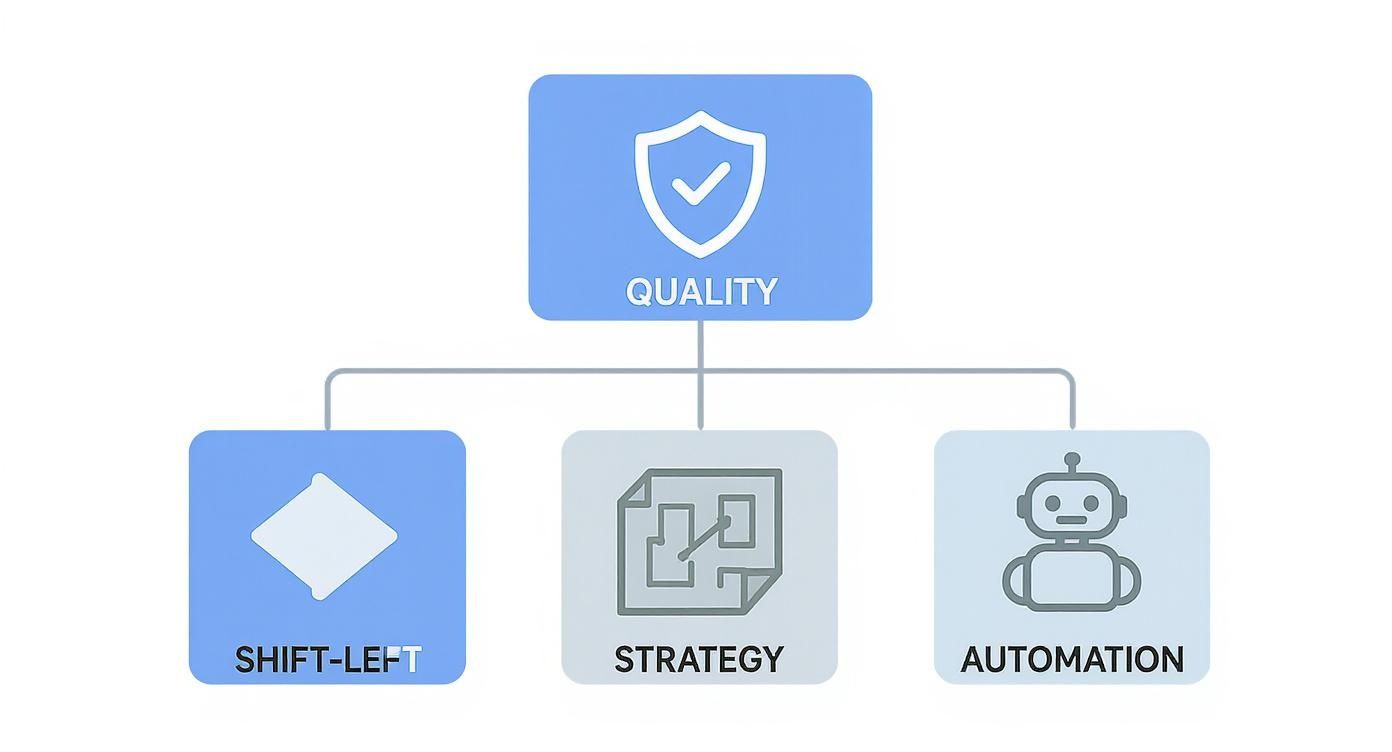
As the diagram shows, a great strategy is foundational. It ties everything together. Let's break down each layer of the pyramid to see how this works in the real world.
The modern testing pyramid helps teams visualize where to invest their testing efforts for the best return on investment—balancing speed, cost, and confidence.
| Test Layer | Purpose | Execution Speed | Volume in Test Suite |
|---|---|---|---|
| Unit Tests | Verify a single, isolated piece of code (like a function) works correctly. | Milliseconds | High (70-80%) |
| Integration Tests | Check that different modules or services work together as expected. | Seconds | Medium (15-20%) |
| End-to-End (E2E) Tests | Simulate a full user journey through the application to validate the entire system. | Minutes | Low (5-10%) |
By adhering to these proportions, you get fast feedback where you need it most while still validating critical user workflows from start to finish.
The Foundation: Unit Tests
At the very bottom, forming the pyramid's base, are unit tests. These are tiny, hyper-focused tests that check if a single "unit" of your code—usually a function or a method—does what it's supposed to. Developers write them, they run in the blink of an eye, and they should make up the bulk of your test suite.
Because they're so fast and specific, they give you instant feedback. When a unit test fails, the developer knows exactly which piece of code broke, making debugging incredibly efficient.
For instance, a unit test in an e-commerce app might check a function that calculates sales tax. You'd feed it various prices and locations and confirm it spits out the right tax amount, all without ever touching the UI or a database.
The Middle Layer: Integration Tests
One step up from the base, we have integration tests. These tests make sure that different parts of your application play nicely together. They’re a bit more involved than unit tests because they often require multiple components to work in concert, like an API service talking to a database.
While they're still pretty quick, integration tests take longer to run than unit tests, so you'll have fewer of them. They’re absolutely vital for catching those tricky bugs that only show up when different systems start communicating.
A perfect example is a test that confirms when a user updates their profile via an API endpoint, that change is actually saved correctly in the database. It proves the plumbing between your application logic and your data storage is sound.
The Peak: End-to-End Tests
At the very top of the pyramid sit the end-to-end (E2E) tests. These are the big ones. They mimic a complete user journey, clicking through the UI just like a real person would, all the way down to the database and back. They are your most thorough tests, but they're also the slowest, most expensive to maintain, and the most likely to break.
Because of that trade-off, you want to use E2E tests sparingly. Reserve them for your absolute most critical, can't-fail user workflows.
A classic E2E test for an e-commerce site would simulate a user landing on the homepage, searching for a product, adding it to their cart, going through the entire checkout process, and getting a successful purchase confirmation. It validates the whole system works together from the user's point of view.
Beyond Functionality: Non-Functional Testing
A bulletproof strategy doesn’t just ask, "Does it work?" It also has to ask, "Does it work well under pressure?" This is where non-functional testing comes in, and it's what separates a good testing practice from a great one.
-
Performance and Load Testing: This is about seeing how your app behaves when the floodgates open. These tests help you find bottlenecks and make sure your system stays fast and stable, even when traffic spikes. A load test might simulate 10,000 users hitting your site at once to see if it buckles.
-
Security Testing: Here, you actively try to break into your own application. By using techniques like penetration testing, you can find and patch security holes before someone with bad intentions does, keeping your system and your users' data safe.
By building your strategy on the Testing Pyramid and layering in these crucial non-functional tests, you create a truly comprehensive plan. It’s a balanced approach that gives you maximum coverage and helps you find bugs efficiently, all without grinding your development team to a halt.
Integrating Automation into Your CI/CD Pipeline
Let's clear something up: test automation isn't here to replace human testers. It’s here to empower them. By weaving smart automation into your Continuous Integration/Continuous Deployment (CI/CD) pipeline, you build a lightning-fast feedback loop. This system catches bugs seconds after the code is written, not weeks later when a manual QA team finally gets to it.
Picture your CI/CD pipeline as an automated assembly line for your software. At every single stage—from a developer committing code to deploying it into production—automated tests act as tireless quality inspectors. This setup means every change gets verified automatically, which drastically cuts down the risk of shipping new bugs.
The outcome? A workflow that gives you instant feedback. Developers find out immediately if their changes broke something, letting them fix it while the code is still fresh in their minds. It's a huge departure from the old model of just tossing code "over the wall" to a separate QA team and hoping for the best.
Identifying the Right Candidates for Automation
Just because you can automate something doesn't mean you should. A successful automation strategy is all about balance—figuring out where machines shine and where human intuition is still king. The best things to automate are tasks that are repetitive, predictable, and absolutely critical for keeping things stable.
Here’s where you should point your automation efforts first:
- Regression Tests: These are the tests that confirm your new code didn't accidentally break something that was already working. Running hundreds of these checks by hand is mind-numbing and a perfect recipe for human error. It's the ideal job for a script.
- Unit and Integration Tests: These are the bedrock of the testing pyramid. They need to run automatically on every single commit, no exceptions. Their speed is what provides the rapid feedback essential for a healthy CI/CD process.
- Data-Driven Tests: Think about scenarios where you need to test the same action with tons of different data, like checking a login form with hundreds of username and password combos. That’s a perfect candidate for automation.
On the flip side, anything that requires creativity, gut feeling, or a deep understanding of the user experience should stay in human hands. Exploratory testing, usability testing, and making sure a complex design just feels right—that's where manual testers deliver value that no machine can replicate.
A balanced approach has become a global best practice for a reason. In fact, around 73% of organizations now aim for a mix of manual and automated testing to get the best possible coverage. This shows a real-world understanding that you still need people to validate those tricky edge cases and overall usability.
Automation as Quality Gates in CI/CD
In a modern pipeline, you should think of automated tests as quality gates. A quality gate is simply an automated checkpoint that code has to pass before it's allowed to move to the next stage. If the tests fail, the gate slams shut, the build is marked as "failed," and the pipeline stops dead in its tracks. This is how you prevent bad code from ever getting close to production.
This whole concept is a core part of effective software development best practices and guarantees that quality is baked in at every step, automatically.
Here’s what a typical CI/CD pipeline with quality gates looks like:
- Commit Stage: A developer pushes new code. The CI server immediately kicks off a build and runs all the unit tests. If they pass, the code moves on.
- Integration Stage: The code gets merged into the main branch. Now, a fresh set of integration tests runs automatically to make sure the new code plays nice with everything else.
- Staging Deployment: Once integration tests are green, the application is automatically deployed to a staging environment. Here, a small but critical suite of end-to-end (E2E) tests runs to make sure key user journeys still work.
- Production Release: Only after the code has passed every single one of the previous gates is it cleared for deployment to production, whether that's done manually or automatically.
Building this automated safety net creates a system that reinforces your quality standards with every single change. To dig deeper into the ideas behind solid automation and continuous delivery, check out these helpful resources on Understanding The Basic Tenets Of DevOps Services. This isn't just about catching bugs; it's about building confidence, shipping faster, and freeing up your team to focus on building what's next.
Managing Test Data and Environments

You can write the most brilliant, comprehensive tests in the world, but they'll fall apart if they’re running against bad data or inside a broken environment. It's a hard truth many teams learn the painful way.
These two elements are the silent partners in your testing strategy. They're often overlooked, but they are absolutely essential for getting results you can actually trust. When data is inconsistent and environments are unstable, your tests get flaky, the feedback becomes useless, and your team quickly loses faith in the whole process.
Think of your test data as the fuel for your testing engine. You wouldn't put dirty, low-grade fuel into a high-performance car and expect to win a race, right? It's the same idea here. Feeding your tests stale or unrealistic data is a surefire way to miss bugs and chase down false alarms.
This is one of those core practices that really separates high-performing teams from the rest. They don’t treat data and environments as an afterthought. They manage them with the exact same discipline they apply to their application code.
Strategies for Reliable Test Data
The goal with test data management is simple, at least in theory: give every single test the exact data it needs to run predictably, every single time. This means it's time to stop relying on that messy, shared "dev" database that everyone dumps their junk into. You need to get more intentional.
Here are a few solid approaches that actually work:
- Database Seeding: This is a classic for a reason. Before a test suite runs, scripts automatically populate a clean database with a known, consistent set of data. This guarantees that every test starts from the same exact baseline, which is the key to making them repeatable.
- Data Masking and Anonymization: Using a snapshot of production data is tempting because it's so realistic, but it's a huge privacy risk. Data masking tools are the answer. They take a copy of production data and automatically scramble or replace sensitive info—names, emails, you name it—giving you realistic data without the compliance headaches.
- Synthetic Data Generation: What about edge cases that barely exist in your real data? For those, you can generate entirely artificial, or synthetic, data. This gives you total control to build out weird, rare scenarios that are absolutely critical to test but would never show up in a typical dataset.
The best teams usually mix and match these techniques. You might start with a masked production dataset as your foundation, then use seeding or synthetic generation to layer in the very specific edge cases a particular test needs.
The Rise of On-Demand Environments
Just as important as the data is the environment where your tests actually run. For years, the standard was a handful of shared, centrally managed testing servers. You know the ones—they were slow to get updated, always out of sync with production, and a constant source of friction between teams.
Thankfully, that old model is dying off. It's being replaced by a much smarter, more agile approach built around ephemeral environments.
An ephemeral environment is a temporary, isolated, production-like environment that gets spun up automatically for a specific task—like running tests for a new feature in a pull request—and then gets torn down the second it’s no longer needed. Think of it as a perfectly clean, disposable workspace for every single code change.
This isn't magic; it's made possible by modern tools like Docker and Kubernetes, which let you define your entire application stack as code. When a developer opens a pull request, the CI/CD pipeline can instantly create a fully functional, isolated environment with their specific changes.
This approach completely kills the dreaded "it worked on my machine" problem. Developers, testers, and even product managers can interact with a new feature in a live, realistic setting before it ever gets merged. The feedback loop gets tighter, the review process gets faster, and the quality goes way, way up.
Governing AI-Assisted Code Development

AI code assistants like GitHub Copilot are now a permanent part of the developer's toolkit, writing entire functions in seconds. This incredible speed brings a whole new set of challenges that demand real governance. Blindly trusting AI-generated code isn't a strategy—it's a massive risk that can sneak in subtle bugs, security flaws, and code that flat-out violates your team's standards.
Think of an AI assistant as a brilliant but junior developer. They're incredibly productive but lack the deep, contextual understanding of your project's history, its security requirements, or its long-term architectural goals. Just like you'd review a junior dev's pull request, you need a solid verification process for AI suggestions. This is a fundamental pillar of modern software testing best practices.
The goal isn't to slow developers down. It's to give them a safety net, letting them use AI's speed without sacrificing quality.
Establishing Policies for AI-Generated Code
Effective governance starts with clear, practical policies that define what "good code" actually looks like in your organization. These rules become the guardrails that ensure AI-assisted development is pushing your team in the right direction. Without them, you're just inviting chaos.
Your policies should cover a few critical areas:
- Correctness and Logic: Does the AI-generated code solve the problem correctly, or did it "hallucinate" a solution that looks plausible but is fundamentally broken?
- Security Standards: Does the code introduce any vulnerabilities, like SQL injection or improper error handling, that your security protocols forbid?
- Coding Conventions: Does it follow your team’s established naming conventions, formatting rules, and architectural patterns?
- Performance: Is the suggested code efficient, or does it introduce unnecessary complexity and performance bottlenecks?
These policies can't just be dusty documents sitting in a wiki somewhere. They need to be actively enforced right where the code is being written—directly inside the developer's IDE.
Enforcing Guardrails in the IDE
The best way to govern AI code is to give developers immediate, automated feedback. Waiting until a pull request to catch these issues just creates friction and slows everyone down. By integrating real-time enforcement into the IDE, you shift the entire verification process left, catching problems in seconds, not hours.
The integration of AI into software development is a major global trend. Research shows that by 2025, around 48% of businesses will be using ML-driven techniques for key testing tasks, including defect prediction and test data analysis.
This in-IDE approach acts like a live code review partner for the developer. As an AI assistant generates code, a specialized tool like Kluster.ai can instantly check it against your policies. This creates a tight feedback loop, teaching both the developer and the AI what acceptable code looks like. It turns AI from a potential liability into a powerful, reliable, and compliant development partner. You can find more details on how this works by reading our guide on using AI for code.
This ensures every single line of code is verified before it even becomes a commit.
Measuring Success with Quality KPIs
You can't improve what you don't measure. It’s easy to get fooled by vanity metrics like tracking the raw number of tests passed. It feels good, sure, but it tells you almost nothing about the actual quality of your software.
If you really want to understand how well your testing is working, you have to look deeper. The right Key Performance Indicators (KPIs) reveal the true health of your entire development process. They move beyond simple pass/fail counts to answer the questions that really matter: How many bugs are escaping into production? How fast are we squashing the ones we find? Are we even testing the parts of the app our users care about?
The answers tell you where your process is solid and, more importantly, where it's breaking down. Tracking the right metrics lets you spot bottlenecks, justify spending on better tools or training, and build a culture where everyone owns quality.
Core Metrics That Matter
To get a clear picture, you don't need a massive dashboard. Just start with a few high-impact KPIs that give you a balanced view of both prevention and response.
- Defect Escape Rate (DER): This is the big one. It’s the ultimate measure of your testing effectiveness, tracking the percentage of bugs found by users in production instead of by your team internally. A low DER means your quality process is proactive and healthy.
- Mean Time to Resolution (MTTR): When a bug does pop up, how long does it take to get a fix out the door? MTTR measures the average time from when a defect is reported to when it's resolved and deployed. A low MTTR is a great sign that your team is agile and responsive.
- Real Test Coverage: This isn't just about the percentage of code your tests touch. Meaningful coverage measures how much of your critical business logic and user-facing features are actually being validated. You want high coverage on the parts of your application that deliver the most value, not just the easy-to-test bits.
Tracking these KPIs isn't just for managers. When the whole team understands these numbers, it creates shared ownership over quality. Everyone starts thinking about how their work impacts the end user, which is exactly the mindset you want.
Using KPIs to Drive Improvement
Once you start tracking these metrics, they become powerful tools for making data-driven decisions.
For example, is your Defect Escape Rate creeping up? That could be a clear signal that your regression suite isn't keeping up with the application's complexity. Suddenly, you have a solid case for investing time to expand your automated tests.
Or maybe your Mean Time to Resolution is too high. That might point to a bottleneck in your code review or deployment pipeline. By digging into where the delays are, you can streamline the workflow and get fixes to users faster. These numbers aren't just for reports; they're for building a more resilient, efficient, and quality-obsessed engineering culture.
Frequently Asked Questions
Switching to modern testing practices always brings up a few tough, real-world questions. Let's tackle some of the most common ones your team is probably asking.
How Do We Introduce a Shift-Left Culture to a Resistant Team?
You can't force a culture change from the top down. Established habits die hard, and the biggest challenge is convincing people that "shifting left" isn't just more work—it's about making their lives easier.
Forget big mandates. Find one or two developers who are open to new ideas and collaborate with them. Help them write a few unit tests for a new feature. When those tests catch a bug before it ever wastes a QA engineer's time, you've got your first win.
Frame it as a time-saver. Less time chasing down bugs later means more time building cool stuff now. Celebrate that win publicly. When other devs see their peers shipping code faster and with fewer headaches, they’ll start to come around.
It’s all about proving the value, one small victory at a time. That's how you win hearts and minds.
What Is the Right Balance Between Automation and Manual Testing?
There's no magic ratio. The right balance depends entirely on your team's size and your product's maturity. A small startup trying to move fast has different needs than a large enterprise with a complex, legacy system.
A solid rule of thumb is to automate the critical user journeys first—the stuff that absolutely, positively has to work.
- Automate This: Focus on the "happy paths" for core workflows. Think user registration, login, and the main checkout process. Automating regression tests here is your safety net. It ensures you never break the features that make you money.
- Keep This Manual: Use human intuition for everything else. Exploratory testing on brand-new features, checking for weird usability quirks, and making sure the visual design doesn't look broken—that's where manual testing shines.
This approach gives you the biggest bang for your buck, freeing up your team to find the subtle, tricky bugs that automation always misses.
How Can We Convince Leadership to Invest in Better Testing Tools?
Stop talking about technical jargon and start talking about business outcomes. Leadership doesn't care about "test coverage"; they care about how a new tool impacts the bottom line.
You need to translate your technical problems into business risks they understand. Instead of saying your Defect Escape Rate is too high, explain that bugs are reaching customers. That means more support tickets, angry users who might churn, and real damage to the company's reputation.
Build a clear business case. Show them exactly how the tool you want solves those problems. Estimate the ROI by calculating how much time (and money) you'll save on manual regression testing or how much it costs when a critical bug hits production. Data turns a "nice-to-have" technical request into a smart business decision.
Stop chasing bugs and start preventing them. kluster.ai plugs directly into your IDE, giving you real-time verification for AI-generated code. Enforce your team's quality standards before a single line gets committed. Book a demo today.