

GitHub Copilot Alternatives: Explore github copilot alternatives for 2025
As AI coding assistants become a daily tool for developers, finding the right fit for your team or project is essential. This article highlights 12 github copilot alternatives, from Amazon CodeWhisperer to OpenAI ChatGPT for coding, offering in-IDE suggestions, governance checks, and tailored workflows. These platforms address pain points like slow review cycles, inconsistent policy enforcement, and unchecked security risks.
In this listicle you will discover concise evaluations of each platform. We include screenshots, direct links, and side-by-side comparisons of:
- Key features and unique capabilities
- Pricing plans and free tiers
- Privacy and code ownership details
- Ideal use cases (individual, team, enterprise, security-focused)
- Pros and cons based on hands-on experience
By drilling into implementation tips and real-world scenarios you get more than surface-level reviews. Each entry flags when to choose a given tool—whether you need advanced security scanning, rapid code completion, or end-to-end audit trails.
Our guide addresses common challenges:
- Reducing review cycles without sacrificing compliance
- Scaling coding standards across distributed teams
- Securing AI-generated code before merging
- Balancing budget constraints with feature requirements
Skip endless feature lists and marketing fluff. This resource delivers focused insights and practical advice so you can select the best alternative to GitHub Copilot on day one. Ready to explore? Scroll down for the full breakdown of capabilities and pricing details for all 12 platforms.
1. Amazon CodeWhisperer
Amazon CodeWhisperer is an IDE-integrated coding companion from AWS that offers real-time code suggestions, security scanning, and reference tracking. It supports VS Code, JetBrains IDEs, and AWS Cloud9 with a responsive UI and minimal lag. It stands out among github copilot alternatives by combining live feedback with governance and license management for teams.

Key Features
- Inline and full-function suggestions in Python, Java, JavaScript, and more
- Built-in security scanning flags code resembling public repositories
- Reference tracking shows origin of suggestions to prevent licensing issues
- Admin panel with Amazon SSO, org policies, and license management
Pros and Cons
| Pros | Cons |
|---|---|
| Free individual tier for personal use | Full org features require Professional seats |
| Broad language and IDE support (VS Code, JetBrains) | Fewer cross-cloud integrations |
| Deep AWS integration for cloud-native teams | Small learning curve for policy setup |
Pricing and Access
CodeWhisperer’s Individual tier is free, no credit card required. The Professional tier unlocks admin controls, governance, and priority support starting at $19 per user/month. Access via AWS SSO simplifies onboarding for enterprises.
User Experience
The UI integrates seamlessly with VS Code and JetBrains IDEs with minimal performance impact. Customer support includes AWS forums for free users and enterprise SLAs for Professional tier subscribers.
Practical Tips
- Enable security scanning in your IDE to catch vulnerabilities early
- Use reference tracking to audit third-party code origins
- Define org policies to enforce coding standards consistently
Visit https://aws.amazon.com/codewhisperer to get started.
2. Google Gemini Code Assist
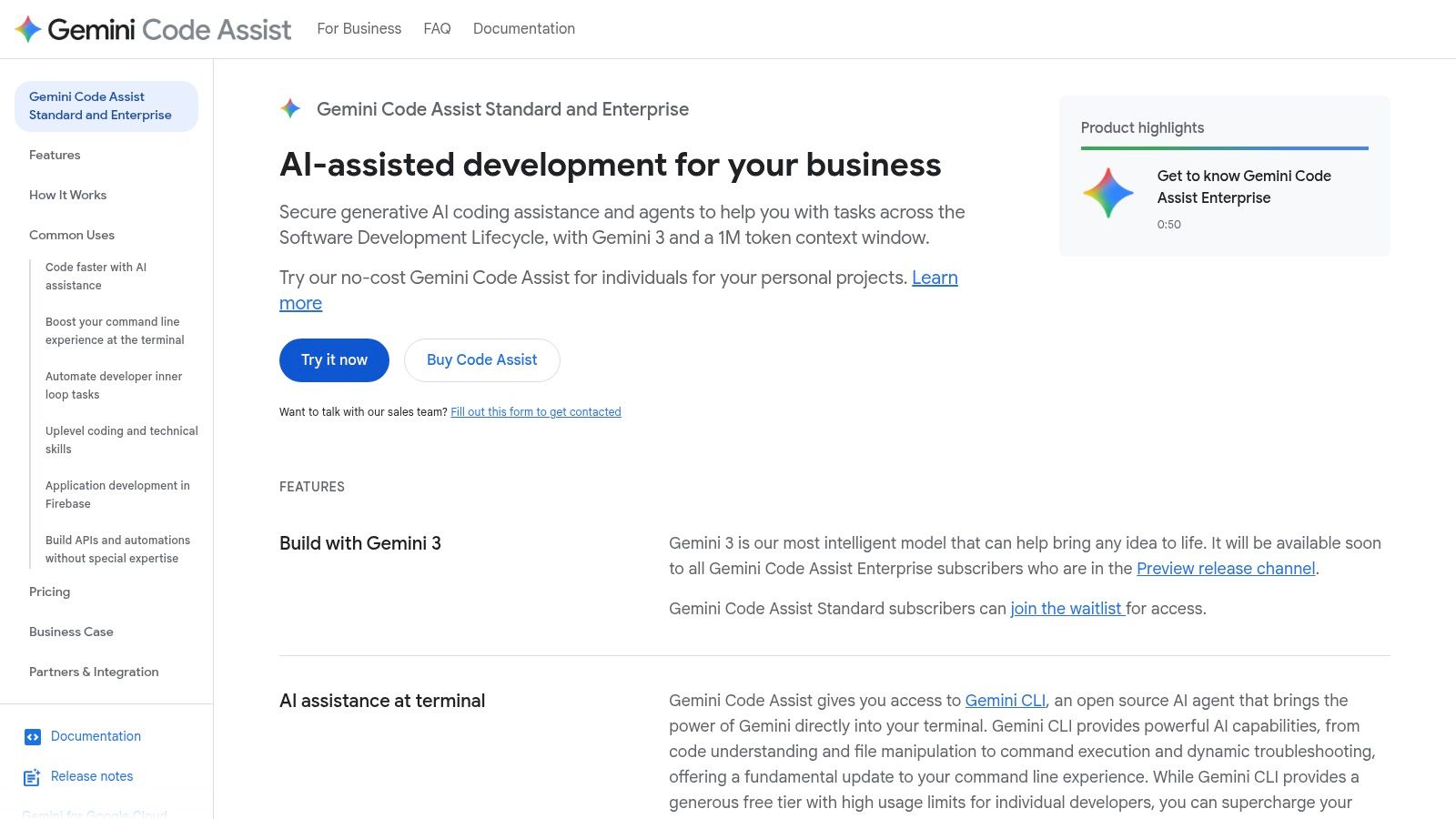
Google Gemini Code Assist is an IDE-integrated coding companion from Google that offers real-time code completions, chat interactions, and automated refactoring. Available in VS Code, IntelliJ IDEA, and through the Gemini CLI for local workflows, it stands out among GitHub Copilot alternatives by combining agent mode and deep Google Cloud integration for teams working on GCP projects.
Key Features
- IDE completions, chat, refactors in Python, Java, Go, and more
- Gemini CLI for offline code generation and testing
- Agent mode for multi-step workflows and orchestration
- Private code customization and model fine-tuning on Enterprise
- Tight Google Cloud integrations with Apigee, Pub/Sub, Application Integration
Pros and Cons
| Pros | Cons |
|---|---|
| Free individual tier via Google Developer program | Enterprise pricing metered by hourly units |
| Seamless GCP service integration | Deepest features limited to GCP environments |
| Flexible CLI for local and CI/CD workflows | Initial CLI setup can be complex |
Pricing and Access
Google Gemini Code Assist’s Individual tier is free with a Google Developer account, no credit card required. The Enterprise tier unlocks private code customization, higher agent quotas, and 24/7 support. Licensing is metered hourly per seat with transparent rates on the Google Cloud pricing page.
User Experience
The UI blends naturally into VS Code and IntelliJ with minimal lag. The in-IDE chat feels like a coding partner and surfaces context-aware suggestions. GCP customers benefit from unified visibility across code and cloud resources. Free users leverage community forums, while Enterprise customers receive dedicated SLAs.
Practical Tips
- Enable agent mode for automating test scaffolding and deployment scripts
- Use the Gemini CLI in CI pipelines to validate code before push
- Fine-tune private models on sample repos to surface team-specific patterns
Visit https://cloud.google.com/products/gemini/code-assist to get started.
3. JetBrains AI Assistant
JetBrains AI Assistant is a native AI coding companion built directly into JetBrains IDEs such as IntelliJ IDEA, PyCharm, and Rider. It offers in-editor chat, context-aware completions, automated refactors, and test generation under a clear credit-based model. This deep integration makes it a compelling github copilot alternative for teams already invested in the JetBrains ecosystem.

Key Features
- In-editor chat for real-time guidance
- Intelligent code completions and explanations
- Automated refactors and unit test generation
- Credit-based usage with Free, Pro, Ultimate tiers
- Organization controls with optional enterprise licenses
- Unified subscription covering multiple JetBrains AI tools
Pros and Cons
| Pros | Cons |
|---|---|
| Deep integration across JetBrains IDEs | Credit quotas require active monitoring |
| Flexible Free, Pro, Ultimate, Enterprise tiers | Advanced features need latest IDE versions |
| Transparent, top-upable credit model | Bulk licensing only in enterprise tier |
| Single subscription for all AI capabilities | No offline mode available |
Pricing and Access
JetBrains AI Assistant uses a credit-based pricing model. The Free tier includes 10 credits per month on supported IDEs. Pro and Ultimate tiers start at $12 per user/month with higher credits. Enterprise licenses add org-wide controls and volume discounts. Access is via your JetBrains account or Toolbox app.
User Experience
Integration is seamless in IntelliJ IDEA, PyCharm, Rider, and other JetBrains IDEs with minimal latency. The chat pane appears alongside your code, and refactors feel native. Support channels include the JetBrains issue tracker, community forums, and enterprise SLAs on higher tiers.
Practical Tips
- Start on the Free tier to gauge monthly credit needs
- Use the chat feature to discuss design before coding
- Monitor credit usage and schedule top-ups proactively
- Enforce coding policies via organization controls
Visit https://www.jetbrains.com/ai/ to get started.
Learn more about JetBrains AI Assistant on kluster.ai.
4. Tabnine
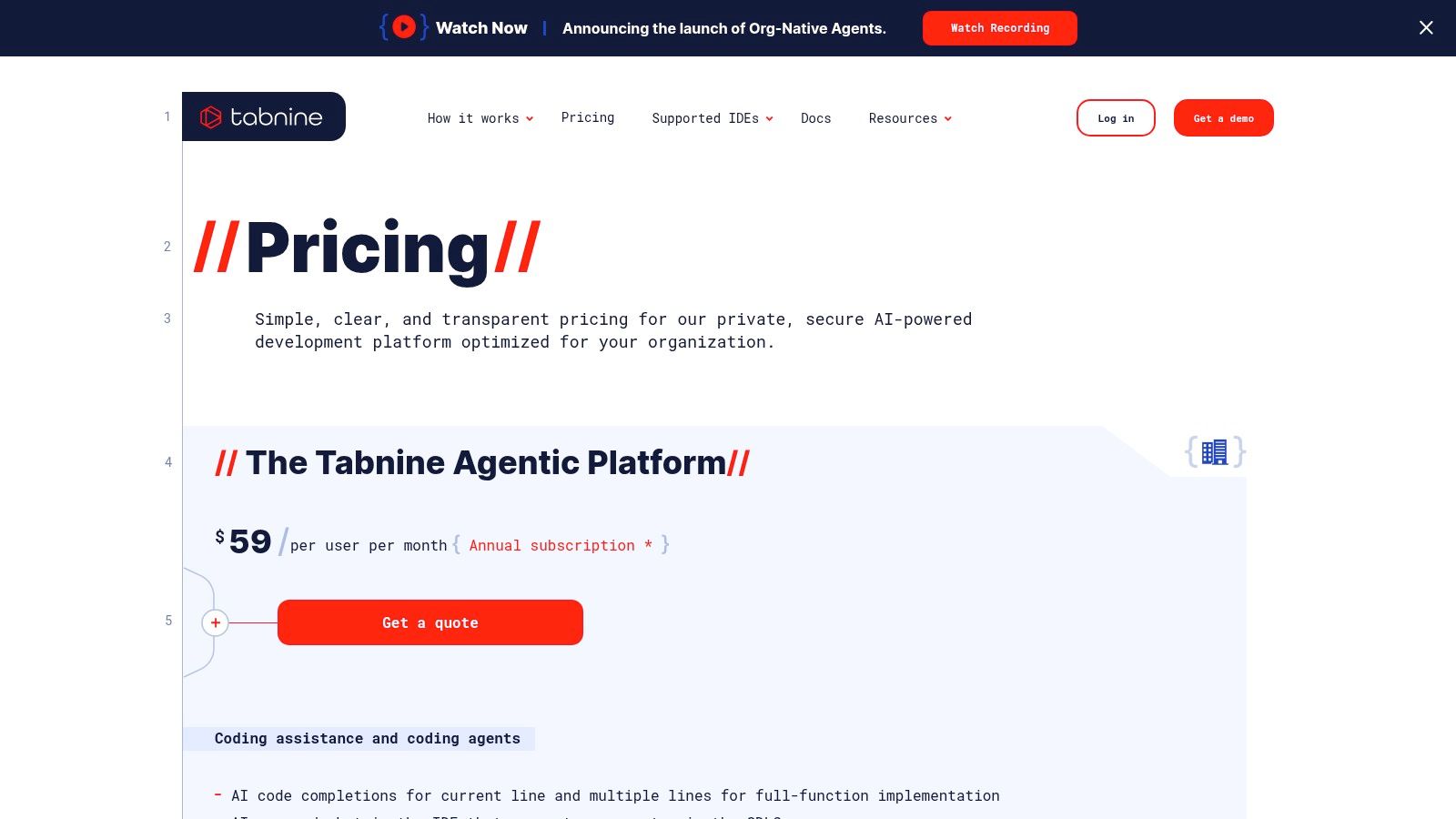
Tabnine is a privacy-first AI coding platform and one of the leading github copilot alternatives. It provides multi-line and full-function completions, in-IDE chat, and agentic workflows for security-minded teams. With flexible deployment modes - including SaaS, VPC, on-prem, and air-gapped - it gives organizations model governance, analytics, and audit controls.
Key Features
- Multi-line and whole-function completions in Python, Java, JavaScript, and more
- In-IDE chat assistant for context-aware Q A
- Workflow agents for tests, Jira tasks, and code review orchestration
- Flexible deployment as SaaS, VPC, on-prem, or air-gapped
- Governance dashboard with analytics and model controls
Pros and Cons
| Pros | Cons |
|---|---|
| Strong data privacy and compliance story | Pricing targets teams rather than individuals |
| Model-agnostic architecture supports custom LLMs | Advanced features require enterprise plan |
| Detailed audit logs and policy enforcement | Setup complexity for on-prem installs |
Pricing and Access
Tabnine offers a Team plan starting at $24 per user per month with priority support. Enterprise licensing unlocks self-hosted deployment and enhanced governance. A free tier includes basic completions for individuals and small projects.
User Experience
The UI embeds seamlessly into VS Code, JetBrains IDEs, and Neovim with low overhead. In-IDE chat and agent workflows run locally or in private cloud to preserve confidentiality. Support includes documentation, community forums, and enterprise SLAs.
Practical Tips
- Use on-prem deployment to meet strict compliance needs
- Configure model controls to align suggestions with org style
- Leverage workflow agents for automated test generation and review
Visit https://www.tabnine.com/pricing/ to get started.
5. Windsurf (formerly Codeium)
Windsurf is an AI-first IDE and plugin ecosystem rebranded from Codeium, built around the agent Cascade. It delivers context-aware completions, live previews, and deployment helpers in a single interface. Developers get rapid build-test-deploy flows with memory and rule-based automation for more predictable outcomes.

Key Features
- Agentic coding with Cascade memory and custom rules
- Live code previews before committing changes
- Deploy helpers automate CI/CD tasks from the editor
- Plugin ecosystem with JetBrains and VS Code integrations
- Frontier model support for tailored AI behavior
- Credit system for usage tracking and team quotas
Pros and Cons
| Pros | Cons |
|---|---|
| All-in-one AI IDE experience accelerates feedback | Credit-based billing requires constant monitoring |
| Generous free tier plus affordable Pro credits | Occasional stability issues during rapid updates |
| Built-in team admin, SSO and usage dashboards | Support can lag when new features roll out |
Pricing and Access
Windsurf offers a Free tier with basic credits and community support. The Pro plan starts at $8 per user/month and includes 10,000 credits, SSO integration, and priority support. Add-on credits can be purchased in blocks of 5,000 for $5. Sign up at https://windsurf.com/.
User Experience
The UI is minimalist and performance-tuned for low latency suggestions. JetBrains and VS Code plugins install in under a minute. Some users note occasional hitches after major updates, but customer service responds within one business day.
Practical Tips
- Track credit usage in the team dashboard weekly
- Customize Cascade rules to enforce coding standards
- Leverage live previews to catch regressions early
6. Cursor
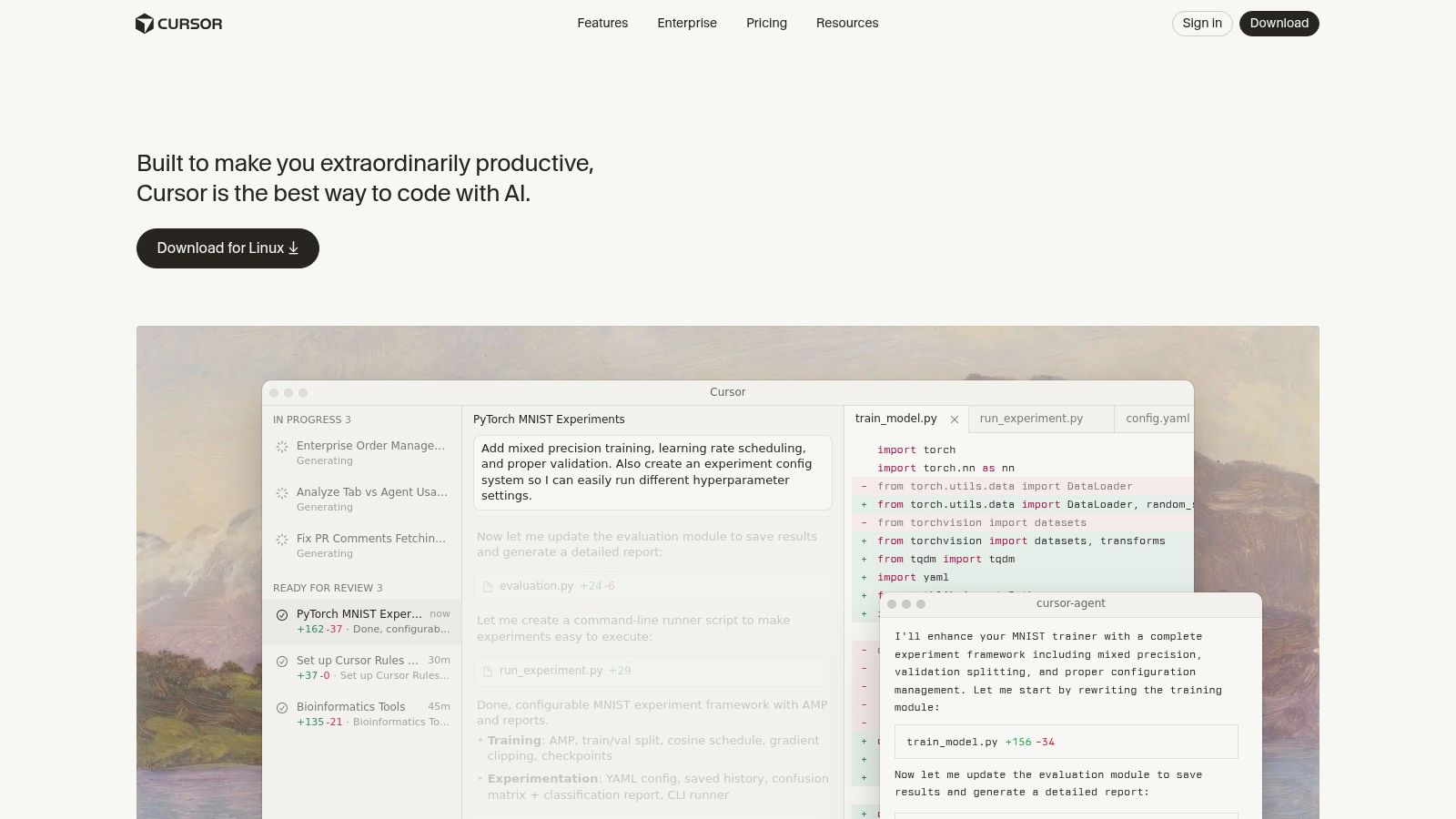
Cursor is an AI-powered code editor forked from VS Code that delivers inline completions, chat agents, and enterprise governance. Its familiar interface plus model choice features make it a solid github copilot alternative for teams requiring deeper AI tooling and code review capabilities.
Key Features
- Inline and tab code suggestions powered by multiple models (OpenAI, Claude, Gemini)
- Background agents automate refactoring tasks and context-aware code actions
- Bugbot add-on for automated AI-driven code review and vulnerability detection
- Enterprise controls with role-based access, SSO integration, and usage analytics
Pros and Cons
| Pros | Cons |
|---|---|
| Native VS Code extension support and familiar UI | Occasional performance hiccups reported |
| Scales from solo hobbyists to large engineering teams | Support response can vary by tier |
| Transparent tiering in Hobby, Pro, Pro+, Ultra, Teams | Debugging parity with VS Code can differ |
Pricing and Access
Cursor offers a free Hobby plan for individual use. Upgrading unlocks Pro and Pro+ with higher rate limits, Ultra with advanced agents, and Teams tier adding SSO and RBAC. Plans start at $9 per user per month; enterprise pricing custom quotes available. Access via https://cursor.com/.
User Experience
The UI mirrors VS Code closely, so developers transition smoothly with existing extensions. Model switching happens without restarting the editor. Enterprise customers get dashboards monitoring AI usage and cost.
Practical Tips
- Configure default AI models per project folder to match code style
- Enable Bugbot in pull request workflows for early vulnerability catches
- Use analytics dashboards to track AI suggestion acceptance rates
Visit https://cursor.com/ to try Cursor today.
7. Sourcegraph Cody
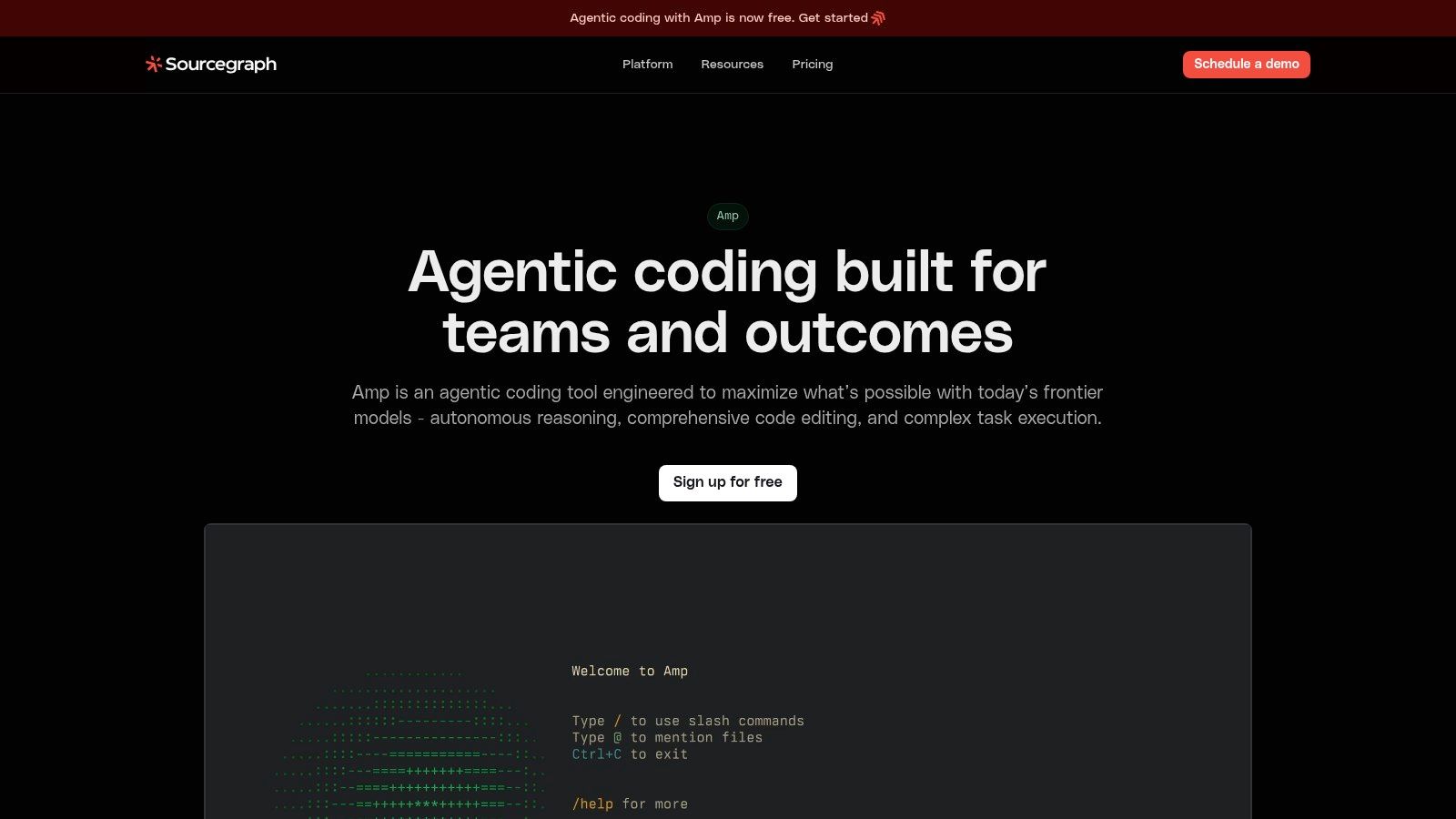
Sourcegraph Cody is Sourcegraph’s AI assistant paired with enterprise-grade code search. As of mid-2025, Cody is offered exclusively to enterprise customers and integrates deeply with large monorepos and organization code search workflows. It stands out among github copilot alternatives by unifying contextual AI-driven code suggestions with powerful search tools across distributed repositories.
Key Features
- Enterprise code search with Deep Search for semantic understanding
- Batch Changes to automate large-scale refactors across hundreds of repositories
- Code Insights dashboards for metrics on code health and dependencies
- Flexible deployment: cloud-hosted or self-hosted, with BYO-LLM or Sourcegraph gateway
Pros and Cons
| Pros | Cons |
|---|---|
| Excellent for large monorepos and complex enterprise codebases | Enterprise-only after changes to Free/Pro plans |
| Strong admin, security controls, and detailed audit logs | Pricing and deployment require contacting sales |
Pricing and Access
Cody is available only under Sourcegraph’s enterprise plans. There is no self-serve Free or Pro tier. To evaluate Cody, you must contact sales for a custom quote and deployment options tailored to your organization’s infrastructure.
User Experience
Cody integrates seamlessly with popular IDEs and browser-based code review. The interface combines inline suggestions with side-by-side search panels. Enterprise support includes dedicated onboarding, SLAs, and security reviews to align with corporate compliance.
Practical Tips
- Leverage Batch Changes to enforce coding standards across all services
- Use Code Insights to spot technical debt before it compounds
- Integrate BYO-LLM for data residency and custom model tuning
Visit https://sourcegraph.com/cody to get started.
8. GitLab Duo
GitLab Duo is GitLab’s integrated AI coding assistant that delivers inline code suggestions, AI chat, and DevSecOps aware insights across issues, merge requests, and pipelines. It unifies security scanning, root cause analysis, and code governance in a single platform for teams using GitLab CI/CD and source control.

Key Features
- Inline code suggestions in the GitLab UI and supported IDEs (VS Code, JetBrains)
- AI Chat for context aware code exploration and collaboration
- Merge request summaries with root cause insights and vulnerability explanation
- Fix recommendations and guided resolution when using Ultimate tier
- Admin controls, SSO, team management, and self managed deployment options
Pros and Cons
| Pros | Cons |
|---|---|
| End to end DevSecOps integration in a single platform | Some advanced features require Ultimate tier or enterprise add ons |
| Flexible deployment (SaaS, self managed, Dedicated) | Limited IDE integrations outside GitLab ecosystem |
| Reasonable Duo Pro pricing for teams | Best fit for organizations already using GitLab workflows |
Pricing and Access
GitLab Duo Pro is included with GitLab Premium or above at $19 per user per month. Ultimate tier unlocks advanced AI explanations and remediation. Available on GitLab SaaS, self managed instances, and Dedicated deployments. No separate add on fee for core suggestions.
User Experience
The UI integrates seamlessly into the GitLab web interface and IDE plugins with minimal setup. Inline tips appear during code review and pipelines. Support is available via GitLab forums, documentation, and enterprise SLAs for paid tiers.
Practical Tips
- Enable AI Chat in merge requests to clarify code context before approval
- Use vulnerability insights to triage security issues early in pipelines
- Configure team policies in Admin area to enforce coding standards
Visit https://about.gitlab.com/gitlab-duo to get started.
9. Replit (Replit AI/Agent)
Replit is a browser-based IDE that pairs a fully featured code editor with an autonomous AI Agent. Developers can prototype, generate, and debug full-stack apps in seconds, then deploy directly from the same interface. Its zero-setup environment and built-in hosting pipeline make Replit a standout GitHub Copilot alternative for rapid iteration and education.

Key Features
- AI Agent with “Plan Mode” for multi-step task breakdown and execution
- Inline code completions, automatic debugging suggestions, and refactoring
- Integrated cloud compute, managed databases, custom domains, and one-click deployments
- Organization-level RBAC, SSO, and team workspaces for secure collaboration
Pros and Cons
| Pros | Cons |
|---|---|
| Zero-config, browser-based IDE for instant access | AI usage is credit-based, heavy use can drive up costs |
| End-to-end workflows: code, build, host, and ship | Community reports occasional lag and reliability concerns |
| Educational templates and multiplayer coding sessions | Limited offline support outside the browser environment |
Pricing and Access
Replit offers a Free tier with basic AI completions and hosting. The Pro plan adds more compute, private projects, and priority support starting at $20/user/month. Enterprise plans unlock advanced governance, audit logs, SSO integration, and unlimited seats. AI Agent credits are sold separately, with roll-over options in paid tiers.
User Experience
The UI loads instantly in any modern browser, with minimal latency on code generation. Customer support includes community forums, live chat for paid tiers, and dedicated account managers for enterprises.
Practical Tips
- Monitor AI credit usage in the dashboard to avoid unexpected expenses
- Use “Plan Mode” to outline multi-step features before generating code
- Leverage team RBAC to enforce coding standards across projects
Visit https://replit.com/pricing to get started.
10. IBM watsonx Code Assistant
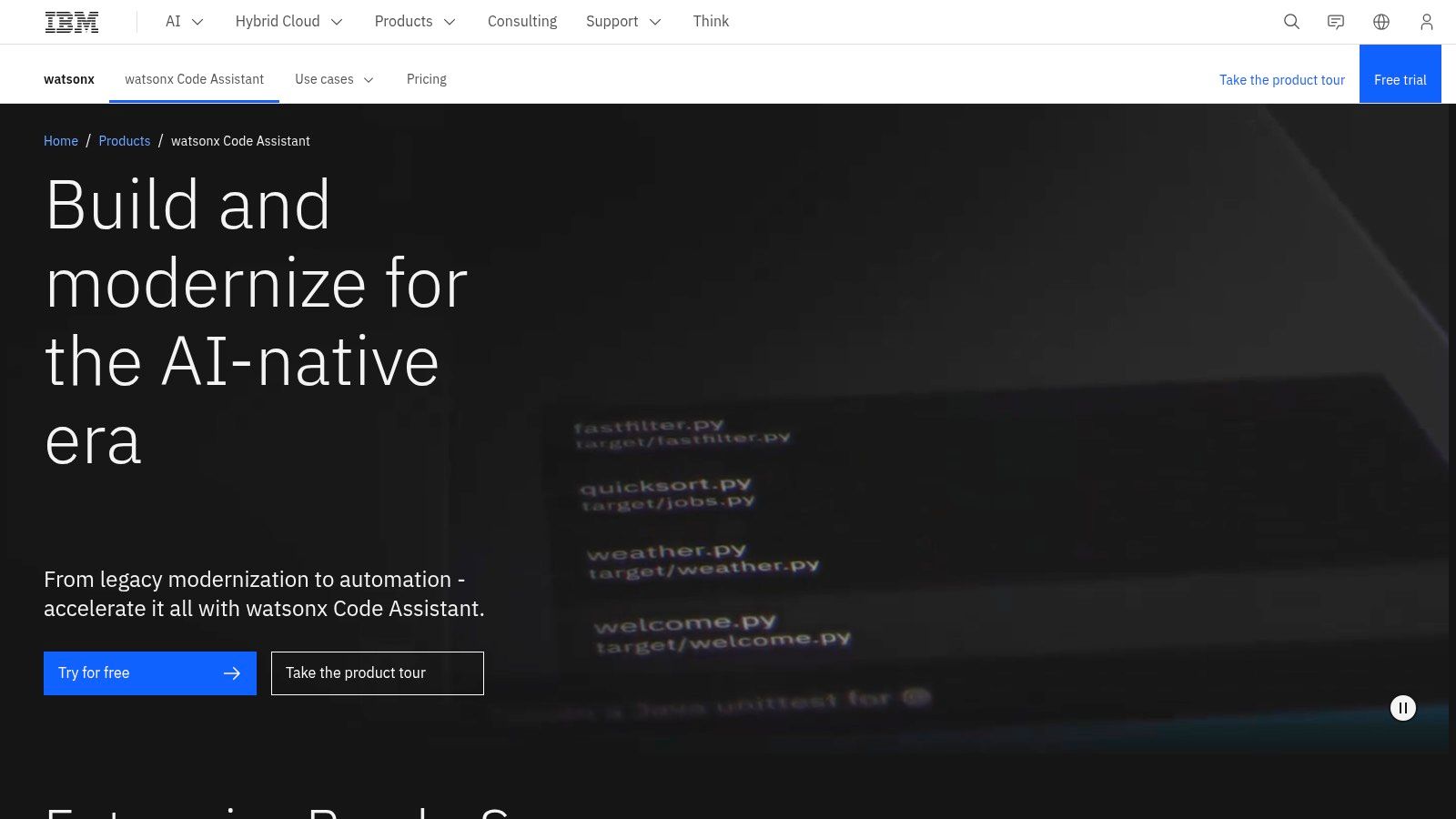
IBM watsonx Code Assistant is an enterprise-focused assistant suite from IBM for application modernization and automation. It combines task-prompt–based Essentials with pay-as-you-go consumption, Standard and Enterprise monthly plans, plus a dedicated Ansible Lightspeed SKU. This makes it a leading choice among github copilot alternatives for regulated industries that require hybrid or on-prem deployments.
Key Features
- Task-prompt-based Essentials tier with pay-as-you-go consumption
- Standard and Enterprise monthly plans with prompt bundles and Java modernization support
- Dedicated Ansible Lightspeed SKU with tuning and enterprise controls
- Hybrid and on-prem deployment options for compliance and data residency
Pros and Cons
| Pros | Cons |
|---|---|
| Clear consumption pricing and enterprise SLAs | More enterprise-oriented than indie developer tooling |
| Specialized assistants targeted at measurable productivity gains | Prompt-based pricing requires tracking and management |
| Fits hybrid/multi-cloud and compliance needs | Limited community extensions compared to open tools |
Pricing and Access
The Essentials tier charges per prompt with no upfront commitment. Standard and Enterprise plans start at fixed monthly rates, bundling prompt credits and support. Ansible Lightspeed is sold as a separate SKU. Hybrid and on-prem options require enterprise licensing.
User Experience
Integration with VS Code, Eclipse, and IBM Cloud Pak IDE offers a consistent UI and minimal latency. Documentation and customer support are backed by IBM’s enterprise SLAs. The unified Assistants console provides centralized governance for policies and usage tracking.
Practical Tips
- Begin with Essentials pay-as-you-go to gauge consumption
- Leverage Ansible Lightspeed for automated infrastructure code reviews
- Deploy hybrid/on-prem to satisfy compliance and data residency needs
Visit https://www.ibm.com/products/watsonx-code-assistant to get started.
11. Phind
Phind is a developer-first AI search and coding companion that combines its own Phind-405B model with optional access to GPT and Claude on Pro. Available as a VS Code extension and web app, Phind blends multi-query research, browser-based code execution, and file/image analysis. It stands out among GitHub Copilot alternatives by surfacing real-world examples, documentation snippets, and up-to-date web results alongside generated code.
Key Features
- Multi-query web search to enrich AI suggestions with live documentation
- Choice of Phind’s proprietary models or third-party LLMs (GPT, Claude) on Pro
- In-browser code execution sandbox for rapid prototyping and output inspection
- File and image analysis to extract context and automate asset handling
- Business plan defaults to zero-retention logs and strict privacy settings
Pros and Cons
| Pros | Cons |
|---|---|
| Developer-centric search plus code generation | Reliant on browser for full research workflows |
| Affordable Pro tier with flexible model quotas | Daily third-party model limits can interrupt flow |
Pricing and Access
Phind offers a free tier with unlimited Phind-405B queries and basic browser execution. The Pro plan starts at $12 per month, unlocking GPT/Claude integration and higher rate limits. The Business tier adds zero-retention privacy, audit controls, and team billing from $30 per user/month.
User Experience
The VS Code extension installs in seconds and places search and chat panels side by side with your editor. Results load quickly, and context-aware suggestions reduce context-switching. Customer support includes community forums for free users and priority email for Pro and Business subscribers.
Practical Tips
- Use multi-query search to compare different documentation sources in one view
- Enable browser execution for quick proof of concept without leaving VS Code
- Monitor your daily quota on third-party models to avoid interruptions
Visit https://www.phind.com/ to get started.
12. OpenAI ChatGPT (for coding)
OpenAI ChatGPT (for coding) is a versatile AI assistant offering chat-based coding support with multi-file context, file uploads, and custom GPT creation. It bridges general reasoning and specialized code tasks, making it a popular GitHub Copilot alternative for individuals and teams seeking flexible AI-powered development.
Key Features
- Chat-driven code generation with context from Projects and file uploads
- Custom GPTs and connector integrations for third-party APIs
- Desktop app with voice and screen-sharing support
- Enterprise controls: admin dashboard, usage logs, and SSO
Pros and Cons
| Pros | Cons |
|---|---|
| Strong reasoning across coding, debugging, and documentation | No native IDE plugin, relies on third-party integrations |
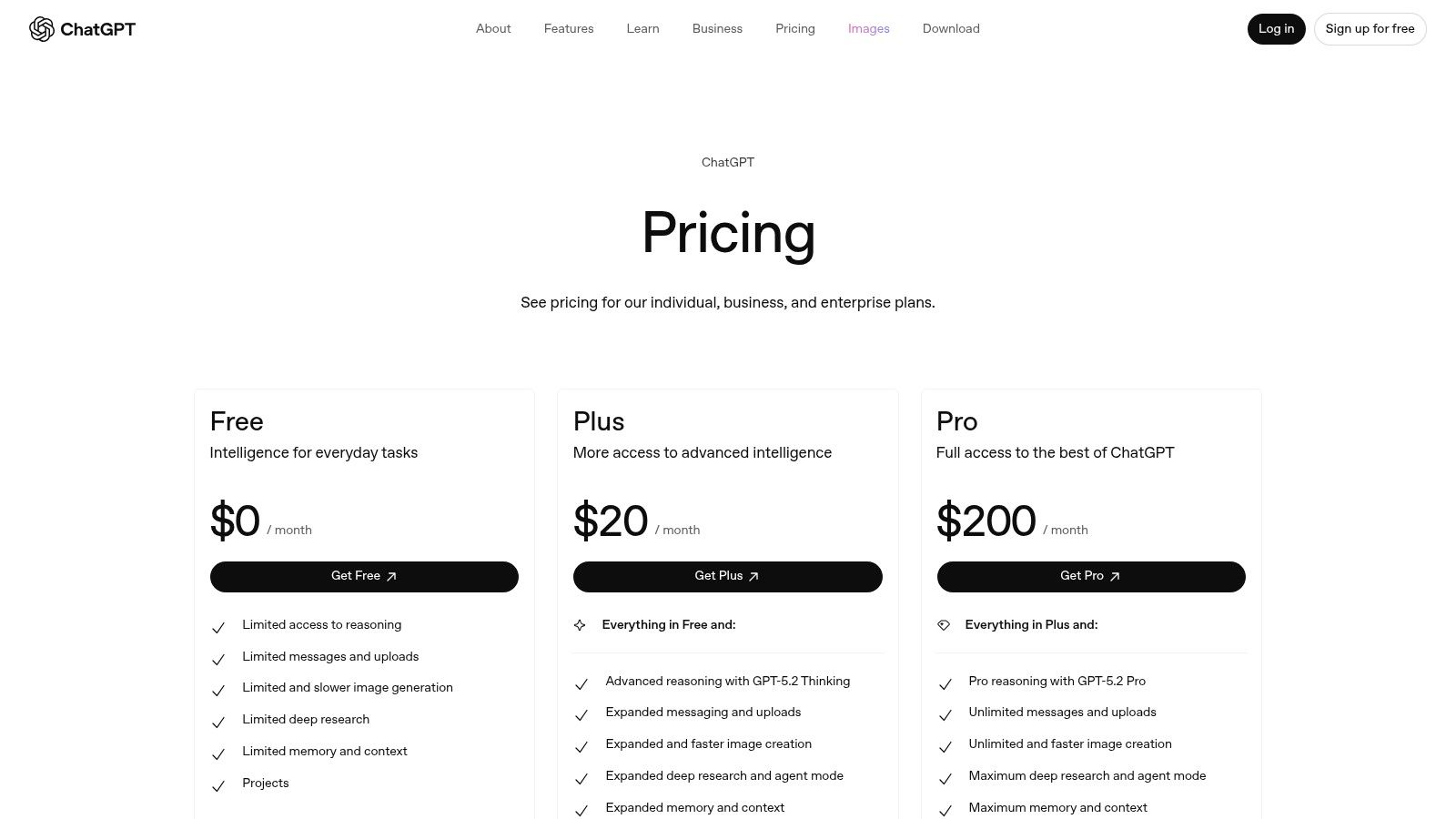
| Clear Free, Plus, Business, Enterprise plan ladder | Advanced governance needs Business or Enterprise tier |
| Rapid feature and model updates via API and UI | Data residency options limited outside core regions |
Pricing and Access
ChatGPT offers a free tier for basic usage. The Plus plan at $20/month unlocks GPT-4 access. Business and Enterprise plans add admin controls, audit logs, and SSO starting at custom rates. Sign up with an email or SSO for immediate access.
User Experience
The chat interface is intuitive with sidebar file navigation and context awareness. Response times are fast, and customer support is handled via in-app help and dedicated enterprise SLAs.
Learn more about OpenAI ChatGPT (for coding) and AI-generated code issues at Learn more about OpenAI ChatGPT (for coding) and AI-generated code issues.
Practical Tips
- Organize code in Projects for multi-file context
- Build custom GPTs with your own libraries for recurring patterns
- Enable audit logs in Enterprise to track code changes
Visit https://openai.com/chatgpt/pricing to get started.
Top 12 GitHub Copilot Alternatives — Feature Comparison
| Product | Core features | UX & quality | Price / Value | Target audience | Unique selling points |
|---|---|---|---|---|---|
| Amazon CodeWhisperer | Inline & whole-function completions, security scanning, reference tracking | ★★★★ real-time IDE suggestions | 💰 Free Individual; Professional paid org seats | 👥 AWS-focused devs & teams | ✨ AWS SSO & org governance, license mgmt 🏆 |
| Google Gemini Code Assist | IDE completions, chat, Gemini CLI, GCP integrations | ★★★★ strong models + agent mode | 💰 Free via dev programs; enterprise metered hourly | 👥 GCP-centric teams | ✨ Gemini CLI & cloud agent mode 🏆 |
| JetBrains AI Assistant | In-editor chat, refactors, test generation, credit model | ★★★★ deep native IDE integration | 💰 Free & tiered credits (Pro/Enterprise) | 👥 JetBrains IDE users | ✨ Native embedding & unified JetBrains AI |
| Tabnine | Multi-line completions, workflow agents, on-prem/VPC, governance | ★★★ privacy-first, enterprise controls | 💰 Org-focused pricing; fewer low-cost individual tiers | 👥 Security/compliance-focused teams | ✨ Flexible deployment & model-agnostic 🏆 |
| Windsurf (Codeium) | Agentic coding (Cascade), live previews, deploy helpers | ★★★★ AI-first editor, fast build-test-deploy loops | 💰 Generous free tier; affordable Pro (credit-based) | 👥 Developers wanting AI-centric IDE | ✨ Cascade agent + deploy automation |
| Cursor | VS Code fork with agents, model choice, code review tools | ★★★ familiar VS Code UX; scalable tiers | 💰 Hobby→Teams; transparent tiering | 👥 VS Code-like users & teams | ✨ Model flexibility, Bugbot code-review add-on |
| Sourcegraph Cody | Cody assistant + enterprise code search, BYO-LLM | ★★★★ optimized for large monorepos | 💰 Enterprise-only; contact sales | 👥 Large enterprises with big repos | ✨ Deep repo search + BYO-LLM integration 🏆 |
| GitLab Duo | AI chat/suggestions, summaries, DevSecOps & vuln guidance | ★★★★ end-to-end DevSecOps integration | 💰 Duo Pro reasonable; some features require Ultimate | 👥 GitLab SaaS/self-managed users | ✨ DevSecOps-aware AI across CI/CD |
| Replit (AI/Agent) | Cloud IDE, autonomous agent, one-click hosting & DBs | ★★★ browser-based, instant setup | 💰 Free→Enterprise; AI credit usage | 👥 Educators, prototypers, startups | ✨ Integrated hosting & deploy from browser |
| IBM watsonx Code Assistant | Prompt-based assistants, Ansible Lightspeed, hybrid/on‑prem | ★★★ enterprise SLAs, consumption billing | 💰 Consumption pricing & enterprise plans | 👥 Regulated industries & enterprise IT | ✨ Hybrid/on-prem + Ansible integration 🏆 |
| Phind | Developer search + coding, Phind models, code execution in-browser | ★★★ strong research + code workflows | 💰 Affordable Pro & Business; usage limits | 👥 Devs who combine research + coding | ✨ Multi-query web search & zero-retention options |
| OpenAI ChatGPT (for coding) | Chat coding, multi-file context, custom GPTs, APIs | ★★★★★ top-tier reasoning & tooling | 💰 Free→Business/Enterprise; broad integrations | 👥 Wide range: indie devs → enterprises | ✨ Custom GPTs, extensive API & ecosystem 🏆 |
Picking Your Perfect AI Coding Partner
H3: Key Insights from Our Comparison
- Cloud alignment vs on-prem deployment
Choose Amazon CodeWhisperer or Google Gemini Code Assist for tight cloud integration, or IBM watsonx for on-prem control. - IDE integration depth
JetBrains AI Assistant and Tabnine embed seamlessly in popular editors for instant suggestions. - Governance and compliance
Tools like kluster.ai add in-IDE code review and policy enforcement on top of AI suggestions. - Pricing and total cost of ownership
OpenAI ChatGPT offers flexible pay-as-you-go usage, while GitLab Duo and Sourcegraph Cody include enterprise subscriptions. - Security and privacy
Windsurf (formerly Codeium) and GitLab Duo provide data residency guarantees for sensitive code. - Use case fit
From rapid prototyping with ChatGPT to strict audit trails in IBM watsonx, pick the assistant that matches your workflow.
H3: Choosing Based on Your Needs
-
Individual Developer
- Rapid prototyping: OpenAI ChatGPT or Phind for conversational code exploration.
- Local control: Tabnine or Cursor for on-device inference and offline use.
-
Small Team or Startup
- Accelerated sprints: Replit AI for collaborative live coding sessions.
- Lightweight integration: JetBrains AI Assistant or Windsurf for minimal setup overhead.
-
Security and Compliance
- Policy enforcement: kluster.ai layered with GitLab Duo to catch vulnerabilities early.
- Data governance: IBM watsonx and GitLab Duo for audit logs and role-based access.
-
Enterprise Scale
- Centralized management: Sourcegraph Cody or GitLab Duo integrated with CI/CD pipelines.
- Hybrid cloud: AWS CodeWhisperer or IBM watsonx for combined on-prem and cloud workflows.
-
DevSecOps and Auditing
- Prevent vulnerabilities: kluster.ai for in-IDE static analysis and custom rule sets.
- Continuous feedback: GitLab Duo and Sourcegraph for policy checks at merge time.
H3: Actionable Next Steps
- Evaluate free tiers and trial versions
Test each tool with a representative codebase to assess suggestion relevance and integration friction. - Define your evaluation criteria
Include metrics for code quality improvements, security findings, time saved, and developer satisfaction. - Involve your team early
Gather feedback from developers, security engineers, and managers to refine usage guidelines. - Plan a phased rollout
Start with a pilot group, iterate on custom rules or prompts, then scale across projects. - Monitor and adjust
Track usage data, false positive rates, and policy coverage to refine settings over time.
H3: Important Implementation Factors
- IDE and editor support
Ensure compatibility with VS Code, IntelliJ, or other environments your team prefers. - Data privacy and code ownership
Review each vendor’s terms to confirm that your source code remains your property. - Pricing model transparency
Compare per-editor license fees, API credits, and enterprise seat bundles. - Integration complexity
Factor in CI/CD plugins, on-prem agents, and onboarding effort. - Security policy customization
Look for tools that let you write custom rules or import existing frameworks like OWASP. - Vendor support and community
Consider active forums, documentation quality, and professional service options.
Final Thought
Selecting from the top GitHub Copilot alternatives means balancing integration depth, security needs, and cost. By aligning your primary goals—whether accelerating prototyping, enforcing standards at scale, or securing your codebase—you can pick an AI coding assistant that empowers your team and optimizes your development cycle. Embrace the tool that best complements your workflow, and turn AI-driven suggestions into reliable, production-ready code.
Ready to take your in-IDE governance and AI code review to the next level? Try kluster.ai for fine-grained policy enforcement, seamless developer experience, and complete auditability. Discover how kluster.ai extends your GitHub Copilot alternatives with powerful compliance controls today at kluster.ai.