

Your Guide to AI Powered IDEs
An AI-powered IDE is an Integrated Development Environment that’s been supercharged with artificial intelligence. It acts like an intelligent coding partner, suggesting code, spotting bugs, and automating the grunt work. Think of it less as a tool and more as a collaborator that anticipates your needs, turning your development environment into an interactive, predictive workspace.
Meet Your New Coding Partner

Imagine your code editor evolving from a passive text tool into an active collaborator. That's the reality of working with an AI-powered IDE. It’s a fundamental shift from the days of simple syntax highlighting and basic autocomplete.
Instead of just finishing a line of code you started, these intelligent environments understand the broader context of your project. They act like a seasoned pair programmer, offering suggestions not just for syntax, but for entire functions, algorithms, and even architectural patterns.
This dynamic changes your role from a manual typist to a strategic architect. You guide the AI with high-level direction, often just using natural language comments, and it handles the heavy lifting of writing boilerplate code, complex logic, and repetitive tests.
From Coder to Conductor
This isn't just some niche trend anymore; it's rapidly becoming standard practice. According to a recent Stack Overflow survey, a staggering 84% of developers are either using or planning to use AI tools in their workflows. That's a huge jump from the previous year, signaling a major transformation in development culture. You can dig into the full developer survey insights on stackoverflow.com.
This shift is happening because the impact on daily tasks is so tangible. It's helpful to think of it like a master-apprentice dynamic:
- The AI as the Apprentice: It learns from your project's existing code, documentation, and dependencies to offer relevant help.
- The Developer as the Master: You provide the intent, review the output, and make the final strategic calls, ensuring the code quality aligns with the project's goals.
The real value of an AI-powered IDE isn't just writing code faster. It's about offloading the mentally taxing but low-creativity tasks, freeing up your brainpower for real problem-solving and innovation.
Key AI IDE Features at a Glance
So, what do these tools actually do? To get a clearer picture, let's break down the core functionalities. The table below outlines the key features you'll find in an AI-powered IDE and the immediate benefits they bring to your workflow.
| AI Feature | Primary Function | Developer Benefit |
|---|---|---|
| Intelligent Code Completion | Predicts and suggests entire blocks of code based on context. | Drastically reduces typing and boilerplate, speeding up feature development. |
| Natural Language Generation | Translates plain English comments into functional code. | Lets you describe what you want and lets the AI handle how. |
| AI-Powered Debugging | Analyzes errors and suggests potential causes and fixes. | Slashes troubleshooting time from hours to minutes. |
| Proactive Refactoring | Identifies opportunities to improve code quality and maintainability. | Enhances long-term code health and keeps technical debt in check. |
As you can see, each feature is designed to act as a powerful extension of your own capabilities, not just another automated tool. They handle the tedious parts so you can focus on building great software.
How AI Supercharges Your Workflow
An AI-powered IDE is more than a glorified text editor. It fundamentally changes how you write and think about code. Think of it less like a tool and more like a dedicated assistant for every stage of development, from the first line of a new feature to the final polish before a release.
These new capabilities are designed to tackle the most common points of friction in a developer's day. Instead of getting bogged down in repetitive tasks, you can hand them off to an intelligent partner that actually understands the context of your project. This frees you up to focus on the bigger picture: solving hard problems and designing clean, elegant systems.
Intelligent Code Completion on Another Level
We've all used traditional autocomplete. It suggests the next few characters of a variable or a function name. It's helpful, but AI-powered IDEs take this concept light-years further. This intelligent code completion analyzes the context of your entire file—and sometimes your whole project—to suggest entire blocks of code.
Imagine you're about to write a function to grab user data from an API. You type a quick comment like // function to get user by id. A traditional IDE does nothing. An AI IDE, however, might generate the complete function body, including the API call, proper error handling, and even the data parsing logic, all because it has seen how similar functions are built elsewhere in your codebase.
This is the core productivity loop. It turns a high-level thought into functional, context-aware code in seconds, slashing the time you spend on boilerplate and repetitive logic.
From Natural Language to Functional Code
One of the biggest game-changers is the ability to generate code directly from plain English. You can write a simple comment describing exactly what you need, and the AI translates that instruction into working code right in your editor.
For instance, a prompt like // create a React component that displays a user profile card with an avatar, name, and email can instantly spit out the necessary JSX and CSS structure. This is incredibly useful for quickly scaffolding new components, writing utility functions, or even generating a complex regex from a simple description of the pattern you need to match.
The scale of this shift is massive. AI now generates an estimated 41% of all code written globally, which adds up to a staggering 256 billion lines of code in a single year. It's a clear sign of how deeply AI is already integrated into modern development.
Proactive Debugging and Code Health
Let's be honest, debugging can be a soul-crushing time sink. AI assistants act as an immediate first line of defense. When an error pops up, the IDE doesn't just throw a stack trace at you; it analyzes it, points to the likely cause, and suggests a concrete fix.
This saves you from the painful process of hunting down the problem manually. But it goes beyond just fixing what's broken. These tools also provide proactive refactoring suggestions. They sniff out "code smells"—sections of code that are overly complex or hard to maintain—and propose cleaner, more efficient alternatives. It’s like having a senior engineer constantly looking over your shoulder, helping you improve code quality as you go.
Automated Documentation and Testing
Finally, AI tackles two of the most neglected tasks in software development: documentation and unit testing. It's not that we don't know they're important; it's that they often feel like a chore.
AI-powered IDEs can:
- Generate Docstrings: Automatically write detailed comments for your functions, explaining what they do, their parameters, and what they return. No more excuses for uncommented code.
- Create Unit Tests: Analyze a function and generate a whole suite of unit tests to cover various edge cases and confirm its logic is solid.
This automation doesn't just save time. It builds better development habits, leading to a more robust and maintainable codebase from the start. This approach is reshaping entire teams, as seen in the rise of AI-powered teams in app development. By handling these essential but often tedious tasks, the AI ensures quality is baked in, not bolted on.
Understanding the Benefits and Risks
Switching to an AI-powered IDE is a lot like trading in your trusty sedan for a self-driving car. The upside is huge—you can get where you're going a lot faster. But you wouldn't just take your hands off the wheel without knowing exactly how the system works, and more importantly, where it might fail. These tools bring incredible advantages, but they also introduce a new class of problems that you need to get ahead of.
The most obvious win is a massive boost in development velocity. All those repetitive tasks that used to chew up hours—writing boilerplate code, generating unit tests, cranking out documentation—can now be done in seconds. This frees up your developers to spend their brainpower on the hard stuff, like complex problem-solving and architectural design, instead of getting bogged down in the tedious details.
For junior developers, these tools are a game-changer. An AI assistant can instantly break down a confusing block of code, suggest better ways to write something, or show real-time examples of how to do things the right way. It's like having a senior developer with infinite patience on call 24/7.
Balancing Speed with Caution
But all this newfound speed comes with strings attached. One of the sneakiest problems is the friction it adds to code reviews. When a developer pushes a pull request with hundreds of lines of AI-generated code, the person reviewing it is in for a long day.
It’s one thing to review code that another human being thought through and built. It’s a completely different challenge to vet a massive dump of machine-generated logic that could be hiding subtle bugs or security flaws. This can grind the review process to a halt, ironically wiping out the very speed gains you were trying to achieve. To really get why this is so tough, it helps to understand why real-time AI code review is harder than you think.
The core tension is this: AI assistants are built for speed of generation, but human reviewers are still on the hook for quality. Without the right tools to verify the AI's work, you're setting your team up for burnout and shipping buggy code.
The Dangers of Hallucinations and Security Flaws
Beyond the review bottleneck, two other major risks loom large: AI hallucinations and security vulnerabilities. Just like an LLM can invent historical "facts," it can also generate "hallucinated" code. This is code that looks totally fine—it’s syntactically correct and seems plausible—but it's actually riddled with logic errors or just plain doesn't work.
These bugs are incredibly hard to catch because, at a glance, the code looks right. A developer rushing to meet a deadline might just accept the suggestion without testing it thoroughly, only to have it blow up in production.
Just as scary are the security and intellectual property risks. When you use a cloud-based AI assistant, you’re often sending chunks of your company's secret sauce—your proprietary code—to a third-party server. This should make you ask some hard questions:
- Is our sensitive code being used to train some public model? The last thing you want is for your trade secrets to become part of the training data for the next public LLM.
- Is the AI suggesting insecure code? The model might spit out code with well-known exploits, like SQL injection flaws or outdated, vulnerable dependencies.
- Are we staying compliant? If you're in an industry with strict data rules like GDPR or HIPAA, sending code to an external service could land you in hot water.
Weighing the Pros and Cons of AI Powered IDEs
To make the right call, you have to look at the whole picture. The table below breaks down the major benefits of these tools, the risks that come with them, and how you can actually manage those risks.
| Benefit | Associated Risk | Mitigation Strategy |
|---|---|---|
| Increased Development Velocity | Increased review friction and overlooked bugs. | Implement in-IDE verification tools like Kluster.ai to automatically check AI code for errors before the PR stage. |
| Accelerated Junior Developer Learning | Over-reliance on AI and slower skill development. | Encourage developers to use AI as a guide for understanding, not a crutch for completion. Mandate manual review. |
| Improved Code Consistency | Propagation of subtle, consistent errors. | Establish clear, automated guardrails and governance policies that the AI and developers must adhere to. |
| Automated Task Handling | Security and IP leaks to external models. | Choose enterprise-grade AI tools with private hosting options and strict data privacy policies. |
In the end, using an AI-powered IDE effectively isn't about blindly trusting the machine. It’s about building a smart "human-in-the-loop" system. Let the AI do the heavy lifting, but give your developers the automated verification tools they need to provide critical oversight and ensure everything that ships is high-quality, secure, and correct.
Choosing and Implementing Your AI IDE
Picking the right AI-powered IDE isn't about chasing the longest feature list. It's about finding a tool that slots so perfectly into your team's ecosystem that it feels like it’s always been there. The goal is to find a partner that enhances your workflow, not one that blows it up. Get it wrong, and you’ve just bought some very expensive shelfware.
Think of it like hiring a new developer. You wouldn't bring someone on without making sure their skills fit your tech stack, they play nice with your existing tools, and they understand your company's security posture. The same exact logic applies here. The right tool can be a massive productivity multiplier, but the wrong one just creates more headaches than it solves.
Your Evaluation Checklist
Before you sign any contracts, you need to run potential tools through a serious evaluation. This is where you cut through the marketing fluff and figure out if a tool can actually hang in your real-world environment. A checklist keeps you honest and ensures you cover all the critical bases.
Start by asking these questions:
- Language and Framework Support: Does this thing actually speak your language? How well does it handle Python, TypeScript, or Go, and more importantly, the specific frameworks your team lives in every day?
- Integration with Your Toolchain: How messy is it going to be to plug this into your CI/CD pipeline, Jira, and Git? A tool that fights your existing setup is dead on arrival.
- Security and Hosting Model: Can you run it on-prem or in your own private cloud to keep your IP safe? What’s the data privacy policy look like, and does it align with your compliance needs?
- User Experience (UX): Is it intuitive, or are you going to have to send your team to a week-long bootcamp just to learn it? A clunky UX will kill adoption faster than anything else.
The most powerful AI IDE on the planet is useless if your team hates using it. Prioritize a tool that feels like a natural extension of their current workflow, not a total reinvention of it.
Getting this right is a big deal. AI-powered IDEs are fundamentally changing how developers work and learn, and they're quickly becoming standard issue. The data shows that integrating AI into the IDE has led to a 60% increase in developer satisfaction and a 45% improvement in code quality. You can dig into more of these AI statistical trends at Synthesia.io.
A Phased Rollout Plan
Once you've picked a winner, fight the urge to push it out to everyone at once. A slow, methodical rollout is the secret to making this stick for the long haul. This gives you a chance to get real feedback, iron out the kinks, and build up some internal champions before you go all-in.
Here's a simple playbook for a smooth integration:
- Launch a Pilot Program: Grab a small, enthusiastic group of developers from a few different teams. These folks are your canary in the coal mine. They’ll give you honest feedback and become advocates for the tool later on.
- Establish Clear Usage Guidelines: Write up a simple "rules of the road" doc. Outline best practices for writing prompts, explain when it's okay to trust AI suggestions, and hammer home the absolute, non-negotiable rule: a human must review all generated code.
- Create a Feedback Loop: Spin up a dedicated Slack channel or a weekly sync for the pilot team. You need a direct line to hear what's working, what's frustrating, and what's just plain broken. This feedback is gold.
- Measure and Iterate: Track metrics that matter, like cycle time, code churn, and maybe even run some developer satisfaction surveys. Use this hard data to prove the tool's value and make a smart decision about a company-wide rollout.
By taking the time to choose carefully and implement strategically, you ensure your new AI-powered IDE becomes a real asset—one that helps your team build better software, faster.
Verifying AI Code in Real-World Workflows
Theory is one thing, but the real test for any tool is how it performs on the job. Let's walk through a common development scenario to see how AI-powered IDEs, paired with a solid verification layer, can speed things up without tanking your code quality.
The key is to treat the AI as a super-powered assistant, not an oracle. You’re still in the driver's seat.
Imagine a developer, Alex, gets a ticket to build a new microservice for user authentication. The old way meant hours of grunt work: setting up the project structure, writing boilerplate for API endpoints, and wrestling with database connections.
With an AI assistant, Alex just types a prompt: // Scaffold a new Node.js microservice using Express.js. Include a POST endpoint for /login and a GET endpoint for /profile that requires JWT authentication. In seconds, the IDE spits out the core file structure, server setup, and placeholder logic. A massive head start.
From Generation to Verification
The generated code looks promising, but it's just a first draft. This is the crucial moment where the workflow shifts from just making code to making sure it’s good code. An unverified block of AI-generated code is a black box—it could be hiding subtle security flaws, inefficient logic, or hallucinations that look fine but break under pressure.
This is exactly why having a real-time verification tool like Kluster.ai plugged directly into the IDE is a game-changer. Before Alex even thinks about committing this code, an automated checkup kicks in.
The diagram below shows how teams can move from just kicking the tires on AI tools to integrating them with a built-in safety net.
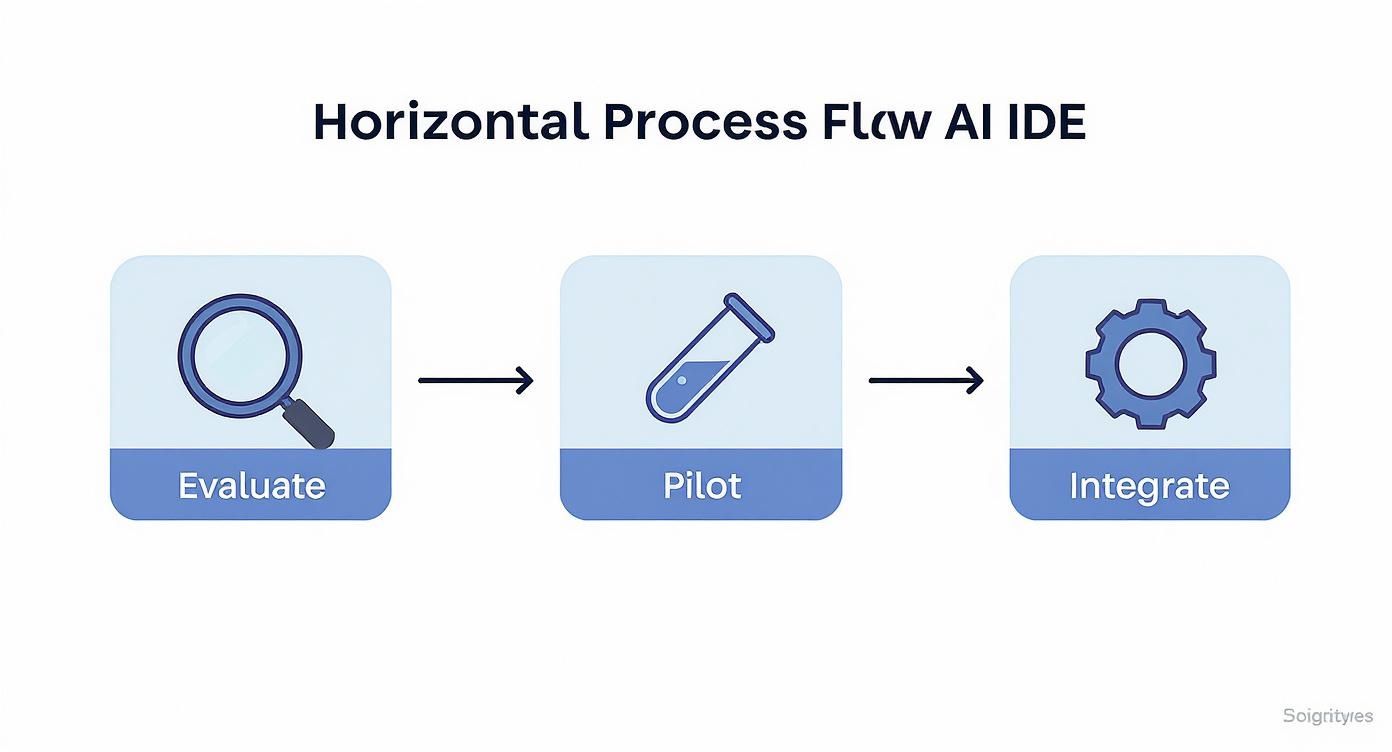
This isn’t about adding another step; it’s about making verification a core part of the process from day one.
Kluster.ai immediately analyzes the Express.js code, comparing it against Alex's prompt and the project’s context. It flags that the JWT logic is missing critical error handling for expired tokens. Instead of this flaw lurking until a pull request—or worse, production—Alex gets instant feedback right in the editor and fixes it on the spot.
Automating Quality Control In-IDE
Next, Alex prompts the AI to write the password hashing and comparison function. The verification layer inspects it immediately. This time, it warns that the AI used an outdated hashing algorithm that's no longer considered secure. It even suggests a stronger, industry-standard alternative.
This constant, immediate feedback loop lets developers fix problems the second they appear, baking security and quality into the code from the very beginning.
With the core logic locked down, Alex asks for one last thing: // Generate comprehensive unit tests for the login function. The AI delivers a suite of tests, but the verification tool spots a gap—it completely missed a critical edge case for malformed user input. Alex adds the missing test, now confident the function is truly robust.
This workflow completely changes the game. Instead of a slow, manual review process bottlenecking the team, you get a rapid, automated verification cycle. The developer uses AI for speed, while an automated guardrail system ensures the output is secure, correct, and ready for production.
It's the best of both worlds: the raw velocity of AI paired with the rigor of automated validation. Many teams are digging into comprehensive guides on automated code review tools to build this kind of capability. To get the most out of AI assistance, it helps to understand what a thorough review looks like. Learning the established best practices for code review shows how these timeless principles apply in a world full of AI assistants.
By catching issues at the moment of creation, teams eliminate the expensive back-and-forth of traditional PR cycles and merge better code, faster.
Common Questions About AI-Powered IDEs
When teams start looking at AI-powered IDEs, the same questions always pop up. This is a big shift, and it’s totally normal for developers and managers to worry about security, code quality, and what this means for their jobs. Let's get right to it and tackle these questions head-on.
Getting these concerns out in the open early on is key. It builds trust and makes sure that when you do bring these tools into your workflow, the whole team is ready to hit the ground running.
Will AI-Powered IDEs Replace Developers?
This is always question number one, and the answer is a hard no. AI assistants don't replace developers; they augment them. Think of them less as a replacement and more as a hyper-efficient junior dev or a co-pilot who handles the grunt work. They're fantastic at knocking out repetitive tasks like writing boilerplate code, spinning up unit tests, and drafting documentation.
This frees up your senior developers to focus on the things that actually require their expertise:
- System architecture and high-level design
- Complex problem-solving and tough algorithmic challenges
- Creative solutions and genuine innovation
The developer's role is evolving. It's moving away from just typing out lines of code and becoming more about strategic oversight. Your most valuable skills become crafting the right prompts, critically reviewing AI-generated code, and making the big architectural calls.
How Do We Handle Security and IP Risks?
Security is the dealbreaker. The thought of sending proprietary code to some third-party server is a real concern, but it's a solvable one. The first move is to stick with enterprise-grade AI tools that offer secure hosting options, like on-premise deployments or dedicated private cloud instances. This is non-negotiable—it ensures your code is never used to train public models.
But choosing the right tool is just the start. You need a few layers of defense:
- Set Up Clear Governance: Create and enforce policies that spell out exactly what kind of code and data is off-limits for AI assistants.
- Automate Security Scanning: Plug in automated scanners built to find the unique kinds of vulnerabilities that pop up in AI-generated code before it ever gets committed.
- Train Your Team: Run regular training sessions on secure AI practices. Teach everyone how to spot and avoid accidentally introducing security holes with AI suggestions.
How Can We Measure the Impact of AI IDEs?
To know if this investment is paying off, you need to track a mix of metrics. A successful rollout should show clear wins in both raw speed and how your team feels about their work.
You can't improve what you don't measure. Tracking both quantitative speed and qualitative satisfaction gives you a complete picture of the ROI.
For the hard numbers, focus on things that directly tie to development velocity:
- Development Cycle Time: How fast are you shipping? Is the time from idea to production getting shorter?
- Code Churn: Are developers rewriting code right after it's committed? High churn can mean low quality.
- Bug Density: Are you seeing fewer bugs per thousand lines of code?
Don't forget the human side of things. Run regular surveys to see how developers feel. Are they less frustrated? Do they feel more productive? An empowered team that loves its tools is always going to be a more effective one.
How Do I Ensure the Quality of AI-Generated Code?
Rule number one: never blindly trust AI code. The developer is—and must always be—the final authority on quality. Treat every suggestion from an AI assistant with a healthy dose of skepticism.
The best approach is a "human-in-the-loop" system that's backed by smart automation. First, enforce a serious code review process where a human developer signs off on any significant AI-generated contribution. Back that up with a rock-solid automated testing suite—and hey, you can even use the AI to help write more of those tests.
Finally, the real game-changer is integrating a specialized AI code verification tool right into the IDE. Think of it as an automated safety net that catches hallucinations, security flaws, and performance problems the second the code is generated, long before it has a chance to cause chaos down the line.
Ready to eliminate the risks of AI-generated code and ensure every commit is production-ready? Kluster.ai provides real-time verification directly in your IDE, catching errors and enforcing standards before they ever reach a pull request. Start free or book a demo to bring instant quality control to your AI workflow.