

A Guide to Git Repository Naming Convention
At its core, a git repository naming convention is just a simple set of rules your team agrees on for naming things. The goal is to make every repository name consistent, predictable, and immediately understandable.
The most common and battle-tested standard is kebab-case: all lowercase letters, with words separated by hyphens. It’s the go-to choice for a reason—it’s clean, easy to read, and avoids compatibility headaches across different operating systems. Honestly, adopting a clear convention like this is one of the fastest ways to bring a little sanity to your codebase.
Why Naming Conventions Matter in Git

Imagine walking into a massive library where none of the books have titles on their spines. You’d waste hours just pulling books off shelves to figure out what they are. That’s exactly what happens to an organization's collection of Git repositories without a clear naming system.
Names like test-project-final, New_App, or sams-api-2 are the digital equivalent of a blank book spine. They create confusion and slow everyone down.
Now, contrast that with a repository named svc-user-authentication-api. You instantly know its purpose: it's a service for user authentication that functions as an API. This isn’t just a convenience; it’s a powerful form of documentation that transforms your repository list from a random junk drawer into a searchable, logical catalog of your company's software.
The Immediate Benefits of Consistency
The impact of good naming conventions is felt immediately, especially when you're collaborating on platforms like GitHub where dozens or even hundreds of repositories live side-by-side. The benefits ripple across the entire development lifecycle.
- Find What You Need, Fast: Developers can find the exact repository they need without any guesswork, which cuts down on a surprising amount of wasted time.
- Onboard New Hires Quicker: New team members can look at a list of repos and actually understand the system architecture, helping them get up to speed in days, not weeks.
- Automate with Confidence: CI/CD pipelines, security scanners, and other tools can reliably target or exclude repositories based on predictable patterns (e.g., apply a specific security policy to all repos starting with
svc-).
Good naming transforms chaos into clarity. This table breaks down the very real difference it makes in day-to-day work.
Impact of Naming Conventions on Team Efficiency
| Activity | Inconsistent Naming (The Chaos) | Standardized Naming (The Clarity) |
|---|---|---|
| Code Discovery | Developers waste time searching and asking colleagues for the right repo. | Anyone can find the correct service or library in seconds with a simple search. |
| New Hire Onboarding | The codebase looks like an intimidating, disorganized mess, slowing down ramp-up. | New team members can quickly grasp the system's architecture just by browsing repo names. |
| CI/CD & Automation | Scripts are complex and brittle, relying on manual lists of repos to include or exclude. | Automation can reliably target groups of repos using simple pattern matching (e.g., app-*). |
| Troubleshooting | When an issue arises, it's unclear which repository is the source of the problem. | The repo name often points directly to the service or component at fault, speeding up diagnosis. |
| Security Audits | It's difficult to ensure all repositories of a certain type (e.g., public-facing APIs) are scanned. | Policies can be applied automatically based on naming prefixes like api- or svc-. |
As you can see, the choice isn't just cosmetic. Standardized naming directly impacts productivity, reliability, and security. It's a low-effort change with a massive return.
A good git repository naming convention acts as a silent architect for your codebase. It guides developers, enables automation, and brings a sense of predictable order to the inherent complexity of software development.
The Anatomy of an Effective Repository Name

You might think naming a repo is an art, but it's really more of a science. The best names follow a simple, repeatable formula that makes sense to both people and the scripts they write. The golden rule? Be predictable. When every name follows the same logic, your whole system gets easier to search, navigate, and automate.
The most common standard you'll see is using all lowercase letters with words separated by hyphens—often called "kebab-case." This isn't just about looks; it's incredibly practical. Using only lowercase avoids a whole class of weird bugs that pop up when developers move between case-sensitive (Linux) and case-insensitive (macOS, Windows) file systems.
So, why hyphens instead of underscores? It comes down to how machines see them. Search engines and many internal tools treat a hyphen as a word separator, so user-authentication is seen as two words. Underscores, on the other hand, often get treated like part of the word itself (user_authentication), which can make your repos harder to find.
Building Names with Prefixes and Suffixes
Once you've got the basic kebab-case format down, you can add another layer of clarity with prefixes and suffixes. Think of them like little signposts built right into the name, telling you exactly what a repo does without having to click into it.
A prefix usually tells you the type of project or the team that owns it. This is a lifesaver when you're trying to group related repos.
Some common prefixes we see all the time:
app-: For a user-facing application (e.g.,app-customer-portal).svc-: For a backend microservice (e.g.,svc-payment-processing).lib-: For a shared library or package (e.g.,lib-ui-components).ops-: For infrastructure or operations code (e.g.,ops-kubernetes-configs).
Suffixes, then, typically describe the technology stack or platform. This helps a developer know what they're getting into before they even clone the code.
-api: Tells you the repo contains an API (e.g.,svc-inventory-api).-ios: For an iOS mobile app (e.g.,app-mobile-ordering-ios).-web: For a web-based frontend (e.g.,app-analytics-dashboard-web).
Pulling it all together, you get a powerful naming formula:
[prefix]-[project-name]-[suffix]. A name likesvc-user-auth-apiis self-documenting. It's a service, it handles user authentication, and it exposes an API. No README required for that basic info.
This structured approach really took off around 2015 when GitHub's official documentation started pushing these lowercase, hyphen-based conventions. It had a massive impact—an analysis of 50 million repos by GitHub engineers showed that an estimated 82% of new public repositories created after 2016 followed this pattern. It quickly became the unofficial industry standard. You can read more about these evolving GitHub repository best practices on dev.to.
Proven Naming Patterns for Repos, Branches, and Tags

A solid repo naming convention is your foundation, but the real magic happens when you extend that discipline to every part of your workflow—especially branches and tags. This is where consistency transforms your Git history from a tangled mess into a crystal-clear log of every single change.
Think of it like a filing system. The repository is the cabinet, but branches and tags are the labeled folders inside. Without a system, finding anything is a painful treasure hunt. With one, you know exactly where to look for features in progress, bug fixes, and official releases. These patterns aren't just for tidiness; they're the hooks that enable powerful automation.
Repository Naming Formulas
Building on the idea of prefixes and suffixes, you can create repository names that are so predictable they instantly communicate context. These formulas act as a blueprint, making it dead simple to understand a repo's role in your larger ecosystem at a glance.
Here are a few battle-tested patterns that just work:
- For Services:
[team-name]-[service-name]-[environment]- Example:
payments-billing-api-prod
- Example:
- For Libraries:
[org-name]-[library-name]-[platform]- Example:
acme-ui-components-web
- Example:
- For Applications:
[product-line]-[app-name]-[target]- Example:
retail-pos-terminal-ios
- Example:
Adopting a clear formula like this is a huge step in managing source code effectively. It creates a predictable structure that scales with your team instead of collapsing under its own weight. To see how these conventions fit into the bigger picture, check out our guide on managing source code.
Branching Conventions for Clarity and Automation
Branch names are temporary, but their impact on your day-to-day workflow is enormous. A good convention makes pull requests easier to understand and lets your CI/CD pipelines trigger specific jobs automatically. The most effective pattern I've seen uses slash-separated prefixes to categorize the work.
This simple trick groups all related branches together, making your branch list infinitely more organized.
- Features:
feature/[ticket-id]-[short-description]- Example:
feature/PROJ-123-add-user-login
- Example:
- Bug Fixes:
bugfix/[ticket-id]-[fix-summary]- Example:
bugfix/PROJ-456-fix-payment-timeout
- Example:
- Hotfixes:
hotfix/[ticket-id]-[urgent-fix-desc]- Example:
hotfix/PROJ-789-resolve-prod-outage
- Example:
This structured approach is what allows automation tools to get smart. For example, a CI pipeline can be configured to run a full suite of integration tests on any branch starting with
feature/, while automatically deploying branches starting withhotfix/to a staging environment.
Tagging with Semantic Versioning
Tags are for marking specific, important points in your repository’s history—almost always for software releases. The undisputed standard here is Semantic Versioning (SemVer). It’s a simple, three-part number that conveys real meaning about the changes in any given release.
The format is MAJOR.MINOR.PATCH (for example, v2.1.5):
- MAJOR version bumps for incompatible API changes.
- MINOR version bumps for adding new functionality in a backward-compatible way.
- PATCH version bumps for backward-compatible bug fixes.
Using SemVer for your tags, like v1.2.3, provides a universal language for your release history. It tells other developers—and your automated deployment tools—exactly what to expect from a new version, preventing dependency nightmares and making version management painless. This consistency is the final, crucial piece of a truly comprehensive naming strategy.
Common Pitfalls to Avoid in Git Naming
Knowing the right patterns is only half the battle. Just as important is knowing what not to do. Some naming habits seem harmless at first but create serious friction and confusion down the road. They're small mistakes that compound over time, leaving you with a codebase that’s a nightmare to navigate.
Think of these pitfalls as hidden traps. They might not seem like a big deal when you're starting a small project, but they can cause major headaches as your team and system grow. Dodging them from the start is one of the easiest ways to keep your development environment clean and professional.
The Version Number Trap
One of the most common mistakes is baking version numbers right into a repository name, like customer-portal-v2 or api-v3-final. This is a classic anti-pattern because Git itself is already a versioning powerhouse. That’s what tags and branches are for.
When you put a version in the name, you’re setting yourself up for a world of hurt:
- It Creates Dead Repos: What happens when you start on
v3? You end up with a brand new repository,customer-portal-v3, and the old one becomes a confusing, archived relic. - It Breaks URLs: Every script, CI/CD pipeline, and developer bookmark pointing to the old repository URL will break the moment you create the new "version" repo.
- It Confuses History: Your project’s history gets shattered across multiple repositories, making it nearly impossible to trace changes over the project's entire lifecycle.
A repository should represent a single, long-lived project, not a single version of it. Let Git's tagging system handle versioning—that's what it was built for. Use tags like
v1.0.0andv2.0.0to mark releases within a single, consistently named repository.
Avoiding Ambiguous and Personal Names
Another set of traps involves names that are either too generic or tied to one person. These names fail the most basic test of a good naming convention: clarity.
A repository named code, project, or main-app tells you absolutely nothing. A new developer seeing these names has no clue what's inside or how it fits into the bigger picture. This ambiguity forces everyone to waste time digging into the repository just to figure out what it does.
Similarly, names like janes-api-test or mike-refactor are a huge problem. They tie a piece of core infrastructure to an individual, which gets really awkward when that person moves to another team or leaves the company. Code is a team asset, and its name should reflect its function, not who wrote it first. It makes the project feel temporary and unofficial, even if it ends up becoming critical infrastructure.
How to Enforce Naming Conventions at Scale
So, you've established a solid Git naming convention. That's a great start, but it’s only half the battle. A set of rules is totally useless if nobody follows it. To really make this stick, you need a strategy to enforce these standards across your entire organization, making it easier for developers to do the right thing than the wrong one.
The goal isn't to police every single commit. It’s about building an automated system that nudges developers toward the right choices. This is a multi-layered approach that starts with clear documentation and then adds automated checks that fit right into a developer’s natural workflow, catching issues before they ever become problems.
Start with Documentation and Communication
Before you automate anything, you have to write your conventions down. Create a single, easy-to-find page in your team's wiki or knowledge base that clearly spells out the naming patterns for repositories, branches, and tags. Don't just state the rule; show it. Use concrete examples for each pattern to kill any ambiguity.
Once it's documented, tell the entire engineering team about it. Explain the "why" behind the change—how it will make finding things easier, streamline automation, and just plain reduce confusion. Getting buy-in is everything; developers are far more likely to adopt standards they understand and actually believe in.
Key Takeaway: A convention only exists if it’s written down and shared. Clear documentation is the foundation of enforcement, serving as the single source of truth for both your team and your automated tools.
Automate Enforcement in the Workflow
Relying on humans to catch naming mistakes in code reviews just doesn't scale. It's slow, inconsistent, and creates a lot of unnecessary back-and-forth. The real solution is to automate these checks at different stages of the development lifecycle, giving feedback as early as humanly possible.
This approach helps you sidestep the common pitfalls that trip up so many teams, like inconsistent versioning and ambiguous naming that make it impossible to know what you're looking at.
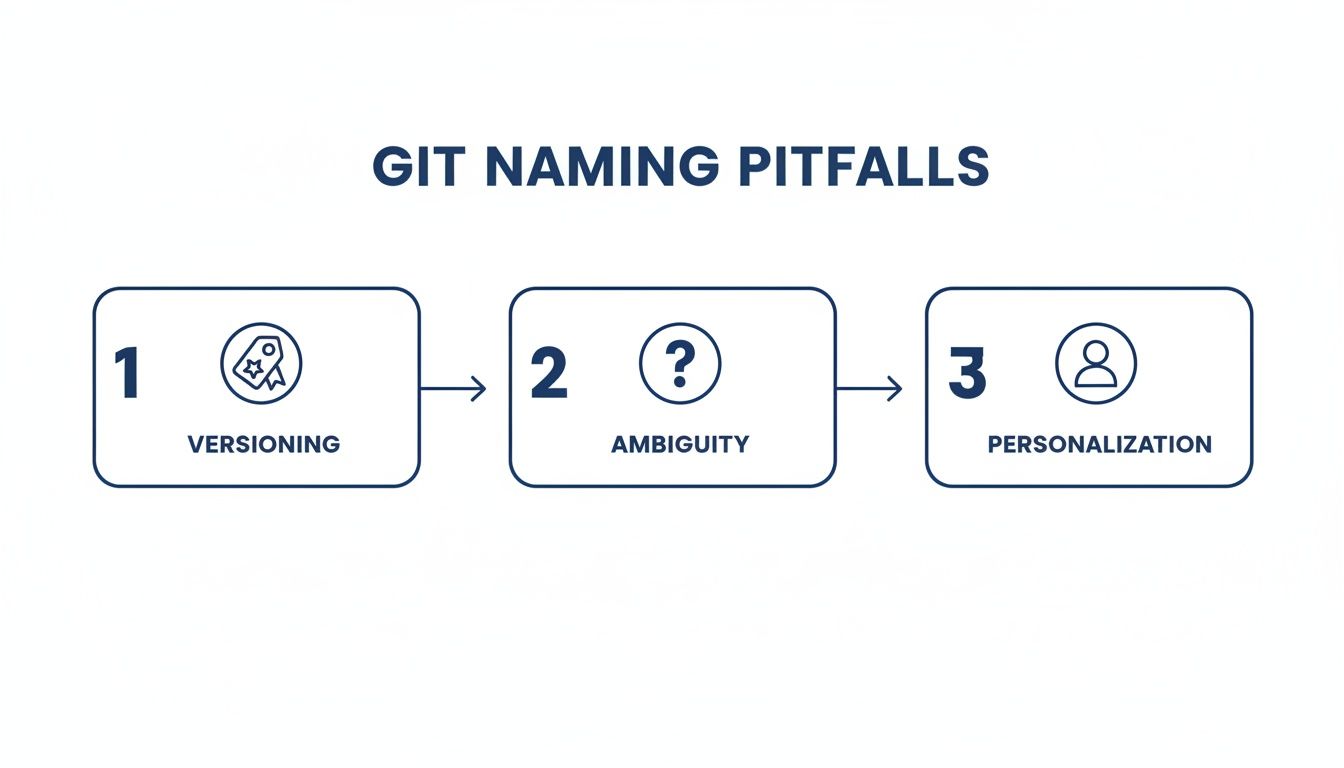
By automating checks to prevent these issues, you build a system that reinforces good habits and keeps everything consistent without anyone having to think about it.
Here are the key layers of automation:
-
Local Pre-Commit Hooks: These are simple scripts that run on a developer's machine before a commit is even created. You can use tools like Husky to set up a hook that checks the current branch name against a regular expression. For example, it can enforce that all feature branches start with
feature/JIRA-123-. This gives instant, local feedback. -
CI/CD Pipeline Jobs: Your continuous integration server is the perfect gatekeeper for repository and tag conventions. A job in your pipeline (whether it's in GitHub Actions or Jenkins) can check a repo's name when a new project is created or validate that release tags follow Semantic Versioning before kicking off a deployment. This is also a great place to connect your project management tools; our guide on how to link Jira to GitHub can help you wire this up.
Shift Left with In-IDE Enforcement
The most effective, modern approach is to give feedback directly inside the developer's IDE. This is what people mean when they say "shifting left"—moving enforcement to the earliest possible point in the workflow, right at the moment code is being written.
Tools like kluster.ai embed this process directly into editors like VS Code. Instead of waiting for a commit to fail or a CI pipeline to break, developers get real-time alerts if they try to create a branch or suggest a repository with a name that doesn't follow the rules. This immediate feedback loop makes compliance effortless. It also fits perfectly into the AI-assisted coding experience, making sure every piece of generated code follows your organization's standards from the very beginning.
Putting It All Together: Your Path to a Cleaner Codebase
Let's be clear: adopting a git repository naming convention isn't about creating rigid, bureaucratic rules just for the sake of it. Think of it as investing in your team's sanity. It's about building a culture of clarity that cuts down on confusion and paves the way for powerful automation. This is a tiny upfront effort that pays off massively down the road.
The core ideas are simple but incredibly effective. Stick to lowercase, hyphen-separated names for the best readability and compatibility across every system. Use predictable prefixes like svc- for services or app- for frontend applications to make your codebase practically self-documenting. Most importantly, use automation to make doing the right thing the easiest thing.
A good naming convention transforms your messy collection of repos from a cluttered junk drawer into a searchable, logical library. It’s a foundational practice for any team that wants to move fast without breaking things.
Getting started is easier than you think. It really just boils down to three steps:
- Talk it Out: Get your team in a room (or a call) and agree on a simple, effective convention. Don't over-engineer it.
- Write it Down: Document the decision in a central, easy-to-find place like your team's wiki or a
READMEin a dedicated repo. - Automate It: Use CI jobs or pre-commit hooks to automatically check for compliance. This removes the "human reminder" burden from everyone.
Taking these steps directly cuts down on engineering friction, which means you can ship better code, faster.
Frequently Asked Questions
Even the best guides leave a few questions unanswered. Here are some quick answers to the common things that trip teams up when they start implementing git repository naming conventions.
What Is the Best Naming Convention to Start With?
If you’re just getting started and need a safe, effective default, go with kebab-case. It’s just lowercase letters with words separated by hyphens (like customer-billing-service).
This format has become the undisputed industry standard for a few very practical reasons:
- URL-Friendly: It plays nicely in web addresses without any weird character encoding getting in the way.
- Highly Readable: Hyphens are a natural word separator, making long names easy to scan and understand at a glance.
- Cross-Platform Safe: This is a big one. It completely avoids the subtle, frustrating bugs that pop up when developers switch between case-sensitive (Linux, macOS) and case-insensitive (Windows) systems.
Honestly, it’s the most compatible choice you can make. It's what you'll see all over platforms like GitHub for a reason—it just works.
How Do You Handle Renaming an Old Repository?
Renaming an existing repository isn't hard, but it does require a little planning. First things first: over-communicate the change. Let your entire team know what's happening and when, so nobody is caught off guard trying to push to a repo that doesn’t exist anymore.
On platforms like GitHub, the renaming process is simple. You just go into the repository settings, type the new name, and it even sets up automatic redirects for the old web and Git URLs.
But that’s not the whole story. The redirects are a safety net, not a permanent solution. You need to tell every single developer to update their local remote configurations by running git remote set-url origin [new-url].
Finally, and this is the step people often forget, go audit your CI/CD pipelines, deployment scripts, and any other automated tools. Anything that references the old repository URL directly will break. Missing this step is probably the number one cause of mysterious build failures after a rename.
Can AI Tools Help Enforce Naming Conventions?
Absolutely. This is a perfect use case for modern AI-powered development tools. Platforms like kluster.ai plug right into your IDE and act like a real-time code review assistant, giving you instant feedback while you type.
You can configure these tools with your team's specific rules for everything—repositories, branches, commit messages, even variable names. When a developer types something that violates a convention, the AI flags it immediately.
This completely changes the enforcement game. Instead of catching a bad branch name during a slow, manual pull request review, you prevent it from ever being committed in the first place. It builds consistency right into the workflow without adding any friction.
Enforce your git repository naming convention and other coding standards automatically, right in the IDE. kluster.ai provides real-time, AI-driven feedback to help your team write clean, compliant, and production-ready code from the start. Start free or book a demo.