

Master the static code analyzer for java: Boost Quality, CI, and Productivity
A static code analyzer for Java is like an expert teammate who reviews your source code for bugs, security holes, and style issues before you ever run it. Imagine an architect poring over your blueprints to find weak spots before a single brick is laid. That’s what a static analyzer does—it ensures your final product is solid, secure, and built to last.
Why Static Analysis Is Essential for Modern Java Development

In today's fast-paced development world, speed is everything, but it can't come at the cost of quality. As Java applications get bigger and more complex, the risk of introducing subtle bugs and security vulnerabilities skyrockets. Manual code reviews are still crucial, of course, but even the best developers can't catch every common or repetitive error. This is where a static code analyzer for Java stops being a nice-to-have and becomes a non-negotiable part of your workflow.
Think of it as a tireless, automated peer reviewer that never gets tired. It scans every line of code against a set of predefined rules, acting as an objective safety net that catches issues a human might miss during a late-night coding session. This preventative approach is far more efficient and cost-effective than chasing down bugs after they’ve already made it to production.
Let's break down the core advantages static analysis brings to the table.
Core Benefits of Static Analysis for Java Teams
This table summarizes the key advantages that static code analysis brings to Java development workflows, from individual developers to the entire organization.
| Benefit Category | Impact on Development | Example |
|---|---|---|
| Early Bug Detection | Catches errors during development, drastically reducing the cost and effort of fixing them later in the lifecycle. | Identifying a potential NullPointerException before the code is even compiled. |
| Improved Code Quality | Enforces consistent coding standards and identifies "code smells" that lead to cleaner, more maintainable code. | Flagging a method that is too complex or has too many parameters, prompting a refactor. |
| Enhanced Security | Proactively identifies common security vulnerabilities (OWASP Top 10) directly in the source code. | Detecting a potential SQL injection vulnerability in a database query string. |
| Knowledge Sharing | Acts as an educational tool, teaching developers about best practices and common pitfalls in real time. | A junior developer learns about the dangers of using == to compare strings from an analyzer's feedback. |
| Reduced Technical Debt | Prevents the accumulation of suboptimal code, making the codebase healthier and easier to build upon in the long run. | Finding and flagging duplicated code blocks that should be extracted into a shared utility function. |
Ultimately, integrating these tools creates a feedback loop that not only improves the current codebase but also helps developers grow their skills over time.
Taming Technical Debt and Improving Code Quality
Every shortcut and "good enough for now" solution adds to a project's technical debt—the hidden cost of rework you'll have to pay back later. Static analyzers are one of your best weapons for keeping that debt under control.
They systematically hunt down problematic patterns, often called "code smells," that hint at deeper design flaws. Common examples include:
- Duplicated Code: Finding identical blocks of logic that should be refactored into a single, reusable method.
- Overly Complex Methods: Flagging functions that are too long or have too many branches, making them a nightmare to understand and maintain.
- Unused Variables: Pointing out declared variables that are never actually used, which just adds clutter to the codebase.
By flagging these issues early, the analyzer nudges developers toward writing cleaner, more maintainable code from the get-go, stopping small issues from spiraling into massive architectural problems.
A Proactive Stance on Application Security
The demand for these tools is exploding; the global Static Analysis Software Market has already shot past USD 1.17 billion. Why? Because over 78% of organizations are wrestling with codebases containing more than one million lines, making manual oversight practically impossible. As a result, 76% of enterprises now require static analysis for every single release, a practice proven to boost vulnerability detection by a massive 59%. You can explore more about these market trends and how they're reshaping development.
Static analysis isn't just about finding bugs; it's about shifting security left. It empowers developers to become the first line of defense, identifying and mitigating vulnerabilities like SQL injection or cross-site scripting long before the code reaches a dedicated security team.
What a Java Static Analyzer Actually Looks For
Think of a static code analyzer as a team of specialized inspectors poring over your code's blueprints. Each inspector is an expert in a specific area—bugs, security, or long-term maintainability—and they're trained to spot problems before the foundation is even poured. They don't run the code; instead, they scrutinize its structure, patterns, and logic to predict where things are likely to break.
These "inspectors" operate using huge rulebooks that codify decades of programming wisdom. They’re designed to find the common, often-repeated mistakes that lead to bugs, security holes, and maintenance nightmares down the road. Let's break down the three main things these tools are built to find.
Hunting for Elusive Bugs
The most obvious job for a static analyzer is to be a bug hunter. It sniffs out logical errors and simple oversights that could crash your application or cause it to behave incorrectly at runtime. These are often the kinds of subtle issues that are incredibly easy for the human eye to miss but laughably simple for a machine to spot.
A good Java static analyzer will flag things like:
- Null Pointer Exceptions: It identifies places where a variable could be
nullright before it’s used, helping you prevent the dreadedNullPointerException. - Resource Leaks: It makes sure that resources like file streams or database connections are always closed, either in a
finallyblock or by using the much safertry-with-resourcesstatement. - Concurrency Issues: In multi-threaded code, it can detect potential race conditions or incorrect synchronization that lead to unpredictable, chaotic behavior.
- Unreachable Code: It points out code blocks that can never, ever be executed, which almost always signals a flaw in your logic.
Here’s a classic example of catching a resource leak.
Before Analysis: public void writeToFile(String text) throws IOException { FileWriter writer = new FileWriter("output.txt"); writer.write(text); // Bug: If an exception happens here, the writer is never closed. }
After Fix Suggested by Analyzer: public void writeToFile(String text) throws IOException { try (FileWriter writer = new FileWriter("output.txt")) { writer.write(text); } // Fix: 'try-with-resources' guarantees the writer is always closed. } That simple change, prompted by an analyzer, makes the code infinitely more robust.
Exposing Critical Security Vulnerabilities
Beyond just finding functional bugs, a static analyzer is one of your most critical security tools. It acts as the first line of defense against common attacks by scanning your code for patterns known to be insecure. A huge part of what a Java static analyzer looks for is identifying security weaknesses, playing a key role in your overall vulnerability management strategy.
By finding security flaws early—often right inside the developer's IDE—static analysis tools make security everyone's job, not just a final checkpoint before release. This "shift-left" approach is how you build secure applications from the ground up.
Analyzers are especially good at finding well-known vulnerabilities like:
- SQL Injection: It detects when user input is carelessly stitched directly into a database query, opening the door for an attacker to manipulate your database.
- Cross-Site Scripting (XSS): It finds spots where unvalidated user input gets rendered on a web page, which could let an attacker inject malicious scripts into your users' browsers.
- Insecure Deserialization: It flags the use of unsafe deserialization methods that can be exploited to run arbitrary code on your server.
Take a look at this textbook SQL injection vulnerability.
Before Analysis: public User findUser(String username) { String query = "SELECT * FROM users WHERE username = '" + username + "'"; // Vulnerability: An attacker could inject malicious SQL right here. return database.executeQuery(query); }
After Fix Suggested by Analyzer: public User findUser(String username) { String query = "SELECT * FROM users WHERE username = ?"; // Fix: Using a PreparedStatement neutralizes the injection risk. PreparedStatement statement = connection.prepareStatement(query); statement.setString(1, username); return database.executeQuery(statement); } The analyzer pushes you to use parameterized queries, completely shutting down a massive security risk before it ever sees the light of day.
Identifying Code Smells and Maintainability Issues
This third category is arguably the most important for the long-term health of your project. Code smells aren't technically bugs, but they are symptoms of deeper design problems. They're the things that make code confusing, fragile, and a total pain to modify six months from now.
A static code analyzer for Java is brilliant at sniffing these out, often predicting where future bugs are going to pop up. Common smells include:
- Duplicated Code: Finding identical (or nearly identical) blocks of code that really should be pulled out into a single, reusable method.
- High Cyclomatic Complexity: Flagging methods that have a tangled mess of
if,for, orwhilebranches, making them nearly impossible to test or reason about. - Large Classes or Methods: Pointing out "god classes" with way too many responsibilities or methods that scroll on forever, violating core design principles.
Fixing code smells is like preventative maintenance for your software. It keeps technical debt from spiraling out of control and ensures your codebase stays clean and easy for the next developer to jump into.
Choosing the Right Java Analyzer for Your Team
Picking a static code analyzer for your Java project isn't a one-size-fits-all deal. The market is flooded with tools, and the right one for you depends entirely on what your team is trying to accomplish. Are you focused on keeping the codebase clean and readable? Or is your number one priority squashing critical bugs before they ever see the light of day in production? Maybe airtight security is your ultimate quality gate.
Each of these goals is best served by a different class of tool. It's like picking a vehicle: you wouldn't take a sports car to haul lumber, and you wouldn't enter a semi-truck in a racetrack. The tool you choose has to be the right fit for the job.
Most tools are designed to find one of three main categories of issues, as you can see here:
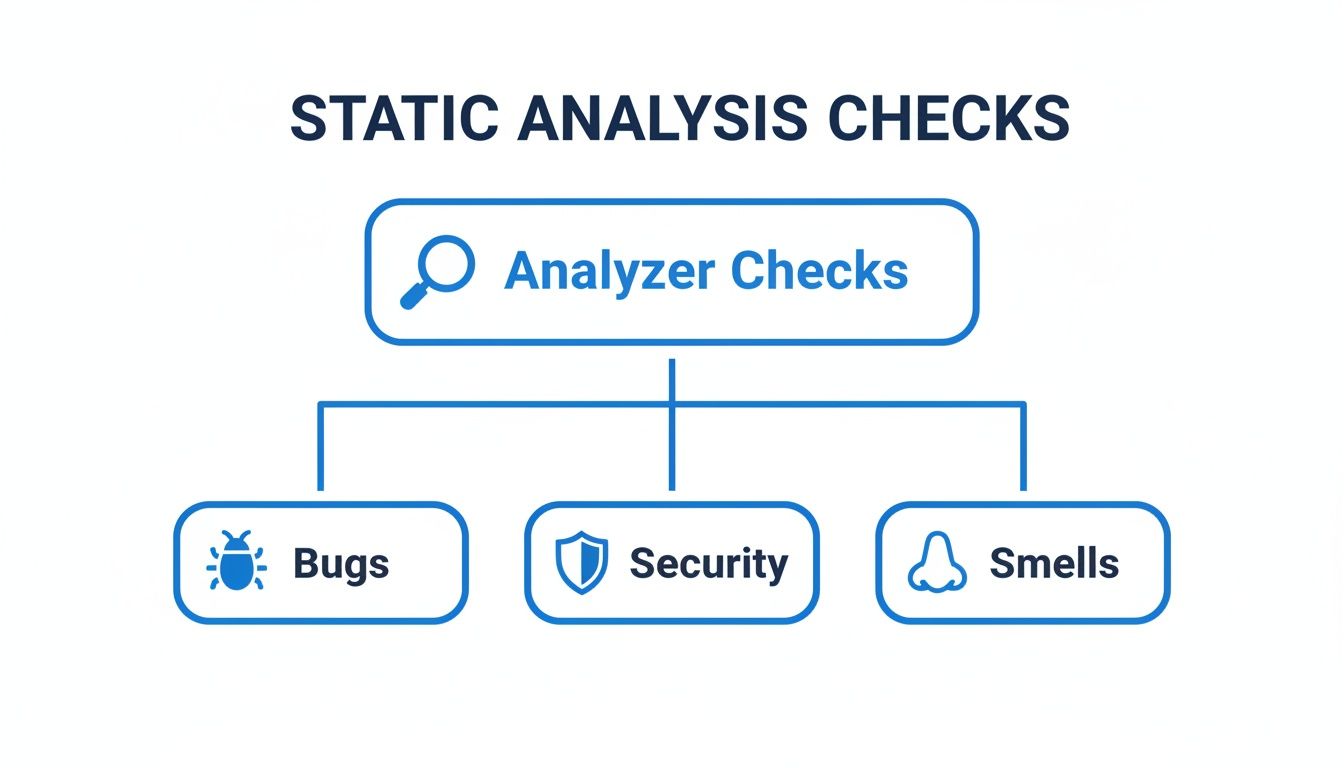
This breakdown shows how different analyzers focus on distinct areas—Bugs, Security, and Code Smells. While all are vital for a healthy codebase, they are often tackled by specialized tools. Let's dig into the three main categories you'll encounter.
Comparison of Java Static Analyzer Categories
To help you figure out where to start, here's a quick breakdown of the main types of static analysis tools, what they focus on, and which popular tools fall into each camp.
| Tool Category | Primary Focus | Common Tools | Best For |
|---|---|---|---|
| Linters | Enforcing code style, formatting, and conventions. | Checkstyle | Teams focused on code readability, consistency, and long-term maintainability. |
| Bug Finders | Detecting code patterns that can lead to runtime errors or crashes. | SpotBugs | Teams prioritizing application stability and preventing production incidents. |
| Security Scanners | Identifying and mitigating security vulnerabilities in the source code. | SonarQube, Checkmarx | Teams building applications that handle sensitive data or face external threats. |
This table should give you a solid starting point. Now, let's look at what each of these tool categories actually does.
Linters for Style and Convention
First up are the Linters, which act as the style guardians for your codebase. Their main job is to enforce a consistent set of coding standards and conventions. Tools like Checkstyle are the undisputed champions in this arena, making sure your team’s code looks and feels the same, no matter who wrote it.
A linter obsesses over things like:
- Naming Conventions: Is that constant variable written in
ALL_CAPS? - Formatting Rules: Are braces used correctly? Is indentation consistent across files?
- Javadoc Comments: Does every public method have the documentation it needs?
While this might sound like nitpicking, linters are absolutely crucial for long-term maintainability. When code is easy to read and understand, it's also much faster to review and modify down the line.
Bug Finders for Runtime Reliability
Next, we have the Bug Finders—the bloodhounds of the analyzer world. These tools go a step beyond style to actively hunt for code patterns that are likely to blow up at runtime. SpotBugs, the spiritual successor to FindBugs, is a perfect example of a powerful bug finder for Java.
Bug finders are designed to answer a critical question: "This code compiles, but could it crash or behave unexpectedly when it actually runs?" They sniff out the subtle logical flaws that developers can easily miss.
They're great at catching issues such as:
- Potential
NullPointerExceptionrisks hiding in your logic. - Resource leaks where streams or database connections aren't properly closed.
- Inefficient code, like creating unnecessary objects inside a hot loop.
By flagging these problems before they become production incidents, bug finders directly improve the stability and reliability of your application.
Security Scanners for Fortifying Your Code
Finally, we have the heavy hitters: Security Scanners. Also known as Static Application Security Testing (SAST) tools, these are sophisticated platforms built to find and help fix security vulnerabilities baked right into your code. Tools like SonarQube and Checkmarx dominate this space, offering deep analysis for a massive range of threats. You can learn more about how these platforms work in our comprehensive guide on Sonar as a static code analyzer.
The importance of these tools can't be overstated. The Java Program Development Market is projected to hit USD 44.1 billion in 2025. With 78% of organizations managing huge codebases, a staggering 76% now require security scans for every single release, which has improved their vulnerability detection by 59%. You can read the full research on Java market trends to get a sense of the scale.
A security scanner's entire mission is to find flaws like:
- SQL Injection vulnerabilities.
- Cross-Site Scripting (XSS) openings.
- Insecure handling of passwords, API keys, or other sensitive data.
For any application that handles user data or is exposed to the internet, these tools are non-negotiable. They act as a critical line of defense, preventing malicious attacks before they can happen. Many even bundle in bug finding and code smell detection, giving you a single platform for quality and security.
Weaving Static Analysis into Your Java Workflow
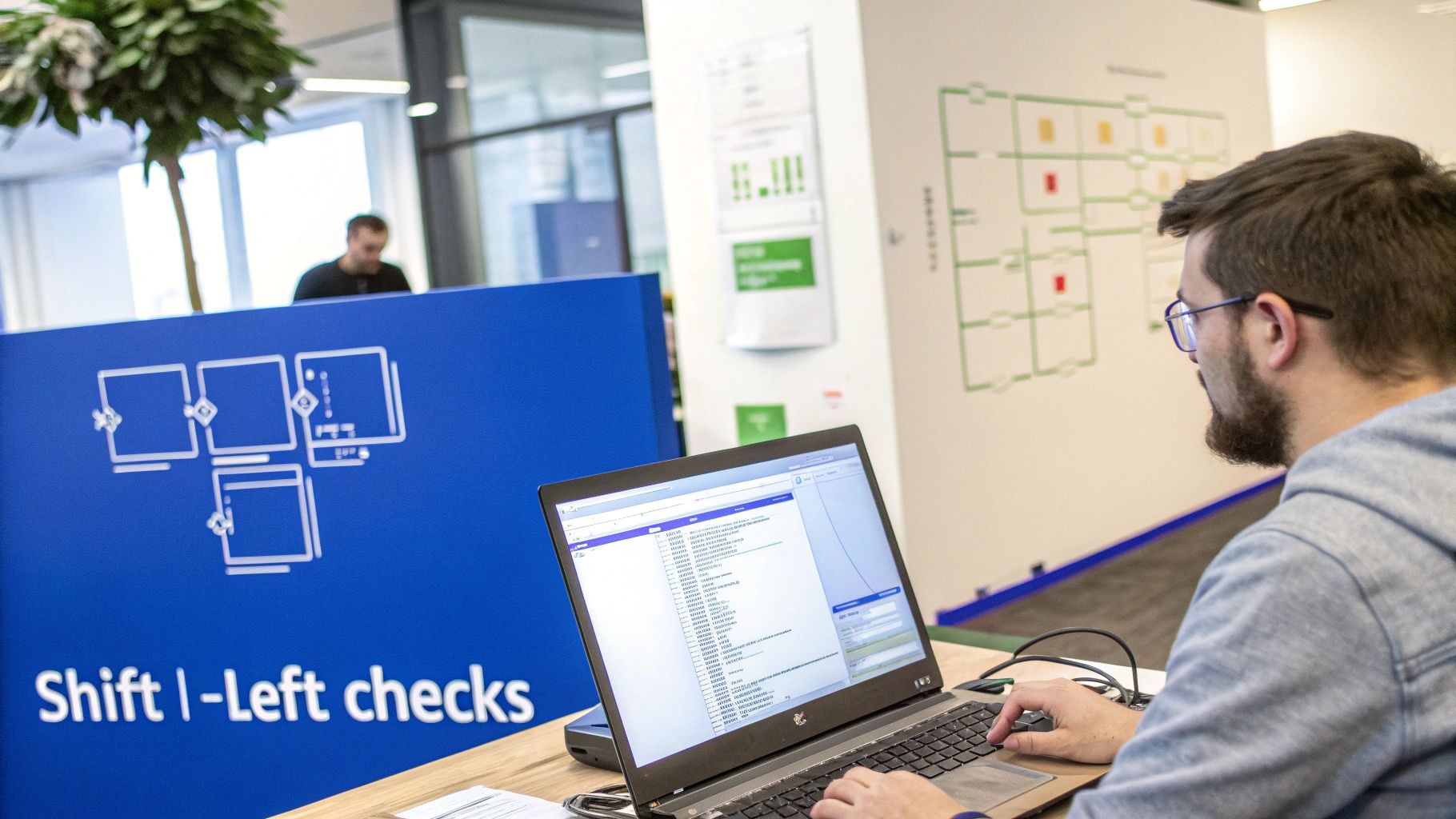
A powerful static analyzer just sitting there is completely useless. The real magic happens when these tools become a seamless, automatic part of your team’s daily grind. You want to transform static analysis from a chore you run once in a while into an always-on safety net that guards your code quality.
This is the whole idea behind the "shift-left" philosophy—moving quality checks as early as possible in the development cycle. It’s not just about finding bugs sooner. It’s about creating a super-tight feedback loop so that quality becomes a natural byproduct of how you work, not a painful step at the end.
Let’s break down the three best places to plug these tools in.
Instant Feedback Right Inside Your IDE
The absolute first line of defense is right inside your Integrated Development Environment (IDE). This is where developers live and breathe, and it's your first chance to catch a mistake, sometimes just seconds after the code is typed.
Plugins like SonarLint for IntelliJ IDEA or VS Code work in real-time. They underline problematic code the same way a spell-checker flags a typo in a document. This is incredibly powerful for a few reasons:
- Fix it while it's fresh: Devs can fix an issue immediately while the logic is still clear in their head, instead of trying to figure out what they were thinking a week later.
- It’s a teaching tool: It constantly nudges developers toward best practices and helps them learn from common mistakes as they code.
- No context switching: The feedback is right there in the editor. No need to stop, run a separate tool, and wait for a report.
The big players in the Static Code Analysis Software Market, like JetBrains and SonarSource, are pouring resources into these deep IDE integrations. And for good reason. With DevSecOps adoption in North America hitting 82%, developers need that immediate, actionable feedback to keep moving fast without sacrificing security. If you're interested in the market trends, you can discover more insights about static analysis market growth here.
Stopping Bad Code with Pre-Commit Hooks
IDE integration is great for giving real-time feedback, but it still relies on the developer to pay attention. The next layer of protection automates the check before messy code can even get into your version control system. That's where pre-commit hooks come in.
A pre-commit hook is a small script that runs automatically every time a developer tries to git commit. You can set it up to run a quick static analysis scan on only the files that have changed. If the scan finds any critical problems, the commit is flat-out rejected.
This basically gives every developer a personal bouncer at the door. It guarantees that simple bugs, style violations, and other common mistakes are caught and fixed locally, preventing them from ever polluting the main codebase.
The Ultimate Quality Gate in Your CI/CD Pipeline
The final and most authoritative place to integrate static analysis is in your Continuous Integration/Continuous Deployment (CI/CD) pipeline. Tools like Jenkins, GitLab CI, or GitHub Actions can be configured to run a full-blown scan on every single pull request.
This acts as the ultimate quality gate for the entire team. Here's the typical flow:
- A developer pushes a new branch and opens a pull request.
- The CI server automatically kicks off a build.
- As part of that build, a static code analyzer for Java runs a comprehensive scan.
- The tool then checks the results against a quality gate you've defined (e.g., "no new critical security bugs" or "code coverage must stay above 80%").
If the code doesn't pass muster, the build fails, and the pull request is blocked from being merged. This automated enforcement makes sure no subpar code sneaks into your main branch, systematically raising the quality and security bar for the whole project.
When you combine all three—IDE, pre-commit, and CI—static analysis becomes a powerful, multi-layered defense that has your back at every step.
Fine-Tuning Your Analyzer for Maximum Impact
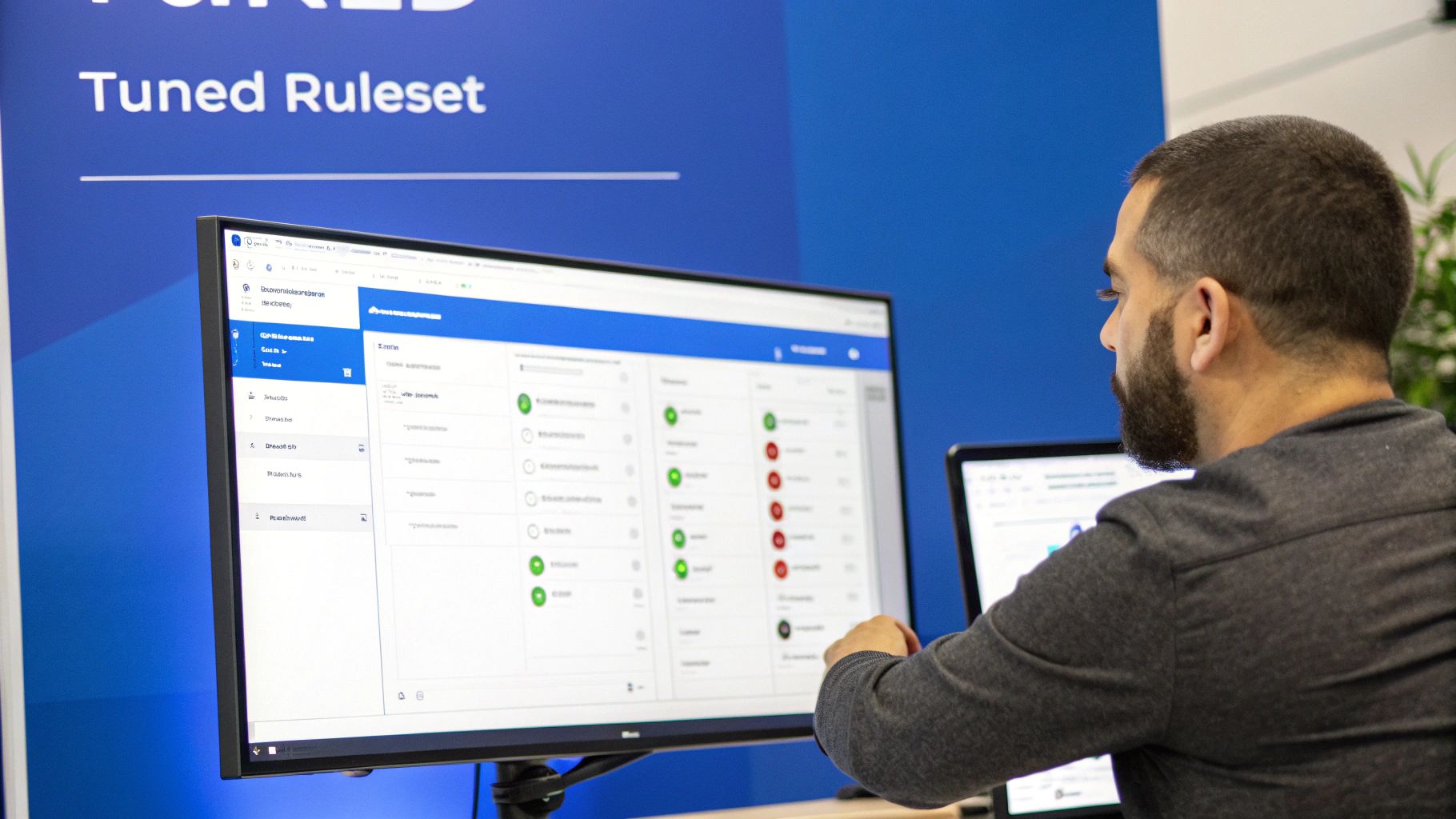
Flipping the switch on a new static code analyzer for Java with its default settings is like trying to drink from a firehose. You’re immediately hit with a flood of hundreds, maybe even thousands, of warnings. It’s overwhelming, and it's the number one reason teams give up on these tools, writing them off as noisy distractions.
But the secret isn't to turn everything on; it’s to be smart about it. A properly tuned analyzer becomes a trusted teammate, not a source of endless alerts. The goal is to get to a place where every single warning is meaningful, actionable, and actually makes your code better.
Start Small and Go for High-Impact Rules
Instead of activating the entire rulebook at once, begin with a small, hand-picked set of rules that target the most critical problems. This approach makes the tool feel manageable right from the start and shows your team immediate, tangible value.
Zero in on rules that prevent the worst kinds of issues:
- Critical Security Flaws: Prioritize rules that sniff out common vulnerabilities like SQL injection or insecure deserialization. These are non-negotiable.
- Likely Bug Patterns: Enable checks for classic Java headaches, like potential
NullPointerExceptions or resources that never get closed. - Major Performance Bottlenecks: Include rules that flag obviously inefficient code, such as creating new objects inside a tight loop.
By starting with a focused ruleset, you ensure the first batch of findings are genuinely important. This builds trust and helps developers see the tool as a helpful partner, not just a nitpicky robot.
The best static analysis setups are built incrementally. Start with a baseline of undeniable issues, get your developers on board, and then gradually expand the rules as your team's code quality culture grows.
How to Handle Legacy Code vs. New Development
Tackling a massive, mature codebase is a completely different beast than setting standards for a brand-new project. If you try to fix every single issue in a legacy app at once, you're just setting yourself up for failure.
Here’s a much more practical, two-track strategy:
- Baseline Your Legacy Code: Run the analyzer on your existing codebase and treat that first report as your technical debt baseline. Configure your CI/CD pipeline so it doesn't fail the build for these old issues. The immediate goal here is simple: stop the bleeding and prevent the code from getting any worse.
- Enforce Strict Rules on New Code: For any new or modified code, set the bar much higher. Configure your pipeline to fail a build if a new pull request introduces any violation. This "clean as you go" approach guarantees that all new work meets your highest standards, slowly but surely improving the project's overall health.
From there, you can continue to fine-tune. Most tools let you suppress specific warnings in certain files or code blocks if they’re irrelevant to your project. This noise reduction is absolutely crucial for keeping the feedback valuable and cementing the static code analyzer for Java as a true cornerstone of your development process.
Enhancing Static Analysis with AI Code Review
A traditional static code analyzer for Java is an absolute must-have for any serious development team. Think of it as a meticulous spell-checker for your code. It’s fantastic at catching known errors, enforcing style guides, and spotting common security anti-patterns based on its massive rulebook. It keeps your codebase consistent and clean.
But that strength is also its biggest limitation. A static analyzer can only find what it’s been explicitly told to look for. It has no idea what your code is supposed to do—it doesn't understand intent. This is where a new partnership with AI-powered code review tools is changing the game, moving beyond rigid rules to offer feedback that actually understands context.
The Limits of Rule-Based Analysis
Imagine your static analyzer is a traffic cop. It’s great at checking for expired registrations and broken taillights, which is essential for basic road safety. But that cop has no idea if you're driving to the right destination or if you’ve taken the most efficient route. It validates the "how" but has no clue about the "why."
That’s exactly how a static analyzer works. It can confirm you don't have a null pointer exception and that you followed the team's naming conventions, but it can't tell you if the logic you just wrote actually delivers on the feature requirements. It will completely miss subtle bugs that aren't part of a known pattern but are logically broken within the context of your application.
This blind spot leaves plenty of room for a whole different class of errors to slip into production:
- Logical Flaws: The code is technically perfect—no bugs, no vulnerabilities—but it produces the wrong output because the business logic is just plain wrong.
- Deviations from Intent: The developer misunderstood a requirement, so the code they wrote, while syntactically beautiful, doesn't solve the user's actual problem.
- Subtle Performance Issues: The code works, but it's wildly inefficient in a way that a rule-based system would never flag as an explicit "bug."
AI as a Context-Aware Partner
AI code reviewers operate on a completely different level. They're less like a rulebook and more like an experienced senior developer looking over your shoulder, one who actually understands the goal of your pull request. By analyzing everything from the natural language in the Jira ticket to your repository's history, these tools provide a much deeper, more intelligent review.
An AI reviewer can ask, "Does this code actually do what the ticket said it should do?" This question is a game-changer. It bridges the gap between code implementation and business requirements—a space where traditional static analyzers are completely blind.
This contextual intelligence lets AI spot issues that are invisible to rule-based systems. For instance, it might flag a block of code that, while perfectly written, completely ignores an edge case mentioned in the original project brief. This ability to cross-reference code with its intended purpose is where AI-driven review really shines. If your team is thinking about adding these capabilities, checking out a guide on the best AI code review tools is a great place to start.
A Two-Pillar Approach to Code Quality
The smart move isn't to choose one or the other; it's to use them together. Your static code analyzer for Java acts as the foundational quality gate. It’s the bouncer at the door, ensuring every single commit is free of known vulnerabilities, common bugs, and style violations. It provides that rigid, non-negotiable baseline of quality.
The AI reviewer then builds on that foundation, offering a sophisticated, context-aware second opinion. It handles the nuanced, subjective parts of a review that used to eat up a senior developer's time. This two-pillar approach creates a comprehensive safety net, catching both the black-and-white syntax errors and the much trickier shades-of-gray logical mistakes.
Of course, adopting any new tech in the workplace has its hurdles. For a deeper look into the challenges and potential pitfalls, you might find it helpful to read more about understanding the challenges of Generative AI assistants. By combining the strengths of both tools, teams can automate a huge chunk of the code review process, freeing up developers to focus on architecture and innovation while shipping better code, faster.
A Few Common Questions
As you start weaving static code analysis into your Java workflow, some questions almost always pop up. Let's tackle them head-on to clear up any confusion and make sure you're getting the most out of these tools.
Can a Static Code Analyzer Replace Manual Code Reviews?
Nope, not a chance. Think of it as a powerful teammate, not a replacement. A static analyzer is brilliant at catching the low-hanging fruit—common bugs, security slip-ups, and style issues—automatically. It's like having a tireless proofreader for your code.
This automation frees up your human reviewers to focus on what they do best, which is tackling the bigger, more subjective questions.
Manual code reviews are still absolutely essential for judging things like architectural choices, whether the business logic is sound, or if an algorithm is truly efficient. That's where human experience and context are irreplaceable.
By getting the small, repetitive checks out of the way, the tool makes manual reviews faster, smarter, and way more effective.
What Is the Difference Between SAST and DAST?
You'll see these two acronyms everywhere, and while they sound similar, they represent two very different—but equally important—approaches to security testing.
- SAST (Static Application Security Testing): This is exactly what a static code analyzer for Java does. It’s an "inside-out" approach, inspecting your source code for potential vulnerabilities without ever running the program. It's like proofreading the blueprints of a building for structural flaws before construction begins.
- DAST (Dynamic Application Security Testing): This is an "outside-in" approach. It tests your application while it's actually running, poking and prodding it from the outside just like a real attacker would. It treats your app like a black box, trying to find weaknesses in the finished building.
So, SAST finds flaws in the design, while DAST looks for weaknesses you can exploit in the final product. You really need both.
How Should We Handle Findings in a Legacy Project?
This is a big one. You run a scan on a massive, old codebase and get back thousands of issues. The temptation is to panic or just try to fix everything at once. Don't do it.
The best strategy is to draw a line in the sand. Set up your tool to establish the current state as a baseline, and then configure it to only fail the build on new issues introduced in new or modified code. This "clean as you code" approach stops the bleeding and prevents technical debt from getting any worse.
Once that's in place, you can circle back and schedule time to chip away at the mountain of legacy issues, piece by piece, without derailing current development.
Ready to bridge the gap between static analysis and true logical validation? kluster.ai delivers real-time, context-aware AI code review directly in your IDE, catching the subtle bugs and requirement deviations that static analyzers miss. Start your free trial today!