

A Guide to Mastering GitHub Code Ownership
GitHub code ownership isn't just a feature; it's a core discipline for keeping a project from spiraling into chaos. In a nutshell, it's a way to assign responsibility for specific parts of a codebase to certain people or teams. By creating a CODEOWNERS file, you can automatically pull the right experts into a review, which drives accountability and seriously bumps up code quality.
Who Owns This Code, Anyway?
Imagine your codebase is a massive, sprawling city. Without clear property lines or designated officials for each district, things would get messy fast. That's what GitHub code ownership prevents. It establishes a clear chain of command for every file and directory, answering the most critical question in a team setting: "Who is responsible for this?"
This clarity is everything. When a bug pops up or someone wants to build a new feature, you're not left guessing who to talk to. Instead of shouting into the void and hoping the right person hears, pull requests automatically tag the correct stakeholders. This simple workflow helps teams sidestep some classic development headaches:
- The Review Bottleneck: It stops a handful of senior devs from becoming the default reviewers for everything, spreading the load more evenly.
- Knowledge Silos: Ownership encourages specialists to actually share what they know and mentor others who are working in their corner of the codebase.
- Accountability Gaps: It makes sure every single line of code has a steward—someone who’s on the hook for its maintenance, quality, and long-term health.
Why This Matters More Than Ever in the Age of AI
The explosion of AI coding assistants has turned this from a "nice-to-have" into a "must-do." Tools like GitHub Copilot are now generating a staggering 46% of all new code, and that number jumps to 61% for Java developers. But this incredible speed has a catch. Research from WeAreTenet shows that developers using these tools are shipping 17-23% larger pull requests.
This firehose of AI-generated code floods review queues and makes it easy for huge blocks of logic to get merged without any real human oversight. Without explicit owners, accountability just dissolves.
Clear ownership isn't about micromanagement or control. It's about stewardship. It's a team’s commitment to keeping the codebase healthy, secure, and stable for the long haul—ensuring that moving fast doesn't mean breaking things.
When you get ownership right, a potentially chaotic repository transforms into a well-oiled machine where every change is vetted by the people who know it best.
Before diving into the syntax, it's helpful to understand the key ideas that make modern code ownership work. These pillars ensure that responsibility is clear, reviews are efficient, and the codebase remains healthy as it grows.
The Pillars of Modern Code Ownership
| Component | Description | Primary Goal |
|---|---|---|
CODEOWNERS File | The central configuration file in your repo that maps file paths to specific GitHub users or teams. It's the source of truth for ownership. | To automate the process of requesting reviews from the correct people for any given change. |
| Protected Branches | Branch rules that require CODEOWNERS reviews to pass before a pull request can be merged. This is the enforcement mechanism. | To prevent un-reviewed or improperly reviewed code from being merged into critical branches like main. |
| Team-Based Ownership | Assigning ownership to a GitHub team (e.g., @my-org/backend-team) instead of just individual developers. | To make ownership resilient to personnel changes, like someone going on vacation or leaving the company. |
| Clear Governance | A documented strategy for how ownership is assigned, updated, and escalated. It answers "what if" scenarios. | To ensure the ownership system itself is maintained and doesn't become outdated or create new bottlenecks. |
These components work together to create a system that isn't just about rules, but about building a culture of quality and shared responsibility. Now, let's look at how to put this into practice.
How to Implement Ownership with a CODEOWNERS File
Okay, let's move from theory to practice. The heart of GitHub code ownership is a single, surprisingly powerful file: CODEOWNERS.
Think of this file as the official land deed for your repository. It's just a simple text file that maps directories and file paths to specific people or teams on GitHub. This file becomes the single source of truth for who is responsible for what.
Getting started is simple. You just need to create a file named CODEOWNERS and place it in one of three spots in your repository. GitHub looks for it in this specific order:
- The
.github/directory (this is where it usually lives) - The root directory (
/) - The
docs/directory
Putting it in the .github/ folder is the standard approach. It just keeps all your repository configuration files tucked away and organized. Once that file is in place, GitHub immediately starts using its rules to automatically request reviews on new pull requests.
This simple setup can turn a chaotic, AI-driven development firehose into a structured and efficient review process.
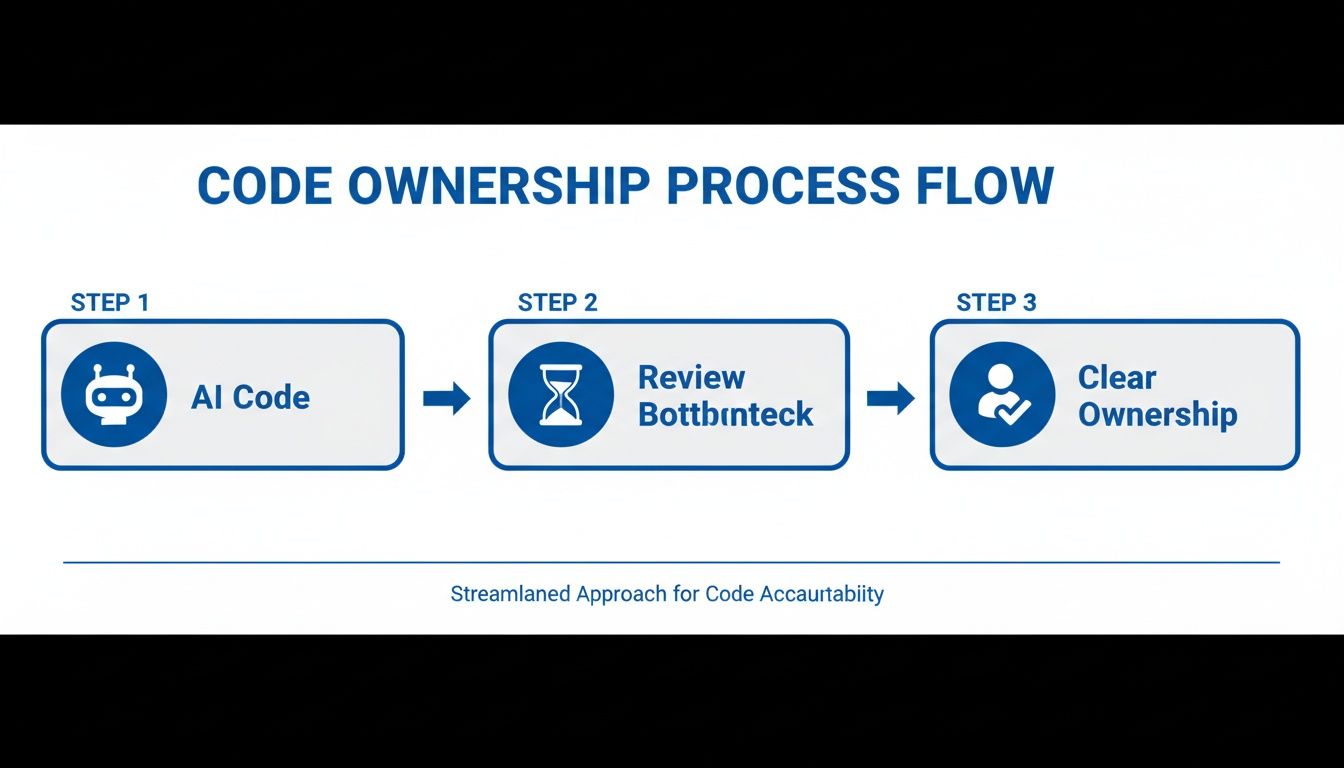
Without clear ownership, AI-generated code quickly creates bottlenecks. With it, the right experts are always pulled in at the right time.
Understanding the Basic Syntax
The syntax for a CODEOWNERS file is refreshingly simple. If you've ever used a .gitignore file, you'll feel right at home—it uses the exact same pattern-matching rules.
Each line has a file path pattern, followed by one or more owners. An owner can be a GitHub username or a team name (like @my-org/backend-team).
Here's a quick example to show you how it works:
Lines starting with # are just comments.
The core dev team owns everything by default.
- @my-org/core-dev-team
But the docs team owns all Markdown files.
*.md @my-org/documentation-team docs-lead@example.com
And the UI team is responsible for anything inside src/components/.
/src/components/ @my-org/ui-team
With this setup, any change to a .md file automatically requests a review from the @my-org/documentation-team and the individual user docs-lead@example.com. A tweak inside /src/components/ will loop in the UI team. The key thing to remember is that the last matching pattern wins, so the order of your rules really matters.
If you want to dive deeper into how this impacts the review cycle, check out our guide to pull and merge workflows.
Practical Examples and Use Cases
But real-world repos are rarely that simple. A good CODEOWNERS file can handle much more complex scenarios. For instance, you might need different owners for different file types within the same directory. No problem.
The backend team owns all Go files in the services directory.
/services/*.go @my-org/backend-team
But the database team owns the SQL migration files in that same directory.
/services/migrations/*.sql @my-org/database-team
When a pull request is opened, GitHub's interface makes it obvious who is on the hook for reviewing which files, completely removing any guesswork. One crucial detail: GitHub requires that any designated owner must have write access to the repository. This isn't just a suggestion; it's enforced.
This enforcement is becoming more critical than ever. With over 50,000 organizations now using tools like GitHub Copilot, the volume and complexity of pull requests are exploding. AI can be a massive productivity boost, but it can also introduce subtle bugs and vulnerabilities if the right human experts aren't reviewing the output.
Advanced CODEOWNERS Patterns and Best Practices

Sooner or later, every growing team hits a wall with their simple CODEOWNERS file. What worked for a small project quickly becomes a bottleneck, especially in a sprawling monorepo or a codebase with lots of shared infrastructure. The trick is to evolve your strategy so ownership scales with your code, not against it.
This means you have to start thinking of your CODEOWNERS file less like a static list of names and more like a living document. It should mirror your team’s structure and how they actually communicate. The whole point is to get the right eyes on the right code faster, not just to add another layer of bureaucratic tape.
Structuring Ownership in Complex Repos
Monorepos are a classic example of where this gets tricky. You might have a dozen different teams all working in the same repository. How do you handle shared code, like a central UI library or some Terraform scripts that everyone depends on? The naive approach—assigning one big owner—just floods them with review requests for things they don't care about.
A much better way is to use layered ownership. You can set a default owner for the whole repo, but then get really specific with rules for different subdirectories. This makes sure the actual specialists get tagged when their code is touched.
- Shared Infrastructure: Give a dedicated platform or SRE team ownership over directories like
/infraor/terraform. - Monorepo Services: Let each microservice have its own team owner (e.g.,
/services/authentication/ @auth-team). - Design Systems: Hand off shared component libraries to a UI/UX engineering team (e.g.,
/packages/ui-components/ @design-system-devs).
This kind of surgical precision in routing PRs is what keeps development moving fast.
Effective GitHub code ownership isn't about control; it's about stewardship. The focus shifts from guarding a piece of code to ensuring it serves the broader team responsibly and sustainably. This mindset prevents defensiveness and promotes collaboration.
Avoiding Common CODEOWNERS Pitfalls
An out-of-date CODEOWNERS file can do more harm than good. When teams change and projects pivot, the file has to keep up. If you forget, you’ll end up sending review requests to people who left the company months ago or to teams that don't even exist anymore. That's a great way to grind the whole development process to a halt.
To keep your ownership strategy from backfiring, you need to steer clear of a few common traps. Here's a quick rundown of the most frequent mistakes teams make and how to avoid them.
Common CODEOWNERS Pitfalls and Solutions
| Common Pitfall | Why It's a Problem | Recommended Solution |
|---|---|---|
| Overly Broad Wildcards | Using a single * rule assigns way too many reviewers to every change. This creates a ton of noise and leads to serious review fatigue. | Get specific. Use precise paths and file extensions. Make your default owner a team that can triage, not a massive group of everyone. |
| Using Individuals, Not Teams | Assigning ownership to a single person creates a huge bottleneck if they go on vacation, get sick, or leave the company. | Always, always assign ownership to GitHub teams (e.g., @my-org/backend-team). This builds resilience right into your process. |
| Outdated Ownership Rules | When teams restructure or people move on, stale CODEOWNERS entries send PRs to the wrong place—or nowhere at all. | Make CODEOWNERS updates a mandatory part of your offboarding and team reorganization checklists. Treat it like any other critical piece of infrastructure. |
Ultimately, a well-maintained CODEOWNERS file becomes an invaluable asset. By sidestepping these common issues, you ensure it remains a tool for clarity and speed, rather than a source of confusion and delay.
The Impact of AI on Code Ownership and Review

AI coding assistants have completely reshaped the development landscape, but they've brought a new, slippery problem with them: GitHub code ownership. These tools are incredible for cranking out code, but they also create a weird gray area we call "ownership diffusion."
It's a scenario where a developer commits a huge chunk of AI-generated logic, but nobody—not even them—feels 100% accountable for it. This isn't the AI's fault. It’s a governance problem, and it's a serious one.
When a developer hits "accept" on hundreds of lines of code they didn't write and don't fully grasp, who really owns it? That's the question nagging at every modern code review. The code might pass the tests, but subtle bugs, performance drags, or security holes can easily hide inside, just waiting to blow up in production. Ownership gets blurry, and when things break, pointing to the person responsible for a fix becomes a nightmare.
The Real-World Effects of AI on Code Review
This isn't just theory; the data paints a pretty clear picture. While AI gives velocity a massive boost, it also leads to much larger pull requests that are a headache to review. As developers push more code they didn't personally author, the risk of merging misunderstood logic goes way up.
Ownership diffusion happens when the speed of AI code generation outpaces a team's ability to truly vet and take responsibility for it. This gap is where technical debt, security risks, and maintenance nightmares are born.
The numbers are staggering. Over 50% of AI-generated code is kept long-term. Tools like Copilot are incredibly sticky, with developers keeping 88% of the 46% of code it generates. This speed comes at a cost, though: PRs are 17-23% larger, and we're seeing a 20-30% jump in vulnerabilities.
In an ecosystem with 630 million GitHub repos—where 81% of the action is private and 90% of developers are committing AI code without a second thought—the need for clear GitHub code ownership has never been more urgent.
We Need to Restore Accountability at the Source
Here’s the fundamental problem: traditional review processes, including CODEOWNERS, are reactive. They only kick in after the code has been written and committed. By that point, the developer has already lost some context and mentally moved on to the next thing.
This after-the-fact approach just doesn't cut it anymore.
To really fix this, accountability has to shift left—all the way back to the developer's IDE. (We explore this a lot more in our guide on AI code review tools.)
The goal is to verify code as it’s being created. The developer needs to understand and stand behind the AI's suggestions before they ever become part of a pull request. This proactive approach restores clear ownership right from the start. And this is where the next wave of tooling, including advanced AI tools like Blackbox AI, is headed—automating and reinforcing this new standard of code management.
Automating Ownership Enforcement with Modern Tooling
While CODEOWNERS is a great safety net, it has one major drawback: it's purely reactive. The review process only kicks off after AI-generated code has already been committed and pushed. This creates a dangerous gap where a developer might merge logic they don't fully get, baking technical debt into the system before a pull request is even on anyone's radar.
To really nail down GitHub code ownership, you have to shift left, catching these issues right inside the developer's IDE. It’s about being proactive, not just reactive.
Instead of waiting for a formal review, modern tooling can analyze AI-generated code the second it appears in the editor. This gives developers an immediate feedback loop, letting them understand, tweak, and truly own the code before it ever becomes a permanent part of the project's history. This is exactly where a tool like kluster.ai fits in.
And no, this isn't just another linter. Think of it as a specialized governance layer that works at the very source of code creation.
The Role of In-IDE AI Agents
Picture kluster.ai as a team of expert AI agents working right alongside your developers, directly in their IDE. These agents don't just look at the code itself; they analyze the developer's original prompt and the surrounding context of the repository. This is huge, because it means they can verify if the AI's output actually matches what the developer intended to build.
This immediate feedback loop is a game-changer. In seconds, it can spot and flag the classic problems that plague AI-generated code:
- Logic Errors: Catching flawed reasoning or incorrect implementations that might slip past basic tests.
- AI Hallucinations: Pinpointing those moments where the AI confidently spits out code that is complete nonsense.
- Security Flaws: Spotting vulnerabilities like SQL injection or leaky data handling before they're ever committed.
- Performance Bottlenecks: Highlighting inefficient patterns that could cripple your application in production.
By tackling these issues at the source, developers can build faster and with more confidence, knowing the AI-generated code has already been vetted against their project's standards.
Complementing CODEOWNERS for True Governance
This in-IDE verification doesn't get rid of CODEOWNERS—it makes it far more powerful. When a developer finally opens that pull request, the code has already gone through a tough first pass.
This frees up the designated code owners to focus on what they do best: thinking about high-level architecture and business logic instead of getting stuck in the weeds fixing basic AI mistakes.
The screenshot below shows how kluster.ai pipes this real-time feedback directly into the VS Code environment.
This in-editor view delivers instant, actionable insights, turning a black-box AI suggestion into a transparent, verifiable piece of code. It puts accountability right back where it belongs: with the developer writing the code.
By building verification directly into the development workflow, teams can ensure 100% of AI-generated code is reviewed against company standards, security policies, and best practices. This restores accountability at the most critical point in the entire development lifecycle.
Ultimately, you need a two-pronged attack: proactive in-IDE verification combined with the reactive enforcement of CODEOWNERS. Together, they create a bulletproof system for managing GitHub code ownership, ensuring the speed you gain from AI doesn't sacrifice quality, security, or clear responsibility.
Got Questions About Code Ownership? We've Got Answers.
Even with a perfectly structured CODEOWNERS file, you're going to run into questions and weird edge cases. It’s just the nature of the beast. Knowing how GitHub handles these quirks is the difference between a smooth workflow and a frustrating bottleneck.
Let's walk through some of the most common questions that pop up. Getting these details straight will save your team a lot of headaches and keep your review process a source of quality, not confusion.
What Happens If a CODEOWNERS File Has a Syntax Error?
This is a sneaky one. A simple typo in your CODEOWNERS file can silently break your entire ownership system. If GitHub can't parse the file, it just ignores it completely. That means no automatic review requests will be sent, and changes can slip through without the right eyes on them.
Luckily, GitHub will post a banner on the pull request page letting you know the file is invalid. To stay ahead of this, you should:
- Validate locally: Use a linter or a quick validation script to catch errors before you even push.
- Check the PR: When you're changing the
CODEOWNERSfile itself, always look for that error banner. - Keep it simple: Overly complex patterns are just asking for typos. Stick to what's necessary.
A little diligence here ensures your most important layer of code governance doesn't just vanish when you need it most.
Can You Bypass a CODEOWNERS Review Requirement?
Yes, but it should feel like a big deal. A repository administrator can merge a pull request even if it's missing the required approvals from code owners. This is the emergency escape hatch, designed for situations like a critical production outage when the only person who can approve a fix is asleep in another time zone.
Using this override for anything else completely defeats the purpose of having code ownership in the first place.
An administrative override is a "break glass in case of emergency" feature. If you start using it regularly, you're eroding trust in the process, killing accountability, and sending the message that your ownership rules are just suggestions.
Every single bypass needs to be documented with a crystal-clear justification in the pull request comments. That way, you at least have a transparent audit trail for when you had to break the rules.
How CODEOWNERS Works with Protected Branches
This is where the magic happens. A CODEOWNERS file by itself is just a suggestion box—it tells GitHub who should review something. To give it teeth, you need to pair it with protected branch rules.
Think of it like this:
CODEOWNERSFile: This is your list of experts. It identifies who is responsible for which parts of the codebase.- Protected Branch Rule: This is the bouncer at the club door. It enforces the rule that a pull request must get an approval from the right expert before it can be merged into a critical branch like
main.
By checking the "Require review from Code Owners" box in your branch protection settings, you're making the CODEOWNERS file mandatory. This combination is what stops code from getting into your most important branches without a sign-off from the people accountable for its quality and long-term health.
True ownership governance goes beyond just reactive checks. For teams looking to guarantee code quality before it even becomes a pull request, kluster.ai offers real-time verification right inside the IDE. By catching AI hallucinations, logic flaws, and security holes at the source, Kluster helps developers ship trusted, production-ready code faster. Start free or book a demo to bring instant verification into your workflow.