

Functional Testing Vs Unit Testing A Practical Comparison
The real difference between functional testing and unit testing comes down to scope. A unit test zooms in to verify one tiny, isolated piece of code, like a single function. A functional test zooms out to validate a complete user workflow, making sure the whole application does what it's supposed to do.
It’s like checking a single spark plug versus taking the entire car for a test drive. They aren’t competing with each other; they’re complementary layers of a solid QA strategy.
Understanding The Core Difference
Unit and functional testing look at your application from two completely different, yet equally vital, angles. Each one targets a different level of your software and gives you unique feedback for building reliable products. Getting their roles straight is the first step to crafting a testing plan that catches bugs early and keeps users happy.
The easiest way I've found to explain this is by thinking about how a car is built.
- Unit Testing is the quality check happening on the assembly line. It’s all about inspecting individual parts in isolation. Does this bolt fit correctly? Does that piston move smoothly? Is the spark plug actually firing? You’re just making sure every single component meets its own design specs before it gets connected to anything else.
- Functional Testing, on the other hand, is the final test drive before the car leaves the factory. You don't care about the individual bolts anymore. You’re focused on the driver's experience. Can you start the car, accelerate, turn, and get to your destination safely? This confirms all those individual, unit-tested parts actually work together to produce the right outcome.
You can have a system made of perfectly working, unit-tested parts that is still completely broken from a user's perspective. That’s why you absolutely need both. One validates the building blocks, and the other validates the final product.
Unit Testing Vs Functional Testing At a Glance
To make this even clearer, let's put their key differences side-by-side. Think of this table as a quick cheat sheet for understanding their distinct roles, scopes, and goals within your development process.
| Attribute | Unit Testing | Functional Testing |
|---|---|---|
| Primary Goal | Verify the correctness of a single, isolated piece of code (function, method, or class). | Validate that the software meets specified business requirements from an end-user's perspective. |
| Scope | Microscopic: Focuses on the smallest testable part of an application's source code. | Macroscopic: Covers a complete feature or user workflow, often involving the UI and multiple system components. |
| Who Writes It | Almost always the developer who wrote the code being tested. | Typically QA engineers, but developers can also contribute, especially in Agile environments. |
| Execution Speed | Extremely fast, often running hundreds or thousands of tests in seconds. | Significantly slower, as it may involve launching the application, navigating a UI, and database interactions. |
As you can see, they’re designed to answer very different questions. Unit tests tell you if your code is logically correct, while functional tests tell you if your application actually works for the user. Both answers are critical.
Why The Testing Pyramid Matters
Knowing the difference between functional and unit testing is one thing. Actually structuring them is another. This is what separates a fast, reliable CI/CD pipeline from a slow, brittle mess. The secret is the Testing Pyramid, a model that gives you a strategic blueprint for building a balanced, cost-effective test suite.
The pyramid's shape tells the whole story. You want a massive foundation of fast, cheap unit tests, a smaller middle layer for integration tests, and a tiny peak for slow, expensive functional tests. This isn't just a nice visual; it’s a battle-tested strategy designed to maximize feedback speed and ROI.
This diagram shows the ideal hierarchy, with unit tests forming the base and functional tests sitting at the top.
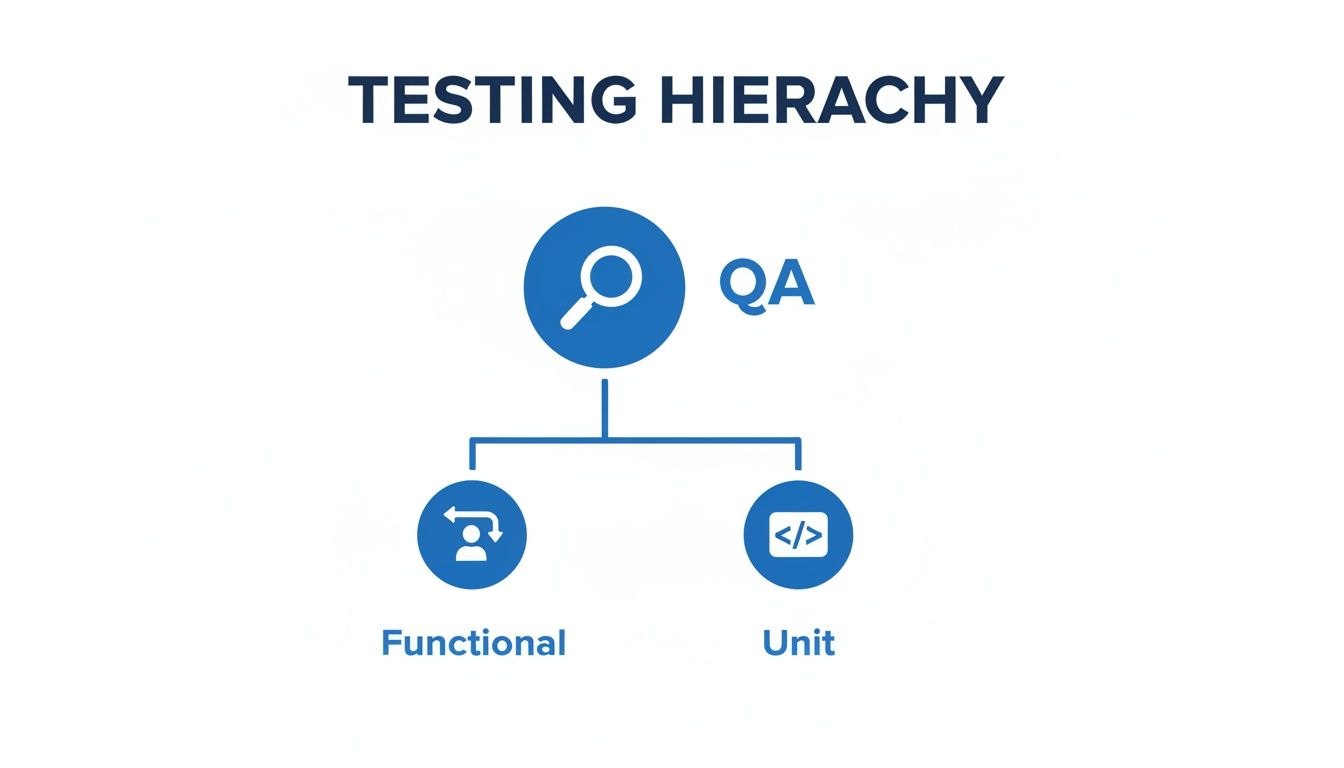
The message is clear: the bulk of your effort should be at the bottom, where tests run the fastest and cost the least.
The 70/20/10 Rule For Optimal Balance
So how do you get there? The widely adopted 70/20/10 rule gives you a concrete target. It suggests allocating roughly 70% of your testing resources to unit tests, 20% to integration tests, and just 10% to functional tests. This split isn’t arbitrary. It’s based on the simple reality that unit tests are the backbone of any solid testing strategy because they're fast and cheap to maintain.
Following this 70/20/10 split gives you some serious advantages:
- Rapid Feedback: A huge base of unit tests runs in seconds. Developers catch bugs almost instantly without ever leaving their IDE.
- Lower Costs: Unit tests are cheap. They have no external dependencies to manage. Functional tests, on the other hand, require complex environments and are far more expensive to write and run.
- Increased Stability: When most of your logic is verified at the unit level, your more complex functional tests are way more likely to pass. This makes the entire CI/CD process more stable and reliable.
When your test suite is dominated by unit tests, you build a safety net that provides immediate, localized feedback. This allows developers, especially those using AI coding assistants, to validate new code with confidence and speed.
The Ice Cream Cone Anti-Pattern To Avoid
When teams ignore the pyramid's wisdom, they often end up with the dreaded "Ice Cream Cone" anti-pattern. Think of an inverted pyramid: the bulk of testing happens through manual or automated functional tests, with almost no unit tests at the base.
It’s an easy trap to fall into. Writing end-to-end tests can feel more intuitive since they directly mimic what a user does. But this approach creates a testing suite that is painfully slow, extremely brittle (one tiny UI change can break dozens of tests), and a nightmare to maintain. The feedback loop stretches from seconds to hours, absolutely crippling development velocity.
Ultimately, the Testing Pyramid isn't just a theoretical concept. It's a practical guide for building a healthy, sustainable, and efficient QA process. Following solid software testing best practices like this is non-negotiable for any team that wants to ship high-quality code quickly.
A Detailed Comparison Of Key Attributes
The testing pyramid gives you the high-level strategy, but the real differences between functional and unit testing show up when you get your hands dirty. Knowing where they diverge is what separates a smooth development cycle from a frustrating one. Your choice here impacts everything—developer workflow, how fast you get feedback, and how much time you'll spend fixing broken tests later.
Let's break down where these two testing methods go their separate ways, moving past the textbook definitions to what they actually mean for your team.
Scope And Granularity
The most obvious difference is what each test actually sees.
A unit test is like putting a single component under a microscope. Its scope is tiny and isolated by design, focusing on one function, method, or class. It’s built to answer a simple question: "Does this one piece of code do exactly what I think it does?"
On the other hand, a functional test is like taking a wide-angle photo of your application. It examines an entire user journey from start to finish—think completing a purchase or submitting a contact form. It couldn't care less about the internal logic of individual functions; it only cares if the whole system works together to give the user the right outcome.
Speed And Feedback Loop
The speed gap between unit and functional tests is massive, and it directly hits your team's velocity. Unit tests are ridiculously fast, often finishing in milliseconds. Functional tests for a complex feature? They can take several seconds, sometimes even minutes, to run.
We’ve seen real-world Python projects where a single functional test covering one workflow takes seven seconds to run, while the entire unit test suite finishes almost instantly. This speed difference becomes a huge deal when you factor in AI code generation tools that are pumping out code faster than ever. You can learn more about these testing performance differences and their impact.
This is why the developer experience is so different. Unit tests give you a near-instant feedback loop, often running automatically inside the IDE. You know within seconds if you broke something. Functional tests are so slow they’re usually kicked off in a CI/CD pipeline, delaying feedback by minutes or longer.
Cost And Maintenance
When you look at the effort involved, unit tests are generally cheaper and way easier to maintain. They're small, self-contained, and their dependencies are faked with mocks or stubs. When a unit test fails, it points a finger directly at the broken function, making debugging quick and painless.
Functional tests are a completely different animal. They are inherently more complex and expensive to write and maintain. Because they touch so many parts of the system—the UI, databases, external APIs—they can break from changes totally unrelated to the feature you're testing. A tiny UI tweak can set off a chain reaction of failures in your functional test suite, creating a maintenance nightmare.
Here's the key difference: a failed unit test is a precise bug report. A failed functional test is the start of a long, painful investigation to figure out which of the dozen moving parts is actually the root cause.
Flakiness And Reliability
This brings us to flakiness—when a test randomly passes or fails without any code changes. Unit tests are rock-solid and deterministic. If a unit test fails, you can be almost certain it's a real bug.
Functional tests, especially those driving a UI, are notorious for being flaky. Their reliability gets torpedoed by all sorts of environmental nonsense:
- Network Latency: An API taking too long to respond can cause a timeout.
- UI Rendering Delays: The test script tries to click a button that hasn't loaded yet.
- Third-Party Service Outages: A dependency goes down, and your test fails with it.
- Asynchronous Operations: Race conditions create totally unpredictable results.
This unreliability destroys a team's trust in their test suite. Soon enough, people start ignoring failures, which defeats the whole point of having automated tests in the first place.
Tooling And Environment
Finally, the tools and environments you need are completely different. Unit testing frameworks are usually lightweight and built right into the language's ecosystem—think Jest for JavaScript, JUnit for Java, or PyTest for Python. They run in a simple command-line environment and don't need a complicated setup.
Functional testing demands a much more sophisticated stack. You need frameworks like Selenium, Cypress, or Playwright to automate browser interactions, and the test has to run against a fully deployed version of your application. This means managing databases, backend services, and a stable testing environment, which adds a whole other layer of complexity.
Detailed Attribute Showdown
To really see the differences side-by-side, it helps to put them into a table. This isn't just a simple checklist; it's a practical breakdown of how these testing types behave in the real world, helping you decide where to focus your efforts.
| Criteria | Unit Testing | Functional Testing |
|---|---|---|
| Scope | One function, method, or class in isolation. | An entire business workflow or user journey. |
| Speed | Extremely fast (milliseconds per test). | Slow (seconds to minutes per test). |
| Feedback Loop | Instant, often run in the IDE on save. | Delayed, typically run in a CI pipeline. |
| Cost to Write | Low. Tests are small and straightforward. | High. Requires setting up complex scenarios. |
| Maintenance | Low. Failures are localized and easy to fix. | High. Prone to breaking from unrelated changes. |
| Flakiness | Very low. Highly reliable and deterministic. | High. Susceptible to UI, network, and async issues. |
| Debugging | Easy. Pinpoints the exact location of the bug. | Hard. Requires investigating multiple system components. |
| Environment | Simple. No external dependencies needed (uses mocks). | Complex. Requires a fully deployed application stack. |
| Typical Tools | Jest, JUnit, PyTest, NUnit. | Selenium, Cypress, Playwright, Appium. |
As you can see, the trade-offs are clear. Unit tests offer speed and precision at a low cost, while functional tests provide broad coverage at the expense of speed, cost, and reliability. A healthy testing strategy needs both, but understanding these attributes is critical to finding the right balance.
When To Use Each Testing Type
Deciding between functional testing vs unit testing isn't about picking a winner; it's about knowing which tool to grab for the job at hand. Moving from theory to practice, this choice dictates how fast you find bugs and how much real confidence you have in your code. The right test in the right place makes your entire development workflow smoother.

Let's break down the specific scenarios where each of these testing types really shines, so you can build a smarter, more effective testing strategy.
Ideal Scenarios For Unit Testing
Think of unit tests as your first line of defense. They give you precise, blazing-fast feedback right inside your IDE, letting you validate a tiny piece of code in total isolation.
You should always reach for a unit test in these situations:
- Validating Complex Business Logic: Got a function that calculates a user's subscription price based on five different factors? A unit test is perfect. You can throw every possible input at that one function and prove its output is exactly what you expect, with zero outside interference.
- Verifying Edge Cases: What happens when a function gets a null value, a negative number, or an empty string? Unit tests are the best way to confirm your code handles these boundary conditions without blowing up in production. It’s cheap insurance.
- Practicing Test-Driven Development (TDD): The whole "Red, Green, Refactor" workflow is built on the back of unit tests. You write a failing test that defines what a feature should do, write just enough code to make it pass, and then clean it up, knowing your test has your back.
- Creating Living Documentation: A well-written suite of unit tests is basically executable documentation. A new developer can look at the tests for a function and immediately understand its inputs, outputs, and expected behavior.
The whole point of a unit test is isolation. If you need to prove a specific algorithm or calculation works correctly all by itself, a unit test is always the fastest and most reliable way to do it.
When To Prioritize Functional Testing
While unit tests make sure the bricks are solid, functional tests make sure the whole house stands up from a user’s point of view. They are absolutely critical for proving that all those perfectly unit-tested components actually play nice together to deliver a working feature.
You'll want to prioritize functional testing for these make-or-break use cases:
- Validating Critical User Paths: Journeys like user registration, login, or the entire e-commerce checkout flow are the lifeblood of your app. Functional tests simulate a real person clicking through these steps, confirming the entire workflow hangs together from start to finish.
- Confirming UI and UX Behavior: Does that button open the right pop-up? Does the form show the correct error message when a user messes up? Functional tests are really the only way to verify that your UI behaves exactly as designed.
- Ensuring Service Integration: Most modern apps are a mix of microservices. A functional test can confirm that your frontend app talks to the backend API correctly, which in turn hits the database properly. It validates the entire chain of events, just as a user would experience it.
If you want to go a level deeper on how individual pieces are tested before you get to this bigger integration picture, check out our guide on software component testing in our detailed guide.
Understanding these distinct use cases helps you build a balanced testing suite—one that gives you both the granular, code-level confidence from unit tests and the high-level assurance that your product actually works for your users.
How AI Is Changing The Testing Landscape
AI coding assistants have completely changed the speed of software development. Developers can now spit out functions, classes, and entire features in seconds, creating a tidal wave of new code. But this speed introduces a massive challenge for anyone trying to maintain quality.

The classic CI/CD pipeline, which waits for a commit before running tests, just can't keep up. Waiting minutes for a pipeline to flag a regression in AI-generated code completely defeats the purpose of the speed you just gained. This disconnect between development speed and verification speed is a dangerous gap where bugs and security flaws sneak through.
The Shift To Proactive In-IDE Verification
To close that gap, testing is moving from a reactive, post-commit job to a proactive, real-time check right inside the developer's IDE. Instead of waiting on a CI server, modern tools give instant feedback as the code is written, creating a "pre-commit" quality gate.
This new way of working redefines the relationship between functional testing vs unit testing, leaning heavily on the raw speed of unit tests to deliver that immediate feedback. It’s not about running tests later anymore; it's about using the tests you already have to validate AI-generated code before it ever gets committed.
The core idea is simple but powerful: If AI can write code in seconds, developers need feedback in seconds. The only way to achieve that is by bringing the verification process directly into the IDE.
By checking newly generated code against the existing unit test suite in real-time, developers can see immediately if the AI's suggestion introduced a regression. This instant loop lets them accept, reject, or tweak AI suggestions with confidence, making sure speed doesn't kill quality.
Catching Regressions Before The Commit
This in-IDE approach is way more than just syntax checking. Advanced platforms can analyze the developer's intent, the context of the repository, and the new code to run some seriously sophisticated checks.
These platforms can automatically:
- Identify Regressions: Instantly run relevant unit tests against AI-generated code to flag any breaking changes.
- Suggest New Tests: Analyze the new code's logic and suggest missing unit tests to make sure the new functionality is actually covered.
- Enforce Coding Standards: Check for compliance with your team's policies, naming conventions, and security rules on the fly.
This screenshot from kluster.ai shows how this looks in practice—flagging issues and offering solutions right inside the IDE, instantly.
The key takeaway is that quality assurance is no longer a separate step that happens downstream. It's now baked directly into the act of creating code.
Using AI Safely And Effectively
Ultimately, this evolution lets development teams get the full benefit of AI assistants without taking on unacceptable risk. When developers can trust that every line of AI-generated code is being automatically checked for regressions and policy violations, they can innovate faster and more freely.
This immediate feedback loop slashes the time spent on manual code reviews and debugging, since problems are caught the moment they're created—when they are cheapest and easiest to fix. It ensures the speed promised by AI tools actually translates into faster, safer, and more reliable software, protecting the integrity of the codebase even as development cycles get shorter.
Common Pitfalls And How To Avoid Them
Knowing the difference between functional testing vs unit testing is just the start. The real challenge is avoiding the common traps that can completely derail your quality strategy. I've seen countless teams fall into the same predictable patterns, leading to test suites that are slow, unreliable, and a nightmare to maintain.
One of the biggest mistakes is writing integration tests and calling them unit tests. When your "unit" test makes a live network call or hits a real database, it's not a unit test anymore. That breaks the core principle of isolation, making the test brittle, slow, and dependent on things it can't control.
Another pitfall is leaning too heavily on functional tests, which creates the "ice cream cone" anti-pattern we talked about earlier. It feels like the right thing to do at first, but you end up with a test suite that's incredibly difficult to maintain and gives you painfully slow feedback, crippling your team's velocity.
Writing True Unit Tests
To keep your unit tests pure, you have to be disciplined about isolation. Any external dependency—an API, a database, another class—needs to be replaced with a mock or a stub. No exceptions.
- Mocks and Stubs: Use tools like Jest's mocking features or Python's
unittest.mockto fake the behavior of outside components. This forces your test to focus only on the logic inside the unit you're testing. - Focus on Logic: A good unit test validates one specific piece of business logic or an algorithm. If you find yourself setting up a complex environment just to run the test, you're probably writing an integration test by mistake.
The whole point of a unit test is to give you a surgical, near-instant verdict on a single piece of code. If it fails, you should know exactly which function is broken without having to dig through external systems.
Balancing The Testing Pyramid
Avoiding the slow-feedback trap of too many functional tests requires a deliberate strategy. It's not about getting rid of them; it's about using them for what they do best: validating the critical, end-to-end user flows that your business depends on.
You should focus your functional tests on high-value workflows that absolutely cannot break. Things like:
- User Authentication: Can a user actually sign up, log in, and log out?
- Core Transactions: Does the main e-commerce checkout process work from start to finish?
- Critical Feature Flows: Can a user complete the one main task your app was built for?
By zeroing in on these key paths, you get the most bang for your buck without accumulating a massive maintenance burden. Understanding where things can go wrong is key, and digging into specific mobile app testing challenges can reveal risks unique to certain platforms. This strategic focus ensures you catch the most important integration bugs while keeping your CI/CD pipeline fast and reliable.
Frequently Asked Questions
Even after you get the testing pyramid and the core concepts down, you’ll run into specific questions when trying to apply them. Here are the most common ones I hear from teams, with straight answers to help you make smarter decisions in your day-to-day workflow.
Can Functional Tests Replace Unit Tests?
Absolutely not. It’s a tempting thought, but they serve completely different purposes and are not interchangeable. Functional tests are just far too slow and broad to validate the internal logic of every single component in your codebase.
Think of it this way: a solid quality strategy needs a strong foundation of unit tests. They give you the fast, granular feedback developers need to catch bugs early (and cheaply). Functional tests then add a targeted layer of validation on top, making sure critical user workflows hang together correctly on that stable base.
How Do I Choose Between Them for a Bug?
This comes down to where the bug lives. If the defect is isolated inside a single function’s logic—say, an incorrect calculation—write a unit test to reproduce and fix it. It's the fastest and most precise way to validate the correction. Simple as that.
But if the bug only shows up when multiple components interact or during a specific user journey, a functional test is the right tool. For example, a checkout error that only happens with a specific payment gateway needs a test that simulates that entire user flow.
Pro Tip: Always try to reproduce a bug with the fastest possible test type first. Start small and work your way up the pyramid only when necessary.
What Is the Role of Integration Testing?
Integration testing is the critical glue between unit and functional tests. Its job is to verify that different modules or services—your "units"—actually work together correctly. It’s all about checking the connections and contracts between the pieces of your application.
For instance, an integration test would confirm that your application can successfully connect to the database and pull data. Or it might verify that an API call to an external service returns the expected response. It doesn't test the entire user workflow from the browser, but it makes sure the plumbing is solid before you do.
Are Functional Tests Always Slow?
Compared to unit tests? Yes, and that's by design. A functional test has to spin up an application or a browser, navigate through UI elements, and talk to real system components like databases and APIs. That process just inherently takes more time.
While modern tools have made massive improvements in execution speeds, functional tests will always be orders of magnitude slower than isolated unit tests that run entirely in memory. This performance gap isn't a flaw; it's a direct result of their scope and what they’re designed to accomplish.
Stop letting AI-generated code introduce silent regressions. kluster.ai provides real-time, in-IDE verification to catch logic errors, security flaws, and policy violations before they ever get committed. Learn how you can accelerate development without sacrificing quality by visiting https://kluster.ai.