

A Developer's Guide to Component Testing in Software Testing
Ever heard the saying, "A chain is only as strong as its weakest link"? That's the perfect way to think about component testing. It's the process of testing individual, self-contained parts of your software in isolation before they get tangled up with everything else.
Think of it like building a custom car. Before you bolt the engine into the chassis, you'd put it on a stand and fire it up. You’d test the brakes by themselves. You’d make sure the radio works before installing it in the dash. Each of these parts is a "component," and you’re proving each one works perfectly on its own.
What Exactly Are We Testing Here?
In the software world, a component could be anything from a user authentication service to a specific UI widget or a payment processing module. We test these pieces by interacting with them just like another part of the system would—through their public interfaces, like an API endpoint or a function call.
This is a classic black-box testing approach. We don't care how the component does its job internally. The only thing that matters is whether it behaves as expected. If I give it input A, do I reliably get output B?
Why Bother with Component Testing?
The whole point is to validate the functionality of one piece of your application in a controlled environment. With modern software getting more complex—think microservices or even AI-generated code—this isn't just a good practice; it's essential.
By testing components individually, you can:
- Find bugs faster and cheaper: Pinpointing a defect in a single module is worlds easier than hunting for it in a massive, interconnected system.
- Write better code: It naturally pushes you to build modular, well-defined components that are easier for everyone to understand, maintain, and update.
- Build with confidence: When you know every single building block is solid, you can assemble the final product with much greater confidence that it will be stable and reliable.
This has become a cornerstone of modern development. Catching a bug early is a massive cost-saver. Industry reports consistently show that fixing a defect in production can cost 50 to 200 times more than fixing it during development. Component testing is your front line of defense, catching those issues when they’re still small and manageable. If you want to dive into the numbers, this comprehensive market report breaks down the economics of early testing.
In short, a component test confirms that a single, deployable piece of your application does exactly what it's supposed to do, all by itself.
Ultimately, this gives developers what they need most: fast, reliable feedback. It tells them the code they just wrote is dependable, which not only builds a stronger application but also speeds up the entire development cycle.
Component Testing vs. Unit, Integration, and System Testing
To really get why component testing matters, you have to see where it fits in the grand scheme of things. Software testing isn't just one activity; it's a series of layers, each with a specific job. Trying to use one type of test for everything is like trying to build a car with only a screwdriver—you're going to miss a lot, and it's going to be painful.
Let’s stick with that car analogy. If you were building a high-performance engine from the ground up, you wouldn’t just slap it all together and hope for the best. You'd test it in stages:
- Unit Testing: This is like checking individual nuts and bolts. You're testing the tiniest, most isolated pieces of your code—a single function, a specific method—to make sure it works perfectly on its own. Is this particular bolt threaded correctly? Does this spark plug fire when it's supposed to?
- Integration Testing: Now you start connecting the pieces. Does the fuel injector work with the intake manifold? Do the pistons move correctly when the crankshaft turns? This level is all about checking the interactions between different units you've already tested.
- System Testing: This is the full test drive. You put the engine in the car, get behind the wheel, turn the key, and see how it performs on the open road. You’re testing the complete, finished product to see if it delivers the experience the driver expects from end to end.
So, where does component testing fit into this picture? It slots in perfectly between unit and integration testing, filling a massive and often overlooked gap.
Finding the Sweet Spot in the Testing Hierarchy
Think of component testing as testing the fully assembled engine on a stand before you ever put it in the car.
The engine is a complex component made up of many smaller, unit-tested parts (pistons, valves, sensors). You're not just testing one bolt anymore; you're testing the engine's ability to start, idle, and rev up as a complete, self-contained system.
This diagram shows how a component is a self-contained part of the bigger system, communicating only through its defined interfaces.
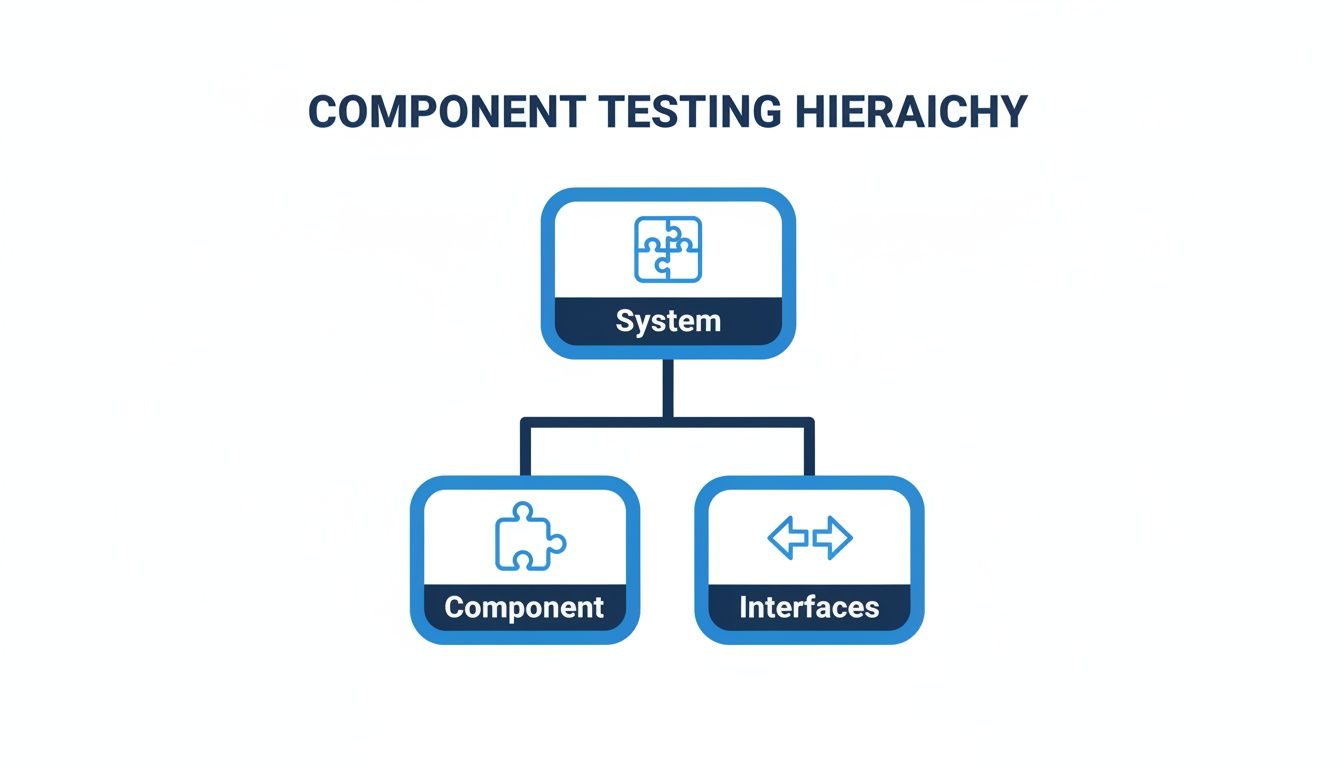
It’s a significant piece of the puzzle, but still just one piece of the final product.
Here’s the critical part: when you test that engine on the stand, you don't need the actual car. You connect it to a temporary fuel line and a basic exhaust system just for the test. In the software world, these stand-ins are called mocks and stubs. They pretend to be the other parts of your application (like a database or another microservice) without you needing to run the real thing.
This isolation is the superpower of component testing. It lets you validate a whole chunk of functionality—like a user authentication service or a shopping cart module—without the headache and slow feedback loop of a fully integrated environment.
Testing Levels A Quick Comparison
A component test is much broader than a unit test, which might just check a single password validation function. At the same time, it’s much more focused than an integration test, which might require a live database and a separate user profile service to be running. This gives it a unique balance of speed and confidence.
To really nail down the differences, let's lay it all out. This table gives you a quick side-by-side look at what makes each testing level unique.
| Testing Type | Scope | Dependencies | Execution Speed | Primary Goal |
|---|---|---|---|---|
| Unit Testing | A single function or class | Fully isolated; no external dependencies | Extremely Fast | Verify the logic of the smallest piece of code. |
| Component Testing | An entire service or module (e.g., login feature) | Isolated using mocks and stubs for external systems | Fast | Verify a self-contained feature works as expected through its public interfaces. |
| Integration Testing | Interaction between two or more components | Uses real or simulated dependencies | Moderate | Verify that different parts of the system communicate correctly. |
| System Testing | The entire application from end to end | A complete, production-like environment | Slow | Verify the application meets all business and user requirements. |
Once you understand these distinctions, you can build a testing strategy that's both efficient and effective. Component tests give you fast, reliable feedback on big chunks of your application, making sure each "engine" is running perfectly before it gets installed into the final product.
Implementing Component Tests: A Hands-On Example
Theory is great, but nothing beats getting your hands dirty. Let's move from concepts to code and build a component test for something you've probably worked on a dozen times: a user authentication service.
We'll use Node.js and the popular Jest testing framework to show how you can verify a component's public API. Don't worry if you're not a JavaScript developer—the principles here apply to just about any language or framework out there.
The Component: A Simple Authentication Service
Imagine we have an AuthService component. Its job is simple: handle user logins and logouts. To do this, it needs help from two other services: a UserService to find users and a TokenService to manage session tokens. It doesn't connect to a real database itself.
Here’s what the code for our component might look like. Take note of its public methods, login and logout—this is its API, and it's what we're going to test.
// src/AuthService.js
class AuthService { constructor(userService, tokenService) { this.userService = userService; this.tokenService = tokenService; }
async login(username, password) { if (!username || !password) { throw new Error('Username and password are required.'); }
const user = await this.userService.findUserByUsername(username);
if (!user || user.password !== password) { return { success: false, message: 'Invalid credentials' }; }
const token = this.tokenService.generateToken(user.id); return { success: true, token }; }
async logout(token) { const isTokenValid = this.tokenService.invalidateToken(token); if (!isTokenValid) { throw new Error('Invalid token provided.'); } return { success: true, message: 'Logged out successfully' }; } }
export default AuthService;
This AuthService is a perfect candidate for component testing. It has clear inputs, predictable outputs, and a couple of external dependencies (UserService, TokenService) that we can easily fake.
Setting Up the Component Test
Our main goal is to test AuthService in complete isolation. We don't care about the real UserService or TokenService; we only care that AuthService calls them correctly. To achieve this, we'll create mock versions of them using Jest's built-in tools.
Our test file will focus entirely on the behavior of AuthService, making sure it handles both successful and failed login attempts exactly as we expect.
// tests/AuthService.test.js import AuthService from '../src/AuthService';
// 1. Mock the dependencies const mockUserService = { findUserByUsername: jest.fn(), };
const mockTokenService = { generateToken: jest.fn(), invalidateToken: jest.fn(), };
// 2. Describe the component being tested describe('AuthService Component', () => { let authService;
// 3. Set up a fresh instance before each test beforeEach(() => { authService = new AuthService(mockUserService, mockTokenService); // Reset mocks to ensure tests are isolated jest.clearAllMocks(); });
// Test cases will go here...
});
This setup is critical. By creating fresh mocks and a new authService instance before each test runs, we guarantee that one test can't influence another. This keeps our test suite reliable and way easier to debug when something breaks.
Writing the Test Cases
Alright, time for the fun part. We'll add the actual tests, making sure to cover the "happy path" (when everything works) and the "sad paths" (when things go wrong).
1. Testing a Successful Login
First, let's confirm a successful login works as intended. We'll set up our mocks to return the data that AuthService expects to see.
it('should return a token on successful login', async () => { // Arrange: Configure the mocks const mockUser = { id: 1, username: 'testuser', password: 'password123' }; const mockToken = 'fake-jwt-token'; mockUserService.findUserByUsername.mockResolvedValue(mockUser); mockTokenService.generateToken.mockReturnValue(mockToken);
// Act: Call the method being tested const result = await authService.login('testuser', 'password123');
// Assert: Check the outcome expect(result.success).toBe(true); expect(result.token).toBe(mockToken); expect(mockUserService.findUserByUsername).toHaveBeenCalledWith('testuser'); expect(mockTokenService.generateToken).toHaveBeenCalledWith(mockUser.id); });
This test nails the component testing philosophy. We control the environment, feed the component specific inputs, and then verify that it not only produces the right output but also interacts with its dependencies exactly as expected. For folks working in other ecosystems, our guide on C# unit testing frameworks walks through similar principles for creating isolated tests.
2. Testing a Failed Login
Next, we have to make sure the component handles bad credentials gracefully. No cryptic errors allowed.
it('should return a failure message for invalid credentials', async () => { // Arrange: Mock returns null, simulating a user not found mockUserService.findUserByUsername.mockResolvedValue(null);
// Act const result = await authService.login('wronguser', 'wrongpass');
// Assert expect(result.success).toBe(false); expect(result.message).toBe('Invalid credentials'); expect(mockTokenService.generateToken).not.toHaveBeenCalled(); });
Notice how we're not just checking the output message. We also assert that generateToken was never called. This confirms our component's internal logic branched correctly and didn't try to create a token for a user who doesn't exist.
By testing both success and failure paths, you build a comprehensive safety net around your component. This ensures its behavior is predictable under all conditions, which is the ultimate goal of component testing in software testing.
These examples show how component tests become a form of living documentation for your code. They spell out precisely what a component does, how it should behave, and where its boundaries lie, which is the secret to building software that's robust and easy to maintain.
Mastering Isolation with Test Doubles: Mocks, Stubs, and Fakes
To get component testing right, there's one ingredient you absolutely can't skip: isolation. The moment your component test relies on a live database, a real third-party API, or another microservice, it stops being a component test. It becomes a slow, fragile, and often unpredictable integration test.
The whole point is to verify your component's logic, not the reliability of its dependencies.

This is where test doubles come in. Think of them like stunt doubles in a movie. When a scene calls for a dangerous stunt, you don’t risk the lead actor. You bring in a specialized performer who looks and acts the part just enough to make the scene work. Test doubles do the exact same thing for your code, standing in for real dependencies so your tests can run safely and predictably.
Understanding the Different Types of Test Doubles
"Test double" is really just an umbrella term for a few different kinds of stand-ins, each with a specific job. The ones you'll run into most often are stubs, mocks, and fakes. Getting the difference is the key to writing clean, effective component tests that actually tell you something useful.
-
Stubs (The Stand-In with a Script): A stub provides pre-programmed, "canned" answers to calls made during a test. If your component needs to fetch a user from a database, a stub will simply return a hardcoded user object without ever touching a real database. It's all about providing a fixed state for your component to work with.
-
Mocks (The Methodical Actor): A mock is a bit smarter. You program it with expectations. You don't just tell it what to return; you also define how it should be called. Mocks are for verifying interactions—was the
savemethod called exactly once with the right arguments? They care about behavior. -
Fakes (The Understudy): A fake is a working, but much simpler, implementation of the dependency. Instead of a full-blown database service, you might use an in-memory dictionary that mimics the basic
get()andset()functionality. Fakes are great when your component has more complex back-and-forth interactions with a dependency.
Key Takeaway: Stubs help you test the state of your component (e.g., did it calculate the right value?). Mocks help you test its behavior (e.g., did it call the payment gateway correctly?). Fakes provide a lightweight but functional replacement for a heavy dependency.
Why Isolation Is Non-Negotiable
Isolating components isn't just a "nice-to-have." It’s fundamental to getting the rapid, reliable feedback you need. Without it, your tests become slow and brittle, failing for reasons that have nothing to do with the code you just changed. A flaky API shouldn't break your build.
This isn't just theory; the industry is moving this way to combat rising defect rates. While a shocking 70% of software defects come from poor requirements, effective component testing catches over half of the resulting bugs by validating logic in isolation. This becomes even more critical as automation replaces manual work in 46% of scenarios.
Teams that get this right see real benefits. Recent surveys show 57% of organizations improved collaboration with developers through better testing practices, while 32% reported fewer serious bugs making it to production. You can dig into more software testing statistics to see the full impact.
Putting It into Practice with Code
Let's look at a simple stub using Jest. Imagine a component that fetches user data from an API. In our test, we absolutely do not want to make a real network call.
// A simple component that uses an external apiService class UserProfile { constructor(apiService) { this.apiService = apiService; }
async getGreeting(userId) {
const user = await this.apiService.fetchUser(userId);
return Hello, ${user.name}!;
}
}
// The test using a stub test('should return a personalized greeting', async () => { // This is our stub. It has one job: return a fake user. const apiServiceStub = { fetchUser: async (id) => ({ id: id, name: 'Alice' }) };
const userProfile = new UserProfile(apiServiceStub); const greeting = await userProfile.getGreeting(1);
// Assert that our component used the stub's data correctly expect(greeting).toBe('Hello, Alice!'); });
See how that works? The apiServiceStub is just a plain object standing in for the real service. Our test runs instantly, is completely predictable, and will never fail because the network is down.
Mastering these isolation techniques is what lets you build component tests that are fast, reliable, and laser-focused on one thing: validating your component's logic.
Choosing the Right Tools and Integrating with CI/CD
Look, writing great component tests is one thing, but making them a core part of your daily workflow requires two things: the right tools and a serious commitment to automation. The best framework for you will always depend on your tech stack, but the mission is universal: find something that makes writing fast, isolated, and maintainable tests feel like a natural part of coding, not a chore.
Getting that choice right is the first step. The real magic, though, happens when you plug these tools into your Continuous Integration and Continuous Deployment (CI/CD) pipeline.
Popular Component Testing Frameworks
Every ecosystem has its own set of specialized tools that are perfect for component testing. While you can bend many frameworks to your will, some are just built for this kind of work.
-
Jest: If you're in the JavaScript world, you know Jest. It’s a powerhouse famous for its "zero-configuration" approach, killer mocking capabilities, and parallel test execution. That built-in mocking library is exactly what you need for creating test doubles and keeping your components perfectly isolated.
-
Cypress: Often seen as an end-to-end testing tool, Cypress also ships with a fantastic component testing runner. It lets you mount your React or Vue components directly in a real browser, which means you get instant visual feedback and some of the best debugging tools around.
-
Pytest: For the Python crowd, Pytest is the gold standard. Its fixture system is a clean, elegant way to handle test setup and teardown. This makes it incredibly easy to spin up the controlled, repeatable environments that component tests demand.
The right tool shouldn't feel like a barrier. It should feel like it's helping you, making it simple to verify a component's contract and move on.
Automating Component Tests in Your CI/CD Pipeline
Writing the tests is only half the battle. If you want to get the real, ongoing value out of them, you have to automate their execution. By plugging your component test suite into your CI/CD pipeline, you guarantee they run on every single code change, acting as a constant safety net against regressions.
This isn't just a nice-to-have; it's how modern teams build reliable software. In fact, a 2023 survey of over 1,000 testers revealed that unit and component testing was the second-most automated area, with a 77% adoption rate. CI/CD integration wasn't far behind at 73%. This is all part of a huge industry shift, with overall test automation hitting 70% globally. You can see more data on the rise of software testing automation.
A typical CI/CD workflow, say in GitHub Actions, would have a job that triggers every time someone pushes code or opens a pull request. The job simply checks out the code, installs the dependencies, and runs your component tests.
.github/workflows/component-tests.yml
name: Component Tests
on: push: branches: [ main ] pull_request: branches: [ main ]
jobs: test: runs-on: ubuntu-latest steps:
-
name: Checkout repository uses: actions/checkout@v3
-
name: Set up Node.js uses: actions/setup-node@v3 with: node-version: '18'
-
name: Install dependencies run: npm install
-
name: Run Component Tests run: npm test -- --testPathPattern=components
This simple setup ensures that no new code gets merged unless it passes every single component test. It creates a fast, reliable feedback loop that builds massive confidence in every change your team makes.
Automating these checks is a fundamental pillar of modern software delivery. It’s the gatekeeper that prevents broken code from ever reaching your main branch, saving you countless hours of painful debugging. If you want to go deeper on streamlining your entire development lifecycle, check out our guide on implementing CI/CD best practices.
Enhancing Component Testing with In-IDE AI Review
Your component tests are solid, but they have one fundamental limitation: they run after the code is already written and committed. This post-commit feedback loop is effective, sure, but it's still reactive. What if you could catch glaring issues before a single test even runs?
This is where a true shift-left practice comes in: in-IDE AI code review. Think of it as a powerful partner to your existing testing strategy, not a replacement.

This new layer of verification happens right where the code is born—inside the editor. Instead of waiting for a CI pipeline to scream about a failed test, developers get instant, intelligent feedback as they type.
Pre-Testing Code Quality Assurance
Modern tools like kluster.ai aren't trying to replace component testing in software testing. They’re here to supercharge it. By analyzing code in real-time, they act as an intelligent first line of defense, catching problems that even traditional static analysis can miss.
This "pre-testing" verification flags a whole host of potential headaches:
- Logical Flaws: It can spot flawed reasoning in AI-generated code that might sneak past a basic test only to blow up under real-world edge cases.
- Security Vulnerabilities: It identifies common security risks, like injection vulnerabilities or sloppy error handling, before they ever get committed.
- Standard Deviations: It ensures every piece of new code—whether written by a human or an AI—instantly conforms to your team's coding standards and naming conventions.
When you iron out these issues upfront, the code that finally hits your component testing pipeline is already worlds better.
This shift-left approach means developers spend less time reacting to broken CI builds and more time actually building. The feedback loop shrinks from minutes or hours down to seconds.
Accelerating the Entire Development Cycle
When you fold in-IDE AI review into your workflow, you create a much more efficient and resilient process. Developers can write their component tests with more confidence, knowing their code has already passed a rigorous automated inspection. They get to focus on nailing the business logic instead of chasing down simple mistakes.
This creates a virtuous cycle. Better code leads to fewer failed tests, which means less rework and a shorter path from commit to merge. The component testing process itself becomes smoother because it’s dealing with code that has already been refined.
Ultimately, this combination lets teams build and ship reliable software at a much faster clip, ensuring every single component is sound from the moment it’s written.
Still Have Questions?
Got a few things still rattling around in your head? Let's clear up some of the most common questions about component testing and where it fits in the real world.
Can Component Testing Replace Integration Testing?
Nope. Thinking one can replace the other is a common mix-up, but they're really two sides of the same coin. They solve different problems and you need both.
Component testing is all about putting one single piece of your software under a microscope. You isolate it, often using mocks for its dependencies, to make sure it works perfectly on its own. This gives you incredibly fast, focused feedback.
Integration testing, on the other hand, is about making sure all those individual pieces play nicely together. It answers the question, "Do my login component and my user authentication service actually communicate correctly?" You can't build a reliable system without both perspectives.
Is Component Testing Just for the Backend?
Not a chance. In fact, it's absolutely critical on the frontend. Modern UI development with frameworks like React or Vue is literally built on the idea of components—a navigation bar, a search input, a product card.
Tools like Cypress and Storybook were created specifically to test these UI components in isolation. They let you verify everything from visual appearance and state changes to complex user interactions, all without having to spin up the entire application. It’s how you guarantee every little piece of your user interface is solid.
How Do I Decide What to Mock?
This is a great question, and getting it right is key. A good rule of thumb is to mock anything that crosses the component's logical boundary and isn't something you directly control.
This usually means faking things like:
- Network requests to other microservices or third-party APIs
- Calls to a database
- Any interaction with the file system
- Anything unpredictable or slow, like
Date.now()
The whole point is to fence your component off from the outside world. This makes your tests blazing fast, super reliable, and laser-focused on the logic you actually wrote. That's the heart of effective component testing.
Ready to shift left and catch quality issues before they even become a problem? kluster.ai gives you instant AI code review right in your IDE. It ensures every component is production-ready from the moment you write it. Start for free or book a demo and see how much faster your team can move.