

10 Code Reviews Best Practices for AI-Powered Teams in 2025
AI coding assistants like GitHub Copilot and Cursor are accelerating development cycles at an unprecedented rate. Yet, this speed introduces a new class of subtle but significant risks. Hallucinated logic, silent performance regressions, and elusive security vulnerabilities can hide within syntactically flawless, AI-generated code. Traditional, asynchronous pull request workflows were not designed for this new reality; they are often too slow and lack the immediate context needed to catch these AI-specific issues before they escalate. This gap between generation speed and verification rigor demands an updated approach to quality control.
This guide details 10 modern code reviews best practices tailored for teams that rely on AI-assisted development. We will move beyond generic advice to provide a prioritized, actionable playbook that addresses the unique challenges of AI-generated code. You will learn how to implement real-time, in-IDE feedback systems, automate security checks, and enforce organizational standards across every commit. To fully grasp the implications for review processes, it's insightful to examine the evolving prompt to app workflow where AI generates much of the codebase.
Our focus is on equipping your team with practical strategies to review 100% of AI-generated code efficiently and confidently. By adopting these practices, you can build deep trust in your AI tools, eliminate review bottlenecks, and ensure every merge is secure, performant, and production-ready. The following list provides a comprehensive framework to transform your code review process from a reactive chore into a proactive, automated pillar of your development lifecycle.
1. Asynchronous Code Review with Real-Time Feedback
The traditional model of code review, where developers wait hours or days for feedback after submitting a pull request, creates significant bottlenecks. Asynchronous code review with real-time feedback disrupts this cycle by delivering automated analysis directly within the developer's Integrated Development Environment (IDE) as they write code. This approach is one of the most impactful code reviews best practices for modern teams, especially those leveraging AI coding assistants.
This immediate feedback loop is critical for validating AI-generated code, catching potential hallucinations or logical flaws before they are ever committed. By shifting reviews "left," issues are identified and fixed when the developer's context is highest, minimizing cognitive load and preventing error propagation downstream. The core benefit is a dramatic reduction in the time spent on rework and context switching.
How to Implement Real-Time Feedback
Implementing an effective real-time review system involves integrating specialized tools directly into the developer workflow. These tools analyze code against predefined rulesets covering security, performance, style, and logic in seconds.
- IDE Integrations: Tools like Kluster.ai deliver feedback in under five seconds directly in the IDE, flagging issues as code is written. Similarly, VS Code extensions for static analysis provide real-time linting and security checks.
- AI Code Verification: For teams using AI assistants, integrations like Cursor IDE can provide instant verification of AI-generated snippets, ensuring they align with project standards and security policies.
Actionable Tips for Success
To maximize the benefits of this modern code review practice, consider the following strategies:
- Establish Low-Latency SLAs: Set a clear Service Level Agreement (SLA) for feedback delivery, aiming for a target of less than five seconds to ensure the process feels instantaneous.
- Configure Severity Levels: Avoid alert fatigue by configuring feedback rules with different severity levels (e.g., Blocker, Critical, Minor). This helps developers prioritize the most important issues first.
- Train Your Team: Educate developers on how to interpret and act on the instant feedback. This includes understanding why a rule exists and the fastest way to remediate the flagged issue.
2. Intent Verification Against Original Requests
When using AI coding assistants, it's common for the generated code to be functionally correct but logically misaligned with the developer's original goal. Intent verification systematically compares AI-generated output against the initial request or prompt, ensuring the code does precisely what was asked. This practice is one of the most critical code reviews best practices for preventing feature misalignment and scope creep.
This verification layer acts as a crucial guardrail, catching logical deviations before they become embedded in the codebase. By confirming that the AI understood and executed the intended task, teams can prevent subtle but costly errors, such as a function that handles a slightly different data format than requested or an algorithm that misses a critical edge case defined in the prompt. This ensures the final output is not just working code, but the right code.
How to Implement Intent Verification
Implementing intent verification involves tools and processes that maintain a clear link between the developer's request and the AI's response. This creates an auditable trail that simplifies the review process and validates the code’s purpose.
- Automated Intent Engines: Tools like Kluster.ai feature an "intent engine" that automatically validates AI-generated code against the natural language prompts used to create it. This provides instant feedback on whether the output faithfully matches the request.
- Context-Aware IDEs: AI-native IDEs like Cursor maintain a persistent conversation history, allowing developers and reviewers to easily cross-reference the generated code with the series of prompts that produced it. Similarly, models like Claude Code are designed to track prior context to maintain alignment with user intent over time.
Actionable Tips for Success
To effectively verify AI intent and maximize the accuracy of generated code, follow these strategies:
- Use Structured Prompts: Frame requests with clearly defined inputs, expected outputs, and constraints. For example, instead of "write a sort function," specify "write a quicksort function for a list of integers that handles empty lists gracefully."
- Maintain Conversation History: Keep a record of the interaction with the AI assistant. This context is invaluable for reviewers trying to understand why the code was written a certain way.
- Document Deviations: If the AI's output deviates from the original intent for a good reason (e.g., a better implementation was found), document this decision and the rationale directly in the code comments or pull request description.
3. Automated Security Vulnerability Detection
Integrating automated security scanning directly into the code review workflow is no longer optional, especially with the rise of AI-assisted development. AI coding assistants, while powerful, can inadvertently introduce security flaws by generating syntactically correct but insecure code patterns. Automated security vulnerability detection addresses this risk by systematically analyzing code for common exploits like injection vulnerabilities, authentication bypasses, and data exposure before it is ever merged.
This proactive approach is one of the most critical code reviews best practices for mitigating risk. By catching vulnerabilities early in the development lifecycle, teams prevent security debt from accumulating and avoid costly fixes after deployment. Automation ensures that every code change, whether written by a human or an AI, is held to the same rigorous security standard, making the review process more reliable and comprehensive.

How to Implement Automated Security Scanning
Effective implementation involves integrating Static Application Security Testing (SAST) tools into the pre-commit and CI/CD stages of your pipeline. These tools scan source code without executing it, identifying potential vulnerabilities based on known insecure patterns.
- In-IDE Security Analysis: Tools like Kluster.ai can automatically detect security issues in AI-generated code directly within the IDE, providing immediate feedback to the developer. This prevents vulnerabilities from even entering the codebase.
- CI/CD Pipeline Integration: Integrate tools like Snyk or SonarQube into your continuous integration pipeline to scan every pull request automatically. This acts as a security gate, blocking merges that introduce new risks.
- Repository-Level Scanning: Platforms like GitHub Advanced Security continuously scan repositories for vulnerabilities in code and dependencies, providing a comprehensive security overview.
Actionable Tips for Success
To build a robust automated security review process, focus on consistency, clarity, and continuous improvement.
- Establish a Security Baseline: Define a clear set of security policies and rules that serve as your baseline. Enforce this baseline across all projects to ensure consistent security standards.
- Update Rules Regularly: Security threats are constantly evolving. Keep your vulnerability detection rules and dependency databases up to date to protect against the latest known exploits.
- Integrate with Issue Trackers: Connect your security scanning tools to systems like Jira or Linear to automatically create tickets for identified vulnerabilities, ensuring they are tracked, prioritized, and resolved.
- Require Justification for Exceptions: Create a formal process for handling false positives or accepting known risks, requiring explicit approval and documentation for any security policy exceptions. To further strengthen the security posture of your AI-generated code, a holistic understanding of broader software development security best practices is paramount.
4. 100% AI-Generated Code Review Coverage
Adopting AI coding assistants requires a fundamental shift from trust-based or sampling approaches to a policy of comprehensive verification. Mandating 100% review coverage for all AI-generated code ensures that every line is systematically checked for regressions, security flaws, performance bottlenecks, and logical errors before it enters the codebase. This practice is one of the most critical code reviews best practices for mitigating the risks associated with AI, such as subtle hallucinations or context-unaware outputs.
While AI accelerates development, it also introduces a new class of potential defects that spot-checking can easily miss. A full-coverage policy treats AI-generated code with the same rigor as junior developer code, establishing a robust quality gate. This systematic approach is essential for maintaining code health, ensuring compliance in regulated industries, and building long-term trust in AI-assisted workflows.
How to Implement 100% Coverage
Achieving total review coverage without slowing down development hinges on powerful automation. The goal is to automate the vast majority of checks, reserving manual oversight for the most complex or high-risk logic.
- Automated Policy Enforcement: Tools like Kluster.ai are designed to review 100% of AI-generated code changes against predefined policies, providing instant feedback and blocking non-compliant commits directly in the IDE.
- Enterprise AI Governance: In corporate environments, this is often implemented through centralized governance frameworks that integrate with developer tools to enforce review standards across all projects.
- Regulated Industry Standards: Financial and healthcare institutions mandate complete coverage for any algorithmic code, leveraging automated systems to create an auditable trail of every review decision.
Actionable Tips for Success
To successfully implement a 100% review policy without creating friction, focus on intelligent automation and clear guidelines:
- Automate the Majority: Use automated tooling to handle 80-90% of the review workload, focusing on style, security vulnerabilities, and common performance anti-patterns.
- Define Acceptance Criteria: Clearly document what constitutes acceptable AI-generated code for different parts of the application, such as unit test generation, boilerplate code, and complex business logic. You can explore a variety of AI code review tools that can help with this.
- Prioritize Manual Reviews: Reserve human-led reviews for architecturally significant changes, core business logic, or areas with high security implications.
- Document All Decisions: Maintain an immutable record of all automated and manual review decisions to ensure traceability and support compliance audits.
5. Performance and Regression Testing Integration
Integrating performance and regression testing directly into the code review process prevents AI-generated code from introducing bottlenecks or breaking existing functionality. While AI assistants excel at generating code quickly, they may not always produce the most optimized or context-aware solutions. This practice ensures that new contributions, whether human or AI-written, adhere to strict performance standards and maintain system stability.
This automated validation is one of the most critical code reviews best practices for performance-sensitive applications. By automatically flagging inefficient algorithms, memory leaks, and breaking changes during the review stage, teams can prevent regressions from ever reaching production. This proactive approach catches issues early, protecting the end-user experience and reducing the high cost of fixing performance problems downstream.
How to Implement Performance and Regression Testing
Effective integration involves embedding performance analysis and automated testing into your development and CI/CD workflows. The goal is to make performance feedback a standard part of every pull request.
- In-IDE Performance Analysis: Tools like Kluster.ai can detect performance issues and regressions in real-time, analyzing AI-generated code directly within the IDE before it's even committed.
- CI/CD Pipeline Benchmarking: Configure your CI/CD pipeline to automatically run performance benchmarks and memory profiling on every pull request. The results can be posted directly as a comment, blocking merges that fail to meet predefined thresholds.
- Automated Regression Suites: Trigger a comprehensive regression test suite on every commit to a pull request. This ensures that new code, especially from an AI assistant, doesn't inadvertently break existing features in other parts of the application.
Actionable Tips for Success
To get the most out of this practice, focus on creating clear, automated, and enforceable standards:
- Establish Performance Baselines: Define and document performance benchmarks for all critical application paths. These baselines serve as the standard against which all new code is measured.
- Create Enforceable Performance Budgets: Set strict performance budgets for metrics like response time, CPU usage, and memory allocation. Configure review workflows to automatically flag or block any code that exceeds these budgets.
- Use Profiling Tools: Require developers to use profiling tools to analyze the efficiency of complex or optimization-critical code. Attach profiling reports to pull requests for reviewer visibility.
- Track Performance Over Time: Monitor key performance metrics across releases to identify gradual degradation. Use this data to refine your baselines and testing strategies continuously.
6. Organizational Standards Enforcement Through Policy Templates
Maintaining consistency across a growing engineering organization is a monumental challenge, especially when developers use AI coding assistants that generate stylistically diverse outputs. Enforcing organizational standards through policy templates automates this process, ensuring that all code adheres to predefined rules for naming conventions, architectural patterns, security, and compliance. This approach is one of the most effective code reviews best practices for scaling quality and governance.
By codifying standards into automated policies, teams eliminate the subjective and often tedious parts of code review. Instead of debating formatting or variable names, reviewers can focus on logic and architecture. This is critical for AI-generated code, as it guarantees that even novel, machine-written snippets conform to established team norms and security guardrails before they are ever committed. The result is a consistent, predictable, and more secure codebase.
How to Implement Policy-as-Code
Implementing policy enforcement involves using tools that can interpret and apply rule-based templates against code in real-time or during CI/CD pipelines. These tools transform written standards into executable checks.
- Automated Guardrails: Tools like Kluster.ai allow teams to define custom policy templates that enforce specific naming conventions, architectural patterns, and compliance requirements directly in the IDE. This prevents non-compliant code from being written in the first place.
- Static Analysis and Linting: ESLint and Prettier for JavaScript/TypeScript, or tools like Google's internal Critique system, are classic examples where style guides and best practices are defined in configuration files and enforced automatically.
- Open Source Tooling: Facebook's Infer is another powerful tool that can be used to detect bugs and enforce specific coding standards across large codebases, proving the model's effectiveness at scale.
Actionable Tips for Success
To successfully roll out policy-based enforcement, start small and build incrementally:
- Start with Critical Standards: Begin by automating your most important standards, such as security rules or critical naming conventions. Gradually expand your policy library over time.
- Document the Rationale: For each rule, provide clear documentation explaining why it exists. This builds understanding and encourages buy-in from the development team.
- Provide Automated Fixes: Where possible, configure your tools to offer automatic fixes for policy violations, such as reformatting code. This reduces developer friction and speeds up remediation.
7. Continuous Learning and Review Feedback Loops
Static code review rules quickly become outdated in a dynamic development environment. A continuous learning model transforms code reviews from a one-time check into an evolving, intelligent system. By establishing feedback loops, each review decision becomes a training signal that refines future analyses, making this one of the most advanced code reviews best practices for teams committed to long-term quality improvement.
This approach creates a virtuous cycle where the review system learns an organization's specific coding patterns, context, and domain requirements. Over time, this learning process drastically reduces false positives, increases the accuracy of suggestions, and adapts to new technologies or architectural changes without constant manual reconfiguration. The core benefit is an automated review process that gets smarter and more aligned with team standards with every pull request.
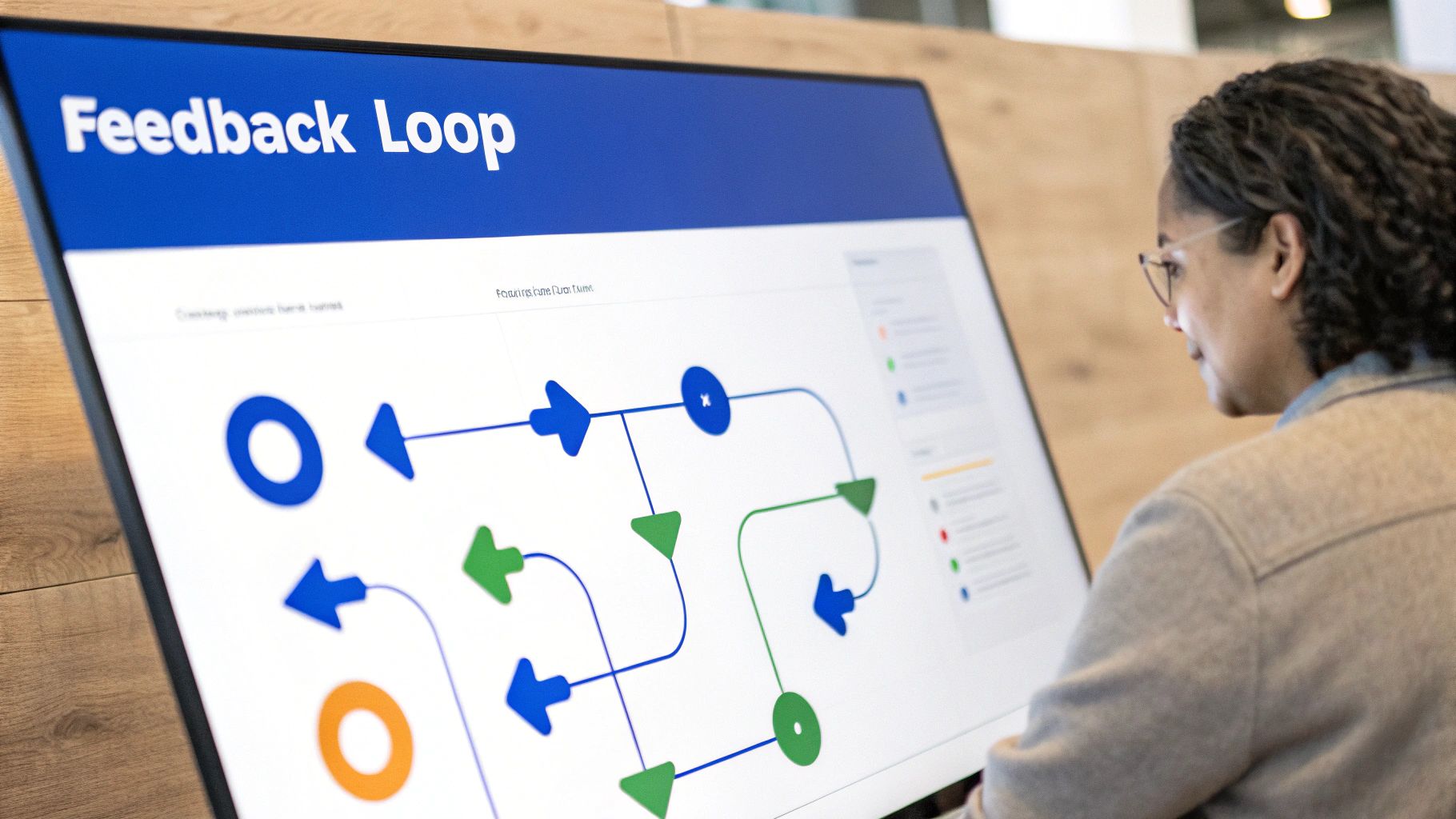
How to Implement a Feedback Loop
Implementing a continuous learning system involves choosing tools that are designed to learn from user interactions and creating a process for developers to provide explicit feedback on the quality of automated suggestions.
- Adaptive Review Platforms: Tools like Kluster.ai use developer follow-up actions, such as accepting or rejecting a suggestion, as direct training signals to sharpen future reviews and personalize feedback.
- ML-Powered Refinements: Large-scale systems like GitHub's Copilot constantly refine their code suggestions based on aggregate, anonymized developer interactions across the platform, improving the relevance of AI-generated code over time.
Actionable Tips for Success
To build an effective learning loop that enhances your code review process, focus on creating clear channels for feedback and analysis.
- Establish Clear Feedback Channels: Create a simple process for developers to report inaccurate or unhelpful automated feedback. This could be a "thumbs up/down" button in the IDE or a dedicated Slack channel.
- Document Review Outcomes: Encourage developers to briefly document why a suggestion was correct or incorrect. This qualitative data is invaluable for training the system on team-specific context.
- Regularly Audit Learned Patterns: Periodically review the new rules or patterns the system has learned to check for unintended bias or incorrect assumptions before they become ingrained in the review process.
8. Reduced Context Switching with Integrated IDE Reviews
Traditional code review workflows force developers to constantly switch between their Integrated Development Environment (IDE) and other tools like web-based pull request interfaces, chat applications, or email. Each switch incurs a cognitive cost, breaking the developer's "flow state" and draining productivity. Integrated IDE reviews are one of the most effective code reviews best practices because they eliminate this friction by delivering feedback directly where the code is being written.

This approach is especially critical in the age of AI-assisted development. When a developer receives instant validation or correction for AI-generated code without leaving their editor, the feedback loop is immediate and highly effective. Keeping developers focused in a single environment reduces mental overhead, minimizes distractions, and allows them to resolve issues when their contextual understanding of the code is at its peak. This seamless integration is a cornerstone of modern, high-velocity development.
How to Implement Integrated IDE Reviews
Implementing in-IDE reviews involves adopting tools that plug directly into a developer's chosen editor, providing non-disruptive alerts and actionable suggestions. These tools bridge the gap between code creation and quality assurance, making the review process a continuous part of development.
- Real-Time Linters and Scanners: Tools like SonarLint provide on-the-fly feedback on code quality and security vulnerabilities directly within VS Code, JetBrains IDEs, and other editors.
- AI-Native Integrations: Solutions like Kluster.ai are designed for modern AI-assisted workflows, integrating into environments like Cursor, VS Code, and Claude Code to provide real-time policy enforcement and feedback. GitHub Copilot's inline suggestions also function within this paradigm.
- Built-in IDE Inspections: Most modern IDEs, such as the JetBrains suite (IntelliJ, PyCharm), have powerful built-in inspection capabilities that can be configured to flag potential issues as developers type.
Actionable Tips for Success
To maximize the benefits of integrated IDE reviews and minimize disruption, consider the following strategies:
- Provide Quick-Fix Suggestions: The most effective feedback is actionable. Configure your tools to offer one-click fixes or automated refactoring suggestions to resolve issues instantly.
- Support All Team IDEs: Ensure your chosen review tool provides plugins or extensions for all the primary IDEs used by your engineering teams to maintain a consistent experience.
- Configure Notification Levels: Allow developers to customize the severity and intrusiveness of notifications (e.g., squiggly lines vs. pop-ups) to prevent "alert fatigue" and ensure the feedback enhances, rather than interrupts, their flow. Discover how this works by learning more about AI-powered IDEs on kluster.ai.
9. Audit Trails and Compliance Documentation
In regulated industries like finance, healthcare, and government, a code review is not just a quality gate; it is a critical compliance checkpoint. Maintaining comprehensive, immutable audit trails of all review activities, including feedback, approvals, and remediation actions, is essential for accountability. This practice creates a verifiable record that satisfies auditors and enables deep post-incident analysis, making it one of the most vital code reviews best practices for enterprises.
This detailed documentation proves that due diligence was performed and that security and quality standards were enforced. For teams using AI-generated code, an immutable log of how AI suggestions were reviewed, modified, and approved provides an essential layer of governance. It ensures that every line of code, regardless of its origin, has a clear history of human oversight, which is non-negotiable for meeting standards like SOC 2, ISO 27001, or HIPAA.
How to Implement Audit Trails
Implementing a robust audit trail system involves leveraging tools that automatically capture and secure every interaction within the code review lifecycle. The goal is to create a single source of truth that is both easily accessible for audits and protected against tampering.
- Automated Logging Tools: Platforms like Kluster.ai automatically create a permanent, searchable audit trail of every review decision, comment, and policy enforcement action. This removes the manual burden of documentation.
- Version Control System Audits: Enterprise versions of platforms like GitHub and GitLab offer advanced audit logging features, often integrated with Single Sign-On (SSO) and SAML, to track every repository interaction, pull request, and merge.
- Compliance-Specific Dashboards: Use reporting tools to create dashboards that visualize key review metrics required for compliance, such as the number of critical issues remediated or the average time to approval.
Actionable Tips for Success
To ensure your audit trails are effective for compliance and continuous improvement, consider these strategies:
- Define Clear Retention Policies: Align your data retention policies with specific regulatory requirements (e.g., seven years for financial records). Ensure logs are stored securely for the required duration.
- Ensure Immutability: Use write-once, read-many (WORM) storage or blockchain-inspired logging mechanisms to guarantee that audit logs are tamper-proof and cannot be altered after creation.
- Establish Access Protocols: Define and enforce strict access control policies for who can view or export audit logs. Regularly review access rights to prevent unauthorized exposure of sensitive review data.
10. Intelligent Triage and Risk-Based Review Prioritization
Not all code changes carry the same level of risk, yet many teams apply a uniform review process to every pull request. Intelligent triage disrupts this inefficient model by categorizing changes based on their potential impact. This approach ensures that high-risk modifications, such as those touching security-critical logic or core performance paths, receive the deepest scrutiny, while low-risk changes like documentation updates receive a lighter touch. This is one of the most critical code reviews best practices for teams scaling with AI-generated code, as it focuses human expertise where it matters most.
By assigning a risk score to each change, review efforts are allocated proportionally, maximizing efficiency without compromising quality. This risk-based prioritization is vital for managing AI-generated code, where the severity of hallucinations or logical errors can vary dramatically. It prevents senior developers from spending valuable time on trivial reviews and ensures complex changes get the attention they deserve, directly reducing the likelihood of production incidents.
How to Implement Risk-Based Prioritization
Implementing an effective triage system involves using automation to analyze the context and content of code changes to assign a risk level. This directs reviewers’ attention to the most critical areas first.
- Automated Risk Scoring: Tools like Kluster.ai automatically analyze changes to score their risk based on factors like security impact, complexity, and architectural significance. This score is then used to route the review to the most appropriate team members.
- Change Impact Analysis: Platforms can be configured to use change metadata, such as the files touched or functions modified, to estimate impact. For example, changes to a
auth.pyfile would automatically be flagged as high-risk.
Actionable Tips for Success
To maximize the benefits of this modern code review practice, consider the following strategies:
- Define Clear Risk Categories: Establish explicit risk tiers such as "High" (security, authentication, core APIs), "Medium" (business logic, performance-sensitive code), and "Low" (UI text, comments, tests).
- Calibrate Scoring with Incident Data: Regularly review production incidents and feed the root cause analysis back into your risk assessment model. If a certain type of change repeatedly causes issues, its risk score should be increased.
- Allow Manual Overrides: Empower developers to manually escalate the risk level of a change if they believe the automated score is too low, but require a justification to maintain accountability.
10-Point Code Review Best Practices Comparison
| Approach | Implementation Complexity 🔄 | Resource Requirements ⚡ | Expected Outcomes 📊 | Ideal Use Cases 💡 | Key Advantages ⭐ |
|---|---|---|---|---|---|
| Asynchronous Code Review with Real-Time Feedback | High 🔄🔄🔄 — real‑time infra & IDE hooks | High ⚡⚡⚡ — low‑latency servers, integrations | Faster merges; fewer AI hallucinations ⭐⭐⭐ | AI-assisted editing, fast‑paced teams | Immediate error detection; preserves developer flow |
| Intent Verification Against Original Requests | Medium 🔄🔄 — prompt & context tracking | Medium ⚡⚡ — prompt storage, alignment checks | Better requirement alignment; fewer reworks ⭐⭐⭐ | Prompt‑driven features, regulated specs | Prevents scope creep; creates audit trail |
| Automated Security Vulnerability Detection | Medium‑High 🔄🔄🔄 — rules + SAST integration | High ⚡⚡⚡ — vulnerability DBs, compute | Fewer security issues; compliance support ⭐⭐⭐ | Security‑sensitive apps, production releases | Catches vulnerabilities before production |
| 100% AI-Generated Code Review Coverage | High 🔄🔄🔄 — scale automation & manual workflows | Very High ⚡⚡⚡⚡ — review infra, staffing | Comprehensive safety and compliance ⭐⭐⭐⭐ | Regulated industries, mission‑critical systems | Full assurance and auditable verification |
| Performance and Regression Testing Integration | Medium 🔄🔄 — benchmarks & test automation | Medium‑High ⚡⚡⚡ — test infra, environments | Prevents regressions; maintains performance ⭐⭐⭐ | Performance‑critical services, releases | Detects regressions and inefficiencies early |
| Organizational Standards Enforcement Through Policy Templates | Medium 🔄🔄 — policy definition & enforcement | Medium ⚡⚡ — tooling, policy maintenance | Consistent codebase; fewer style issues ⭐⭐⭐ | Large orgs, multi‑team codebases | Enforces standards automatically and audibly |
| Continuous Learning and Review Feedback Loops | High 🔄🔄🔄 — ML pipelines & oversight | High ⚡⚡⚡ — historical data, ML ops | Improved accuracy over time; fewer false positives ⭐⭐⭐ | Long‑term ai usage, high review volume | Reviews get smarter; reduces noise over time |
| Reduced Context Switching with Integrated IDE Reviews | Medium 🔄🔄 — IDE extensions per editor | Medium ⚡⚡ — extension dev + maintenance | Higher developer productivity; faster fixes ⭐⭐⭐ | Developer‑centric workflows, AI‑assisted coding | Keeps developers in flow; reduces tool switching |
| Audit Trails and Compliance Documentation | Medium 🔄🔄 — immutable logging & retention | Medium ⚡⚡ — secure storage, export tooling | Regulatory compliance; full traceability ⭐⭐⭐ | Finance, healthcare, regulated orgs | Accountability, post‑incident analysis and audits |
| Intelligent Triage and Risk-Based Review Prioritization | Medium 🔄🔄 — risk scoring & routing logic | Medium ⚡⚡ — scoring models, integrations | Focused reviews; faster low‑risk merges ⭐⭐⭐ | High change volume, limited reviewer capacity | Allocates effort by risk; improves throughput |
Ship Faster and Safer with AI-Aware Code Reviews
The era of AI-assisted development is fundamentally reshaping software delivery, and our approach to quality assurance must evolve with it. Traditional, after-the-fact pull request reviews are no longer sufficient to govern the speed and volume of AI-generated code. Moving beyond these legacy workflows is not just an improvement; it is a necessity for maintaining security, stability, and speed. The code reviews best practices detailed in this guide provide a modern blueprint for thriving in this new paradigm.
By shifting reviews into the IDE for real-time feedback, we eliminate the costly context switching and long-winded PR comment threads that create bottlenecks. This proactive, "shift-left" approach transforms code review from a gatekeeper into a collaborative, continuous learning process. It empowers developers with instant validation while giving engineering leaders the confidence that every line of code, whether human- or AI-written, adheres to organizational standards before it ever reaches the repository.
From Manual Checks to Automated Governance
A central theme connecting these best practices is the transition from manual, inconsistent checks to automated, enforceable governance. Practices like Automated Security Vulnerability Detection and Organizational Standards Enforcement are no longer optional. They are the bedrock of scalable quality.
When an AI assistant generates code, it might inadvertently introduce a subtle performance regression or a common vulnerability. Relying on a human reviewer to catch every single instance is an unreliable and inefficient strategy. Instead, by codifying your rules into automated policies, you ensure 100% coverage and immediate feedback, turning your team's collective knowledge into a set of guardrails that protect your entire codebase.
Key Takeaways for Your Team
To truly harness the power of AI in your development lifecycle, focus on implementing these core principles:
- Review at the Source: Integrate reviews directly into the developer's IDE. This is the single most effective way to reduce friction, shorten feedback loops, and prevent defective code from entering the pipeline.
- Verify Intent, Not Just Syntax: Go beyond style guides. Use automated checks to ensure the generated code aligns perfectly with the original ticket, user story, or feature request. This prevents logical errors that linters and formatters miss.
- Embrace Continuous Learning: Treat every review, automated or manual, as a data point. Use feedback loops to refine your automated policies and even fine-tune the prompts used with AI coding assistants, creating a system that gets smarter over time.
- Prioritize with Intelligence: Not all code carries the same risk. Implement a system for Intelligent Triage that automatically flags high-risk changes involving sensitive data, core business logic, or critical infrastructure for mandatory human oversight. This allows your senior engineers to focus their expertise where it matters most.
Adopting these advanced code reviews best practices is about more than just managing AI-generated code; it's about building a resilient, efficient, and secure software development ecosystem. It's about empowering your developers to innovate fearlessly, knowing a safety net of automated governance is there to catch issues instantly. By embedding quality checks at the point of creation, you transform your review process from a bottleneck into a powerful accelerator, enabling your team to ship better, safer software faster than ever before. This is how you unlock a true competitive advantage in the age of AI.
Ready to implement these AI-aware code review best practices today? kluster.ai provides the in-IDE, real-time feedback and automated policy enforcement engine designed for modern development teams. See how you can achieve 100% review coverage and ship trusted code faster by visiting kluster.ai.