

A Guide to Using an AI Code Review Tool
So, what exactly is an ai code review tool? Think of it as an automated system that uses artificial intelligence to scan source code for bugs, security holes, and violations of best practices, giving developers feedback in real-time. It’s an intelligent layer of quality control built specifically to handle the massive volume of code coming from AI coding assistants.
The Inevitable Rise of AI Code Review
AI coding assistants have completely changed the game. They’ve supercharged developer productivity, acting like brilliant junior developers who can generate complex functions in seconds without ever getting tired.
But there's a catch. Just like any junior dev, they're prone to making subtle mistakes—flawed logic, security oversights, and "hallucinations" where they invent functions that don't exist.
This creates a massive new problem. As teams crank out code faster than ever before, the old-school manual review process becomes a crippling bottleneck. Senior developers, who are already spread thin, now have to meticulously inspect huge amounts of AI-generated code. That's not just slow; it's mentally draining. It's often harder to verify unfamiliar code than it is to just write it yourself from scratch.
The Growing Pains of AI-Accelerated Development
This friction slows everything down and introduces a ton of risk. Teams are running into a few core pain points:
- Sluggish Review Cycles: Pull requests start piling up, waiting for a human reviewer who can't possibly keep up with the output of their AI-assisted teammates. This leads to long delays, slowing down feature releases and hurting the company's ability to compete.
- Inconsistent Quality and Security: Manual reviews are only as good as the human doing them. A reviewer might miss a subtle security flaw on a Tuesday afternoon that they would have caught fresh on a Wednesday morning. That kind of inconsistency is a huge liability when dealing with AI-generated code.
- Hidden Risks in AI Code: AI can introduce vulnerabilities that aren't obvious at first glance. Without a systematic, automated check, these risks can easily slip into production, leading to expensive bugs or, even worse, major security breaches.
The rise of AI code review tools is just the next logical step in the industry's move toward principles like shift left testing, which is all about catching and fixing defects as early as humanly (or technically) possible.
An AI code review tool isn't just a "nice-to-have" anymore; it's an essential safety net. It lets teams get all the speed benefits of AI code generation without sacrificing the quality, security, and consistency that modern software absolutely requires.
At the end of the day, this technology solves a simple but profound problem. To safely scale development in a world driven by AI, the review process itself has to become intelligent and automated. By providing instant, reliable, and context-aware feedback right inside the developer's workflow, an ai code review tool ensures the massive productivity gains from AI don't come at the cost of stability or security. It's the necessary counterbalance that makes AI-powered development not just fast, but trustworthy.
How an AI Code Review Tool Actually Works
So, how does an AI code review tool actually get the job done? Forget the idea of a simple script hunting for typos. The real magic comes from a trio of intelligent, interconnected systems working in concert to guard your code's quality and security, starting from the very first line. This isn't just about catching mistakes; it's about understanding what you're trying to build and flagging anything that gets in the way.
As AI speeds up how we write code, the review process has to get just as smart. Otherwise, we're just creating new bottlenecks. This is the problem we're built to solve.
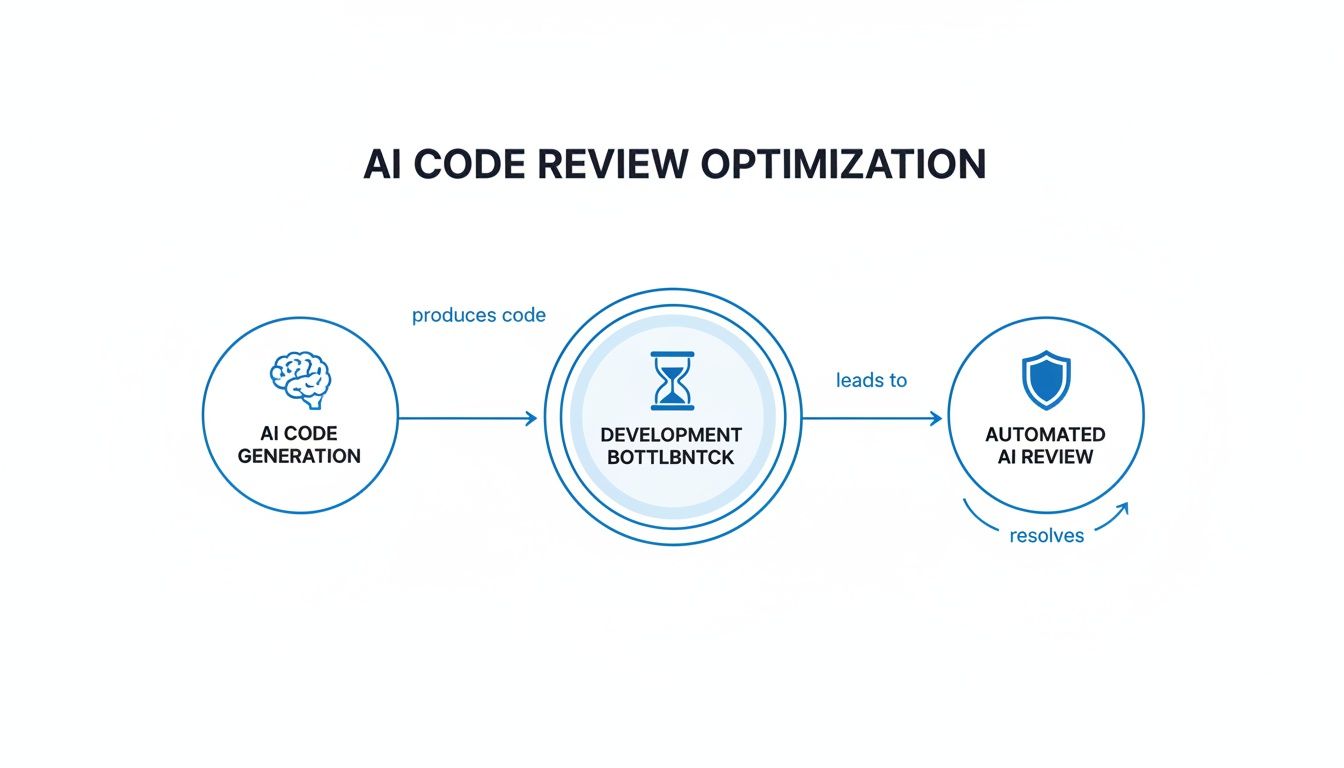
Let's break down the three core pillars that make this possible.
Real-Time In-IDE Analysis
The first piece of the puzzle is real-time analysis right inside your IDE. Think of it as a hyper-intelligent spell-checker that understands logic, security, and your team's best practices. When a developer uses an AI assistant to generate a block of code, our tool analyzes it on the spot, giving feedback in seconds.
This instant feedback loop is a game-changer. Instead of waiting hours—or even days—for a teammate to review a pull request, a developer sees potential issues immediately. A missing error handler? A risky SQL query? You'll know before you even think about committing the file. This simple shift prevents endless context switching and lets you fix problems while the code is still fresh in your mind.
This is a world away from traditional linters or static analysis (SAST) tools. Those tools are great for spotting known patterns and syntax errors, but an AI reviewer gets the context and nuance of the code being written right now.
The Intent Tracking Engine
The second core component—and arguably the most powerful—is the intent tracking engine. This system acts like a project manager with a photographic memory. Its job is to constantly ask: "Does this code actually do what the developer asked for?"
To figure this out, it pulls together several layers of context:
- The Prompt: It reads the plain-English instructions given to the AI coding assistant (like, "Create a function to fetch user data by ID").
- Repository Context: It scans your existing codebase, documentation, and even past commits to understand the project's architecture and coding conventions.
- Chat History: It follows the back-and-forth conversation between the developer and the AI to see how the requirements evolved.
By weaving these threads together, the tool can spot logical gaps that a simple linter would never see. For example, if you asked for a function to handle user authentication but the AI assistant only returned code for input validation, the intent engine flags that mismatch instantly.
Hallucination and Regression Detection
The final pillar is a robust safety net built to catch the weird, AI-specific errors that are becoming more common. AI models sometimes "hallucinate"—they invent functions, libraries, or API endpoints that sound perfectly reasonable but simply don't exist in your project.
An AI tool can resemble an intern with anterograde amnesia. For every new task, this 'AI intern' resets back to square one without having learned a thing from previous interactions.
This is where hallucination detection is crucial. The tool cross-references every function call and dependency in the generated code against your actual project files and known libraries. If it spots a phantom function, it flags it immediately, preventing broken code from ever making it into your repository.
It also performs regression detection, analyzing how the new code might break existing features. By understanding the web of dependencies in your application, it can warn you if a small change in one file could have a disastrous ripple effect somewhere else. This proactive check is essential for keeping large applications stable.
Modern AI Review vs Traditional Methods
To really see the difference, it helps to compare this new way of working against the tools we're all used to. The table below breaks down how real-time AI review stacks up against traditional linters and old-school manual pull request reviews.
| Capability | Real-Time AI Review (e.g., kluster.ai) | Traditional Linters & SAST | Manual Pull Request Review |
|---|---|---|---|
| Feedback Loop | Instant, in-IDE feedback (under 5 seconds) | On-commit or CI/CD pipeline (minutes to hours) | Manual and asynchronous (hours to days) |
| Error Detection | Catches logical flaws, hallucinations, and intent mismatches | Finds syntax errors and known vulnerability patterns | Depends on reviewer expertise; can miss subtle bugs |
| Workflow Impact | Prevents context switching; fixes happen pre-commit | Interrupts flow; feedback comes after the task is "done" | Creates review bottlenecks and slows down merges |
As you can see, the goal isn't just to find more bugs. It's to find them earlier, with more context, and without derailing the developer's focus. This shift from post-commit checks to pre-commit guidance is what makes modern AI review so effective.
The Business Case for Automated AI Review
It’s one thing to understand how an AI code review tool works, but the real question is simple: what does it do for the business? Forget generic claims like "saving time." The real value is in a measurable impact on engineering velocity, product quality, and your overall security.
The business case isn't just about making things more efficient. It’s about building a development process that's more competitive and resilient from the ground up. Adopting an ai code review tool isn't a small tweak; it's a fundamental shift in how your team builds software, and it translates directly into financial and operational wins.
Accelerate Feature Velocity and Time to Market
The most dramatic, immediate benefit you'll see is the compression of the review cycle. In a typical workflow, a pull request can sit idle for hours—sometimes days—creating a massive bottleneck that slows innovation to a crawl. This delay is only getting worse with the explosion of code coming from AI assistants.
An AI reviewer completely eliminates that waiting game. It gives feedback in seconds, letting developers fix problems before their code even hits the review queue.
- Faster Merges: Teams can merge pull requests minutes after the code is written, not days. This means new features get into your users' hands faster.
- Increased Developer Focus: When you remove the endless start-stop of waiting for feedback, developers stay in the zone. They maintain momentum and get more done.
Internal benchmarks at major tech companies like Uber show that an automated review process saves thousands of developer hours weekly. At that scale, this translates to dozens of developer years saved annually, freeing up immense resources for innovation instead of routine checks.
Fortify Security and Compliance with Automated Guardrails
Let's be honest: manual reviews are inconsistent. A senior engineer might spot a subtle security flaw on a Monday morning, but completely miss it on a hectic Friday afternoon. This human element is a huge risk, especially when you’re dealing with complex, AI-generated code that can hide vulnerabilities in plain sight.
An ai code review tool acts as a tireless security guard. It’s an automated policy enforcement engine that ensures every single line of code—without exception—meets your organization's standards. This isn't just about catching a few mistakes; it's about a systemic approach to building a rock-solid security posture.
Of course, to justify any new tool, you need to understand the financial upside. A great way to start is by calculating return on investment for automation projects, which helps you frame the value in terms of both efficiency gains and hard cost savings.
Drastically Lower Development and Maintenance Costs
The financial impact here goes way beyond just saving developer time. Catching a bug or a security flaw before it gets committed is exponentially cheaper than fixing it after it’s already in production.
- Reduced Rework: Instant feedback stops the dreaded "PR ping-pong," where code gets passed back and forth for minor fixes. That alone saves huge amounts of engineering time.
- Fewer Production Incidents: By catching potential issues early, the tool helps prevent costly downtime, emergency hotfixes, and the reputational damage that comes with production failures.
- Improved Code Quality: Enforcing best practices automatically results in a cleaner, more maintainable codebase. This lowers the long-term cost of ownership and makes it much easier for new developers to get up to speed.
Ultimately, the ROI of an ai code review tool is crystal clear. It draws a straight line from operational improvements in your development workflow to bottom-line business outcomes: lower costs, higher quality products, and a stronger, more secure foundation to build on.
Choosing and Implementing the Right Tool
Picking the right ai code review tool isn't just about features; it’s about finding a partner that slots right into your team's natural rhythm. The whole point is to find something that feels like an extension of how your developers already work, not another clunky process they have to deal with.
Forget the flashy demos for a second. We need to get real about how your team actually builds software. A great implementation comes down to a tool that's both powerful and practically invisible, giving you solid feedback without getting in the way.

Key Evaluation Criteria for Your Team
When you start comparing tools, zero in on the features that solve your biggest headaches. Not every tool is built the same, and the best one for you depends entirely on your stack, security needs, and team culture.
Here’s what you absolutely need to look at:
- Depth of IDE Integration: How well does it actually work inside editors like VS Code or Cursor? The best tools feed you suggestions in real-time, right where you're coding. If your devs have to constantly switch windows to see what the AI thinks, they'll just ignore it.
- AI Assistant Compatibility: The tool has to be Switzerland. It needs to analyze code generated by any assistant your team loves, whether it's GitHub Copilot or Amazon CodeWhisperer. A universal review layer is the only way to get consistent quality when code is coming from different models.
- Customization and Policy Enforcement: Can you make it your tool? You need the ability to set up custom guardrails for your specific security policies, internal coding standards, and compliance rules. This is what turns a generic linter into a true guardian of your team's best practices.
Beyond that, look at the quality of the feedback itself. A tool that spits out a ton of false positives or complains about minor style issues will get muted, fast. As engineers at Uber discovered, developers have a low tolerance for noise. That's why a 75% usefulness rate for AI comments is a great benchmark to aim for.
For a deeper look at the landscape, check out our guide on other AI code review tools and what makes each one unique.
Your Phased Implementation Plan
Trying to roll out a new tool to your entire engineering org at once is a recipe for disaster. A phased approach is smarter—it lets you prove the value, collect feedback, and build momentum without derailing everyone's work. Think of it as a controlled experiment designed to win.
-
Launch a Pilot Project: Start small with one, forward-thinking team. Pick a project where you can easily track metrics like pull request review time, bugs caught before commit, and developer happiness. It’s a low-risk way to learn the ropes.
-
Tune for High-Signal Feedback: Sit down with the pilot team and configure the tool. The initial goal is to kill the noise. Turn off the checks for petty stylistic stuff and focus on what really matters: security flaws, logic errors, and major performance drags.
The most important lesson in deploying AI review tools is that precision is far more valuable than volume. Developers will only trust a tool that delivers high-quality, actionable feedback.
-
Integrate with Existing Workflows: Make sure the tool fits into how the team already operates. It should add to human review, not replace it. Frame the AI as the "first reviewer" that handles all the tedious checks, freeing up your senior devs to focus on architecture and tricky logic.
-
Measure and Showcase ROI: After a few weeks, pull the numbers from your pilot. Show leadership the hard data: the drop in review cycles, the number of critical bugs squashed, and glowing quotes from the pilot team. That’s how you build an undeniable case for a wider rollout.
-
Expand and Educate: With proven results in hand, start bringing other teams on board. Run quick training sessions, tell the success story from the pilot, and share clear documentation. Make it clear that this tool is here to make them better, not to replace their judgment.
By following this simple plan, you can introduce an ai code review tool in a way that actually gets people excited and delivers real results from day one.
Real-World AI Review Workflows in Action
Theory is one thing, but seeing an ai code review tool working inside a developer’s daily grind makes its value obvious. These tools aren’t just nitpicking syntax; they’re acting like a tireless coding partner right in your IDE, understanding what you’re trying to do and stopping critical mistakes before they happen.
Let’s walk through a couple of common scenarios where this tech goes from a neat idea to a production-saving hero.
Workflow 1: Catching a Security Flaw Before a Commit
Imagine a developer, Maria, working on a new API endpoint to pull user profiles. She asks her AI coding assistant, "Create a function that retrieves user data from the database based on a user ID from the request."
The assistant spits out a Python function that uses a raw SQL query. The code looks like it works, but it sticks the user ID directly into the query string. This is a textbook SQL injection vulnerability, one of the most dangerous security flaws out there.
Normally, this bad code would get committed, pushed for review, and maybe even get missed by a busy teammate. But with an AI review tool running in her IDE, Maria gets feedback instantly. A notification pops up, pointing to the exact line and explaining the danger of raw, unsanitized inputs. It even suggests the right way to do it using parameterized queries. Maria fixes it on the spot. The vulnerability never even makes it into a commit.
This is the magic of real-time review. A potentially disastrous security hole is found and fixed in less than a minute, long before it ever clogs up the pull request queue or hits a staging server.
Workflow 2: Preventing an AI Hallucination
In another situation, a developer named Ben is building a complex data parsing feature. He prompts his AI assistant for a utility function to process a huge CSV file, and the AI generates a nice chunk of code.
The problem? Buried deep in that code is a call to a function named parse_csv_optimized(). It sounds completely legit and fits the context perfectly, but it doesn't actually exist anywhere in the project. This is a classic AI "hallucination"—the model just invented something that seemed logical but is pure fantasy.
A standard linter wouldn't see a problem until the code was run during testing, where it would immediately crash. An ai code review tool, on the other hand, is constantly checking every function call against the entire repository and its dependencies. It immediately flags parse_csv_optimized() as an undefined function, saving Ben from a massive headache and a frustrating debugging session. He can then ask the AI for a new solution that uses real library functions. If you want to dive deeper into these kinds of subtle but maddening errors, check out the common types of AI-generated code issues developers run into all the time.
The Tangible Impact on Teams
These aren't just made-up stories; they're the daily reality for teams who have put this tech to work.
- Mini-Case Study 1: A mid-sized fintech company plugged an AI review tool into its CI/CD pipeline. Within three months, they slashed their average pull request review time by 50%. By catching all the common stuff automatically, their senior engineers were freed up to focus on architecture and big-picture problems, which massively sped up how fast they could ship new features.
- Mini-Case Study 2: A healthcare tech startup had to make sure every line of AI-generated code was HIPAA compliant. They set up custom security policies in their AI review tool and achieved 100% automated enforcement. Every single commit was checked for compliance without adding a second of manual work.
These examples prove that an ai code review tool is way more than a simple bug-finder. It's a workflow accelerator, a security guard, and a critical layer of governance for any team trying to keep up in the age of AI-driven development.
The Future of AI-Powered Software Development
The conversation about AI in software development is changing, and fast. What started as a neat trick for spitting out code snippets is quickly turning into a real partnership. But as AI assistants get smarter and more autonomous, the need for equally smart governance is exploding. An ai code review tool isn't just a safety net anymore; it's becoming the foundation for building software you can actually trust.
Think about it. AI-generated code can have subtle logic flaws and outright hallucinations that look perfectly fine at a glance. Real-time verification isn't just a nice-to-have, it's non-negotiable. Without it, all the speed you gain from AI is built on a house of cards. This constant, automated check is what builds the trust we need to weave AI into our most critical workflows, making sure "faster" doesn't also mean "fragile."
From Code Reviewer to AI Pairing Partner
Looking ahead, this is about more than just catching errors. The next big leap is the "AI pairing partner"—an intelligent collaborator that works with developers, not just for them. This partner won't just flag a security risk after the fact; it will be right there in the creative process, helping build better software from line one.
This new reality will bring some incredible capabilities straight into the IDE:
- Proactive Architectural Suggestions: Instead of just checking a single function, the AI will grasp its role in the bigger system. It might suggest a more efficient design pattern before you've even finished typing.
- Performance Optimization Insights: The tool will analyze new code against the entire application, flagging potential bottlenecks and offering optimizations before they ever become a production headache.
- Intelligent Refactoring: It’ll spot opportunities to simplify complex code, boost readability, and pay down technical debt, often offering to handle the cleanup for you.
The end game here is a true partnership. The developer sets the high-level strategy and creative vision, while the AI partner nails the intricate details of both writing and validating the code.
This completely reframes the developer's job. Instead of getting bogged down in meticulous syntax checks or hunting for common vulnerabilities, developers can finally level up. They can focus their brainpower on solving tough business problems and architecting elegant solutions. They can trust their AI counterpart to handle the grunt work and the relentless verification needed to maintain quality and security at scale.
This future isn't about replacing human creativity; it's about amplifying it. By handing off both the code generation and its immediate validation to a sophisticated AI system, teams can finally start building software at the speed of thought, confident that every single line is solid, secure, and ready for production the moment it's written.
A Few Common Questions About AI Code Review
When engineering teams first look at bringing in an AI code review tool, a few questions always come up. It's totally natural. Understanding where this technology fits is the key to seeing how it improves what you already do, rather than just replacing people and processes.
Let's cut through the noise and answer the big questions about what it's really like to have AI-powered review as part of your team's day-to-day.
How Is This Different From a Linter or SAST Tool?
It’s a fair question—they all scan code, right? But they operate on completely different levels. Linters and SAST (Static Application Security Testing) tools are fantastic at spotting known patterns. Think of them as rule-based checkers looking for specific syntax errors or vulnerabilities from a big catalog. They’re rigid by design.
An AI code review tool, on the other hand, gets the bigger picture. It dives deep to understand the developer's original intent behind the code. This lets it catch complex logical errors, business logic flaws, and performance problems that static tools are completely blind to. It’s the difference between a simple grammar checker and a senior engineer who asks "why" you built it this way, not just "what" the syntax is.
The goal here is augmentation, not replacement. An AI tool acts as a tireless assistant, handling the first-pass review to catch common mistakes and policy violations in seconds. This frees up your human reviewers to focus on what really matters.
Will This Thing Replace My Human Reviewers?
Not a chance. The whole point is to make your human reviewers better, not obsolete. The tool handles all the tedious, repetitive stuff that drains energy and focus—instantly flagging common mistakes, security oversights, and style guide violations.
This frees your senior engineers from the cognitive load of being a proofreader. Instead, they can focus their brainpower on architectural soundness, complex business logic, and mentoring junior devs. It shifts their role from hunting for typos to being a strategic architect, making the entire review process far more valuable.
Can We Make It Enforce Our Own Team's Rules?
Absolutely. In fact, this is one of the most powerful features. A good AI code review tool lets you encode your organization's specific guardrails right into the system.
You can teach it your company's security policies, API usage guidelines, naming conventions, and any compliance requirements you have. The tool then makes sure every single line of AI-generated code sticks to those standards automatically. It’s like having a governance expert watching over every commit, without any manual effort.
Does It Work With All the Different AI Coding Assistants?
Yes, the best tools are built to be assistant-agnostic. They plug in at the IDE level and analyze the code itself, no matter if it came from GitHub Copilot, Amazon CodeWhisperer, or any other model.
This gives you a consistent layer of quality and security control across your entire team, no matter which AI tools your individual developers prefer to use.
Ready to kill the review bottlenecks and enforce quality standards on 100% of your AI-generated code? kluster.ai gives you instant, in-IDE feedback that catches subtle bugs and security risks before they even become a pull request. Start free or book a demo to see how you can cut review time in half.