

What Are Logic Errors: what are logic errors and how to fix them
Of all the bugs you'll encounter, the logic error is easily the most deceptive. It's a flaw in your program's thinking—the source code leads to completely wrong or unexpected results, but the program itself runs perfectly fine without so much as a warning.
Your code is syntactically perfect, but the reasoning behind it is flawed. This makes logic errors the silent assassins of software development.
Decoding the Silent Threat of Flawed Code
Imagine you're baking a cake and you follow the recipe perfectly. You add every ingredient in the right order, mix it correctly, and the oven is set to the perfect temperature. The problem? The recipe itself mistakenly called for a cup of salt instead of a cup of sugar.
The cake bakes without a hitch, but the final result is inedible. That’s a logic error in a nutshell. The instructions were followed flawlessly, but the instructions themselves were wrong.
In programming, this means your application compiles and runs without any obvious signs of trouble. It won't crash or throw an error message. Instead, it will just quietly do the wrong thing—churning out bad data, making incorrect calculations, or behaving in ways you never intended. This sneaky behavior makes them notoriously difficult to track down.
This diagram breaks down where logic errors fit in the grand scheme of programming bugs.
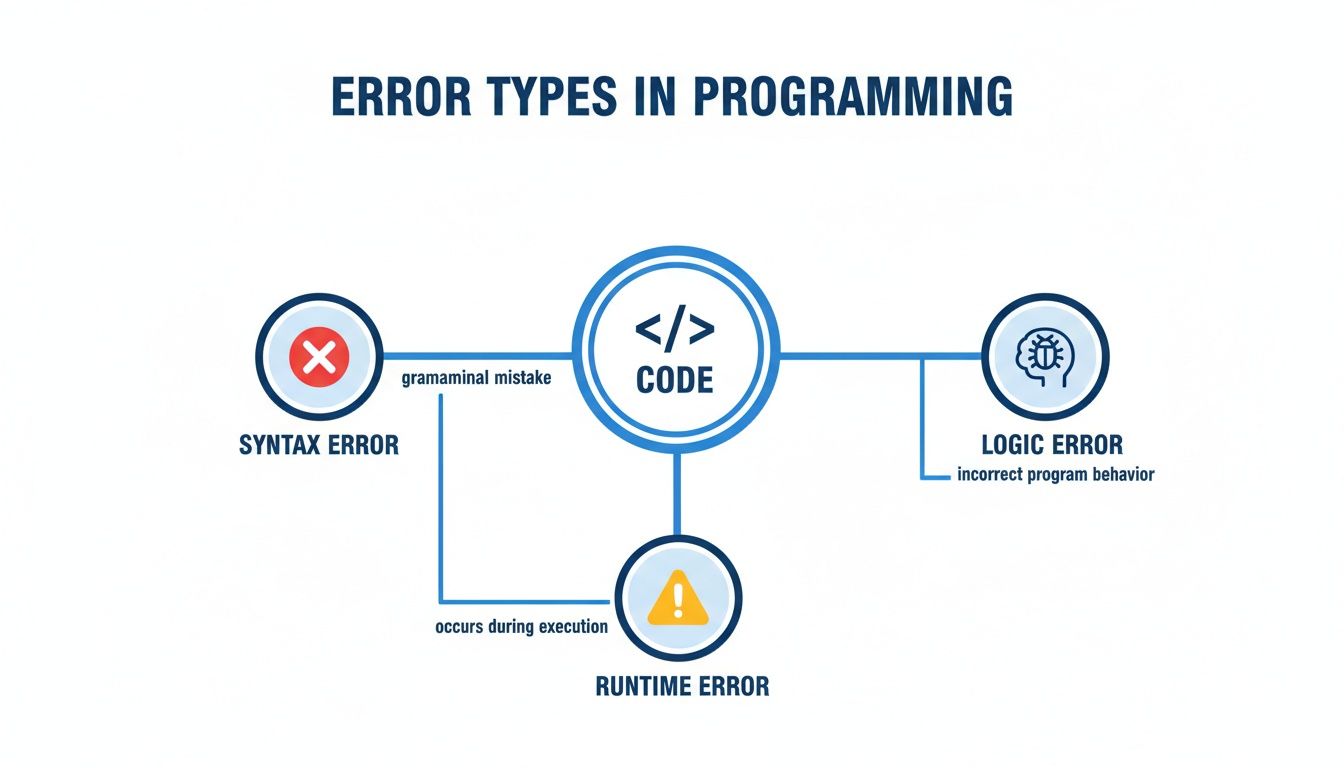
As you can see, logic errors aren't about the computer failing to follow instructions; they're about a human giving the computer the wrong instructions to begin with.
Understanding the Three Main Error Types
To really get a handle on what logic errors are, it helps to see how they stack up against their louder, more obvious cousins. Most bugs fall into one of three buckets, each with its own personality.
- Syntax Errors: These are just grammatical mistakes in your code. The compiler or interpreter catches them right away because they break the language's rules, preventing the program from even starting. Think of them as typos, like spelling "function" as "functon."
- Runtime Errors: These pop up while the program is actually running. The code is grammatically correct, but it tries to do something impossible, like dividing a number by zero or accessing a file that doesn't exist. This causes the program to crash and burn.
- Logic Errors: These are the sneaky ones. The code is grammatically correct, it runs without crashing, but the underlying logic is just plain wrong. The program confidently does the wrong thing, and it's up to you to figure out why.
Logic vs Syntax vs Runtime Errors at a Glance
This quick table breaks down the key differences between the three main error types, highlighting how and when you'll typically find them.
| Error Type | When It's Detected | How It's Detected | Program Behavior |
|---|---|---|---|
| Syntax | Before execution (during compilation) | The compiler or interpreter flags it | Fails to run or compile at all |
| Runtime | During execution | The program crashes or throws an exception | Abruptly stops working |
| Logic | After execution (or sometimes, never) | You notice incorrect output or strange behavior | Runs successfully but produces the wrong results |
As you can see, the real challenge with logic errors is that your tools won't find them for you. The compiler is happy, the program runs, and the only sign of a problem is a result that doesn't make sense.
Why Logic Errors Are So Hard to Detect
The thing that makes logic errors so maddening is their invisibility. A syntax error gets flagged by your compiler instantly. A runtime error crashes the whole program, making it pretty obvious something’s wrong. But a logic error? It just sails right past every automated check.
Your code is grammatically perfect. It runs without a single complaint. It just gives you the wrong answer.

This happens because the computer is doing exactly what you told it to do. The problem isn’t in the machine’s execution; it’s buried in the instructions you wrote. Think back to our cake analogy: the oven works flawlessly, but you told it to bake at the wrong temperature. The oven has no way of knowing your intent was different from your command.
The Human Blind Spot
A huge reason these errors are so elusive is that they spring from our own flawed assumptions. When you write code, you're translating your understanding of a problem into instructions. If that understanding is even slightly off, the logic you produce will be flawed—yet it will look perfectly correct to you.
This cognitive bias makes you the worst person to find your own mistakes. You'll read the code and see what you meant for it to do, not what it's actually doing. This is why a second pair of eyes during a code review is so powerful; a teammate doesn't share your original assumptions and can spot the gap between intent and reality.
The core challenge is that a logic error represents a gap between human intent and machine instruction. The program is a faithful servant following faulty orders, making the fault entirely invisible to the machine itself.
This vulnerability is a growing problem now that AI coding assistants are everywhere. These tools can churn out tons of code that looks fine on the surface but hides subtle logical flaws—the exact kind of flaws we humans are naturally bad at catching.
The AI-Human Detection Gap
The difference between a machine’s ability to spot these errors and a human’s is staggering. A study from Duke University laid it out clearly: students reviewing C code for logical flaws only caught them 34.5% of the time. In stark contrast, GPT-4 nailed a 99.2% detection rate on the same errors.
This data highlights a serious new challenge. AI assistants speed up development, but they can also introduce the very logic errors that our brains are wired to miss. As AI generates more and more of our code, relying on human review alone becomes a losing game.
This makes automated, in-IDE verification tools more critical than ever—tools that can analyze a developer's intent and validate AI-generated code before it ever causes a problem.
Common Logic Errors with Real Code Examples
Theory is one thing, but seeing logic errors in the wild is another. To make this stuff concrete, let's break down some of the most common logical flaws that trip up developers every single day.
These examples show how perfectly valid code—code that runs without a single complaint from the compiler—can produce completely wrong results.
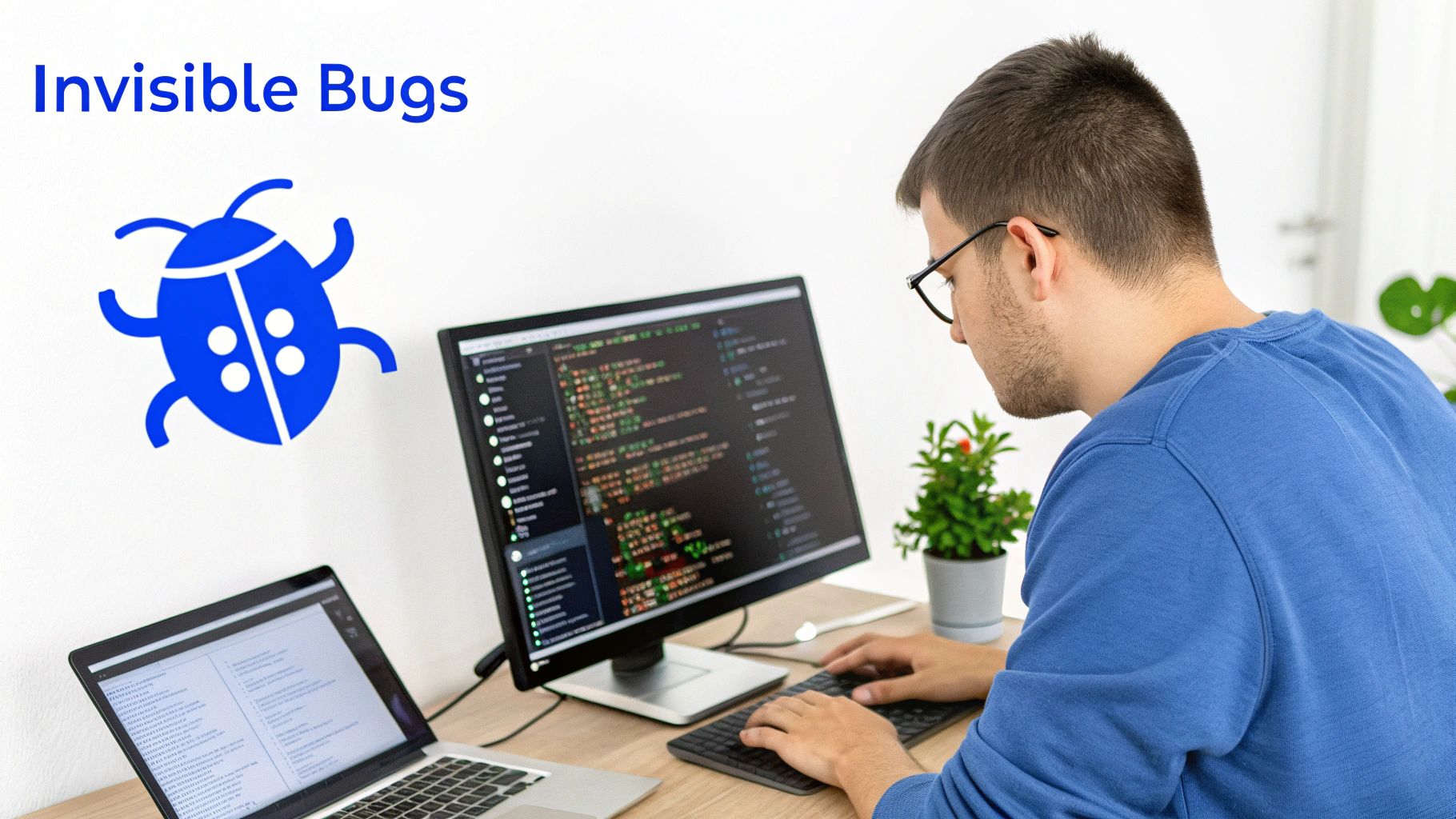
We'll use Python for these snippets, but the underlying principles are universal. What matters is recognizing the pattern of flawed thinking behind each bug, because you'll see these across all languages.
Off-By-One Errors in Loops
The off-by-one error is a classic. This is the bug you get when a loop runs one too many times, or one too few. It almost always comes down to a simple mistake with comparison operators, like using < (less than) when you really needed <= (less than or equal to).
Imagine you need to print the numbers from 1 to 5. Easy, right?
Buggy Code:
This loop is going to stop short, only printing 1 to 4.
for i in range(1, 5):
print(i)
The logic here is flawed because Python's range(start, stop) function goes up to, but doesn't include, the stop value. The developer wanted to include 5, but the instruction they gave the computer cuts it off.
Corrected Code:
A simple fix to get the right output.
for i in range(1, 6): print(i) By just bumping the range up by one, the output now matches the goal. This kind of error won't crash your app, but it will give you subtly wrong results that can cause huge headaches in things like data processing or financial calculations.
Flawed Conditional Logic
Conditional statements—your classic if/else blocks—are another minefield for logic errors, especially when you mix up and and or. It’s a tiny change that can completely alter how your program makes decisions.
Let's say a program needs to approve a loan if an applicant has good credit or a high income.
Buggy Code:
This code demands BOTH conditions are true, not just one.
credit_score = 750 income = 40000
if credit_score > 700 and income > 50000:
print("Loan Approved")
else:
print("Loan Denied")
The bug is right there: using and when the business rule clearly stated or. This mistake means perfectly qualified people get denied because the logic is way stricter than intended. The program runs fine, but it’s doing the wrong job.
Corrected Code:
Now we're correctly checking if EITHER condition is met.
credit_score = 750 income = 40000
if credit_score > 700 or income > 50000:
print("Loan Approved")
else:
print("Loan Denied")
Swapping in the or operator makes the logic align with the real-world requirement. Problem solved.
Assignment Instead of Comparison
This one is subtle but absolutely devastating. It happens when you use a single equals sign (=), the assignment operator, instead of a double equals sign (==), the comparison operator. This can create bugs that are incredibly difficult to spot.
Let's look at a function that's supposed to check if a user is an admin.
Buggy Code: user_role = 'guest'
This doesn't check the role, it CHANGES it, then always evaluates to True.
if user_role = 'admin':
print("Access Granted")
else:
print("Access Denied")
In many languages, an assignment operation inside an if statement like this will always evaluate to True. The horrifying result? Every single user is granted admin access, no matter what their role is. It's a massive security hole caused by a single character.
Key Takeaway: An assignment operator (
=) changes a variable's value. A comparison operator (==) checks if two values are equal. Confusing the two completely undermines your logic.
Corrected Code: user_role = 'guest'
This correctly COMPARES the variable's value.
if user_role == 'admin': print("Access Granted") else: print("Access Denied") This simple fix restores the security check, proving how a single character can be the difference between a secure system and a wide-open one. These examples show how logic errors hide in plain sight, making careful code reviews and thorough testing absolutely essential.
The Real-World Business Impact of Flawed Code
Logic errors aren't just frustrating puzzles for developers. They're serious business risks that carry some steep financial consequences. When flawed code makes its way into a live production environment, the fallout can range from small usability headaches to catastrophic system failures that directly hit your revenue, reputation, and customer trust.
Think about it: a simple miscalculation in an e-commerce checkout can cost thousands in lost sales. A faulty if statement could accidentally open up a critical security hole. These aren't just technical problems; they are active threats to your project's success and budget.
The numbers paint a pretty stark picture. Recent stats show that 19% of software projects fail completely, and another 49% blow way past their initial budgets. A huge driver behind these expensive failures is flawed logic, often stemming from unclear goals and sloppy validation from the start.
In fact, poor requirements gathering—a prime source of logic errors—was the top reason for project failure at a whopping 39.03%. And inadequate testing let these bugs slip right through in 29% of those failed projects. If you want to dive deeper, this analysis from Beta Breakers has some great data on how bad requirements sink projects.
From Bad Logic to Bottom-Line Losses
The financial damage from logic errors goes way beyond the initial development costs. Just consider the operational expenses that start piling up once a bug is discovered after launch.
- Increased Support Costs: Suddenly, your customer service team is swamped with tickets and complaints from users hitting weird behavior, straining your support staff and budget.
- Emergency Patching: The development team has to drop everything they're doing—new features, planned improvements—to scramble for a fix. This means expensive context switching and project delays.
- Reputational Damage: Nothing kills brand loyalty faster than buggy software. Negative reviews and public criticism make it much harder to attract new customers and keep the ones you have.
For engineering managers and team leads, this reality reframes the whole conversation around code quality. Investing in proactive error detection and robust testing isn't just an expense—it's a critical strategy for managing business risk and staying competitive.
Ultimately, every single logic error that gets out into the wild creates a ripple effect. It shakes user confidence, bloats your operational costs, and diverts your best engineering talent from innovation to damage control.
The only way to really manage these risks is to catch and fix flawed logic as early as humanly possible, long before it has a chance to impact your users or your bottom line.
Proven Strategies for Finding and Fixing Logic Errors
Logic errors don't wave a red flag or crash your program. They just hide in plain sight, quietly producing the wrong results. You have to put on your detective hat and hunt for the flawed assumption or incorrect step that’s leading your code astray.
Fortunately, there's a well-tested toolkit for this exact purpose. The goal is to stop the frustrating cycle of random code changes and start a methodical search. It all begins by forming a hypothesis—a guess about where things are going wrong—and then using the right techniques to prove or disprove it.
Traditional Debugging Techniques
Before you reach for the fanciest tools, a few tried-and-true methods can reveal a ton about what your code is actually doing versus what you think it's doing. These are often the quickest ways to isolate a problem.
- Print Debugging: This is the oldest trick in the book for a reason. Sprinkling
console.logorprint()statements into your code to check variable values at key points is simple and surprisingly effective. It can get messy on complex problems, but for a quick sanity check, it’s invaluable. - Using a Debugger: Think of a debugger as a time machine for your code. It lets you set breakpoints to pause your program's execution at any line. From there, you can step through the code one instruction at a time, inspect the state of every variable, and watch the exact moment your logic derails.
- Unit Testing: Writing small, focused tests for individual functions is like setting up a safety net. If you have a function that’s supposed to return 10 but your test proves it’s returning 9, you’ve just cornered the bug in a very specific part of your codebase.
The Power of Explaining Your Code
Sometimes the best debugging tool isn't a tool at all—it's just talking it out. There’s a wonderfully effective technique known as rubber duck debugging, which involves explaining your code, line by line, to an inanimate object (like a rubber duck).
The magic here is that you're forced to slow down and articulate the why behind each step. As you verbalize your thought process, the flawed assumption you've been glossing over suddenly becomes obvious. You see the code for what it is, not just what you intended it to be.
Combining these methods helps build a robust problem-solving mindset. For a deeper look at debugging and fixing common coding mistakes, check out this practical guide to handling JavaScript errors.
And to see how modern tools are supercharging this process, you can learn more about the benefits of an AI code debugger and how it can help you spot these tricky errors before they ever become a problem.
How to Prevent Logic Errors Before They Happen
While getting good at debugging is a badge of honor, the best way to handle a logic error is to stop it from ever being written. It’s a complete shift in mindset—moving from reactive fixing to proactive prevention. This approach saves an insane amount of time, money, and headaches by building a culture where quality is everyone's job from the very first line of code.
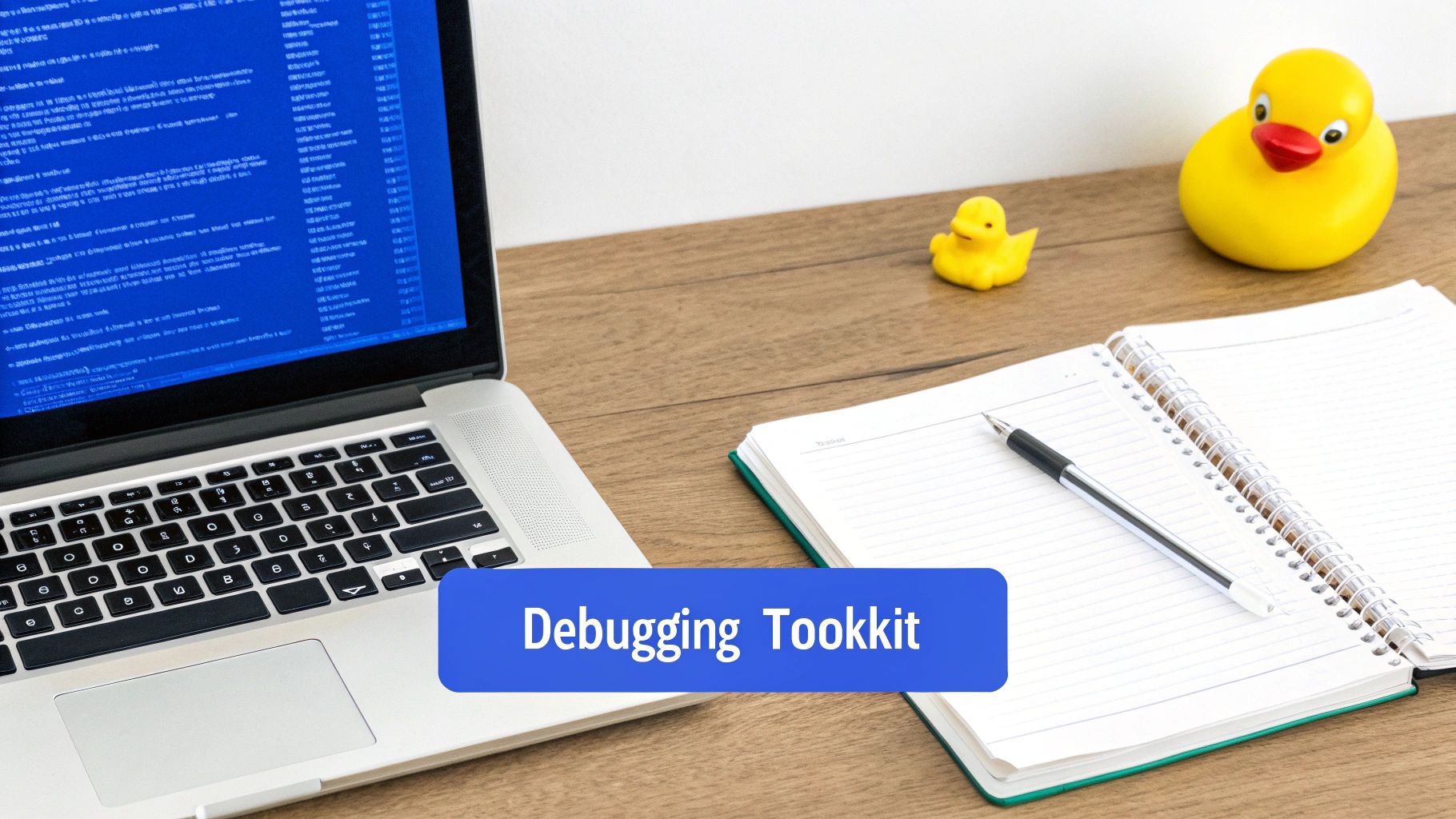
This strategy is often called shift-left testing, which just means integrating quality checks much earlier in the development cycle. Instead of waiting until the end to find bugs, you build systems that resist them from the start.
Building a Proactive Development Culture
You can dramatically cut down the number of logic errors that sneak into your codebase by adopting a few proven methodologies. One of the biggest wins comes from implementing rigorous code review best practices, which helps spot those subtle flaws before they turn into major problems.
These foundational practices are game-changers:
- Pair Programming: Two developers, one machine. This isn't just about writing code together; it's about having a real-time sanity check. One person codes while the other thinks ahead, catching flawed assumptions the moment they appear.
- Test-Driven Development (TDD): This flips the usual process on its head. You write a failing test before you write the code to make it pass. This forces you to clearly define what "correct" looks like upfront, making it much harder to wander off track with bad logic.
- Thorough Code Reviews: This is more than just a quick glance. It's a structured process where peers scrutinize code for correctness, style, and potential landmines. Think of it as institutionalizing the "second pair of eyes" principle.
At their core, these practices are all about challenging the flawed human assumptions where most logic errors are born. These aren't just annoying little bugs, either. One global bank was dealing with logic-driven outages that cost over $100,000 per minute. By implementing better communication and resolution strategies, they slashed their resolution time by a staggering 90%.
The Next Step: Real-Time AI Verification
The rise of AI coding assistants has thrown a new wrench in the works. These tools are incredible at churning out code that looks syntactically perfect but is riddled with the exact kind of sneaky logic errors humans are prone to miss. This is where the next evolution of prevention comes in.
Modern AI verification tools operate directly within your IDE. They analyze your intent—using context from your prompts and repository history—to spot logical flaws in AI-generated code the second it’s created.
This gives you an automated, real-time safety net. By understanding what you actually wanted the code to do, these systems can validate it against your original request. They catch AI hallucinations, security holes, and flawed logic before you even think about committing.
It’s the ultimate form of "shifting left," ensuring quality and correctness are built in, not bolted on later. This immediate feedback loop stops buggy code dead in its tracks.
Got Questions About Logic Errors?
Even with a few examples under our belt, logic errors can still feel a bit slippery. Let's tackle some of the most common questions that pop up. These are the details that really cement your understanding of these sneaky bugs and how to handle them day-to-day.
Can A Program With A Logic Error Still Compile And Run?
Yes, absolutely. This is precisely what makes logic errors so maddening.
Unlike a syntax error that breaks the language’s rules and stops the compiler cold, a logic error is perfectly valid code. The syntax is correct, the grammar is fine, and your IDE probably won't show a single red squiggly line.
The program will build and run without crashing. But it’s going to produce the wrong answer or do something completely unexpected because the instructions you gave it, while technically legal, were just plain wrong from a human perspective.
What Is The Difference Between A Logic Error And A Runtime Error?
Think of it this way: a logic error is your program quietly getting the math wrong, while a runtime error is your program loudly tripping over its own feet and crashing.
A logic error gives you a faulty result, but the program keeps chugging along, completely unaware that it's messed up. Calculating a customer's discount incorrectly is a classic logic error—the app runs, but the final bill is wrong.
A runtime error, on the other hand, happens during execution and brings everything to a screeching halt. Trying to divide by zero or access a file that isn't there are common runtime errors. The key distinction is that a runtime error stops the program, but a logic error just lets it run with the wrong results.
How Can AI Tools Help Prevent Logic Errors In Code?
Modern AI tools are way more than just glorified spell-checkers for code. When they operate right inside your IDE, they’re not just looking at the syntax; they're trying to figure out what you actually intended to do. They do this by looking at your prompts, your repository's history, and even your documentation.
By understanding the goal behind the code, these tools can check if the AI-generated code really does what you asked it to.
This in-IDE verification is a game-changer. It’s like having an automated senior dev looking over your shoulder, catching flawed logic, security holes, and potential regressions in real-time. It’s a safety net that stops bad code from ever making it into your codebase in the first place.
This process helps make sure the code doesn't just run, but that it actually delivers on the business logic you set out to build.
kluster.ai offers real-time, in-IDE verification to catch logic errors and other critical bugs before they are ever committed. By analyzing developer intent, our platform ensures that AI-generated code is not just syntactically correct but also logically sound and secure. Start free or book a demo at kluster.ai to bring instant verification and organization-wide standards into your workflow.