

A Developer's Guide to the GitLab Merge Request
A GitLab merge request isn't just a feature; it's the heart of modern, collaborative development. It's where you formally propose to bring code changes from one branch into another, creating a single place for your team to review, discuss, and run automated checks before anything becomes final.
Think of it as the project's digital workshop, where new ideas are carefully inspected and refined.
The Blueprint for Collaborative Development
Imagine a team of architects working on a building blueprint. One architect has a clever idea to improve the electrical wiring. Instead of scribbling directly on the master plan—a risky move—they make a copy, sketch their changes on it, and then present that copy to the team for discussion and approval.
A GitLab merge request (MR) works exactly the same way. It’s a dedicated space to propose, discuss, and perfect your changes before they become a permanent part of the official codebase. This simple idea moves critical conversations out of siloed emails and DMs, bringing them into a transparent, contextual environment where every decision is tracked.
Core Components of a Merge Request
At its core, an MR is pretty straightforward. It’s made up of a few key pieces that work together to keep the development process smooth and organized. Getting a handle on these is the first step to mastering the whole workflow.
- Source and Target Branches: The source branch is where you've been working on your new changes. The target branch (often
mainordevelop) is where you want to merge them. - Commits: These are the individual snapshots of your work. A clean set of commits tells a clear story about the problem you’re solving and how you solved it.
- Discussion Threads: This is where the magic really happens. Team members can drop comments on specific lines of code, ask questions, suggest improvements, and ultimately give their approval.
Here’s a look at what a typical merge request looks like in GitLab, showing the title, description, and discussion tabs all in one place.
This layout organizes every part of the review, from the initial proposal to the final sign-off, into a single, easy-to-follow view. It’s a powerful model for collaboration that you see across the open-source world.
For example, the community-run GitLab Merge Request Leaderboard shows that in just one recent period, a small group of 78 contributors successfully merged 162 requests. That’s a ton of productive collaboration, and you can track real-time contributions on the official leaderboard. This structured process ensures every change is properly vetted, documented, and safely integrated.
To make this even clearer, here's a quick breakdown of what you'll find in every MR.
Key Components of a GitLab Merge Request
| Component | Purpose |
|---|---|
| Title & Description | Clearly explains the "what" and "why" of the changes. |
| Source & Target Branch | Defines where the code is coming from and where it's going. |
| Commits | A detailed history of the changes being proposed. |
| Changes Tab | A line-by-line "diff" view showing exactly what was added, removed, or modified. |
| Discussion Threads | The collaborative space for inline comments, questions, and approvals. |
| Pipelines | Shows the status of automated CI/CD checks like tests and security scans. |
| Approvals | The formal sign-off mechanism from required reviewers. |
| Assignees & Reviewers | Designates who is responsible for the MR and who needs to review it. |
Each part plays a specific role, turning a simple code proposal into a comprehensive, auditable record of your team's work.
The Merge Request Lifecycle From Creation to Completion
A GitLab merge request isn't just a button you click; it's a living, breathing process with a clear beginning, middle, and end. Think of it as an assembly line for your code. Each station adds value, checks for quality, and gets the final product ready for prime time. Nailing this flow is the secret to keeping your development cycles moving fast.
It all starts with an idea—a new feature, a bug fix, anything. Instead of tinkering with the main codebase, you create a new, isolated branch. This is your personal sandbox where you can code, commit, and experiment without worrying about breaking the stable version of the project. The moment you push that branch to GitLab, the real journey begins.
This diagram shows the whole process in a nutshell, from proposing a change to getting it merged into the main codebase.
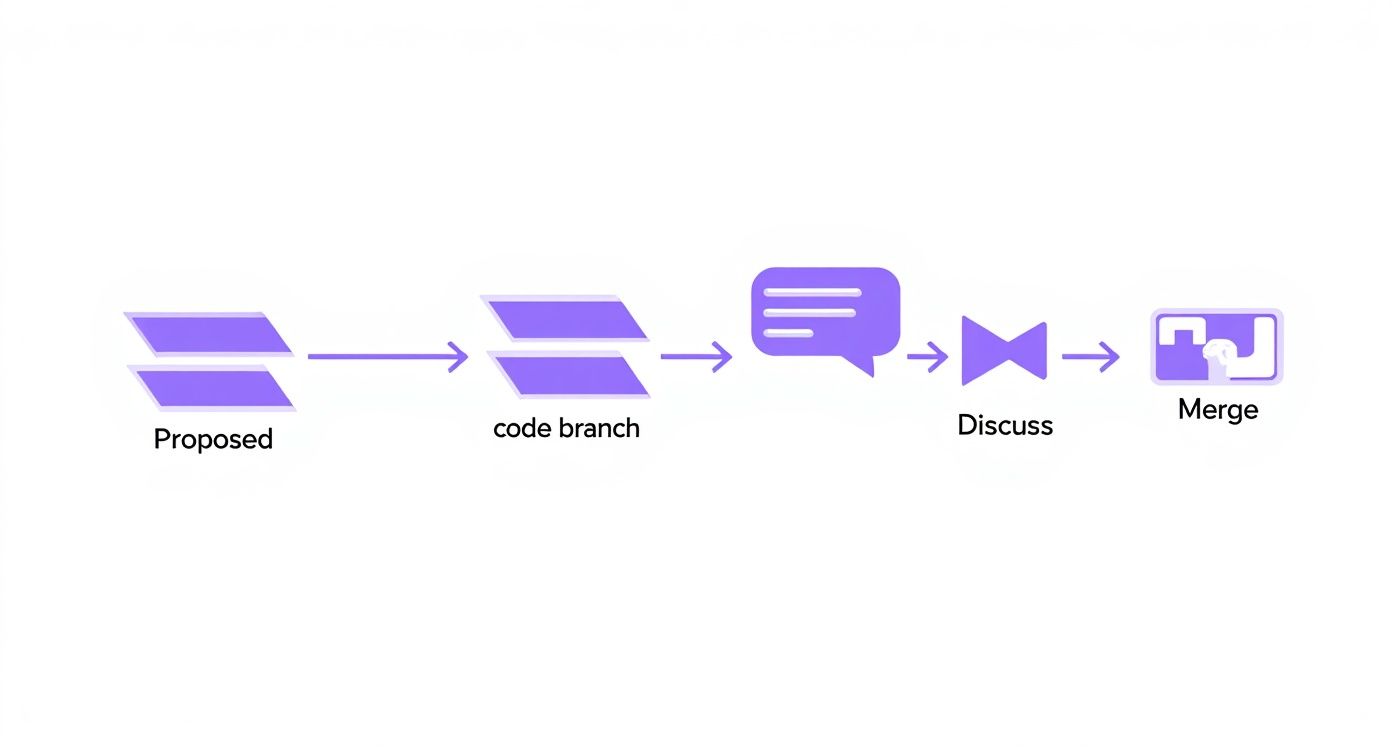
As you can see, a great merge request is a perfect blend of solo work, team collaboration, and automated checks. It’s how you make sure every single change is rock-solid.
Opening the Merge Request
Once your commits are pushed, you pop open the GitLab UI and create the merge request. This is your formal proposal to the team, and a well-written MR is half the battle won. A clear, detailed description is your best friend here. Many teams even use templates to make sure every MR covers the basics:
- What problem are you solving? Start with the "why." What's the point of this change?
- How did you implement it? Give reviewers a high-level walkthrough of your approach.
- How can they test it? Provide clear steps so anyone can verify your work.
Next, you'll assign the MR to the right people. Tagging a senior dev for an architectural review and a QA engineer for functionality ensures you get feedback from all the right angles. Labels like feature, bugfix, or needs-review are also super helpful for keeping everything organized.
The Collaborative Review Cycle
This is where the magic happens. The "Changes" tab is the heart of the review, showing a line-by-line diff of what you added or removed. Here, your teammates can drop comments, ask questions, or suggest improvements right on the code itself. This is way more efficient than trying to explain things in a Slack thread.
A code review isn't just about catching bugs. It's a knowledge-sharing ritual. It spreads ownership, raises the quality bar, and helps the whole team level up by seeing different parts of the code and learning new tricks.
As feedback rolls in, you’ll push new commits to the same branch to address the comments. GitLab is smart enough to automatically update the merge request with your latest changes, keeping a clean timeline of the conversation and all the improvements made along the way. This back-and-forth continues until all discussions are resolved and you’ve got the green light from your reviewers.
Merging and Finalizing the Changes
With all the pipeline checks passed and the necessary approvals in hand, the glorious "Merge" button finally lights up. This is it—the final step where your hard work gets pulled into the target branch.
But before you smash that button, GitLab gives you a few powerful options to keep your project's history clean. The squash commits feature is a team favorite. It lets you bundle all those tiny "fix typo" or "wip" commits from your MR into one single, meaningful commit on the target branch. This makes your Git history incredibly easy to read and understand down the road.
After the merge, you'll see an option to delete the source branch. Do it. This is a simple but critical best practice for keeping your repository tidy. It cuts down on clutter and prevents a graveyard of old, inactive branches from building up. With the branch gone, your work is officially done and is now part of the codebase.
Advanced Workflows to Streamline Your Merge Requests
Once you've got the hang of the basic GitLab merge request lifecycle, it's time to unlock the features that turn a simple review into a powerful workflow engine. These aren't just bells and whistles; they’re designed to tackle complex projects, shield your main branch from bugs, and automatically enforce the quality standards your team depends on.
Moving past a simple, linear review process is the difference between directing traffic with a single stop sign and having a fully synchronized traffic light system for a busy city. It allows you to manage interconnected changes and protect your code quality as you scale.
Manage Dependent Changes with Precision
Ever worked on a feature that was waiting on another change to merge first? It can turn into a coordination nightmare, risking broken builds if something gets merged out of order. Merge Request Dependencies are built to solve this exact problem by letting you create a clear merge order.
You can explicitly mark one MR as a blocker for another. This makes sure that foundational work, like an API update, lands before any MRs that depend on it. GitLab will physically prevent the dependent MR from being merged until its prerequisite is complete, giving everyone a clear visual cue on its status.
It's a simple rule, but it prevents a whole class of frustrating integration errors and keeps your development pipeline flowing smoothly.
Protect Your Main Branch with Merge Trains
Here’s a classic scenario: a bunch of approved MRs all pass CI, but when they merge in quick succession, the main branch suddenly breaks. Why? Because each MR was tested in isolation, not against the very latest version of the target branch plus all the other changes landing at the same time.
Merge Trains are GitLab's answer to this "merge-at-the-same-time" problem. Instead of merging directly, approved MRs are added to a queue—the train. GitLab then runs a new pipeline that tests the first MR combined with the target branch. If it passes, it gets merged. Then, it tests the second MR combined with the new state of the target branch, and so on down the line.
This process guarantees that every single change is validated against the absolute latest version of the codebase it's about to become a part of.
- Sequential Validation: Each "car" on the train is tested with the cumulative changes from the cars ahead of it.
- Automatic Removal: If any MR in the train fails its pipeline, GitLab automatically yanks it from the queue without derailing the others.
- Main Branch Stability: The end result is a main branch that stays green and stable, always.
Preview Changes with Review Apps
Code reviews are essential for logic and style, but what about visual changes or user interactions? Trying to describe a UI tweak in a comment just doesn't cut it. Review Apps solve this by automatically deploying the code from your merge request to a live, temporary environment.
This spins up a fully interactive staging environment for every single MR. Instead of asking a product manager to pull your branch and run it locally, you can just send them a link. They can click around, test the new feature, and give feedback on the real thing, which dramatically speeds up the feedback loop for UI and UX changes. Giving effective feedback is a cornerstone of quality, and you can dive deeper into these strategies by reading the best practices for code review.
Enforce Quality Gates with Approval Rules
Finally, Approval Rules give you the power to define specific quality gates that an MR must pass before it can be merged. These rules are incredibly flexible and can be set at the project or group level to enforce your organization's standards consistently.
For instance, you could set up rules requiring:
- At least two approvals from the backend engineering team.
- A mandatory sign-off from a security team member for any changes to authentication files.
- Approval from a senior developer for any MR that touches the database schema.
These rules make sure the right people review the right code, every time. You can even connect them to Code Owners to automatically assign reviewers based on which files were changed. This takes the guesswork out of the review process and builds a strong foundation of accountability and quality control right into your GitLab workflow.
Integrating CI/CD Pipelines into Your Review Process
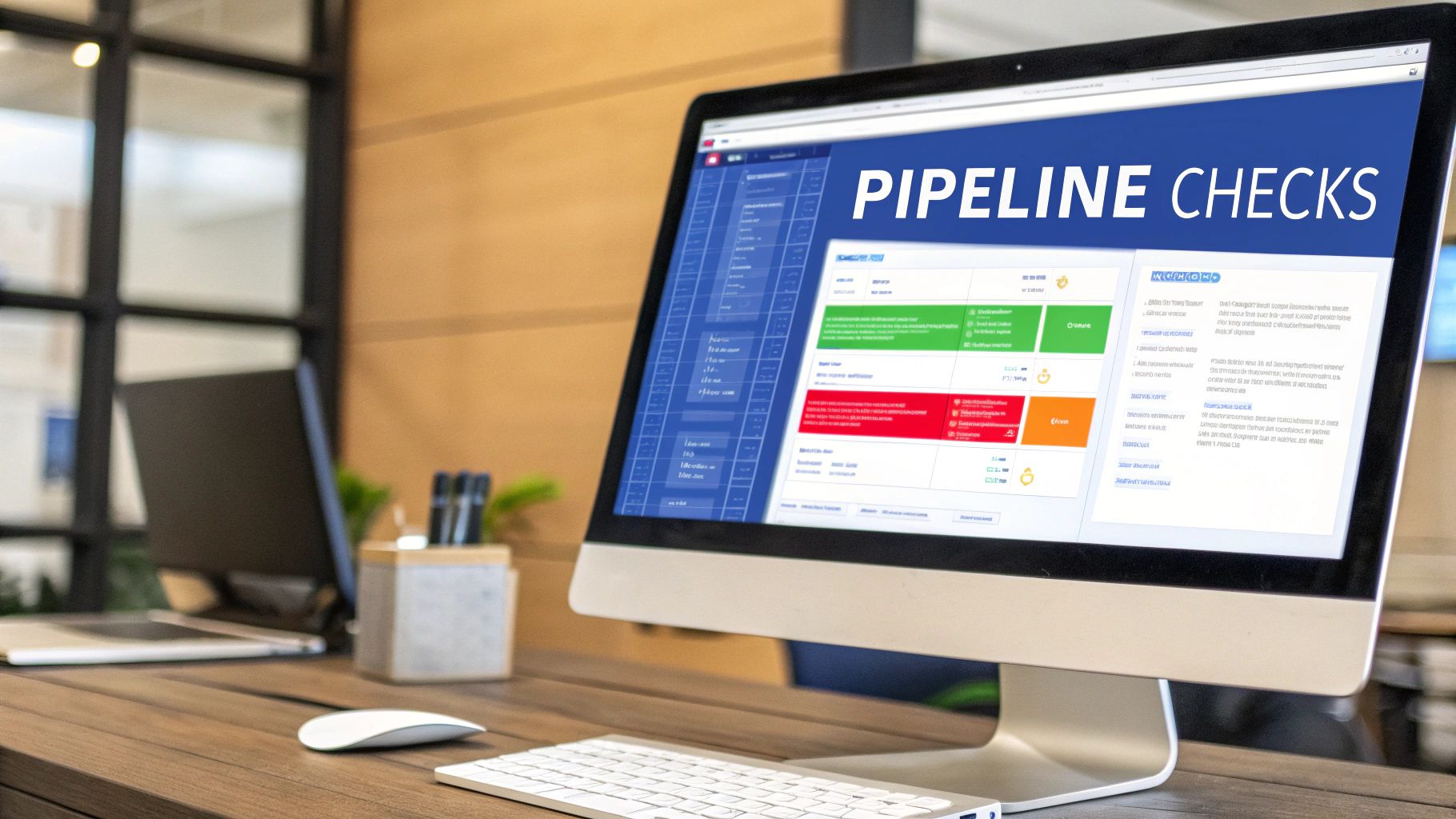
Manual code reviews are powerful, but let's be honest, human eyes can't catch everything. This is where your GitLab merge request transforms into an automated quality assurance system by plugging directly into CI/CD (Continuous Integration/Continuous Deployment) pipelines.
Think of the pipeline as your first line of defense. It's an impartial, tireless teammate that vets every single change before a human ever has to look at it.
When you push a new commit to a branch tied to a merge request, GitLab automatically kicks off a predefined pipeline. This process runs a series of automated jobs that you define, essentially stress-testing your code in a consistent, repeatable way. The results pop up right inside the merge request UI, giving reviewers an immediate, at-a-glance summary of the code's health.
How Automated Checks Transform Reviews
Automating these checks shifts the entire quality process "left," catching issues way earlier and much faster. Instead of a reviewer manually pointing out a style violation or a failing test, the pipeline flags it within minutes of the commit.
This simple change frees up your team to focus on what humans do best: thinking about architectural decisions, challenging business logic, and considering the user experience.
These pipelines can run a whole range of essential checks:
- Code Linting: Automatically enforces consistent coding styles and nips syntax errors in the bud.
- Unit Tests: Verifies that individual pieces of your code work exactly as expected in isolation.
- Security Scans (SAST/DAST): Scans your code for known vulnerabilities and common security flaws.
- Integration Tests: Makes sure that different parts of your application play nicely together.
This automated feedback loop dramatically shortens review cycles. Developers get instant notifications if their changes break something, letting them fix it immediately rather than waiting hours—or even days—for a manual review to come through. This kind of automation is a core pillar of modern software development best practices.
Enforcing Quality with Merge Checks
The real power of pipeline integration comes from GitLab’s merge checks. You can configure your project to completely block a GitLab merge request from being merged until its pipeline succeeds. No exceptions.
This feature acts as an unbreakable quality gate, guaranteeing that no failing tests or broken code ever makes it into your main branch.
This simple rule—"the pipeline must pass"—is one of the single most effective ways to maintain a stable and healthy codebase. It turns your CI/CD pipeline from a simple reporting tool into an active guardian of your project's quality.
Modern CI/CD pipelines can also go way beyond the basics. For example, teams building web apps can integrate a practical guide to automated accessibility testing to ensure their products are usable by everyone, right from the start.
A Simple Pipeline Configuration Example
Getting this up and running is surprisingly straightforward. All it takes is a .gitlab-ci.yml file in your repository's root. This YAML file defines the stages and jobs your pipeline will run.
Here’s a dead-simple example that runs some tests and a linter:
stages:
- test
- lint
run_tests: stage: test script:
- echo "Running unit tests..."
- npm test
check_code_style: stage: lint script:
- echo "Linting code..."
- npm run lint
With this configuration, any commit pushed to a merge request will trigger two jobs that run in parallel. If either npm test or npm run lint fails, the whole pipeline fails. And if you've enabled merge checks, the "Merge" button will be disabled until it's fixed.
This simple setup creates a robust, automated feedback loop that strengthens every single review.
Using Analytics to Optimize Your Review Cycle
Trying to improve your development workflow can feel like you're just guessing. Are reviews taking too long? Is a certain part of the codebase always a bottleneck? Without data, you’re flying blind. This is where a data-driven approach stops the guesswork and gives you real, actionable insights.
GitLab has a powerful tool built right in for this: Merge Request Analytics. It’s a dashboard that translates your team's everyday activity into clear, measurable metrics. By seeing how work actually flows through your system, you can pinpoint exactly where the friction is and make smart changes that have a real impact on speed and quality. You stop just managing merge requests and start actively optimizing them.
Key Metrics to Monitor
To get started, don't get overwhelmed by all the data. Just focus on a few high-impact metrics that tell the story of your team's performance. These numbers help you answer the big questions about your development cycle.
- Throughput: This is simply the total number of merge requests your team merges over a specific time, like a week or a month. It’s a clean measure of your team's overall output.
- Mean Time to Merge (MTTM): This tracks the average time from the moment a GitLab merge request is created until it’s finally merged. A high MTTM is almost always the first sign of a slowdown in your review process.
According to GitLab’s own docs, a typical large enterprise might see a mean time to merge between 1.5 to 3 days, though this varies a lot with team size and project complexity. You can learn more about GitLab's merge request analytics to see how your team stacks up.
Visualizing Your Workflow Bottlenecks
The analytics dashboard gives you a clear visual of these metrics, making it easy to spot trends over time.
From this view, you can quickly see how many MRs are being merged each month and easily spot any outliers that took way too long to get done.
When you start digging into this data, patterns emerge. Maybe you notice that MRs touching a specific legacy service consistently have a sky-high MTTM. That insight is your cue to start asking why.
The goal of analytics isn't to micromanage developers; it's to identify and remove systemic obstacles that slow the entire team down. Data helps you ask better questions and focus your improvement efforts where they matter most.
Turning Insights into Actionable Improvements
Once you’ve found a bottleneck, you can take real steps to fix it. The data points you to the problem, and your team’s expertise provides the solution.
For example, if your MTTM is high across the board, what do you do next?
- Review Approval Rules: Do simple changes really need three different people to sign off? You might be able to streamline the process for low-risk MRs.
- Improve MR Descriptions: Are reviewers constantly asking for more context? Beef up your MR templates to make sure developers provide all the necessary info right from the start.
- Offer Targeted Support: Does one team consistently have slower review cycles? They might need more training, better documentation, or clearer guidelines for their part of the codebase.
By using analytics, you create a continuous feedback loop. You spot a problem, you try a fix, and then you use the data to see if it actually worked. This transforms your merge request process from a static, rigid workflow into a living system that constantly gets better.
Bringing Your Code Reviews Into the Future with AI and IDE Integration

Even with slick CI/CD pipelines handling all the pre-merge checks, the code review itself is still stuck in the past—a largely manual, time-consuming process. This is the final frontier of the GitLab merge request workflow, and it’s an area absolutely begging for an upgrade. Thankfully, modern tools are finally bringing smart automation right where developers need it most.
The idea isn't to replace human reviewers, but to elevate them. When you offload the repetitive, predictable checks to a machine, you free up your team’s brainpower. They can stop hunting for syntax errors and start asking the big questions: Does this architecture make sense? Is this the best user experience? Does this align with our long-term goals?
AI as Your Automated Teammate
Imagine a new team member who can review an entire merge request in seconds, day or night. That’s exactly what AI-powered code review tools bring to the table. These systems plug directly into GitLab, automatically scanning every new line of code for a whole spectrum of potential issues.
Instead of waiting hours for a human to get to it, the AI acts as the first line of defense. It can drop comments and suggestions right into the merge request, flagging things like:
- Potential Bugs: Catching common logic errors or tricky edge cases you might have overlooked.
- Security Vulnerabilities: Spotting insecure coding patterns before they even have a chance to hit the main branch.
- Performance Bottlenecks: Pointing out inefficient code that could bog down your application.
- Style and Convention Issues: Automatically enforcing your team’s specific coding standards.
By taking over the tedious, low-level checks, AI lets human developers focus on what they do best: thinking critically about the big picture. It turns the review process into a collaboration where automation handles the noise, and people provide the wisdom.
This isn't just theory; the impact is huge. Teams using AI reviewers with their GitLab merge requests have slashed review times by up to 50%. One 2025 study found that tools like CodeRabbit and Panto AI cut the average review cycle from a painful 48 hours down to just 24.
Stop Switching Contexts: Bring Reviews Into Your IDE
One of the biggest productivity killers for any developer is context switching. Jumping back and forth between your code editor and the GitLab UI to check comments, view diffs, and manage approvals absolutely shatters your focus.
This is where GitLab extensions for popular IDEs like VS Code and JetBrains come in. They’re designed to kill that friction by pulling the entire merge request workflow directly into the environment where you’re already writing code.
With this kind of integration, you can handle all the critical review tasks without ever leaving your editor.
- Check out the source branch for a merge request with a single click.
- View and reply to comments right alongside the relevant code.
- Suggest changes and push your updates directly from the IDE.
- Approve the merge request the moment you're satisfied.
It creates a seamless, unified workflow that keeps you in a state of flow. The review process stops feeling like a separate, disruptive chore and becomes a natural part of writing code. Understanding how this fits into the bigger picture of AI-driven development is key; it's all part of the evolution toward a prompt to app workflow.
When you combine in-IDE reviews with AI-powered checks, you create a hyper-efficient feedback loop that can dramatically speed up your entire development cycle.
Answering Your Top GitLab Merge Request Questions
Even the most seasoned developers run into tricky situations or confusing terminology with GitLab merge requests. Let's clear up some of the most common questions that pop up, so you can spend less time guessing and more time shipping code.
Think of this as your field guide for the daily grind. No need to get bogged down by jargon—just find your answer and get back to what you do best.
Merge Request vs. Pull Request: What’s the Deal?
This is the number one question, hands down. And the answer is refreshingly simple: they're the same thing.
A GitLab Merge Request (MR) and a GitHub Pull Request (PR) are just different names for the exact same concept. Both are the central place where you propose, discuss, and merge code from one branch into another. The whole collaborative dance—code reviews, threaded discussions, CI/CD checks, approvals—it all works the same. It's just branding.
How Do I Handle a Monster Merge Request?
Honestly, the best way to handle a massive merge request is to not create one in the first place. Smaller, focused MRs that tackle one logical change are always easier to review, faster to test, and safer to merge. They cut down on the mental gymnastics for reviewers and drastically reduce the risk of shipping a nasty bug.
A merge request should be a single, well-defined chapter in your project's story, not the entire book. Keeping them small and focused ensures the story is easy to follow and review.
But sometimes, a big one is unavoidable. When that happens, here's how to manage the chaos:
- Use Feature Flags: This is your best friend. Merge the work into your main branch bit by bit, but keep it tucked away behind a feature flag until it's fully baked and ready for users.
- Write a Killer Description: Your MR description should be a guided tour for your reviewers. Explain the why behind the changes, walk them through the new architecture, and point out the most critical pieces.
- Craft Logical Commits: Don't just dump one giant commit. Break the work down into a series of clean, well-documented commits that tell the story of how you built the feature.
What's a Draft Merge Request For?
A Draft merge request (you might remember it as "WIP" or Work in Progress) is a clear signal to your team: "Hey, look at this, but don't merge it yet!" It's a fantastic tool for getting feedback early and often.
Putting an MR in draft status is perfect when you want to:
- Get a gut check on your technical approach before you go too far down a rabbit hole.
- Kick off the CI/CD pipeline to see if your initial changes pass the tests.
- Make absolutely sure nobody merges your branch by accident while you're still working.
Once you’re ready for a formal review, just click the button to remove the "Draft" status, and you're good to go.
Accelerate your development cycle by catching errors before they ever become a GitLab merge request. With kluster.ai, you can get real-time, AI-powered code reviews directly in your IDE, ensuring every line of code meets your team's standards from the very beginning. Start for free or book a demo to see how instant feedback can transform your workflow.