

Code review in gitlab
Code review in GitLab is all about collaboration, and it lives inside the Merge Request (MR). This is where your team submits, debates, and ultimately approves code changes before they hit the main branch. With tools like inline commenting, approval rules, and automated checks baked right in, it becomes the central nervous system for your team's development process.
Why Better Code Reviews in GitLab Matter
Let's get real for a moment. We can talk all day about the textbook reasons for code review, but what does a truly great review process in GitLab actually feel like? It’s the difference between shipping features with confidence and dreading a weekend pager alert for a bug that should have been caught on Tuesday.
A well-oiled review process turns the Merge Request from a simple gate into a hub for real teamwork. It’s where junior developers get crucial feedback from seniors, where domain experts drop in with context nobody else has, and where the whole team builds a shared understanding of the codebase. That shared ownership is what builds resilient, maintainable software.
Fostering a Culture of Quality and Collaboration
Look, effective code reviews are more than just bug hunts; they're a massive factor in boosting developer productivity and keeping your team sharp. When feedback is constructive and delivered quickly, developers level up faster, and you start breaking down those pesky knowledge silos.
This creates a positive loop: better developers write better code from the start, which means less time wasted on rework and painful debugging cycles.
It’s this collaborative spirit that fuels GitLab’s own success. The platform’s active contributor base jumped from about 2,600 in 2021 to roughly 3,500 in 2023—that's a 34.6% spike in just a few years. This community is so engaged that it collectively powers over 100 software releases every single year, as highlighted by stats from ElectroIQ.com. It’s a testament to what a strong collaborative ecosystem can achieve.
The real goal of a great code review process isn’t just to merge better code. It’s to build better developers. Every comment, suggestion, and approval is a chance for mentorship and collective growth.
Before we dive into the "how," it's worth taking a moment to appreciate the core features GitLab provides. They are the building blocks for everything we're about to set up.
Key GitLab Code Review Features at a Glance
This table breaks down the essential tools GitLab offers and what they bring to the table. Understanding these will help you see how all the pieces fit together to create a powerful, integrated workflow.
| Feature | Primary Benefit | Best For |
|---|---|---|
| Merge Requests (MRs) | Centralizes discussion, changes, and automated checks in one place. | All teams; the core of the collaborative workflow. |
| Inline Comments | Provides context-specific feedback directly on the lines of code. | Detailed, line-by-line feedback and initiating discussions. |
| Approval Rules | Enforces quality gates by requiring sign-off from specific people. | Teams needing compliance, security, or domain expert sign-off. |
| Code Owners | Automatically assigns reviewers based on file paths. | Large codebases with clear areas of ownership (e.g., frontend, API). |
| CI/CD Integration | Runs automated tests, linting, and security scans on every change. | Ensuring code quality and security standards are met automatically. |
| Suggested Changes | Allows reviewers to propose fixes that authors can apply with one click. | Speeding up minor corrections and reducing back-and-forth. |
These features aren't just a random collection of tools; they are designed to work together to reinforce good habits and make the right way to review code the easiest way.
The Real-World Impact on Your Workflow
So what does a strong review process actually change in your day-to-day? A streamlined code review in GitLab delivers some very real benefits:
- Shorter Bug-Fixing Cycles: Catching logic flaws or potential security holes before they merge saves countless hours of frantic debugging later.
- Faster Onboarding for New Devs: New hires learn the codebase, architectural patterns, and team standards just by participating in reviews. It’s learning by doing.
- Consistent, Clean Code: When you enforce style guides and best practices inside the MR, the entire codebase stays readable and easier for everyone to work with.
By building these structured habits, you’re creating a more predictable, less chaotic development cycle. If you want a refresher on the foundational principles, our guide on the best practices for code review is a great place to start.
Now, let's get our hands dirty and start setting this up in GitLab.
Navigating the Merge Request Workflow
The Merge Request (MR) is the heart and soul of code review in GitLab. Think of it less as a simple request to merge code and more as the living history of a change, from the first commit all the way to the final green light. A well-crafted MR can be the difference between a five-minute review and a week-long nightmare of back-and-forth messages.
Your number one job when creating an MR is to make the reviewer's life as easy as possible. It all starts with a clear, descriptive title. Ditch the generic stuff like "Bug fix" or "Updates." Get specific. "Fix: Prevent Null Pointer Exception in User Authentication" or "Feat: Add Caching to Product Recommendation API."
That simple tweak immediately gives reviewers the context they need before they even see a single line of code. It sets the stage for a focused review, which saves everyone time and mental energy.
This focus on quality up front isn't about slowing down; it's about building momentum. When collaboration is smooth, speed naturally follows.
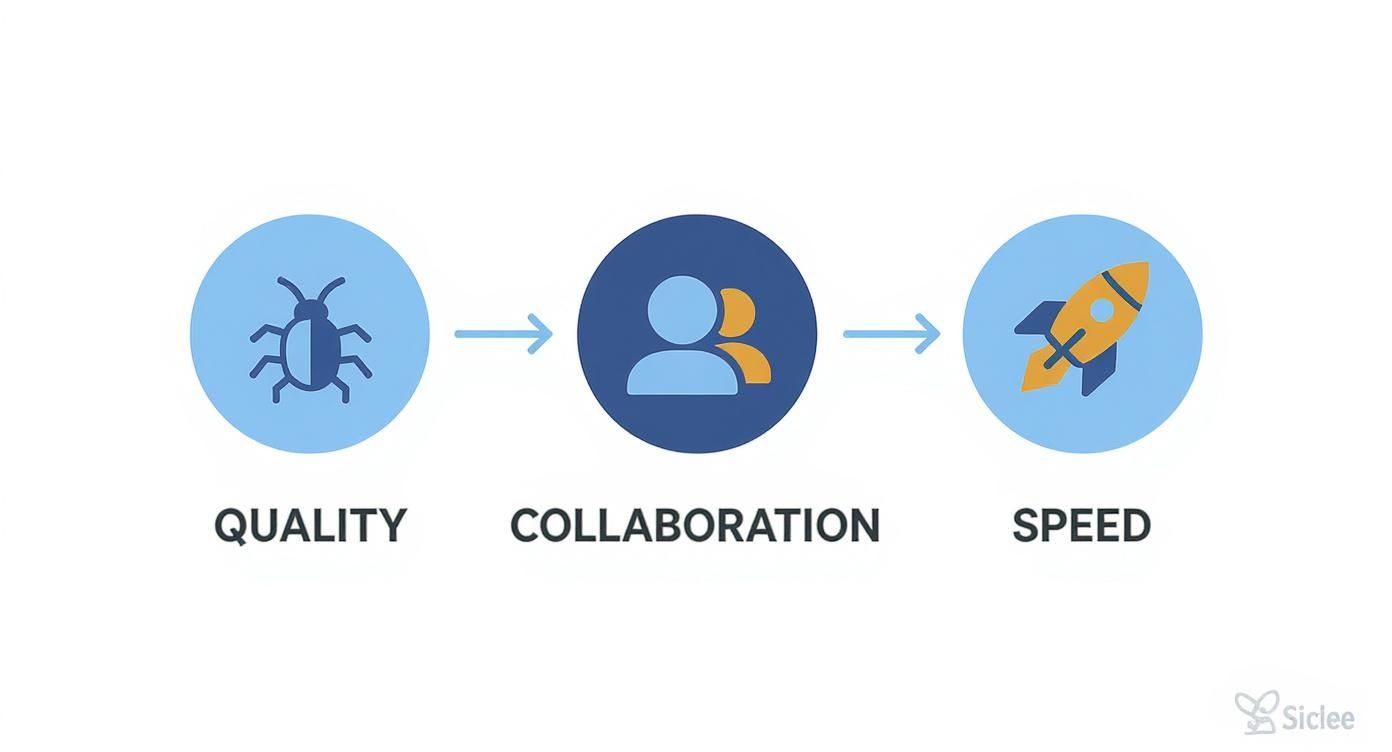
As you can see, quality and collaboration aren't roadblocks—they're the fuel that accelerates delivery.
Crafting the Perfect Merge Request Description
After the title, the MR description is your best shot at providing crucial context. Never, ever leave it blank. A solid description should nail three key questions for the reviewer:
- What does this change actually do? A quick summary is perfect. Are you adding a feature, crushing a bug, or refactoring some old code?
- Why does this change exist? This is huge. Link to the Jira ticket, the GitHub issue, the user story—whatever gives the business context. Help the reviewer understand the problem you're solving.
- How can I test this? Give them a foolproof, step-by-step guide to verifying your work. Include any setup details, test credentials, or specific user flows to check. Pro tip: Screenshots and GIFs are your best friends here.
Many teams take this a step further and create MR templates. It’s a simple piece of automation that enforces consistency and makes sure no one ever forgets to include the important stuff.
Providing Actionable Feedback as a Reviewer
When you're on the other side of the MR, your goal is to provide feedback that is clear, constructive, and—most importantly—actionable. GitLab is built for this. As you scan the diffs in the "Changes" tab, you can drop inline comments right on the relevant lines of code.
Specificity is everything. "This is confusing" helps no one. Instead, try something like, "Could we rename this variable to userProfile? It would make the intent clearer." Now you’ve turned a vague critique into a helpful suggestion.
For small fixes, GitLab's suggestion feature is an absolute game-changer. It lets you propose a specific code change right inside your comment. The author can apply it with a single click. This feature alone can slash the time it takes to fix typos, style violations, and other minor issues.
A great code review comment does three things: it identifies an issue, explains why it's an issue, and suggests a path toward a better solution. The goal is to improve the code, not to criticize the author.
Managing the Conversation and Reaching Approval
As feedback rolls in, discussion threads can get complicated. GitLab gives you a great way to manage this: you can resolve individual discussion threads as they're addressed. This turns the comment section into a living to-do list for the MR author, making sure no piece of feedback gets lost in the shuffle.
Got something that's not quite ready for prime time? Use the Draft MR feature (you might also see it called "WIP"). This tells the team your code isn't ready for a formal review, but you're open to early feedback on your approach. It’s a fantastic way to collaborate on complex features and avoid spending days building something the wrong way.
Mastering these MR fundamentals lays the groundwork for a fast and effective code review culture, turning a routine process into a powerful engine for quality.
Automating Quality with CI and Security Scans
Let's be honest: manual code reviews are powerful, but your team’s brainpower is a finite and expensive resource. Spending that valuable time catching missing semicolons, style guide violations, or common security oversights is a massive waste. This is where automation becomes your secret weapon in the code review in GitLab process.
By plugging your Continuous Integration (CI) pipeline directly into the Merge Request (MR), you create an automated quality gate. Think of it as your first line of defense, catching all the low-hanging fruit so your human reviewers can focus their energy where it actually matters—on architecture, logic, and whether the change solves the business problem.
The idea is simple: let the machines handle the repetitive, objective checks. This doesn't just speed up the review cycle; it enforces a consistent quality baseline for every single change that gets proposed.
Building Your First Line of Defense with CI Jobs
The magic really starts inside your .gitlab-ci.yml file. This is where you define the automated jobs that spring into action every time a new commit is pushed to a merge request. These jobs give developers immediate, unbiased feedback right inside the MR interface.
A solid automated quality pipeline usually includes a few key stages:
- Linting: A linter is your automated style guide enforcer. It scans source code to flag stylistic errors, formatting mistakes, and sketchy code constructs before a human ever sees them.
- Unit Tests: This is the bedrock of code quality. Running your test suite automatically makes sure the new changes haven't accidentally broken existing functionality.
- Static Analysis: These tools inspect your code without even running it, sniffing out potential bugs, code smells, and overly complex areas that might slip past a manual review.
Once this is set up, a reviewer never has to leave another comment like, "You forgot to run the linter." The pipeline's big red 'failed' status says it all, telling the author to fix the issues before asking for a human's time. You can dive deeper into different approaches in our guide to automated code review tools.
By automating routine checks, you shift the conversation from "Is this code formatted correctly?" to "Does this code solve the problem effectively?" This elevates the entire purpose of code review.
Integrating GitLab Security Scans
Beyond code style and basic functionality, security is non-negotiable. GitLab comes packed with a powerful suite of built-in security scanning tools that slot seamlessly into your CI/CD pipelines. This is the heart of DevSecOps—embedding security into every single stage of development, not treating it as an afterthought.
Two of the most impactful scans you can enable right away are:
- Static Application Security Testing (SAST): SAST scans your source code for known vulnerabilities. It’s like having a security expert analyze your raw code for common weaknesses—think SQL injection or cross-site scripting flaws—before it even gets deployed.
- Dynamic Application Security Testing (DAST): DAST takes a completely different approach by testing your running application for vulnerabilities. It simulates external attacks to find security risks that might only pop up at runtime.
GitLab makes enabling these scans incredibly simple; often it's just a matter of including a pre-built template in your .gitlab-ci.yml. Once configured, security vulnerabilities get flagged directly in the merge request, complete with severity levels and advice on how to fix them. This empowers developers to patch security holes immediately, instead of waiting for a separate security audit weeks or months down the line.
This level of automation is becoming critical as AI-assisted coding explodes. Despite the hype, only about 37% of developers fully trust AI for daily tasks without human oversight. In fact, 73% have run into issues with AI-generated code from "vibe coding," where spontaneous AI suggestions introduce subtle errors. Insights from the 2025 report on AI code review tools show just how important it is to have a robust, automated safety net to validate all code, regardless of whether a human or an AI wrote it.
Using Approval Rules and Code Owners
When your team and codebase start to grow, the old "just get one approval" model for code reviews quickly falls apart. A single merge request might touch the frontend, tweak a database schema, and modify backend logic. A generic, one-size-fits-all review process just can't keep up with that complexity.
This is exactly where GitLab's more advanced approval features come into play, turning your review process from a loose handshake agreement into a precise, enforceable quality gate that actually scales.
Lock It Down with Protected Branches
Before you even worry about who should approve a change, you need to decide where those changes can go. The first line of defense is always the Protected Branch. By protecting critical branches like main, develop, or anything matching a release/* pattern, you establish rules that are simply non-negotiable.
Think of it as the bouncer for your most important code. It stops direct pushes and forces every single change to go through a formal merge request. This is the foundation for a reliable review workflow.
Setting one up is simple. Head over to your project's Settings > Repository and find the Protected branches section. From there, you can pick a branch (or use a wildcard) and set the rules.
At an absolute minimum, you'll want to configure these two settings:
- Allowed to merge: Set this to "Maintainers." This stops just anyone from clicking the merge button.
- Allowed to push and merge: Set this to "No one." This is the key that forces every single change through a merge request.
This small change immediately shuts down a massive potential loophole and funnels all contributions through the structured code review in GitLab process, where you can actually enforce your quality standards.
A protected branch isn't just a setting; it's a statement about your team's commitment to quality. It declares that certain parts of your codebase are so critical that no change gets in without proper scrutiny.
Define Who Needs to Sign Off with Approval Rules
With your key branches locked down, the next step is to define who needs to approve the changes. This is where Approval Rules come in. You can set these up at the project level for consistency, but you still have the flexibility to override them on a specific merge request when needed.
For instance, a pretty standard setup is to require a sign-off from different disciplines. You could create separate rules that demand at least one approval from your "Backend Engineers" group and another from the "Frontend Engineers" group. This makes sure that changes touching both sides of the application get reviewed by an expert from each domain.
It’s all about bringing clarity and accountability to the process. No more shoulder-tapping to ask, "Hey, can you look at this?" and no more changes getting merged without the right eyes on them.
Get Granular with the CODEOWNERS File
Approval rules are fantastic for broad, project-wide policies, but the real magic for large codebases is the CODEOWNERS file. This is just a plain text file you drop in your repository (usually in the root, .gitlab/, or docs/) that maps file paths and directories to the specific people or teams who own that code.
It’s basically an automated routing system for your reviews. When a merge request modifies a file, GitLab scans the CODEOWNERS file. If it finds a matching rule, the designated owners are automatically pulled in as required approvers. This is a game-changer for complex projects.
Here's what a simple CODEOWNERS file might look like:
# Design and UI components
src/components/ui/                @gitlab-org/designers

# Database migrations and schemas
db/migrate/                       @gitlab-org/database-team

# Critical authentication logic
src/lib/auth.js                   @sara-security @john-doe

# Documentation requires a technical writer
/docs                             @gitlab-org/technical-writing
With this in place, any change to a UI component automatically pages the design team. A tiny tweak to that critical auth.js file? It goes straight to Sara on the security team. It’s a living, version-controlled system that ensures the right experts are always in the loop.
This turns the code review in GitLab process from a manual chore into a self-enforcing, automated part of your repository's very structure.
To help visualize how these pieces fit together, here are a few common scenarios for configuring approval rules.
Approval Rule Configuration Scenarios
As you can see, combining Protected Branches, Approval Rules, and the CODEOWNERS file gives you an incredibly flexible system. You can start simple and add layers of precision as your team and codebase grow, ensuring every change gets the right level of scrutiny.
Weaving AI Into Your Reviews
Automated CI checks and strict approval rules build a fantastic safety net, but the next real leap forward for code review in GitLab is bringing AI into the mix. Don't think of AI as a replacement for your human reviewers. Instead, picture it as a tireless, lightning-fast assistant that supercharges their skills, taking care of the routine checks and flagging subtle issues that are easy to miss.
AI tools are flipping the script by pushing quality checks all the way to the left—often, right inside the developer's IDE. This means catching potential bugs, security holes, and style violations in real time, before a single line of code ever gets committed. The result? Merge requests land in a much cleaner, more polished state, which takes a huge load off your human reviewers.
This simple shift frees up your team's most valuable asset: their brainpower. Instead of getting bogged down in predictable syntax checks, they can focus on what people do best—thinking through complex business logic, debating architectural choices, and mentoring junior developers.
Putting GitLab Duo to Work for Smarter Reviews
GitLab has been baking its own AI capabilities directly into the platform under the GitLab Duo brand. With the release of GitLab 18.0, these features are no longer just add-ons; they're becoming central to how reviews get done.
A standout feature here is Duo Code Review. You can set it up to run automatically on any new merge request. Once it's on, it provides an initial pass, summarizing the changes and pointing out potential trouble spots without anyone having to lift a finger.
This automated first look delivers a few big wins:
- Quick Summaries: Duo can read the diff and spit out a plain-English summary of what the MR is trying to do, giving reviewers instant context.
- Spotting Issues: It's great at flagging code that might be inefficient, tough to maintain, or deviates from the patterns in your repository.
- Team-Wide Consistency: By running on every non-draft MR, you get a consistent, automated baseline of analysis applied to every single change.
Another neat feature is Suggested Reviewers. This tool uses machine learning to look at the code being changed and recommend the best people on your team to review it, all based on who's worked on those files before. It’s a simple way to get MRs in front of the right experts faster, so they don't just sit there gathering dust.
The "Shift Left" Power of In-IDE AI Assistants
While GitLab's built-in AI is a huge help at review time, the most significant improvements often come from tools that get involved even earlier. AI-powered platforms that plug directly into a developer's IDE, like kluster.ai, give feedback as the code is being written.
This pre-commit check acts as a proactive quality gate. Think about it: an in-IDE assistant can vet AI-generated code against your company's security policies, naming conventions, and architectural rules before the developer even hits "save."
When you catch logic errors, security vulnerabilities, and compliance issues right in the editor, they never become a problem in a merge request. This absolutely slashes the back-and-forth on reviews and shrinks the feedback loop from days to seconds.
This approach is especially vital for teams going all-in on AI coding assistants. You essentially have one AI validating the output of another, making sure the generated code isn't just working, but is also secure, performant, and in line with your team’s way of doing things. It helps kill that frustrating "ping-pong" game where an MR gets sent back over and over for small fixes that an assistant could have caught instantly.
Tapping Into Third-Party AI Integrations
The ecosystem for AI code review tools is blowing up right now. Many teams find the sweet spot by mixing GitLab's native tools with specialized third-party services. The cost of purely manual reviews is staggering; for a team of 250 developers, it can chew up over 21,000 hours a year. AI platforms like Panto AI, CodeAnt AI, and Greptile can cut that time in half by automating things like pull request summaries and security scans. You can dig into the numbers in this research on top GitLab code review tools.
These tools often bring a deeper, more context-aware analysis to the table than generic linters can. To see how other AI-powered tools can streamline your development process, it's worth checking out Parakeet AI's solutions.
By bringing AI into the fold, you're really creating a multi-layered defense for code quality. The IDE assistant catches problems at the source, GitLab's CI and security scans run their checks on commit, Duo provides that first AI-powered analysis, and finally, your human reviewers give the ultimate architectural and logical sign-off. It’s a comprehensive strategy that makes your code review in GitLab process faster, smarter, and far more effective.
Common Code Review Questions in GitLab
As teams get their sea legs with GitLab, the same questions about code review tend to bubble up. These aren't just about syntax or settings; they dig into team dynamics, speed, and what actually works in the real world. Nailing down clear answers here is the difference between a smooth workflow and constant friction.
Let's dive into the most common questions I hear from developers and managers and get you some practical answers you can use today.
How Can We Reduce the Time Our Merge Requests Stay Open?
An MR gathering dust is a killer for momentum. When this happens, the fix is usually a combination of better process and a small culture shift.
First off, keep your merge requests small and focused. An MR that solves one specific problem is ridiculously easier and faster to review than a monster change that touches a dozen different files. Think scalpel, not sledgehammer.
Next, level up your MR descriptions. Give the reviewer everything they need: clear context, a link to the ticket, and detailed "how to test" steps. Screenshots and GIFs are your best friends here—they eliminate all the guesswork. You should also make sure the right people see it immediately. Use GitLab's 'Suggested Reviewers' or, even better, set up a CODEOWNERS file to automatically loop in the right experts.
A merge request needs to tell a complete story. The less a reviewer has to hunt for context outside the MR, the faster they can give you solid feedback. Treat it like a self-contained package of change.
Finally, set a team-wide expectation for review turnaround. It doesn't have to be a rigid SLA, but a shared goal—like aiming for a first pass within 24 hours—creates a culture where feedback is prompt and MRs don't get lost in the void.
What Is the Best Way to Handle Feedback I Disagree With?
Hey, disagreements in code reviews are normal. In fact, they're often a sign of a healthy team where people actually care about the quality of the code. It’s all about how you handle it.
Always start by assuming positive intent. The reviewer is trying to make the code better, not attack you personally.
In the GitLab discussion thread, lay out your reasoning calmly and clearly. Back it up. Point to official docs, existing patterns in your codebase, or performance data. If the back-and-forth in text starts feeling unproductive or getting tense, pull the ripcord.
Hop on a quick video call or screen-share. A five-minute chat can clear up a misunderstanding that would have taken an hour of typing. If you're still at a stalemate, bring in a neutral third party like a tech lead or senior dev for a tie-breaking vote. Whatever you decide, make sure to document the outcome in the MR thread so everyone knows why the final decision was made.
Can We Enforce That Our CI Pipeline Must Pass Before Merging?
Yes, you absolutely can, and you absolutely should. This is non-negotiable for any team that's serious about shipping stable code. It’s your automated gatekeeper, preventing broken code from ever hitting your main branch.
Setting this up is simple. Go to your project's Settings > General and find the Merge requests section. Just look for the checkbox that says Pipelines must succeed. Ticking this box grays out the "Merge" button on every MR until the entire CI/CD pipeline passes with flying colors.
For an even stronger setup, pair this with Protected Branch rules, which you'll find under Settings > Repository > Protected branches. This lets you enforce the rule specifically for critical branches like main or develop, giving you a rock-solid, automated defense against regressions.
How Do Code Owners Differ from Required Approvers?
This is a great question because while both features are about getting eyes on code, they solve different problems.
- Required Approvers: This is a broad, project-level rule. You might say, "Every MR needs at least two approvals from someone on the Backend team." It’s a general policy, a safety net.
- Code Owners: This is a much more granular, file-path-based rule you define in a
CODEOWNERSfile. It lets you assign ownership of specific files or directories to individuals or groups.
Here’s a simple way to think about it: Required Approvers are like the general security guard at the front gate checking everyone's ID. Code Owners are the specialists with the keycard to the high-security server room.
Use Required Approvers for your baseline quality standards. Then, lean on Code Owners to guarantee that any changes to critical or specialized parts of your application are always reviewed by the designated experts who know that code inside and out. It makes your whole review process smarter and more scalable.
Stop letting logic errors and security flaws slip into your merge requests. kluster.ai is a real-time AI code review platform that works inside your IDE, catching issues before your code is ever committed. Enforce your team's unique standards, eliminate PR ping-pong, and merge cleaner code faster. Start free or book a demo with kluster.ai.