

Automating Code Review: Improve quality and speed with automating code review
Automated code review is pretty simple at its core: it’s about using specialized tools—often powered by AI—to scan your source code for bugs, security holes, and style violations without anyone having to do it manually. This simple idea completely changes the game, turning a slow, human-bottlenecked process into an efficient, consistent, and scalable part of your workflow. The result? Teams can ship better code, faster.
The Inevitable Shift to Automated Code Review
In software development, we're always fighting the same battle: speed versus quality. Everyone wants features delivered yesterday, but the manual code review process—our most critical quality gate—often grinds things to a halt. As projects get more complex and deadlines get tighter, relying only on human peer reviews just doesn't scale. It leads to delays, frustrated developers, and eventually, burnout.
This is why automating code review isn't just a "nice-to-have" anymore; it's a flat-out necessity. It’s a fundamental change in how modern engineering teams have to operate. By letting tools handle the repetitive, objective checks, we can hold ourselves to a high standard of quality without sacrificing development speed.
Think of it like giving every developer a tireless assistant who handles the grunt work of a review. This frees up your senior engineers to focus on what they're uniquely good at—thinking through architecture, complex logic, and the actual impact on the user.
Redefining the Modern Review Process
Let's be clear: automated code review isn't about firing your human reviewers. It's about making them more powerful. By combining automation with human expertise, you create a much stronger, multi-layered quality system. The tools set a baseline for quality that every single piece of code has to meet before it ever lands in front of a person.
This shift brings some immediate wins:
- Consistency at Scale: Automation is relentless. It applies the same standards to every line of code, every single time. This gets rid of the natural inconsistencies that happen when different reviewers have different priorities or levels of experience.
- Early Bug Detection: These tools are incredible at spotting common mistakes, potential null pointer exceptions, and security vulnerabilities long before they get buried in the codebase. Catching them early saves a massive amount of time and money.
- Accelerated Feedback Loops: Instead of waiting hours or days for feedback, developers get it in minutes. This lets them fix issues while the code is still fresh in their minds, killing that painful back-and-forth of pull request comments.
The goal here is to move from a culture of gatekeeping to one of empowerment. Automation builds the guardrails that let developers move fast and with confidence, because they know a safety net is always there.
This move toward automated code review is part of a bigger trend of optimizing how businesses work. If you're curious about the broader context, checking out various workflow automation examples can be really insightful. By embracing these systems, engineering leaders aren't just fixing one step in the development process; they're building a culture of continuous quality and helping their teams create software that's more resilient, secure, and reliable.
When you're thinking about automating code review, it helps to imagine you're setting up a security system for a new office building. You wouldn't just stick a single camera on the front door and call it a day, right? Of course not. You'd layer your defenses with motion sensors, keycard access on sensitive doors, and a central alarm system that monitors everything. Each piece serves a different purpose, and together they create a truly secure environment.
A smart code review automation strategy works exactly the same way. It's built on four distinct pillars that complement each other.
These pillars are designed to catch different kinds of problems at different stages of the development lifecycle—from the instant a developer types a line of code all the way to the final pull request. Relying on just one method is a recipe for disaster in modern software development, where the sheer volume of code has turned manual reviews into a massive bottleneck.
As you can see below, tight deadlines and growing code complexity are constantly working against development velocity. A multi-layered automation strategy is the only way to fight back.
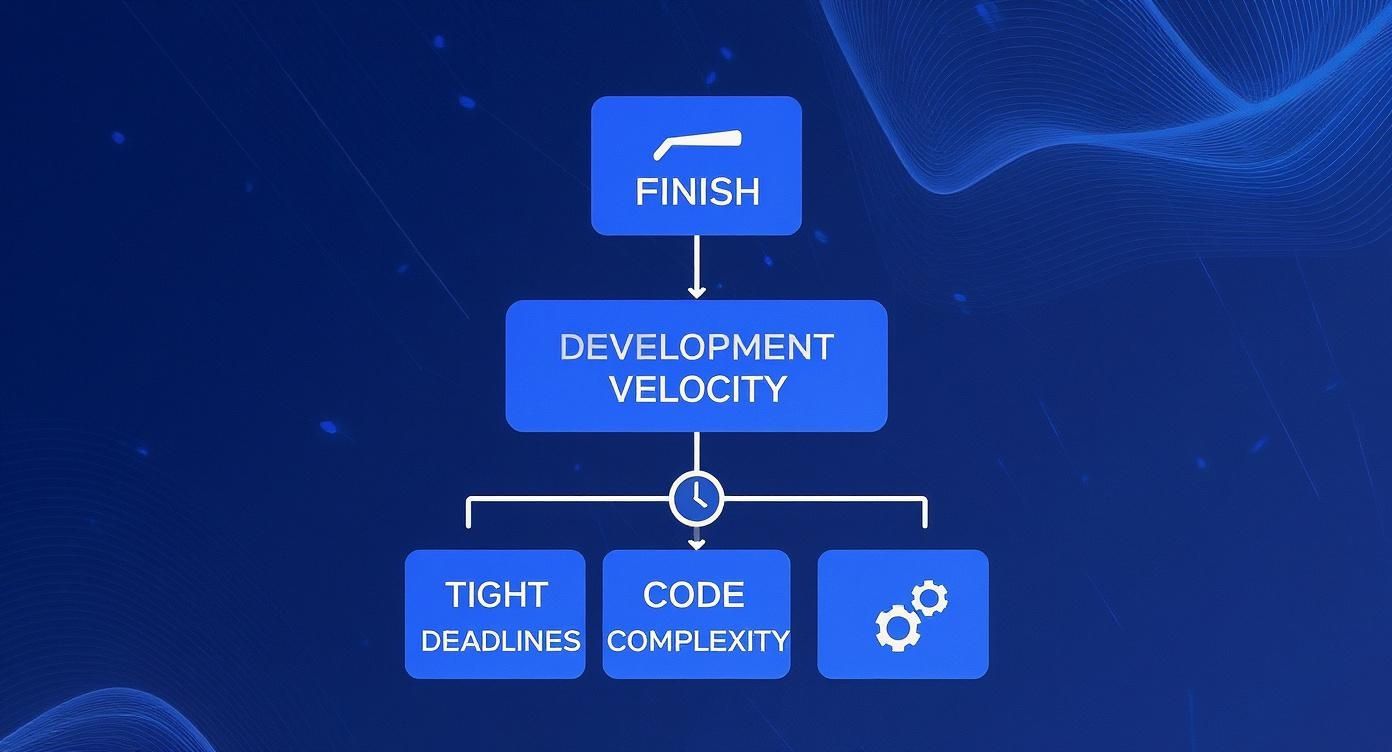
This is the core problem we're trying to solve: keeping quality high without grinding productivity to a halt. Let's break down the four pillars that make this possible.
Pillar 1: Pre-Commit Hooks
Think of pre-commit hooks as the security guard posted in the lobby. They're your first line of defense, running simple checks on a developer's local machine right before any code gets committed to version control. Their job is to stop obvious problems before they can even get in the door.
These hooks are perfect for enforcing basic code hygiene and catching the low-hanging fruit.
- Linting: Is the code formatted correctly? Are we following the team's style guide? Linting catches all the small stuff.
- Syntax Checks: A quick scan to make sure there are no blatant errors that would break the build.
- Secret Scanning: This one is critical. Hooks can scan for accidentally committed API keys or passwords, making sure they never leave the developer's machine.
The magic here is immediacy. The feedback is instant and private. A developer can fix a typo or a formatting mistake without the embarrassment of a failed CI build or a comment on their pull request. It’s a simple, low-friction win.
Pillar 2: In-IDE Real-Time Feedback
The second pillar is like having a personal coding coach whispering helpful advice right in your ear as you work. In-IDE tools give you real-time analysis and suggestions directly inside your editor, whether that's VS Code or a more specialized tool like Cursor. This is where AI-powered platforms like kluster.ai completely change the game, offering feedback that goes way beyond basic syntax.
By providing context-aware suggestions as code is written, in-IDE tools shift quality checks "left," making them a proactive part of the creation process, not a reactive step after the fact.
This pillar isn't about catching mistakes; it's about preventing them from being written in the first place. These tools can:
- Spot complex bugs and logical flaws as the developer is typing.
- Flag potential security vulnerabilities the moment they appear.
- Enforce your team's best practices and naming conventions automatically.
- Verify AI-generated code against the original intent, catching hallucinations or performance issues instantly.
This immediate feedback loop keeps developers in a state of flow, eliminating the soul-crushing cycle of pushing code, waiting for CI, and then context-switching back to fix a simple issue.
Pillar 3: CI/CD Pipeline Checks
If pre-commit hooks are the lobby guard, then your CI/CD pipeline checks are the automated security checkpoint that every single package has to pass through. Once a developer pushes their code, the CI pipeline automatically kicks off a whole suite of heavy-duty checks on a shared server.
This is your non-negotiable gatekeeper. Its job is to run the deeper, more time-consuming analyses that would be too slow to run on a developer's local machine.
- Static Application Security Testing (SAST): Scans the entire codebase for known security vulnerabilities.
- Comprehensive Static Analysis: Dives deep to find complex bugs, code smells, and anti-patterns.
- Unit and Integration Tests: Runs the full test suite to make sure the new code doesn't break anything else.
These checks are the safety net for the entire team. They guarantee that no code gets merged into the main branch without passing a rigorous, standardized bar for quality and security.
Pillar 4: AI-Powered Review Bots
Our final pillar is the expert consultant you bring in to look over the final blueprints. AI-powered review bots operate on pull requests (PRs) inside platforms like GitHub or GitLab. After the CI/CD pipeline gives the technical green light, these bots perform a sophisticated, high-level analysis that mimics a senior developer's review.
The scale of modern code review makes this layer essential. A team of 250 developers merging just one PR per day generates nearly 65,000 PRs annually. At an average of 20 minutes per review, that’s over 21,000 hours of manual work. Worse, we know reviewer effectiveness tanks after just 80-100 lines of code. Automation is the only way to manage this. You can discover more insights about the state of AI code review tools and how they're tackling this problem.
These bots are brilliant at tasks that require a deep, contextual understanding of the changes:
- Summarizing PRs: They can write clean, natural-language summaries of what the code does, saving human reviewers a massive amount of time.
- Suggesting Improvements: They'll offer concrete recommendations to make the code more efficient, readable, or maintainable.
- Spotting Missed Edge Cases: They can often identify tricky issues that even static analysis tools might miss.
By bringing all four pillars together, engineering teams create a powerful, layered defense that protects code quality, security, and consistency from the first keystroke to the final merge.
Comparing Code Review Automation Methods
To help you decide which methods are right for your team, this table breaks down the four primary automation patterns. Each has its own strengths and is best suited for different moments in the development workflow.
| Method | When It Runs | Primary Goal | Best For | Key Limitation |
|---|---|---|---|---|
| Pre-Commit Hooks | Before code is committed locally | Enforce basic hygiene and standards | Catching simple formatting, syntax, and credential leaks | Can be bypassed by developers; only runs local checks |
| In-IDE Real-Time | As the developer types | Prevent errors from being written | Instant feedback on logic, security, and AI code verification | Dependent on IDE integration; quality varies by tool |
| CI/CD Checks | After code is pushed to a shared branch | Act as a quality and security gatekeeper | Running deep, comprehensive scans (SAST, tests) | Feedback is delayed; can create a slow push-fail-fix loop |
| AI Review Bots | On a submitted Pull/Merge Request | Augment human review with high-level insights | Summarizing changes, suggesting improvements, spotting edge cases | Runs late in the process; can't prevent issues from being committed |
No single method is a silver bullet. The most effective teams combine these approaches to create a comprehensive safety net that catches issues early and often, freeing up human reviewers to focus on the truly complex architectural and business logic decisions.
How Automation Impacts Quality, Security, and Developer Happiness
Bringing automation into your code review process does way more than just shave a few minutes off your development cycle. It fundamentally changes the game for your product, your security, and your team’s sanity. The effects create a powerful positive feedback loop, because when you let tools handle the grunt work, the entire engineering org gets an upgrade.
This is especially true when AI enters the picture. The right kind of automation doesn't just make teams faster; it makes them better. Research from Qodo found that engineering teams using AI in their code review process saw quality improvements of up to 81%. For comparison, equally fast teams without AI review tools only hit a 55% improvement. That gap shows AI is the key to turning raw speed into durable quality.

Elevated Code Quality
The first thing you'll notice is a huge leap in code quality. Think of automation as a tireless reviewer that never gets distracted, never has a bad day, and applies your team’s standards with perfect consistency. Every single line, every single time.
Right away, this kills the pointless "style debates" that clog up pull request comments. It frees up your human reviewers to hunt for the big stuff—the architectural flaws and logical missteps. More importantly, it catches the subtle bugs that are so easy for human eyes to skim right over.
- Error Prevention: Automated tools are brilliant at spotting things like potential null pointer exceptions, resource leaks, and off-by-one errors before they ever get merged.
- Technical Debt Reduction: By flagging overly complex functions, duplicated code, and anti-patterns on the spot, automation stops technical debt from piling up.
- Building Resilient Software: It all adds up. Consistent standards and early bug detection lead to a codebase that’s more stable, predictable, and easier to maintain down the road.
Fortified Security Posture
In today's world, security can't be an afterthought you tack on at the end. It has to be baked into the development process from day one. Automating code review is one of the most effective ways to "shift left," turning security from a last-minute fire drill into a daily habit.
This is where automated security scanners, often called Static Application Security Testing (SAST) tools, come in. They integrate right into the workflow, scanning code for known vulnerabilities as it’s being written.
By making security scanning an automatic part of every pull request, you transform security from a specialized, periodic audit into a daily habit for every developer on the team.
This approach builds a security-aware culture by default. Developers get instant feedback if they accidentally introduce a vulnerability, letting them learn and fix it on the spot. Catching a security flaw this early is massively cheaper and more effective than discovering it after it’s already been deployed to production.
Enhanced Developer Happiness
This might be the most underrated benefit of all: the huge boost to developer morale. Let's be honest, manual code reviews can be a major source of frustration. The endless back-and-forth, the long wait times for approval, the subjective nitpicks—it can be incredibly draining.
Automation hits these pain points head-on:
- Reduced Toil: It takes the most mind-numbing, repetitive parts of a review—checking for formatting, style, and common mistakes—completely off the developer's plate.
- Faster Feedback Loops: Developers get feedback in minutes, not hours or days. This lets them stay in the zone and fix issues while the context is still fresh in their minds.
- Empowered Focus: When your senior engineers aren't bogged down in mundane review tasks, they can spend their time on high-impact work like mentoring, system design, and solving the really tough problems.
All of this adds up to less friction, greater autonomy, and a much happier team. When developers can merge their work faster and with more confidence, they're more engaged, more productive, and far less likely to burn out.
How AI Review Tools Fit Into Your Daily Workflow
Okay, the theory is great, but what does automated code review actually look like on a Tuesday morning? Let's follow a developer, Sarah, as she builds out a new checkout feature. Her team uses a layered AI review strategy to keep quality high without slowing down the development cycle.
This approach isn't about adding more gates to jump through. It's about turning the review process into a continuous, collaborative partnership with an AI assistant. The whole point is to catch issues the second they happen—ideally, before the code is even saved.
Here’s a glimpse of what that looks like. The AI provides real-time feedback right inside the developer's world, making code review part of the natural coding flow, not a separate chore that comes later.
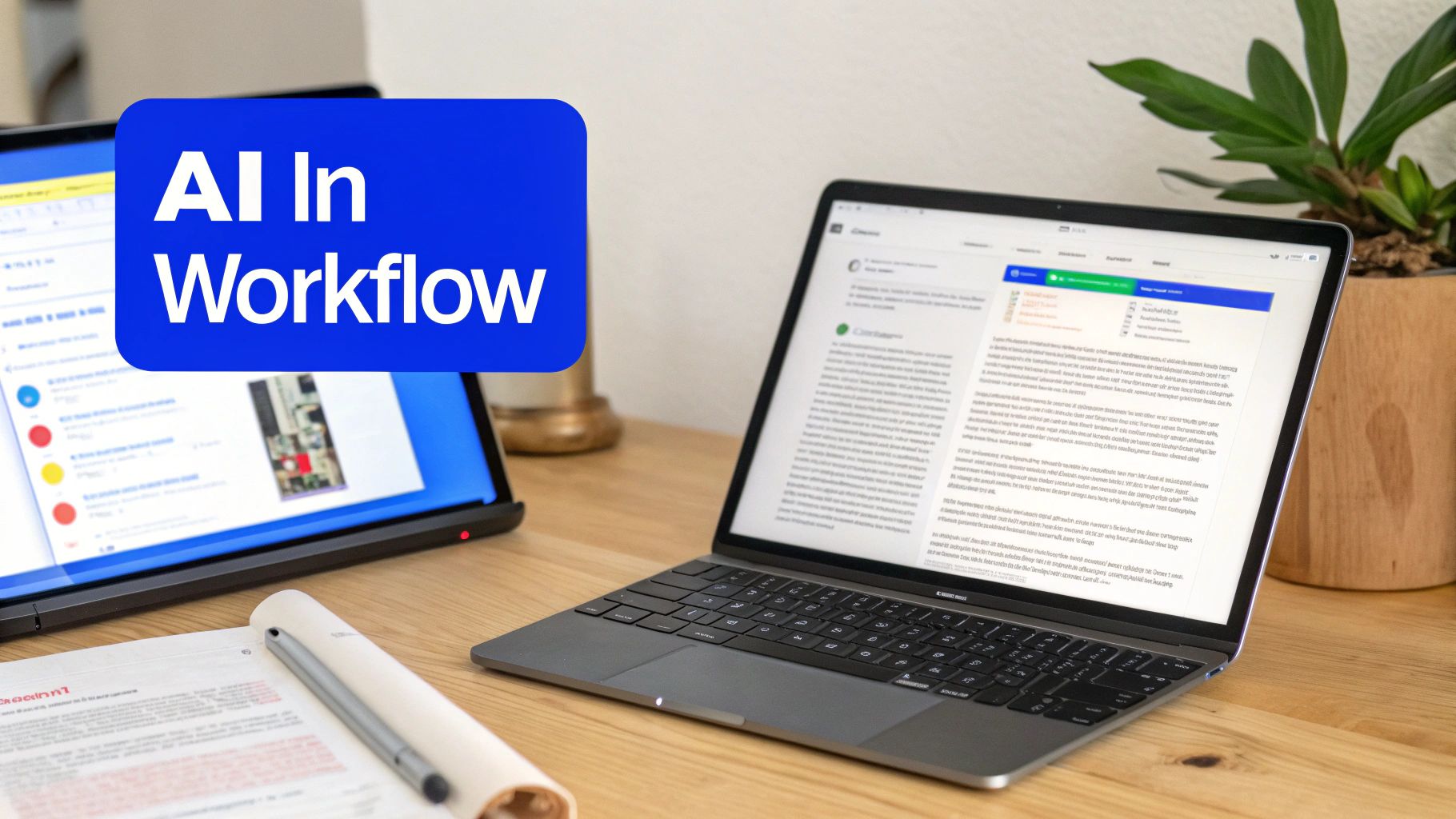
This kind of in-IDE integration is what keeps developers in the zone, eliminating the constant context-switching that plagues traditional review cycles.
The In-IDE Coding Partner
Sarah starts writing a function to calculate shipping costs, using an AI assistant to spin up some boilerplate code. As she does, an in-IDE tool like kluster.ai is running silently in the background, analyzing the new code as it appears.
Seconds later, it flags something. The AI-generated function doesn’t account for international shipping zones—a critical piece of business logic that’s documented elsewhere in the repo.
Instead of waiting hours for a human reviewer to spot this, Sarah gets an instant, actionable suggestion right in her editor. She accepts the recommended fix, adds the missing logic, and keeps coding. She never broke her stride. This immediate feedback loop is what makes modern automation so powerful. If you're looking for the right tool, check out our complete guide to automated code review tools.
From Local Fixes to Smart Pull Requests
Once Sarah finishes the feature, she commits her work. A pre-commit hook runs automatically, catching a minor formatting inconsistency and an unused import. She fixes both in under a minute and pushes her changes, confident her code already meets the team’s basic quality standards.
When she opens a pull request (PR) in GitHub, the next layer of automation kicks in. The CI pipeline runs the full suite of unit tests and security scans while an AI review bot gets to work analyzing her changes.
The AI bot does more than just list potential problems. It writes a high-level summary of the PR, explaining the business logic changes in plain English. This alone saves human reviewers a massive amount of time just getting up to speed.
The bot’s analysis is sharp and context-aware. It highlights a few key areas that could use a human eye:
- Performance Suggestion: It points out that one database query could be optimized to perform better under heavy load.
- Edge Case Question: It asks if the new logic correctly handles promo codes that offer free shipping.
- Clarity Recommendation: It suggests renaming a variable to make the code easier for the next developer to understand.
Augmenting the Human Review
Now, when a senior developer, Mark, opens the PR, his job has totally changed. He doesn't need to waste time checking for style violations or common bugs; the machines already handled that. He reads the AI's summary, sees its suggestions, and can immediately focus his brainpower on the complex architectural parts of the change.
He agrees with the performance tip and adds a quick comment confirming the edge case is handled. The entire human review takes just a few minutes instead of half an hour. This is where tools like AI Powered Coding Assistant Tools are becoming indispensable, acting like an expert pair programmer that never gets tired.
The whole process—from writing the first line of code to merging the PR—is faster, smarter, and way less stressful. The AI acts as a tireless assistant, freeing up both Sarah and Mark to do their best work without getting bogged down in the small stuff.
Navigating the Risks of Over-Automation
Automating code review sounds great on paper, but a "set it and forget it" mindset is a fast track to failure. The goal is to help your team, not bury them in noise. Without a thoughtful strategy, the very tools meant to speed things up can become a major source of friction and drag everyone down.
Two big problems almost always pop up when you roll out automation without a plan: alert fatigue and the AI trust deficit. Both can kill adoption and make your quality and velocity goals impossible to reach. The trick is to plan for these challenges from day one.
The Problem of Alert Fatigue
Alert fatigue is what happens when developers get slammed with a never-ending stream of useless notifications.
Think of it like a smoke detector that goes off every single time you make toast. The first few times, you panic and check for a fire. After a week, you just rip the batteries out. The same thing happens with poorly configured automation.
When a tool flags hundreds of minor style nits or debatable "code smells," developers learn to ignore it. This is incredibly dangerous. It means a truly critical alert—like a major security hole—gets lost in the noise. The tool that was supposed to be a safety net just becomes background chatter.
To fight this, you have to be absolutely ruthless about the signal-to-noise ratio:
- Start Small: Don't turn on every rule. Begin with a tiny, high-confidence set of checks focused only on critical bugs and security flaws.
- Don't Block Merges (At First): Run new tools in an advisory-only mode. Let developers see the suggestions without blocking their work. This builds familiarity and trust.
- Tune It Constantly: Pay attention to which alerts get ignored. If nobody is fixing a certain type of issue, either tune the rule or turn it off.
The Growing AI Trust Deficit
The other big hurdle is that developers are naturally skeptical of AI-driven feedback. And for good reason. AI can spot incredibly complex issues, but it can also "hallucinate" and suggest things that are flat-out wrong. This creates a trust gap that can stop your initiative before it even gets started.
If your developers feel like they have to double-check every single comment the AI makes, you've just traded one form of work for another. The promised time savings are gone.
Frame the AI as a knowledgeable assistant, not an unquestionable authority. Its job is to flag potential issues and offer ideas. The final call always belongs to the human expert in the loop.
This human-in-the-loop model is key. And the data backs this up—trust is still a massive issue. Only 3.8% of developers report having high confidence in shipping AI-generated code without human review. You can read the full research about AI code quality to dig deeper. This stat perfectly illustrates AI’s role today: it’s a powerful partner, but it still needs expert validation.
By getting ahead of alert fatigue and building trust through a smart, transparent rollout, you can sidestep the biggest risks of over-automation. It’s how you make sure your tools are actually empowering your developers, not just overwhelming them.
Building and Measuring Your Automation Strategy
Knowing you need to automate code reviews is the easy part. Actually rolling it out without causing a team rebellion is another story entirely. A "big bang" approach where you flip a switch and change everything overnight almost never works. Trust me. You need a phased strategy that builds momentum and proves its worth step by step.
Start with the easiest, highest-impact wins you can find. A perfect first move is integrating a linter or a simple static analysis tool into your CI/CD pipeline. It runs in the background, gives objective feedback, and starts catching low-hanging fruit immediately without getting in anyone’s way. It’s a silent partner that just works.
Once your team sees the value from that first layer—and they will—you can start introducing more powerful tools. Maybe it's an in-IDE AI assistant running in an advisory mode or a friendly AI bot that leaves suggestions on pull requests. The goal is to gradually dial up the automation as your team gets comfortable and sees firsthand that these tools are there to help, not to replace them.
Defining Your Success Metrics
You can't improve what you don't measure. If you want to prove that automation is working and justify investing more into it, you need to track the right KPIs. Moving from "it feels faster" to showing stakeholders hard data is how you turn a small experiment into a company-wide standard.
Focus on metrics that tie directly to development speed, code quality, and your team's sanity. These are the numbers that tell the real story of your strategy's impact.
A great automation strategy doesn't just make code reviews faster—it makes the entire development lifecycle healthier. The right metrics will show improvements in speed, quality, and the day-to-day developer experience.
Here are three critical metrics you should start tracking right away:
-
Pull Request (PR) Lifecycle Time: This is the big one. It’s the total time from the moment a PR is opened until it’s merged into the main branch. If this number is going down, it’s a crystal-clear sign that automation is smashing bottlenecks and tightening up your feedback loops.
-
Defect Escape Rate: This metric tracks how many bugs are found in production that can be traced back to recent code changes. A falling defect escape rate is hard proof that your automated checks are catching real issues before they ever see the light of day.
-
Developer Satisfaction (DSAT): Never forget the human side of things. Simple, regular surveys asking developers how they feel about the code review process are invaluable. An uptick in satisfaction is a powerful sign that you’re successfully cutting down on tedious work and frustration.
Proving the ROI
With these metrics in your back pocket, you can build an undeniable business case. For instance, you can calculate the hours saved by multiplying the reduction in PR review time by the number of PRs you handle. A 15% reduction in a 45-minute average review time across 500 PRs a month saves over 56 hours of precious engineering time. Every single month.
This kind of data lets engineering leaders have concrete, value-driven conversations. You’re no longer saying, "We think this is better." You're saying, "We have measurably improved our development velocity by X% and cut production bugs by Y%." For a deeper look at this, our guide on the best practices for code review has even more strategies to help you optimize the process.
At the end of the day, a well-planned and carefully measured automation strategy does way more than just enforce coding standards. It fosters a high-velocity, high-quality engineering culture where developers are empowered to ship their best work, confidently and quickly.
Questions Everyone Asks About Automating Code Review
When teams start talking about automating code review, the same questions always pop up. It makes sense. You've got a workflow that mostly works, and bringing in new tools can feel disruptive. Let's tackle the big ones head-on.
Will Automated Tools Replace Our Human Reviewers?
Not a chance. That’s not the point. The goal isn’t to replace human expertise but to free it up.
Think of automated tools as the first line of defense. They’re brilliant at catching the objective, black-and-white stuff—style violations, common bugs, and security flaws that a linter or scanner can spot a mile away.
This lets your senior engineers stop being glorified spell-checkers and focus their brainpower where it actually matters:
- Big-picture architecture: Does this change fit our long-term vision for the codebase?
- Business logic: Does the code do what the user actually needs it to do?
- Solution design: Is this the simplest, most maintainable way to solve this problem?
Automation handles the tedious checklist. Your developers handle the creative, complex analysis that machines just can't do.
How Do We Start Without Creating Chaos?
Go slow. The absolute worst thing you can do is buy a new tool, turn on all 500 rules, and break every developer’s build. That’s how you get a rebellion on your hands.
Instead, start with a small, undeniable win. A great first step is adding a linter to your CI/CD pipeline with just a handful of non-controversial rules. And critically, run it in a non-blocking mode at first. Let developers see the suggestions without feeling like a robot is yelling at them.
Once the team sees that the feedback is genuinely helpful, they’ll start to trust it. From there, you can gradually introduce more powerful static analysis or even AI-driven tools. It’s all about building trust over time.
What’s the Biggest Mistake Teams Make?
The classic blunder is the "set it and forget it" mindset. A team will implement a powerful new tool using its out-of-the-box configuration, which is often noisy and totally generic. Before you know it, developers are drowning in so many irrelevant warnings that they just start ignoring the tool completely. It becomes background noise.
Successful automation isn’t a one-time project; it’s a living part of your engineering culture. You have to constantly tune the rules, listen to feedback from your team, and make sure the automated comments are always valuable and actionable.
When you treat it like a process of continuous improvement, it becomes an asset that helps your team ship better code, faster.
Ready to stop review bottlenecks before they start? kluster.ai gives your team real-time, context-aware feedback on AI-generated code as it’s being written. Catch bugs and enforce standards directly in the IDE, long before they ever become a pull request. Book a demo today and see how it works.