

A Developer's Guide to Automatic Code Review
For any team shipping software, the manual code review process is a painfully familiar bottleneck. It's the traditional quality gate, but let's be honest—in today's world of rapid development, it’s completely broken. Relying on it is like asking a master watchmaker to inspect every single part on a high-speed assembly line. The dedication is noble, but the method just can't keep up.
The Hidden Costs of Manual Code Review
Manual code reviews are more than just a time-suck; they inject a huge amount of friction and risk right into the middle of your development cycle. While the goal is to improve quality, this human-powered process often becomes the single biggest drag on productivity. It pulls your most senior developers away from critical work and grinds the entire CI/CD pipeline to a halt.
The real problem is that it just doesn't scale. As your team grows and your codebase gets more complex, the sheer volume of pull requests (PRs) quickly overwhelms anyone trying to keep up. Fatigue, human error, and inconsistent feedback are inevitable, which means security flaws and subtle bugs start slipping through the cracks and into production. Meanwhile, a developer waiting hours—or even days—for a review loses all momentum, creating a vicious cycle of delays that kills team morale and pushes back feature releases.
The Staggering Scale of the Problem
When you look at the raw numbers, it's pretty shocking. A team of 250 developers, each merging just one PR a day, will generate around 65,000 PRs a year. If each review takes a conservative 20 minutes, that adds up to over 21,000 hours spent on manual reviews. Every single year.
To make matters worse, research from DevToolsAcademy shows that a human reviewer's effectiveness plummets after looking at just 80-100 lines of code. And to catch 95% of security vulnerabilities? You'd need about 12 to 14 different people to review the same change. It’s an impossible standard.
This isn't just a payroll cost; it's a massive opportunity cost. Every hour a senior engineer spends nitpicking style guides or spotting basic logic errors is an hour they aren't designing system architecture or mentoring the next generation of developers.
Manual code review creates a paradox: the more you scale your team to increase output, the more you magnify the bottleneck that slows you down. The system actively works against its own goals.
Beyond Time: The Ripple Effects
The consequences go way beyond simple delays. This dependency on manual checks creates a whole host of downstream problems that affect the entire organization:
- Inconsistent Quality: The feedback you get can be wildly different depending on who's doing the review, what kind of day they're having, or how much time they have.
- Knowledge Silos: Critical architectural knowledge gets locked away with a few senior reviewers, creating dangerous dependencies and single points of failure.
- Developer Frustration: Nothing burns out a developer faster than long wait times and subjective, inconsistent feedback. It's a major source of dissatisfaction.
These hidden costs make it clear that we need a smarter, more scalable, and consistent way forward. For a deeper dive into improving this process, check out our guide on the best practices for code review. The limitations of the old way set the stage for automatic code review—a system built to handle the repetitive grunt work so developers can focus on what actually matters.
How Automatic Code Review Actually Works
Forget simple syntax checkers. Modern automatic code review is less like a grammar cop and more like a senior engineer who’s seen it all, working right alongside you. Imagine a tireless partner that has analyzed millions of lines of code, capable of spotting complex patterns, subtle logic flaws, and potential security risks that even a skilled human might miss under a tight deadline.
At its most basic, the process starts with static analysis, which scans your code without actually running it. But that's just the starting line. Today's tools use sophisticated, context-aware AI that doesn't just see the code—it understands the intent behind it.
This is a concept we call intent alignment. The AI looks at the original prompt you gave your coding assistant, the context of the entire repository, and even your previous conversations to figure out what the code is supposed to do. It then checks if the generated code actually hits that mark, catching the kind of logical errors and AI hallucinations a simple linter would fly right past.
Sticking with a purely manual review process has real, tangible costs. This diagram breaks it down pretty clearly.
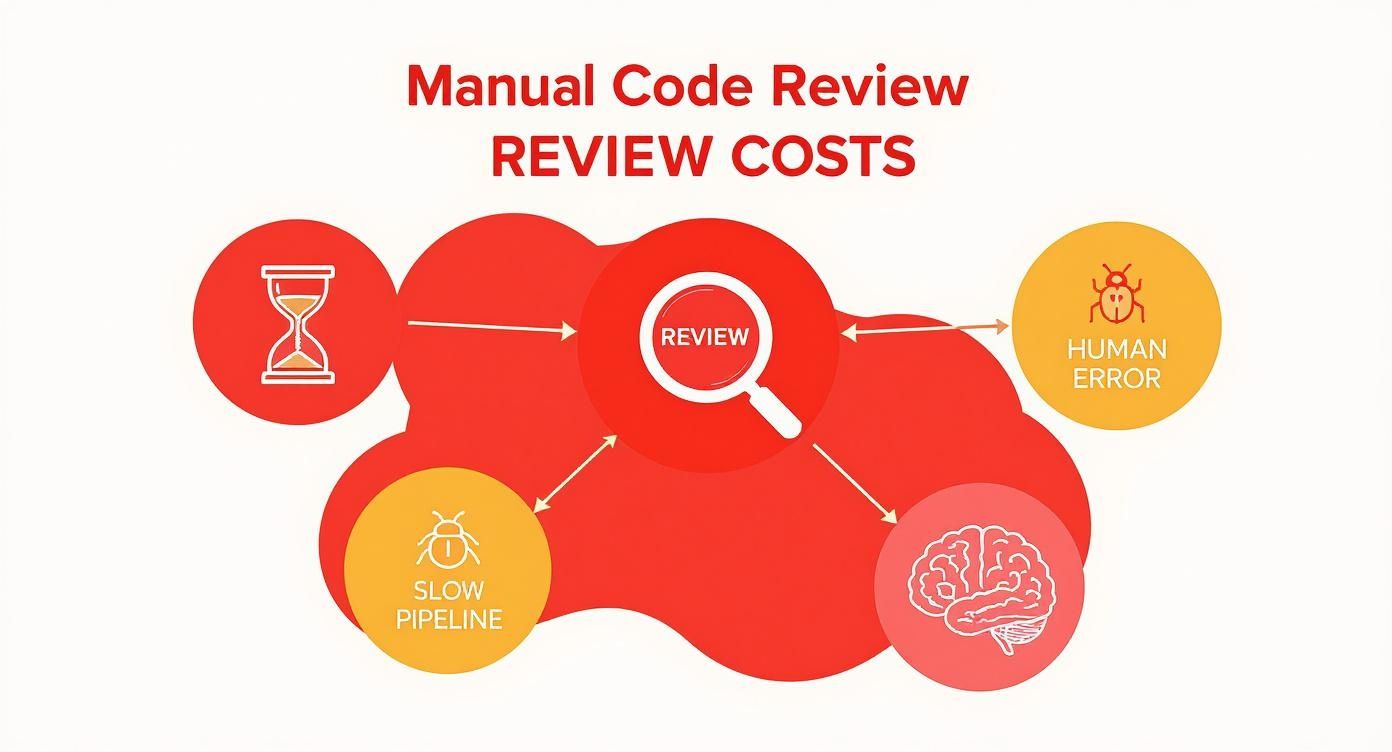
As you can see, slow pipelines, human error, and the constant drain on your most experienced developers aren't just annoyances; they're direct consequences of an outdated review model.
From Static Analysis to AI-Powered Insights
The journey from basic rule-checking to deep, contextual understanding is a huge leap. A modern automatic review process layers several types of analysis to give you the full picture.
To really get it, it helps to understand what security code reviews entail at their core. Automation takes those principles and applies them with blistering speed and scale.
Here’s how the layers typically stack up:
- Static Application Security Testing (SAST): This is your first line of defense. It scans for known vulnerability patterns, insecure coding practices, and dependency issues—great for catching common stuff like SQL injection risks or outdated libraries.
- Semantic and Logical Analysis: This goes deeper than just syntax. The tool analyzes the code's structure and logic to find potential bugs, performance bottlenecks, or overly complex functions that need a refactor. It might spot an infinite loop that a basic linter would completely miss.
- AI-Driven Intent Verification: This is where the magic happens. AI agents check the code against the developer's original request or the ticket's requirements. If you asked an AI assistant to "add pagination to the user list," the review tool verifies that the code actually implements pagination correctly and doesn’t introduce any weird side effects.
The real power here is getting instant, actionable feedback right inside your IDE. It’s like having a senior architect available for a pair-programming session, 24/7.
Real-Time Feedback in the IDE
This is a fundamental shift. Instead of waiting for a CI pipeline to fail or for a senior dev to free up, you get insights while you're still writing the code.
Let's say you're using an AI assistant like Cursor or Claude Code to generate a new function. A tool like Kluster.ai, running quietly in the background, analyzes it on the fly.
- Code Generation: You ask the AI to generate a function for processing user uploads.
- Instantaneous Analysis: The automatic review tool immediately flags that the function doesn't validate file types, creating a glaring security hole.
- Actionable Suggestion: It gives you a corrected code snippet that includes the necessary validation, along with a quick explanation of why it matters.
This immediate feedback loop stops bad code from ever making it into a commit. It turns the review from a tedious chore into a proactive, educational experience. You build better habits and ship higher-quality code, faster, without all the back-and-forth "PR ping-pong" that grinds development to a halt.
Unlocking Speed, Security, and Governance
Bringing an automatic code review system into your workflow isn't just a minor process tweak—it fundamentally rewires the business outcomes of your entire development cycle. The value really boils down to three core pillars: shipping features faster, hardening your app's security, and locking in consistent governance across your whole engineering org. These aren't just separate benefits; they feed into each other, creating a much more efficient and reliable way to build software.
The first thing you'll notice is a massive jump in development velocity. Manual reviews are a classic bottleneck, trapping developers in a painful "hurry up and wait" cycle. By giving developers instant feedback, automation completely flattens that review queue, shrinking pull request cycle times from days down to minutes. This means features get built, tested, and shipped faster, which translates directly to a quicker time-to-market and a serious competitive edge.
Fortifying Code Against Modern Threats
Beyond speed, the security payoff is huge. Human reviewers, no matter how sharp, get tired. It’s easy to miss a tricky vulnerability buried deep in complex logic. AI-powered review agents, on the other hand, are relentless. They scan every single line of code with a level of scrutiny that's just not humanly possible to maintain.
These systems are trained on massive datasets of known exploits and bad coding patterns, letting them spot subtle but critical issues that often slip through:
- Logic Flaws: Catching those nasty edge cases where business logic could be exploited.
- Data Handling Errors: Identifying improper data sanitization or the accidental exposure of sensitive info.
- Insecure Dependencies: Flagging vulnerabilities in third-party libraries before they ever get merged.
By catching these security holes before they hit the main branch, automatic code review shifts security left. It stops being a reactive fire drill and becomes a proactive, preventative part of how you build software. This dramatically cuts the risk of a costly data breach or an all-hands-on-deck emergency patch later on.
Establishing Scalable Governance
Finally, automation is an incredible tool for enforcing consistent coding standards and governance. In any large organization, trying to maintain a uniform code style, stick to architectural patterns, and meet compliance rules can feel like a losing battle. Manual enforcement is patchy at best and usually falls on the shoulders of a few senior developers.
An automatic code review tool acts as an impartial guardian of your codebase. It systematically checks every contribution against a predefined set of rules, covering everything from naming conventions to proper API usage, making sure every merge meets your organization's quality bar.
This shift allows senior developers to stop policing pull requests and start focusing on strategic architecture and innovation. Automation handles the tactical enforcement, freeing up your most valuable engineering talent for high-impact work.
This kind of consistent governance also chips away at technical debt over time. By blocking poorly written or non-compliant code from ever getting merged, the system preserves the long-term health and maintainability of the codebase. And for teams using AI coding assistants, platforms like kluster.ai take this a step further by ensuring every single AI-generated suggestion is automatically vetted against these same organizational standards. This guarantees that even code written by a machine aligns perfectly with your team's best practices, creating a scalable system of quality that grows with your team instead of slowing it down.
Integrating Automation into Your Workflow
Adopting an automatic code review tool isn't just about installing another plugin. It's about weaving it into the fabric of your team's daily process so thoughtfully that it becomes an invisible partner, boosting code quality from the very first line written.
When you get this right, the rollout provides immediate value without killing productivity. It just feels like a natural extension of how you already work.
The journey starts with picking the right tool for your ecosystem. You have to consider your team’s primary languages, the IDEs they live in (like VS Code or Cursor), and your CI/CD provider. A tool with deep, native integrations will always feel smoother than something that feels bolted on.
This isn't a trivial decision. The global market for code review tools was valued at around $2.1 billion in 2023 and is on track to hit $5.3 billion by 2032. That growth is fueled by a massive industry push for more secure and compliant software, making automated quality assurance a baseline expectation.
Embedding Automation in the IDE
The single most impactful place to introduce automated code review is right inside the IDE. This “shift-left” approach gives developers feedback at the earliest possible moment—while they're still actively coding. Instead of waiting for a pipeline to fail or a comment on a pull request, they see alerts and suggestions in real time.
This immediate feedback loop is a game-changer. It catches potential bugs, security flaws, and style violations on the fly, stopping them from ever making it into a commit. This is especially critical for teams using AI coding assistants. An in-IDE tool can instantly verify that AI-generated code actually aligns with the developer's intent and project standards, catching hallucinations before they spiral into bigger problems.
The principles of embedding checks early in the process apply across all sorts of quality domains. If you're interested in how this plays out in other areas, you might find it useful to learn how automated accessibility testing can transform development workflows.
Configuring Checks in the CI/CD Pipeline
While in-IDE feedback is all about the developer experience, integrating automated checks into your CI/CD pipeline acts as the ultimate quality gate. This is your line in the sand, ensuring that no code gets merged into the main branch without passing a final, comprehensive review.
Setting this up means configuring the tool to run on every new pull request. It becomes a final, impartial check that enforces your organization's standards consistently, every single time. It's the safety net that catches anything missed during local development and provides a clear, auditable record of code quality for every change.
The combination of in-IDE verification and CI/CD gating creates a powerful, two-layered defense. The IDE helps developers write better code from the start, while the pipeline guarantees that only high-quality, compliant code makes it into production.
Best Practices for a Smooth Rollout
Just dropping a new tool on your team is a recipe for disaster. A rushed process leads to alert fatigue and resistance. A strategic approach is key.
Follow these steps for a smooth transition:
- Start with a Pilot Team: Pick a single, forward-thinking team to try out the new tool. Their experience will give you priceless feedback and help you create internal champions who can advocate for the new process.
- Establish Clear Policies: Don't try to boil the ocean. Start by defining what you want to enforce and focus on the high-impact stuff first—think critical security vulnerabilities and major performance killers, not minor style preferences.
- Fine-Tune the Rules: Out-of-the-box settings can be noisy. Work with your pilot team to dial in the rules, disabling low-value checks and customizing others to fit your specific codebase. The goal is to deliver high-signal, low-noise alerts that developers actually find helpful. For a head start, check out our deep dive on the various automated code review tools to see how different platforms handle configuration.
Measuring the ROI of Automated Code Quality
So, you're thinking about investing in an automatic code review tool, but you need to convince the higher-ups. How do you prove it's worth the money? It’s not enough to say, "the developers like it." You need to connect the dots between automated code quality and real, tangible business results.
The good news is, you're not alone. The market for AI code review tools hit roughly $2 billion in 2023 and is on track to more than double to $5 billion by 2028. This isn't just hype; it's a massive industry shift driven by a clear understanding of the return on investment. Leaders who successfully build a business case do so by tracking the right numbers.
Let's break down how to do it.
Key Metrics to Track
To show real value, you need to focus on metrics that directly impact speed, stability, and security. These KPIs give you a clear "before and after" picture of your team's performance.
- Pull Request (PR) Cycle Time: This is the clock from the moment a PR is opened to when it’s finally merged. Automation slashes the time developers spend waiting for reviews, which is almost always the biggest bottleneck.
- Production Bugs and Hotfixes: Keep an eye on the number of bugs that actually escape into the wild. When this number drops, it's direct proof that the tool is catching issues much earlier in the process.
- Critical Vulnerabilities Caught Pre-Deployment: Track how many security flaws are found and fixed before a merge. Every single one you catch is a potential crisis you just dodged.
- Developer Satisfaction and Retention: This one's a bit softer, but still crucial. Regular surveys can show a real boost in morale when developers get to spend less time on tedious manual reviews and more on the creative work they actually enjoy.
These numbers aren't just for show; they form the bedrock of a compelling business case, turning technical wins into financial and operational gains.
Calculating a Simple ROI Model
You don't need a PhD in finance to calculate the ROI. A simple model that compares the cost of the tool against the money it saves will do the trick.
First, figure out what your current process is costing you. How many developer hours are burned on manual code reviews every week? And what's the estimated cost of a single production outage or security breach?
The ROI calculation becomes crystal clear when you put the tool's subscription cost next to the massive potential savings from preventing just one critical security breach or reclaiming thousands of developer hours over a year.
Let’s use a straightforward formula:
- Calculate Developer Hours Saved: (Avg. manual review time per PR - Avg. automated review time) x (# of PRs per month) x (Avg. developer hourly rate) = Monthly Time Savings.
- Estimate Averted Issue Costs: (# of critical bugs/vulnerabilities caught by the tool) x (Estimated cost per incident) = Monthly Risk Reduction.
- Determine Your ROI: (Monthly Time Savings + Monthly Risk Reduction - Monthly Tool Cost) / (Monthly Tool Cost) x 100 = ROI %.
This model gives you a clear, data-driven argument for adopting an automatic code review platform like kluster.ai, which is built specifically to maximize these returns by embedding checks directly into the developer's workflow.
All right, let's look at how this works in the real world.
Theory is one thing, but seeing how a modern automatic code review platform solves actual problems is where the rubber meets the road. Older tools are great at spotting syntax errors, but the real headaches—AI hallucinations, subtle logic flaws, and inconsistent standards—demand something smarter. This is where a purpose-built tool like Kluster AI completely changes the game.
Kluster AI was built from the ground up to solve the specific pains that pop up when teams start using AI coding assistants. Instead of treating code review as a final gate in your CI pipeline, it pushes verification right into the developer's IDE. You get feedback in seconds, not hours.
Moving Beyond Syntax with Intent-Aware Analysis
The biggest leap here is shifting from just checking what the code is to understanding why it was written. We call this intent-aware analysis. Kluster AI’s specialized agents look at the developer’s original prompts, the repo's history, and even the chat context to get the full picture.
This isn't just pattern matching. The system acts more like a senior engineer asking, "Does this code actually do what you wanted it to?" It catches logical mistakes a standard linter would never see.
For example, a developer might ask an AI assistant to "add pagination to the user table." Kluster AI doesn't just look for valid syntax. It actually verifies that the new code implements proper pagination logic, handles edge cases like the last page, and doesn't create new security holes, like exposing sensitive user data in an API response.
Seamless IDE Integration and Centralized Governance
Another huge piece of the puzzle is keeping developers in a flow state. Bouncing between your editor, a CI tool, and the pull request interface is a productivity killer. Kluster AI gets rid of that context switching by delivering all its insights right inside the IDE, whether you're using VS Code, Cursor, or another editor.
This immediate feedback loop lets developers fix things on the spot, turning what would have been a blocker into a quick learning moment. But empowering individual developers is only half the story. For engineering leaders, the real challenge is making sure everyone follows the same standards.
Kluster AI nails this with powerful governance features that let teams:
- Enforce Custom Guardrails: Automatically check that all code—especially AI-generated code—follows your team's specific naming conventions, architectural patterns, and best practices.
- Implement Security Policies: Systematically find and block common vulnerabilities before the code ever gets committed. This hardens your app's security from the very start.
- Ensure Compliance: Maintain a consistent quality bar that meets organizational and regulatory needs, all with an auditable trail of verification.
By mixing real-time, in-IDE verification with centralized policy enforcement, Kluster AI creates a rock-solid system for getting trusted, production-ready code. This practical approach to automatic code review means teams can review 100% of AI-generated code, slash their review queues, and merge pull requests minutes after the code is written—not days.
Common Questions About Automatic Code Review
When you start looking at AI-powered development tools, a few big questions always come up. As teams think about adding automatic code review to their workflow, the same handful of concerns pop up again and again. Let's tackle them head-on.
It's the best way to clear up the confusion and build some real confidence in how this all works.
Will AI Replace Our Human Code Reviewers?
This is always the first question, and the answer is a hard no. AI isn't here to replace developers; it’s here to make them better.
Think of an automatic code review tool as a tireless, incredibly fast junior developer. It handles all the grunt work—the repetitive, preliminary checks that eat up your senior engineers' time. This frees them up to focus on what humans do best: judging architectural decisions, questioning business logic, and mentoring the rest of the team. The AI checks the "what" and "how" so your people can focus on the "why."
It’s a partnership, not a replacement.
The goal of automation isn't to remove human expertise from the loop, but to elevate it. It filters out the noise so developers can apply their critical thinking to the problems that truly matter.
How Does It Handle Our Unique Business Logic?
This is a great question. Generic tools are notoriously bad at understanding company-specific context, and that's a real problem. A standard static analyzer has no idea about your internal rules, but modern AI-driven platforms are built to learn. They dig into your existing codebase, your documentation, and even the prompts your developers use to understand your specific architectural patterns and business needs.
For instance, you can set up custom rules or "guardrails" that teach the system to:
- Enforce specific API usage patterns that are unique to your internal services.
- Flag code that violates internal data handling policies, even if it’s technically secure.
- Ensure new features align with established architectural decisions, stopping code drift before it starts.
By doing this, the tool stops being a generic code checker and becomes an expert in your codebase. It makes sure every automated suggestion is actually relevant to how your team works.
What Is the Best Way to Get Our Team Onboard?
A big-bang, top-down mandate is the fastest way to get your team to hate a new tool. Success comes from a smooth, gradual rollout.
Start small. Find one forward-thinking pilot team and let them test it out. Their feedback is pure gold for fine-tuning the configuration. More importantly, they’ll become your internal champions who can vouch for the tool because they've actually used it to make their lives easier.
From there, it's all about education. Run short training sessions that show developers how the tool saves them time and cuts down on friction, instead of just being another box to check. Frame it as the solution to "PR ping-pong"—that frustrating back-and-forth that holds up merges. When your team sees it as a tool that helps them ship code faster, they'll actually want to use it.
How Do We Avoid Alert Fatigue?
Nothing kills a new tool faster than a constant flood of useless notifications. If you want to avoid alert fatigue, you have to be disciplined with your configuration. A good automatic code review system should be tuned for high-signal, low-noise feedback. Every alert should matter.
Start by turning off all the minor stylistic checks. Nobody cares about comma placement when there's a critical bug to fix. Focus only on what's truly important:
- Critical security vulnerabilities
- Potential performance bottlenecks
- Logic errors and AI hallucinations
- Violations of core architectural principles
When you curate the rules this way, you build trust. Developers learn that when the tool flags something, it's worth looking at. That's how you keep them engaged.
Ready to see how real-time, in-IDE verification can transform your workflow? kluster.ai integrates directly into your editor to catch issues and enforce standards before code ever leaves your workstation. Book a demo to start merging faster.